

Property bag is like a config information. The following are the uses of Property bag:
- It helps to store meta data as key-value pairs. For example, connection strings, file paths, server names and other settings in SharePoint application.
- Property bag is a hash table of key-value pair options.
- Property bags can be created / modified / deleted from SharePoint designer.
Steps:
The following are the steps to create a property using SharePoint Designer,
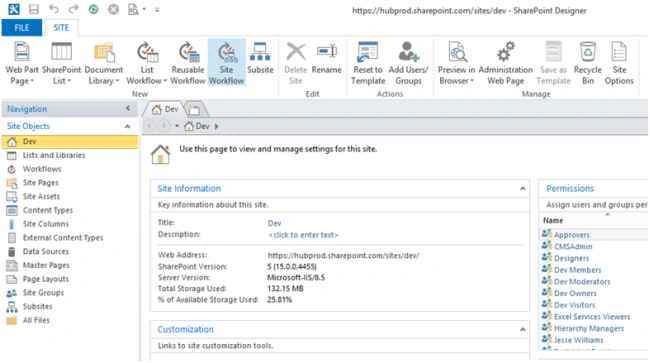
Step 1: Open the SharePoint site in SharePoint Designer.
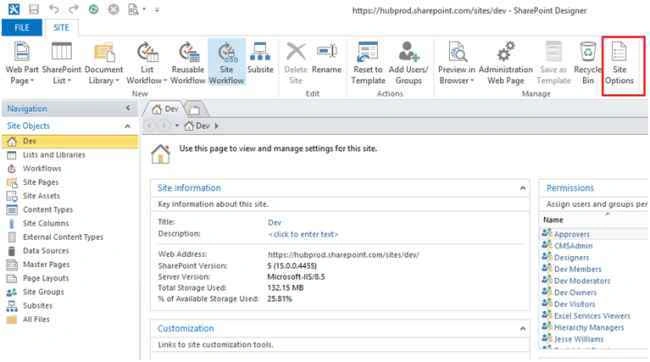
Step 2: Go to the site menu and click on Site Options, you will get a “Pop Up”.
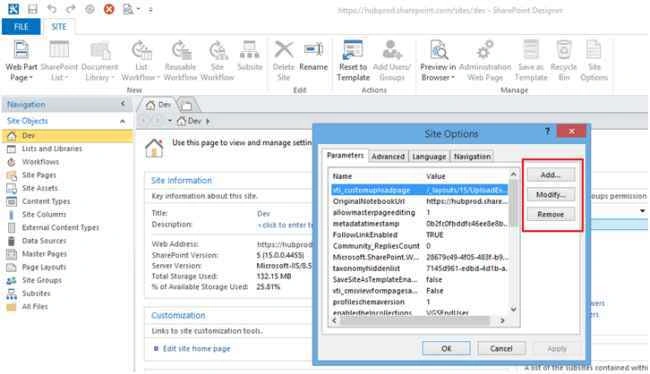
Step 3: On the Pop-up, you can see add, modify and remove buttons as in the following screenshot:
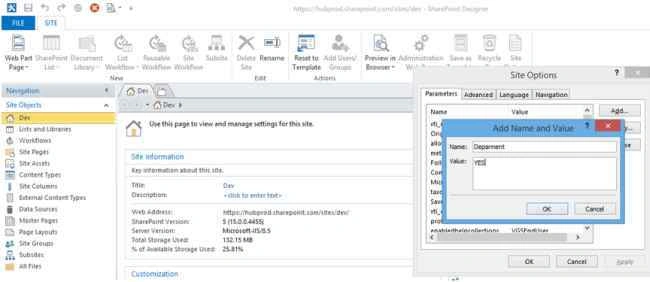
Step 4: Click “Add” to create new property and then provide the following values,
Name: Department
Value: YES
Step 5: Finally click “OK” to create.
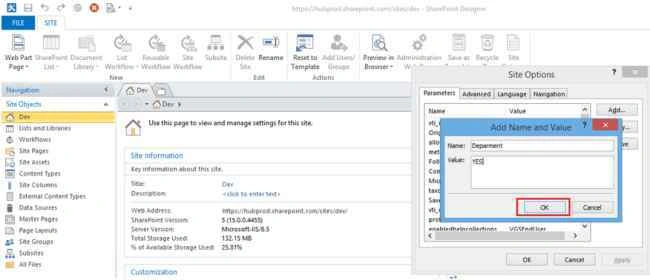
Finally your property will be created successfully in SharePoint Site.
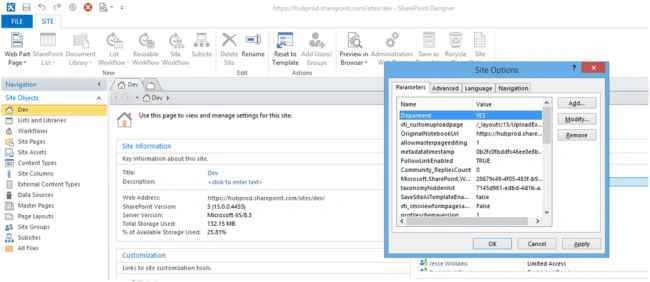
Summary
In this article we have explored how to create property in SharePoint Online site Collection Level.
Happy Learning!
Kaviya BalasubramanianPosted Oct 7, 2015, 4:51 AM
Thank u
Karthikeyan KPosted Sep 20, 2015, 1:40 AM
Good one..
Saineshwar BageriPosted Sep 20, 2015, 12:58 AM
nice one
Kaviya BalasubramanianPosted Sep 19, 2015, 5:03 AM
Thank u all :)
Nilesh JadavPosted Sep 19, 2015, 1:32 AM
Great !! Nice Article
Vinodh NarayananPosted Sep 19, 2015, 12:54 AM
Nice
Mohammed IbrahimPosted Sep 18, 2015, 1:11 PM
nice
Santhakumar MunuswamyPosted Sep 18, 2015, 10:48 AM
Thanks for nice artilce
Kaviya BalasubramanianPosted Sep 18, 2015, 9:13 AM
Thanks Harshad Pansuriya
Harshad PansuriyaPosted Sep 18, 2015, 8:55 AM
Nice Share