

Today I will show you how to support a read operation from the SQL Server database using a HTTP service using the ASP.NET Web API in MVC 4. I will create a very simple web API to read a list of Employees details.
To do this first we must create a database in SQL Server.
Step 1: Create a new database in SQL Server. Then, create a new table named "Employee":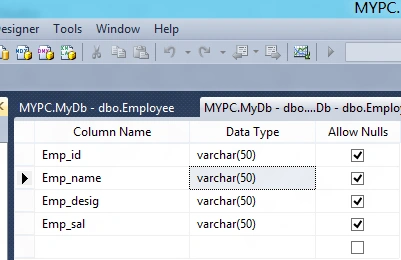
Step 2: Insert some records to the newly created table: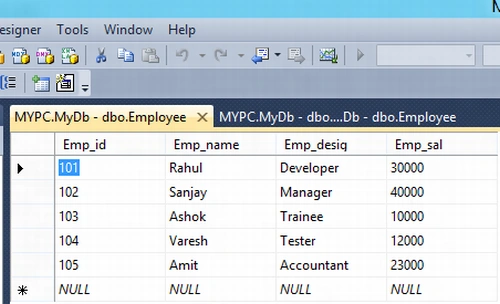
Now, We are going to create a HTTP Service using the ASP.Net Web API in Visual Studio 2012 RC.
Step 1: Open the Visual Studio 2012 RC.
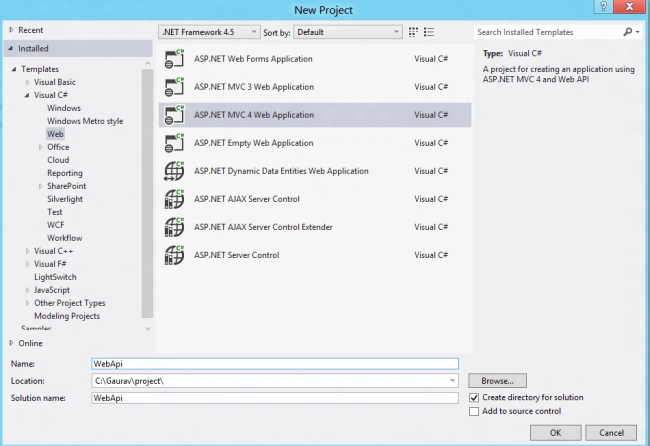
- Go to the Visual C# -> File menu -> New-> Project.
- Then, select Web from the left pane.
- Select ASP.NET MVC 4 Web Application.
- Rename it which as want.
- Click Ok button.
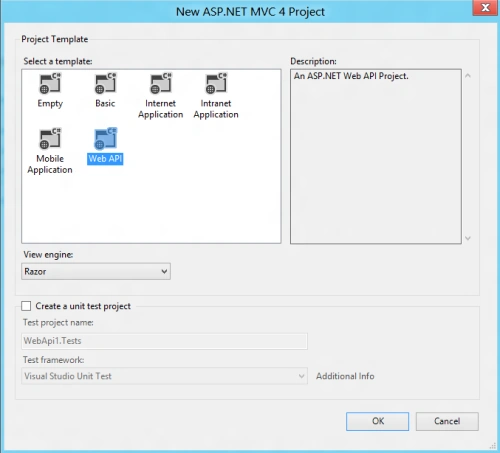
Step 2 After that select Web API from the opened window. This will create a basic architecture of a MVC.
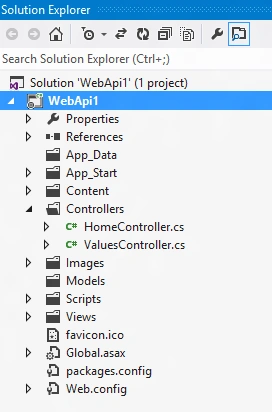
Step 3: Now, we are going to add a model class that contains the data in your application:
- In Solution Explorer, right-click the Models folder.
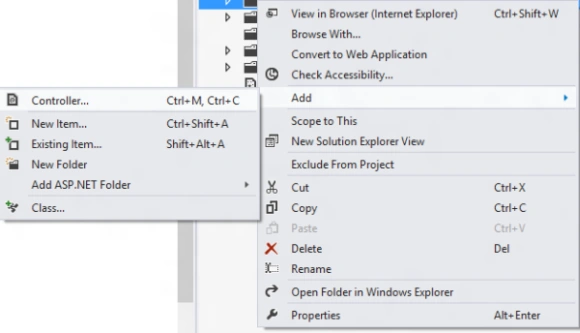
- Select Add, then select Class.
- Name the class "Employee".
- Click the Add button after that.
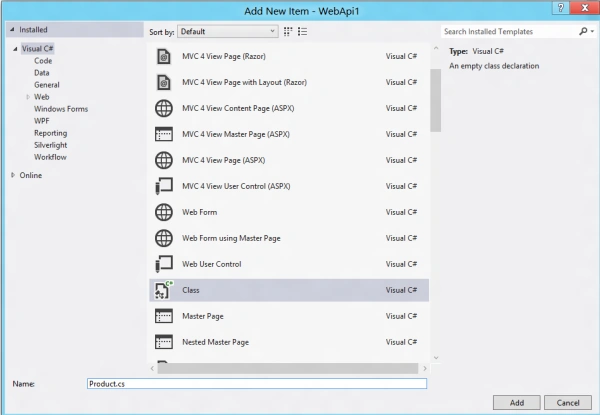
Step 4: Now we will create a class in the Employee.cs file that contains some properties related to the database fields:
using System;
using System.Collections.Generic;
using System.Linq;
using System.Web;
namespace WebApi.Models
{
public class product
{
public int Id { get; set; }
public string Name { get; set; }
public string desig { get; set; }
public decimal salary { get; set; }
}
}
Step 5: Here, we use the Repository Design pattern to seperate our service implementation. Add a new class as in Step 3 to the Model folder. Give it the name EmployeeDetails.cs.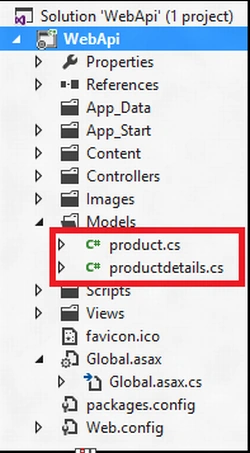
Step 6: It contains the methods that fetches the data from SQL Server database and creates a collection of Employees and stores it in a variable.
using System;
using System.Collections.Generic;
using System.Linq;
using System.Web;
using System.Data;
using System.Data.SqlClient;
namespace WebApi.Models
{
public class productdetails
{
private List<product> products = new List<product>();
Former memberPosted Jun 29, 2015, 1:19 PM
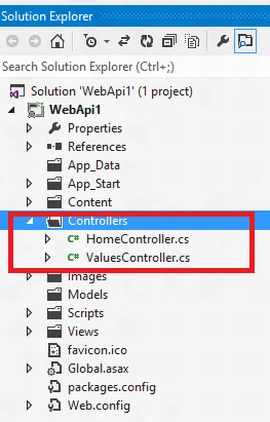
i just go through your article code and saw one mistake that u said to create a web api controller named EmployeeController but in code you gave the name productController. i guess this is mistake. am i right?