

Here are the steps to create a simple calculator in Windows Forms.
- Create a Windows Application project from the file menu.
- FILE, New, then click Project.
- A popup window will appear. Choose “Windows” from the templates and choose the project “Windows Forms Application.” I have named it “Simple Calculator.”
- Create the form design using buttons and text boxes.
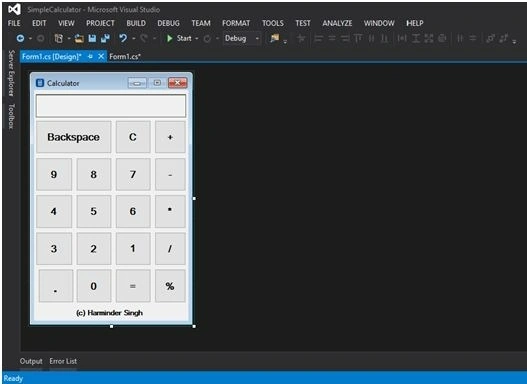
- Add 0-9, sign (/,*, -, +, %) buttons, backspace, Clear (C), and point (.) buttons.
- Add a textbox to show the results.
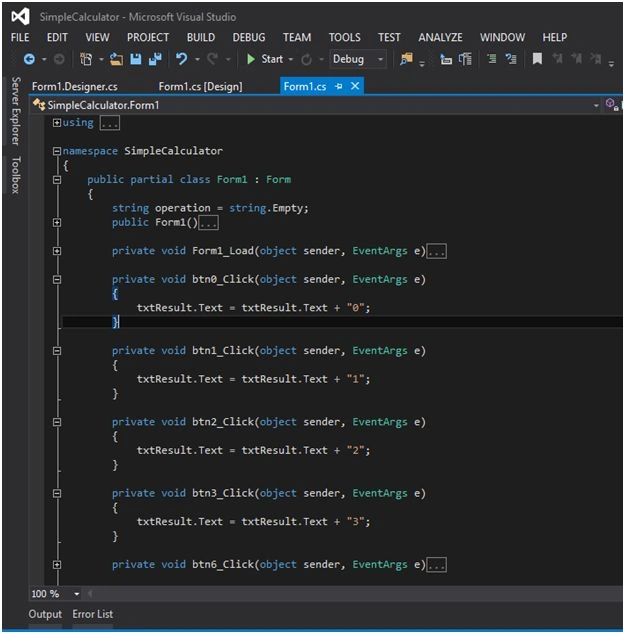
- On each button, click use the following login.
private void btn0_Click(object sender, EventArgs e)
{
    txtResult.Text = txtResult.Text + "0";
}
- On operations buttons (+,-, /,*, %) take care of the following cases.
- The signs should not be in first place in the textbox i.e. +1, /2 etc.
- If you press point(.), then in add zero before point i.e. 0.9
- For the Backspace button, remove the last character from the textbox.
- For the C button clear the text of the text box.
- The signs should not appear twice i.e. 4++,9**
- The point should not come twice i.e. 2.3.5
- It cannot be divided by zero.
- Cannot find modulus by Zero.
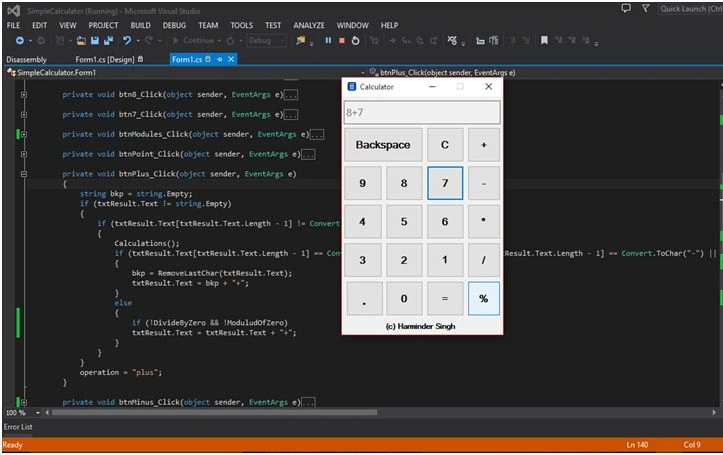
- Now, we will follow the Microsoft Calculator logic for calculations.
- When we press the digit sign, then again we press the sign, the result of the first expression will be used for the next expression i.e.
- 5+8+, and then the result will be 13+ in the result section.
- We have to take care of integer numbers as well as float numbers.
- For the Equal button, I have used the switch statement.
- For more information, please see the source code attached as zip.
Thank you.
Read more articles on Windows Forms.
markz gwapozPosted Sep 28, 2018, 7:13 PM
Why i cant ue the calculator zip file its error how to use it stepby step
Deepak KumarPosted Oct 17, 2017, 4:37 AM
After throwing the divide by zero error, when i click OK on message box, and try to do next calculation then it dont calculate. Why is it so?
Harminder SinghPosted Jul 11, 2017, 2:03 PM
@Paul Kindly let me know which error you are facing?
Paul AngPosted Jun 27, 2017, 3:37 AM
Hi Harminder When I type txtResult.Text = txtResult.Text + "0"; it keeps show the red line
Harminder SinghPosted Mar 15, 2017, 12:55 PM
@tuan This is just a simple calculator with idea that how we can made simple calculator? You can try more cases with attached code.
Tuan NguyenPosted Feb 8, 2017, 6:15 PM
Also you can not calculate 6/5 or 7/6
Tuan NguyenPosted Feb 8, 2017, 12:15 PM
-7*8 dont work , -5-9+ dont work, -9-5* dont work
SubashPosted Sep 5, 2016, 9:56 PM
Very nice
Santhakumar MunuswamyPosted Feb 9, 2016, 11:52 AM
Thank for your sharing
Vignesh ManiPosted Feb 8, 2016, 4:39 AM
Nice