

Introduction
Today, in this article let's play around with one of the interesting and most useful concepts in SharePoint 2010.
Question: What is Taxonomy?
In simple terms "Taxonomy is formally defined as the practice of classification according to natural relationships which can be tagged or filtered whereby associating with the specific term store".
Step 1: Open SharePoint 2010 Central Administration and navigate to a specific site.
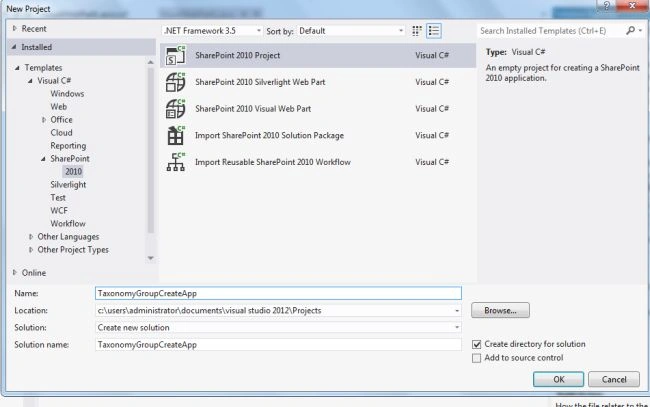
Step 2: Open up Visual Studio 2012 and create an "Empty SharePoint project", as in:
Step 3: Select "
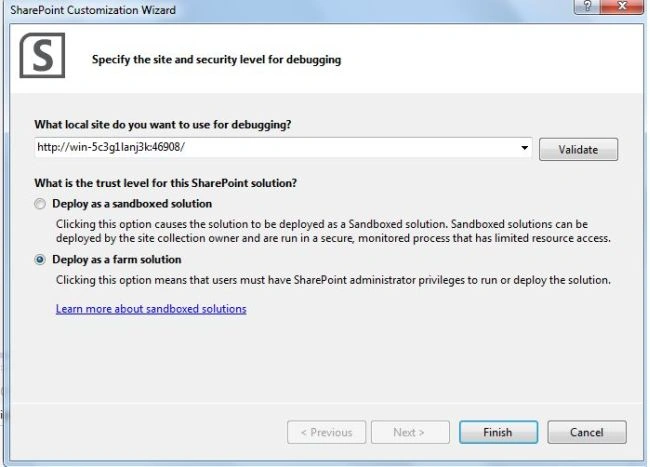
Deploy as a farm solution" as in the following and click on the "Finish" button. Now an empty project is created.
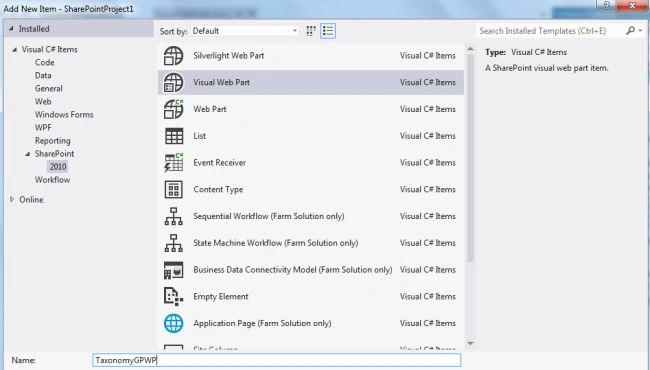
Step 4: Add a new visual webpart for that project.
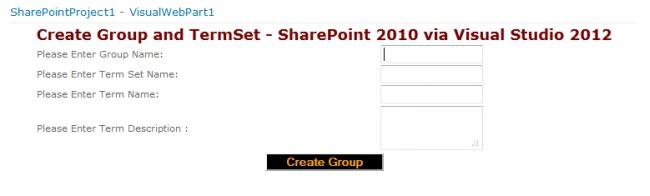
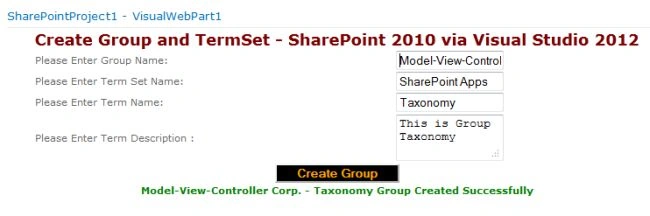
Step 5: The complete code of visualwebpart1usercontrol.ascx looks like this:
<div align="center">
<table style="font-family: Verdana">
<tr>
<td colspan="2">
<asp:label id="Label1" runat="server" text="Create Group and TermSet - SharePoint 2010 via Visual Studio 2012"
font-bold="true" forecolor="Maroon" font-size="Large"></asp:label>
</td>
</tr>
<tr>
<td>
<asp:label id="Label2" runat="server" text="Please Enter Group Name: "></asp:label>
</td>
<td>
<asp:textbox id="TextBox1" runat="server" width="117px"></asp:textbox>
</td>
</tr>
<tr>
<td>
<asp:label id="Label3" runat="server" text="Please Enter Term Set Name:"></asp:label>
</td>
<td>
<asp:textbox id="TextBox2" runat="server" width="117px"></asp:textbox>
</td>
</tr>
<tr>
<td>
<asp:label id="Label5" runat="server" text="Please Enter Term Name:"></asp:label>
</td>
<td>
<asp:textbox id="TextBox3" runat="server" width="117px"></asp:textbox>
</td>
</tr>
<tr>
<td>
<asp:label id="Label6" runat="server" text="Please Enter Term Description :"></asp:label>
</td>
<td>
<asp:textbox id="TextBox4" runat="server" textmode="MultiLine" width="117px"></asp:textbox>
</td>
</tr>
<tr>
<td colspan="2" style="text-align: center">
<asp:button id="Button1" runat="server" text="Create Group" forecolor="Orange" font-bold="true"
backcolor="Black" onclick="Button1_Click" width="142px" style="margin-left: 0px" />
</td>
</tr>
<tr>
<td colspan="2" style="text-align: center">
<asp:label id="Label4" runat="server" font-bold="true"></asp:label>
</td>
</tr>
</table>
</div>
Step 6: The complete code of visualwebpart1usercontrol.ascx.cs looks like this:

Comments
Join the conversation! Your thoughts help the community grow.