

The Microsoft Cost Management connector for Power BI Desktop enables the creation of customized visualizations and reports to enhance understanding of Azure spending.
The Microsoft Cost Management connector currently supports customers.
- Direct Microsoft Customer Agreements
- Enterprise Agreements (EA)
- Microsoft Partner Agreements
The Microsoft Cost Management connector uses OAuth 2.0 for authentication with Azure, generating valid tokens for a specific period. Power BI preserves these tokens for future sign-ins. To connect, use an Enterprise Administrator account for Enterprise Agreements or appropriate permissions at billing account or profile levels.
Use Microsoft Cost Management to connect
To use Power BI Desktop's Microsoft Cost Management connector, take the following actions.
- Go to the Home ribbon and choose Get Data.
- From the list of data categories, choose Azure.
- Go with Microsoft Cost Management.
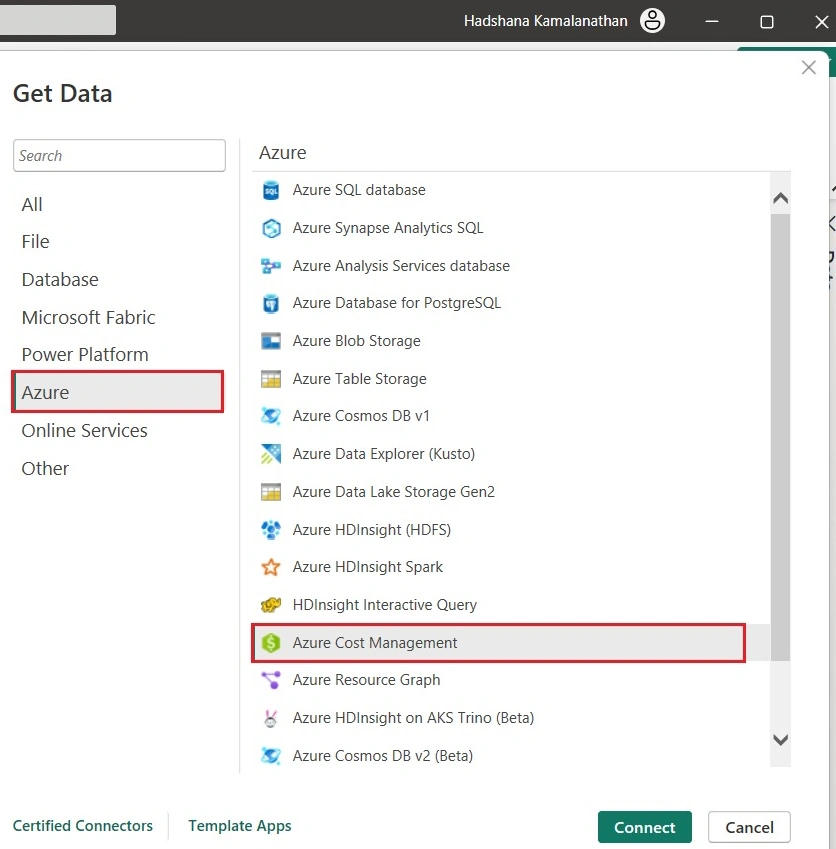
- Use the Manually Input Scope option for Microsoft Customer Agreements or the Enrollment Number option for Enterprise Agreements (EA) in the resulting dialog box.
Open an account using the Microsoft Customer Agreement
The procedures needed to establish a connection to a Microsoft Customer Agreement account are covered in this section.
Establish a connection with a billing account
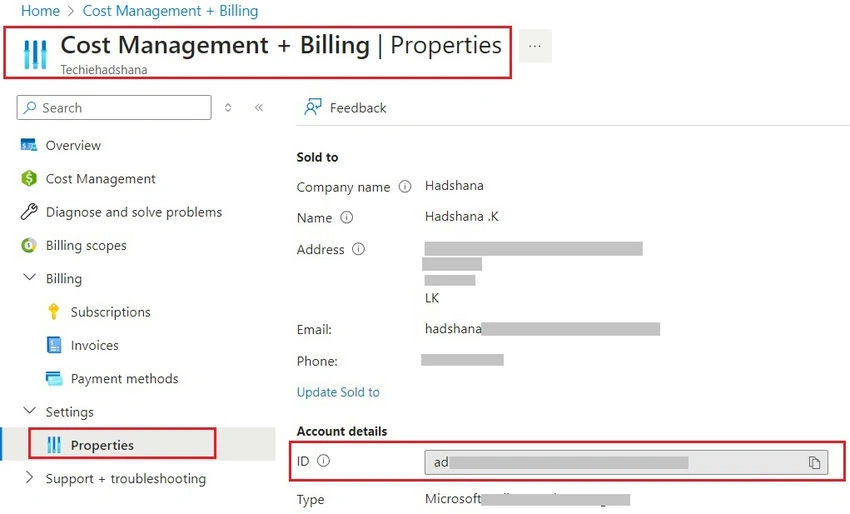
You must obtain your billing account ID from the Azure portal in order to connect to a billing account.
- Go to Billing & Cost Management via the Azure portal.
- Choose the billing profile that you want.
- Choose Properties from the sidebar under Settings in the menu.
- Copy the ID under the Billing profile.
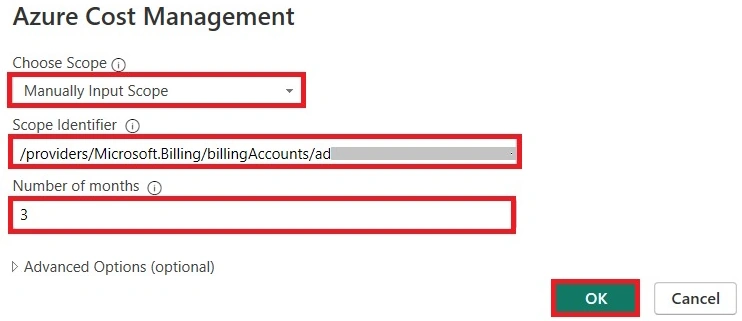
- Select Manually Input Scope under Choose Scope, and enter the connection string as displayed in the example below, substituting the data copied from the previous steps for {billingAccountId}. /providers/Microsoft.Billing/billingAccounts/{billingAccountId}
- As an alternative, choose Enrollment Number under Choose Scope and enter the Billing Account ID string that you copied from the earlier steps.
- After entering the number of months, click OK.
- Alternatively, you can define a period range using Start period and End Date values that equal less than 31 days if you wish to download less than a month's worth of data. Just make sure that the Number of months is set to zero.
- Enter your Azure user account and password when prompted to log in. To successfully access the billing data, you need to have access to the Billing account scope.
Establish a connection with an Enterprise Agreement account
You can obtain your enrollment ID via the Azure portal in order to establish a connection with an Enterprise Agreement (EA) account:
- Go to Billing & Cost Management via the Azure portal.
- Choose the account you want to be charged on.
- Copy the ID of the billing account from the Overview blade.
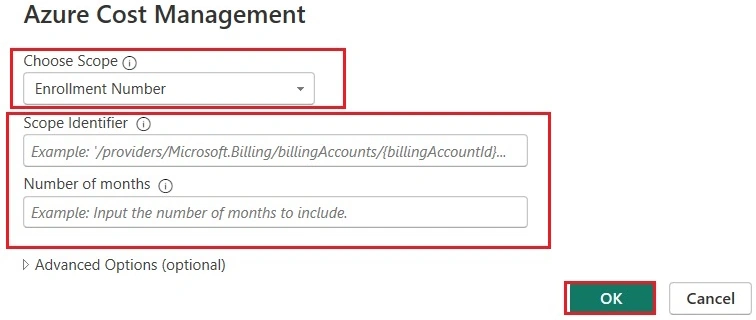
- To pick the Enrollment Number, click Choose Scope.
- Paste the billing account ID that was copied in the previous step into Scope Identifier.
- After entering the number of months, click OK.
- Enter your Azure user account and password when prompted to log in. For Enterprise Agreements, you have to utilize an Enterprise Administrator account.
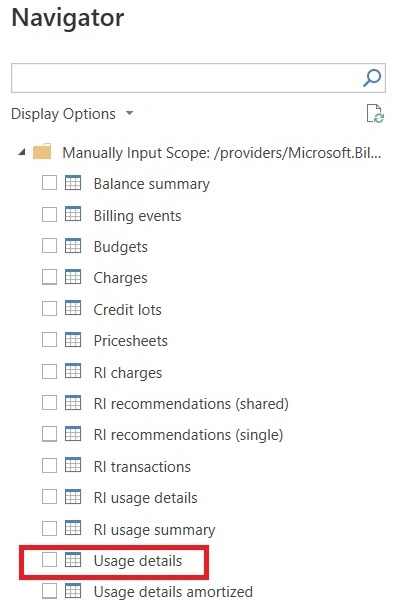
- Selecting the boxes next to the names of the tables allows you to choose one or more of them. The data can then be loaded by selecting Load, or it can be further transformed in Power Query Editor by selecting Transform Data.
Summary
This article describes how to utilize the Microsoft Cost Management connector in Power BI Desktop to generate visually appealing reports and visuals. Azure Databricks will be covered in the upcoming post.
Join the conversation! Your thoughts help the community grow.