

Introduction
In this article, I will explain about MAUI first app development using visual studio 2022. Basically, .NET MAUI is an open source and its evolution of xamarin forms and .Net Multi-platform App UI is cross-platform framework for creating native & desktop app using C# and XAML. It's a single shared code base for running android, iOS, macOS, and Window apps.
Important Features
- Write cross-platform apps in XAML and C#, from a single shared codebase in Visual Studio.
- Share UI layout and design across platforms.
- Share code, tests, and business logic across platforms.
- Access to sensors, such as the accelerometer, compass, and gyroscope on devices.
- Ability to check the device's network connectivity state, and detect changes.
- Provide information about the device the app is running on.
- Copy and paste text to the system clipboard, between apps.
- Pick single or multiple files from the device.
- Store data securely as key/value pairs.
- Utilize built-in text-to-speech engines to read text from the device.
- Initiate browser-based authentication flows that listen for a callback to a specific app registered URL.
Supported Platform
.NET Multi-platform App UI (.NET MAUI) apps can be written for the following platforms
- Android 5.0 (API 21) or higher.
- iOS 10 or higher.
- macOS 10.15 or higher, using Mac Catalyst.
- Windows 11 and Windows 10 version 1809 or higher.
Step 1
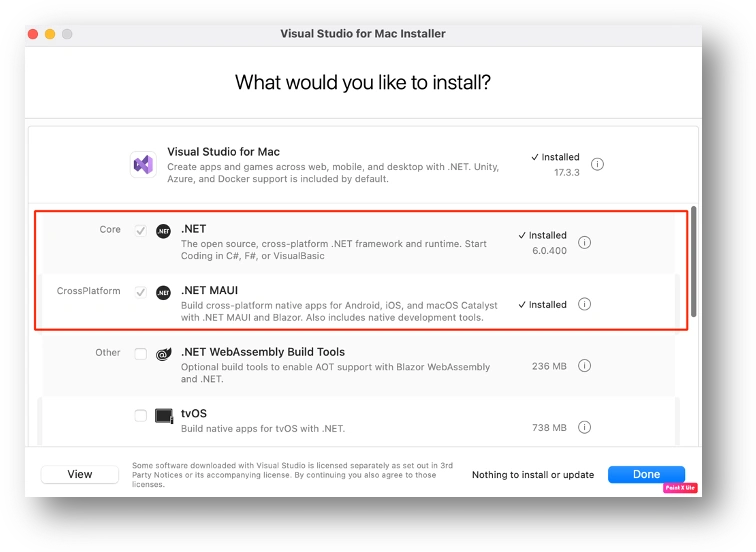
Install Visual Studio 2022 with .NET core and .NET MAUI framework and follow the below screenshot.
Step 2
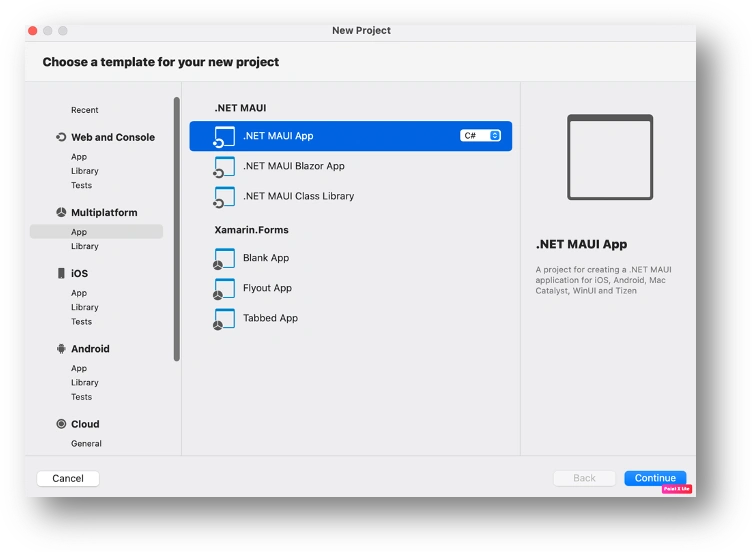
Create a new project in visual studio 2022 and select app option under the multiplatform on the left side and after that, you need to click .NET MAUI App with C# option and click continue button.
Step 3
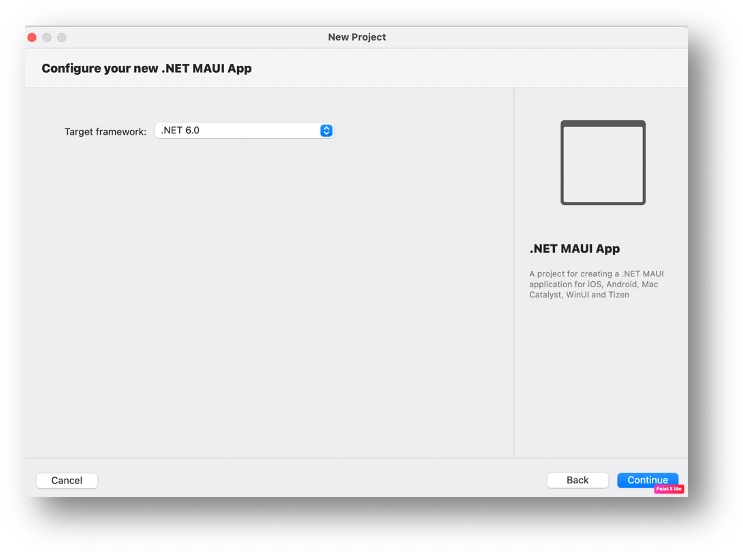
On the next page, you need to select the .Net framework version 6.0 and click continue button.
Step 4
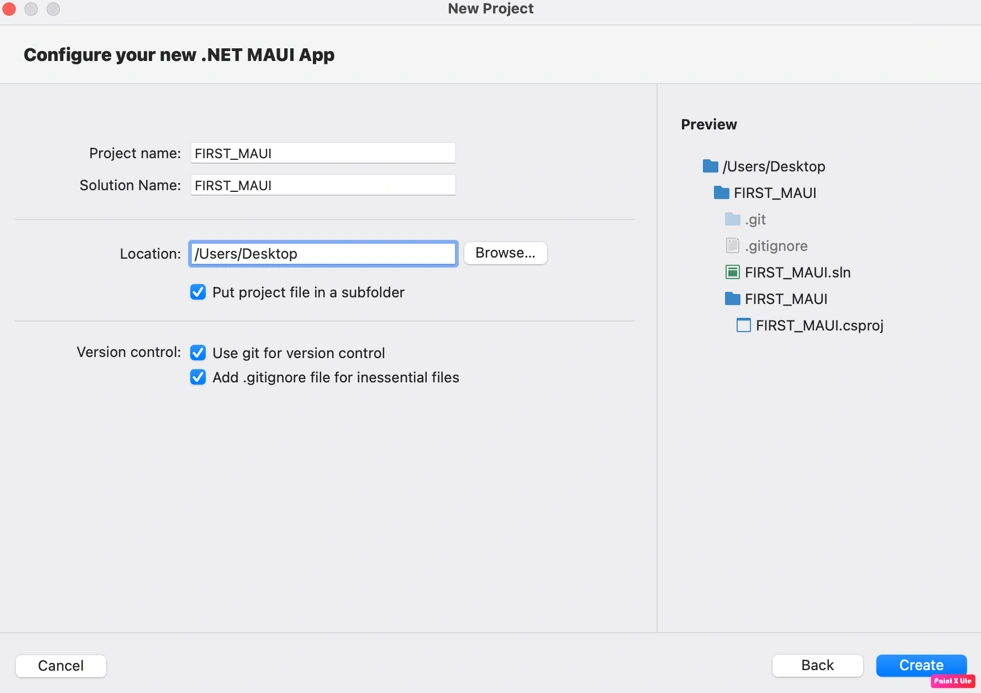
On the next page, You need to provide your project name and solution name along with location and click on create button
Step 5
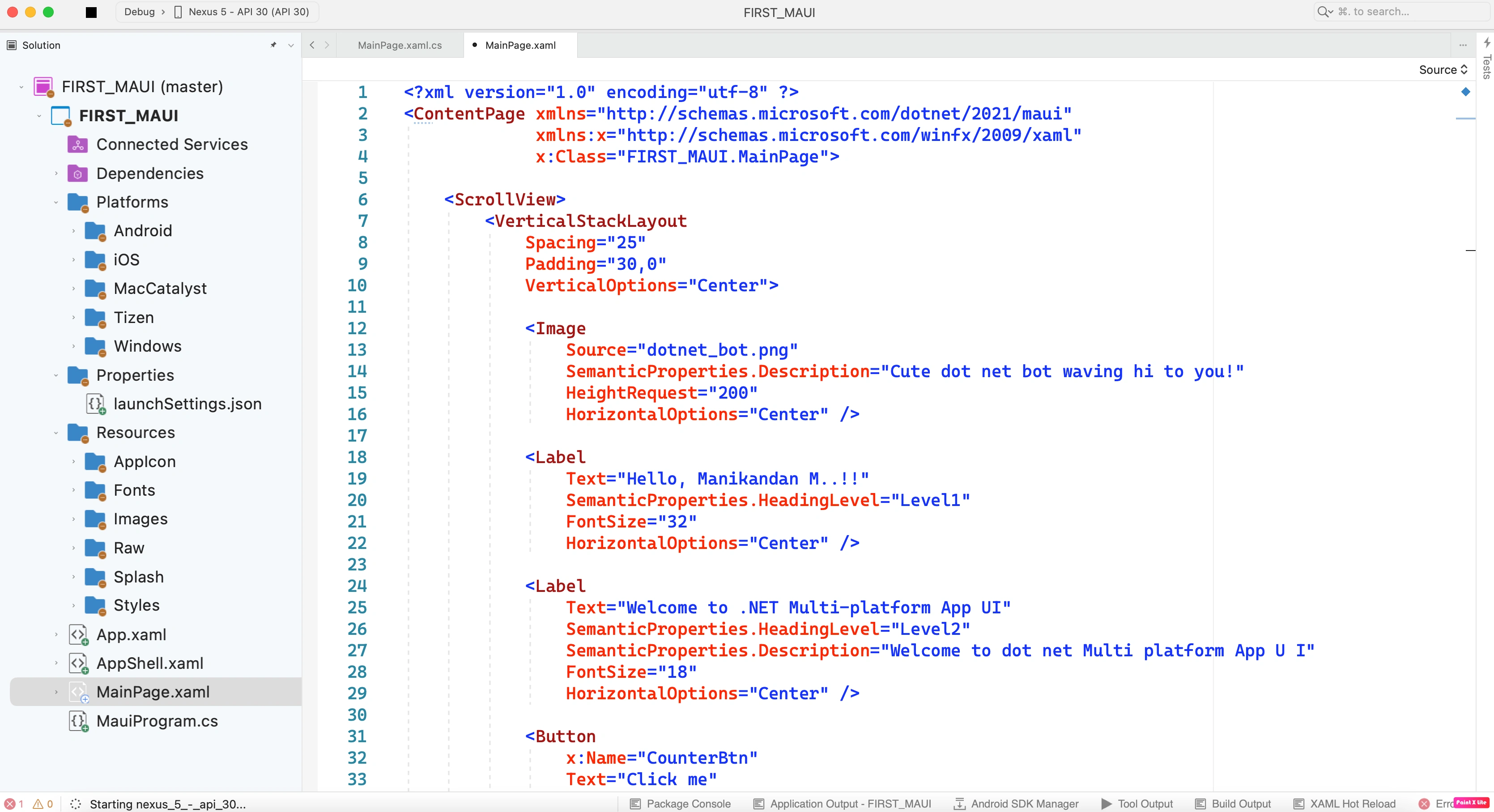
After the created the MAUI project and you will be navigated to the project structure with single code base and please refer to the below screenshot.
Output
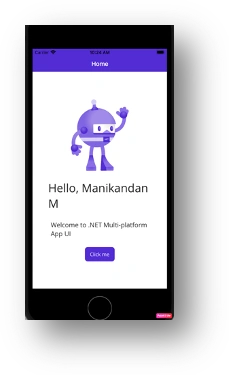
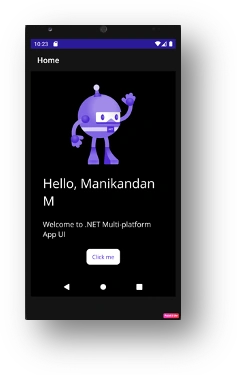
Conclusion
Hopefully, this article has given you sufficient information for you to create your first MAUI app. Feel free to leave a comment if you would like me to further elaborate on anything within this article
Join the conversation! Your thoughts help the community grow.