

Introduction
In this article, I will discuss how to create, copy, rename, and delete the SQL database in Azure.
Prerequisites
- Microsoft Azure account.
- SQL server management studio.
Agenda
- Create SQL database.
- Copy SQL database.
- Rename SQL database.
- Delete SQL database.
Create SQL Database
Below, I will explain how to create an SQL database in the Azure portal.
- Open the Azure portal and log in with the proper credentials.
- Go to SQL databases.
- Click on add and a new popup will come.
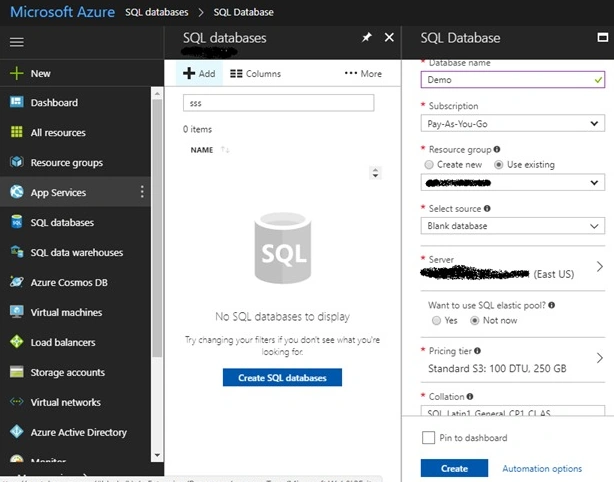
- In the popup, add database name, and subscription, select resource group, select source, select a server, select the option of SQL elastic pool, select pricing tier, select collation (case sensitive or case insensitive), and click on create which is shown in the below figure.
- It will take some time to create an SQL database and after that, the database will show under the SQL databases section.
Copy SQL Database
Below, I will explain how to copy a SQL database in the Azure portal.
- Open the Azure portal and log in with the proper credentials.
- Go to SQL databases.
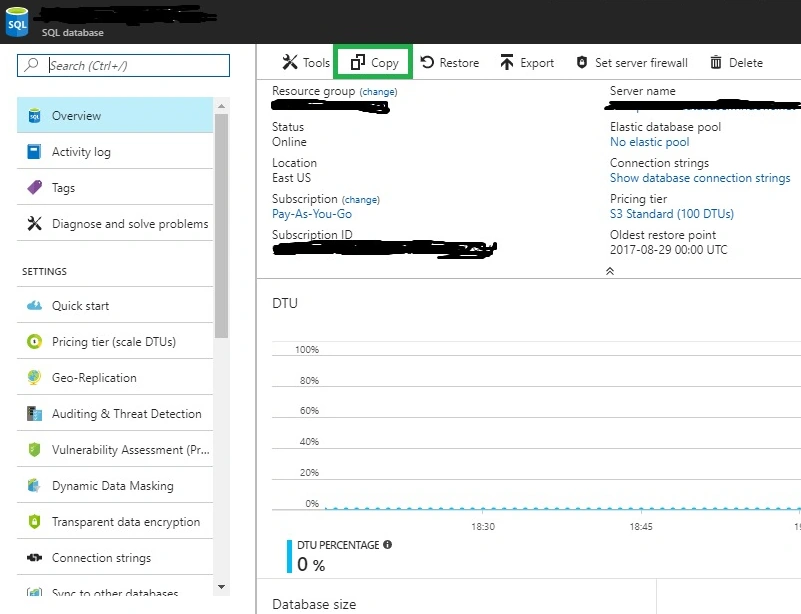
- Select the existing database, go to the Overview option, and click on the copy which is shown in the below figure.
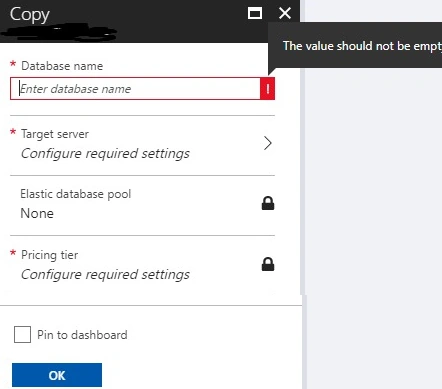
- A new popup will come, in which adthe d database name, select target server, select elastic database pool, select pricing tier, and click on ok which is shown in the below figure.
It will take some time to copy the SQL database and after that, the database will show under the SQL databases section.
Rename SQL Database
Below, I will explain how to rename an SQL database in the Azure portal.
In Azure, there is no option available to rename an existing SQL database in the portal.
But we can still do that, which is explained below.
- Open SQL server management studio.
- Provide server name (azure server name), login, password, and click connect.
- Select the database that you want to rename from the databases section.
- Press F2, give a new name and press enter.
- Or right-click on the database, click rename, give a new name and press enter.
After that, go to the Azure portal, and there you can see the database name has been changed.
Delete SQL Database
Below, I will explain how to delete an SQL database in the Azure portal.
- Open the Azure portal and log in with the proper credentials.
- Go to SQL databases.
- Select the database which you want to delete and click on the overview.
- After that, a delete button will display which is shown below figure.
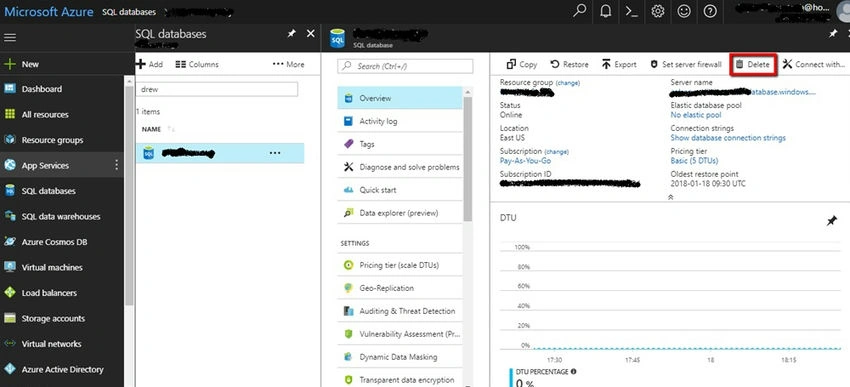
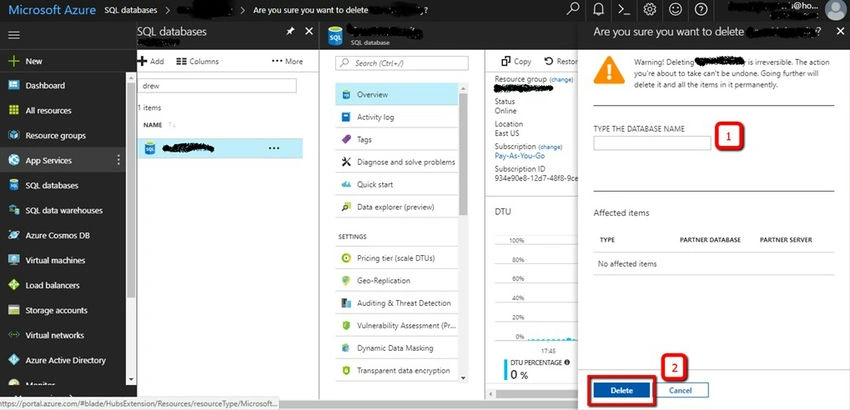
- Click on the delete button and after that, a new pop-up will come from the right-hand side.
- In the textbox, type the database name and click on the delete button which is shown below figure.
After that, it will take some time and the database will be permanently deleted from the server.
Join the conversation! Your thoughts help the community grow.