

Part 1: Creating a MAUI .NET 9 Project [GamesCatalog] - Part 1
1. Let's create the grid that will receive the game information.
1.1. Creation of the model for the list item.

1.2. Code.
  public class UIIGDBGame
{
    public string Id { get; set; }
    public string Name { get; set; }
    public string ReleaseDate { get; set; }
    public string CoverUrl { get; set; }
    public string Platforms { get; set; }
}
2. In the ViewModel, let's create the list with some sample items.
using CommunityToolkit.Mvvm.ComponentModel;
using GamesCatalog.Models.IGDBApi;
using System.Collections.ObjectModel;

namespace GamesCatalog.ViewModels.IGDBSearch
{
    public partial class IGDBResultsVM : ObservableObject
    {
        // List with a mock of games
        private ObservableCollection<UIIGDBGame> listGames = new ObservableCollection<UIIGDBGame>
        {
            new UIIGDBGame
            {
                Id = "1",
                Name = "Game 1",
                ReleaseDate = "01/01/2024",
                CoverUrl = "https://images.igdb.com/igdb/image/upload/t_cover_big/co2ed3.jpg",
                Platforms = "PC, PS4, PS5, Xbox One, Xbox Series X/S"
            },
            new UIIGDBGame
            {
                Id = "2",
                Name = "Game 2",
                ReleaseDate = "01/02/2024",
                CoverUrl = "https://images.igdb.com/igdb/image/upload/t_cover_big/co2ed3.jpg",
                Platforms = "PC, PS4, PS5, Xbox One, Xbox Series X/S"
            },
            new UIIGDBGame
            {
                Id = "3",
                Name = "Game 3",
                ReleaseDate = "01/03/2024",
                CoverUrl = "https://images.igdb.com/igdb/image/upload/t_cover_big/co2ed3.jpg",
                Platforms = "PC, PS4, PS5, Xbox One, Xbox Series X/S"
            }
        };

        public ObservableCollection<UIIGDBGame> ListGames
        {
            get => listGames;
            set => SetProperty(ref listGames, value);
        }
    }
}
3. Bind the ViewModels to the View.
using GamesCatalog.ViewModels;
using GamesCatalog.ViewModels.IGDBSearch;
namespace GamesCatalog.Views.IGDBSearch
{
    public partial class IGDBResults : ContentPage
    {
        public IGDBResults(IGDBResultsVM iGDBResultsVM)
        {
            InitializeComponent();
            base.BindingContext = iGDBResultsVM;
        }
    }
}
4. Creating the listing on the page.
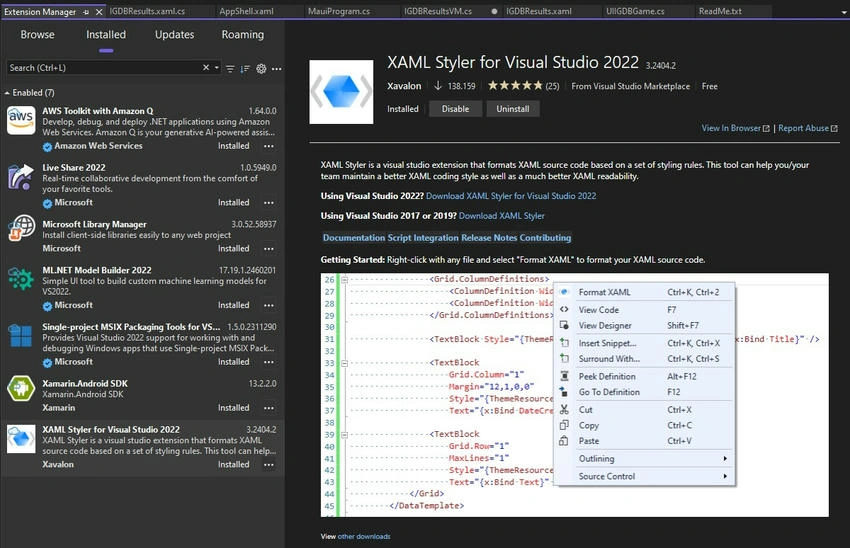
4.1. To work better with XAML, I recommend downloading the following extension.
4.2. Let's add the addresses of the model, ViewModel, and the DataType to the page.

Join the conversation! Your thoughts help the community grow.