

Hi guys, You may be very familiar with the validation sort of things as this property is frequently used in websites. In this article you will learn how to create and use validation controls in Expression Web 4. Follow the steps below :
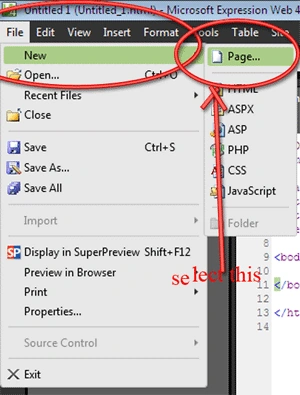
Step 1 : Goto File--> New--> Page option
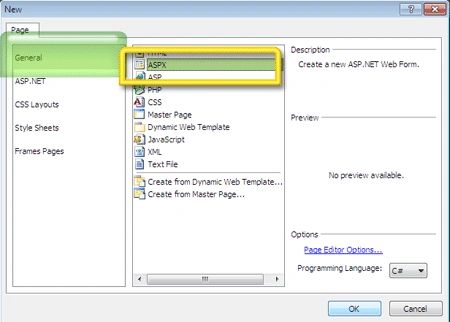
Step 2 : Select General-->Aspx page and press OK. This is because you will be creating the validation in aspx pages.
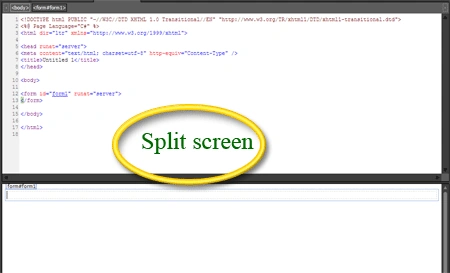
Step 3 : This action will open a file named untitled.aspx in the designing window and the window is split into the design as well as the code view.
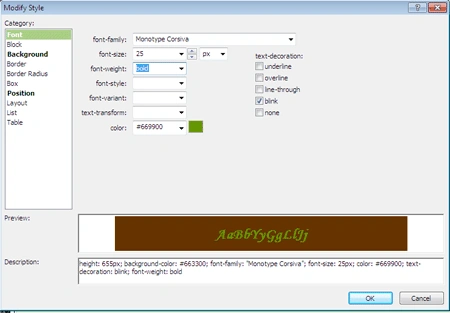
Step 4 : Add following tools from the toolbox into the page. You can change the background color of the form to make it look good.
Lable's for :-
- First Name
- Last Name
- Age
- Email address
- Password
- Confirm Password
- Phone no.
- Address
- Pin code:
Text box to contain the fields :
- First Name
- Last Name
- Age
- Email address
- Password
- Confirm Password
- Phone no.
- Address
- Pin code:
A Button to submit the form data.
Step 5 : After adding all the above tools Go to the toolbox and under the ASP.NET--> Validation Tool, select following validations.
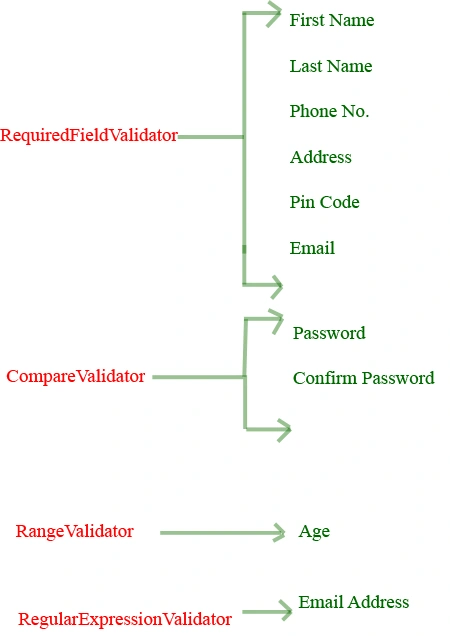
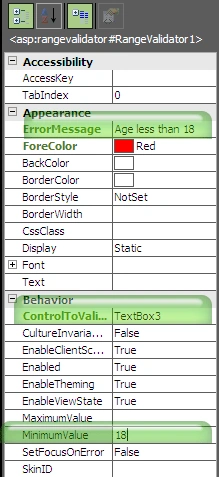
Step 6 : Select the RangeValidator and in its tag properties select the textbox in the Control to validate. See figure below to see the properties of validators.
Range validator
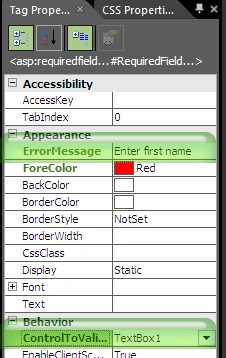
Required field Validator
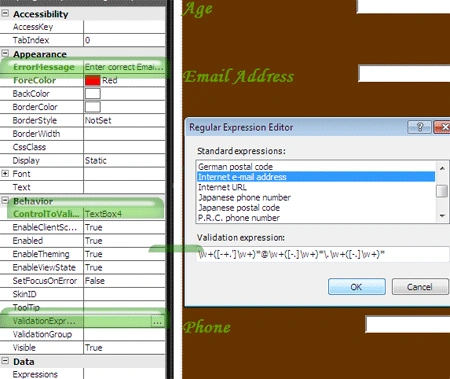
Regular Expression Validator
Compare validator
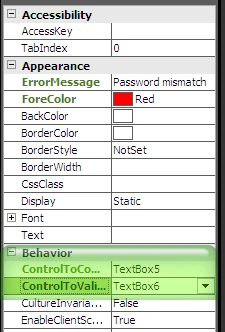
Step7 : Now do save all and preview the application in the browser.
Output :
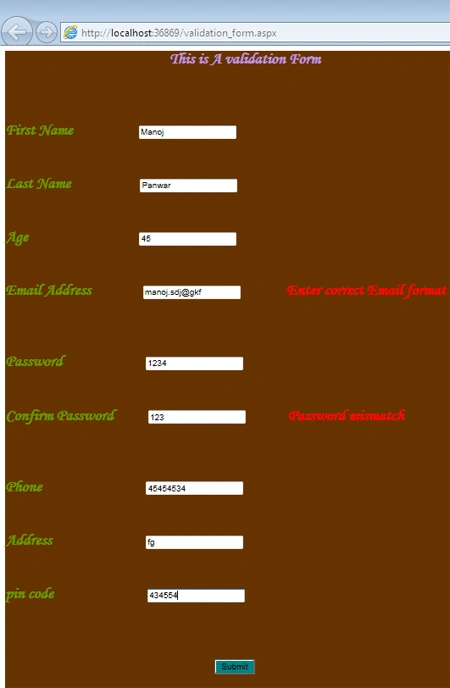
Output 2 :
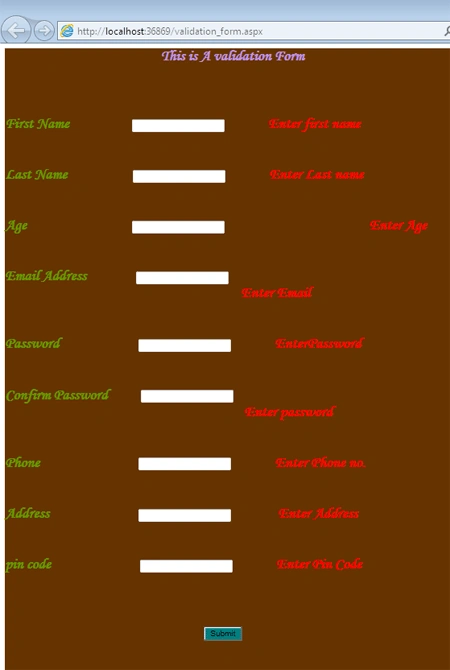
Hence on every balnk field the validation is checked and displays the error message. It also checks the passwords in both textboxes and compares them, displays the error on mismatch.
Join the conversation! Your thoughts help the community grow.