

Hello Guys!
Today, we are going to create a solution using Microsoft Flow, Microsoft SharePoint, and MSN Weather to control the weather forecast feature of my company's branches in our intranet and I will show you how can we show this information to the users in a simple way. Let's go!
(The images in this article are in Brazilian Portuguese but I hope you understand).
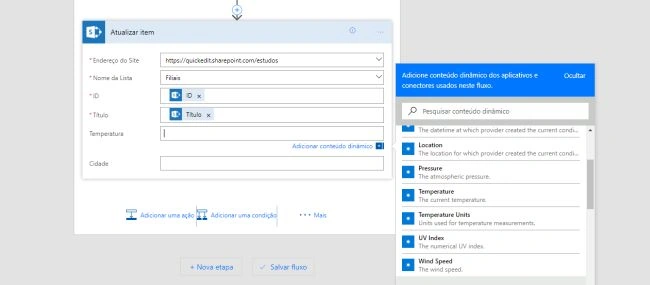
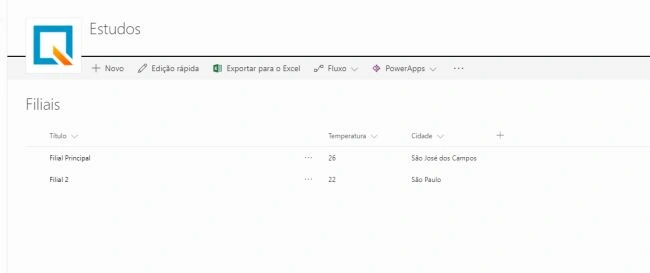
In SharePoint, I created a custom list to my company's branches with the fields Weather and City (Temperatura and Cidade respectively), that we will use to save the information that our Flow will give us.
Now, open the Microsoft Flow (http://flow.microsoft.com) and go to "My Flows" to create a Flow from the begining.
(The images in this article are in Brazilian Portuguese but I hope you understand).
In SharePoint, I created a custom list to my company's branches with the fields Weather and City (Temperatura and Cidade respectively), that we will use to save the information that our Flow will give us.
Now, open the Microsoft Flow (http://flow.microsoft.com) and go to "My Flows" to create a Flow from the begining.
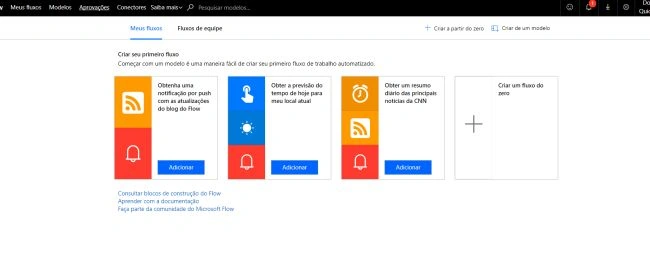
Let's create a flow that returns and changes daily temperature. Let's use the Schedule trigger.
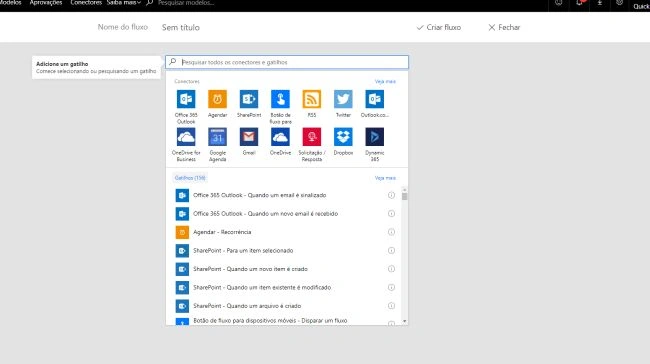
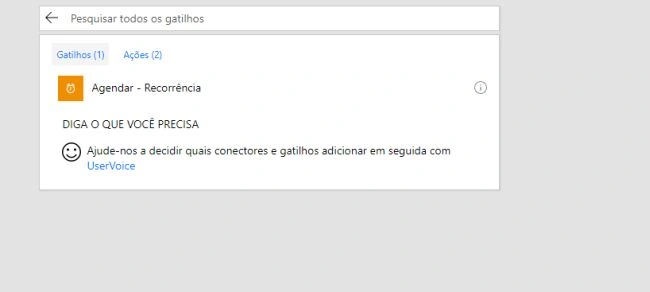
Now, use the daily recurrence.
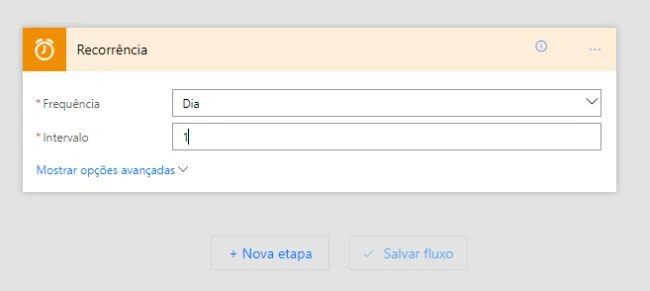
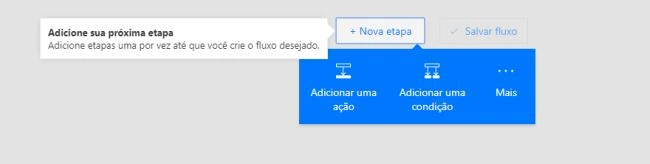
Let´s add an action to get our company's branches from the SharePoint list.
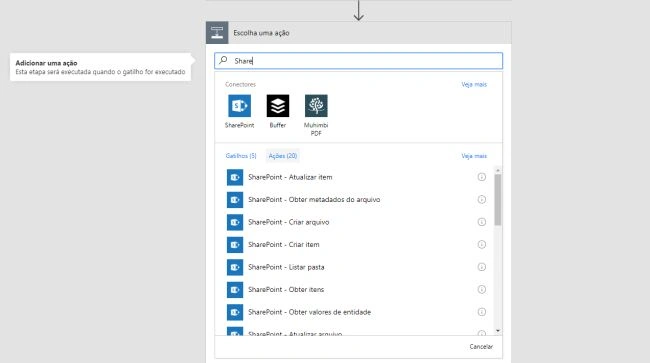
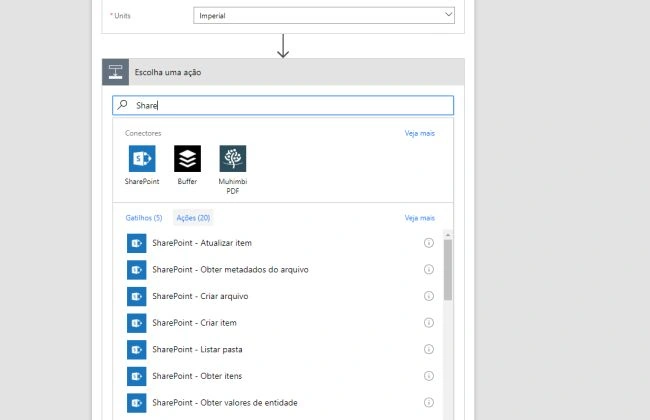
Look for the SharePoint Connector.
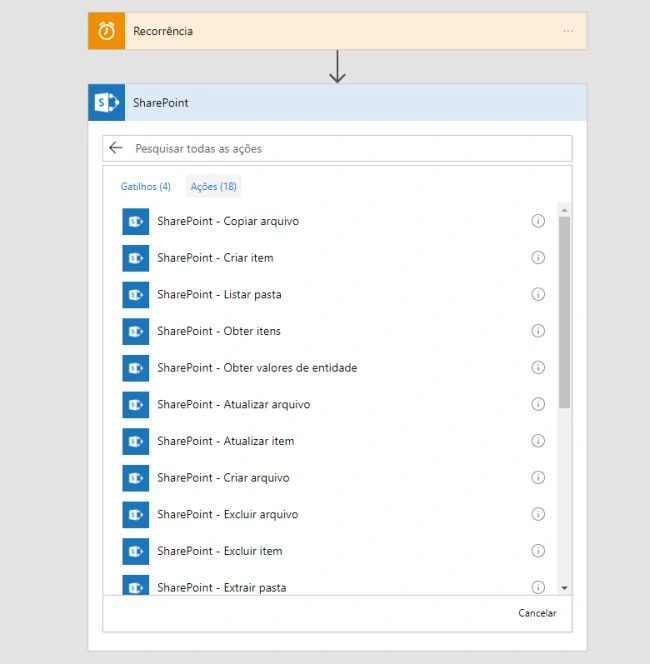
Look for "Get Items" action.
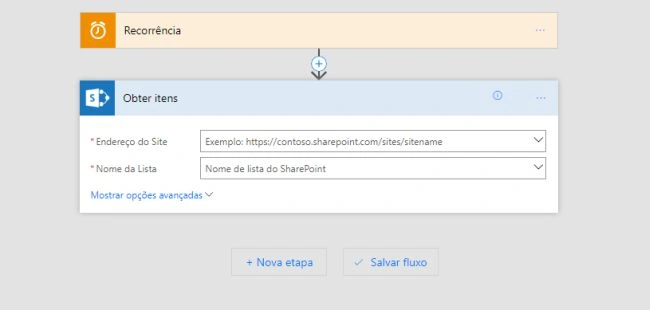
Select your SharePoint site and list (using our branches list).
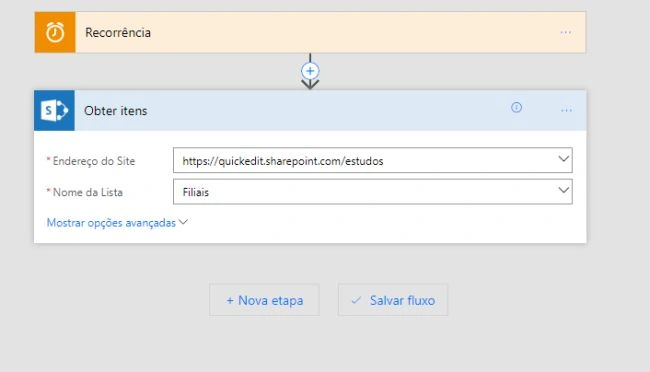
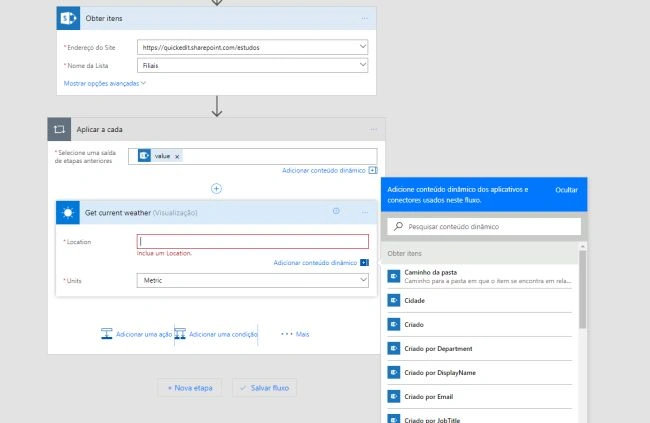
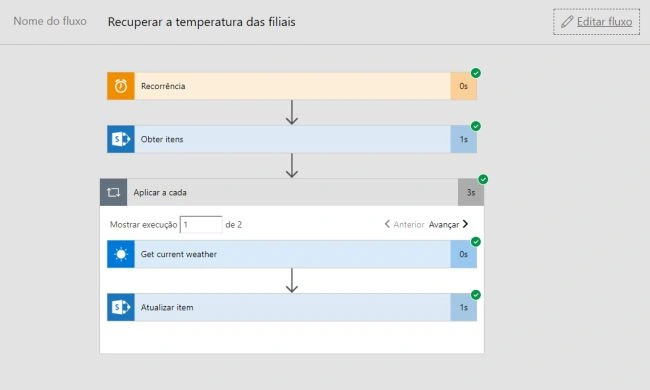
Now, we are going to add a repetition action so that in each item, we have an action to recover the weather.
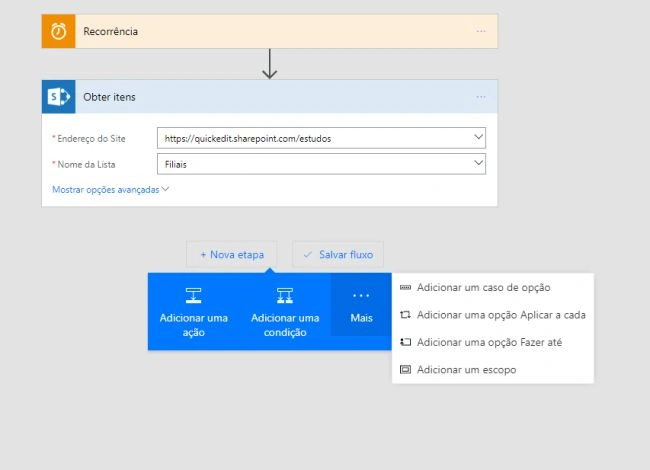
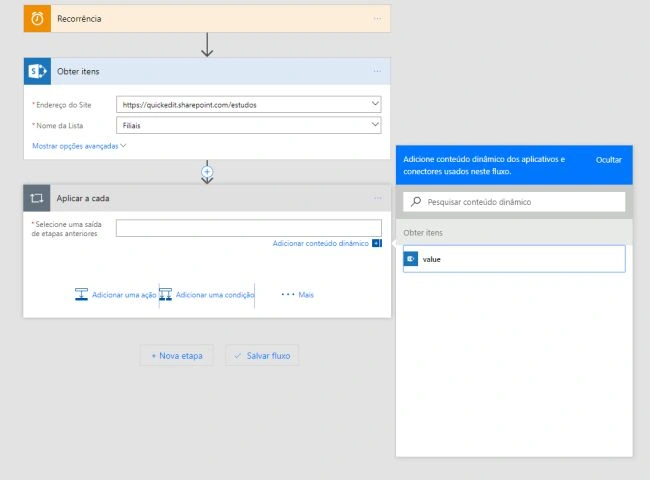
Now, for each item that is found on Get Items action, we are going to execute the MSN Weather action called Get current weather. We could also use the Get forecast for today's action. The basic difference in both is that "the current weather" gets the temperature at the moment and the "get forecast for today" action gets the weather information for the day (like maximum and minimum temperature, humidity, and other information).
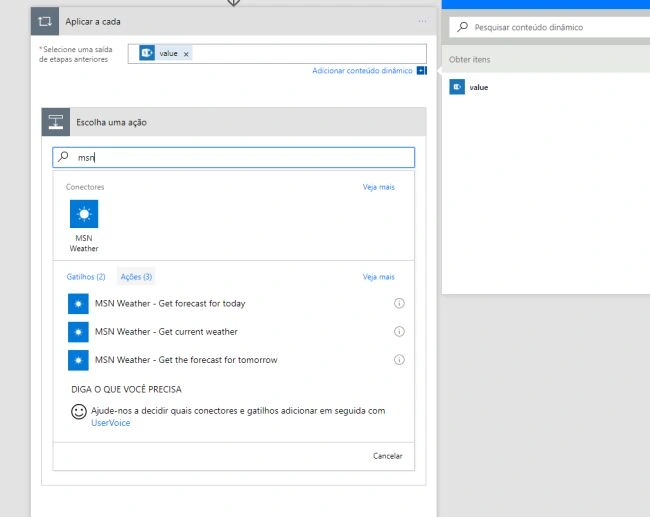
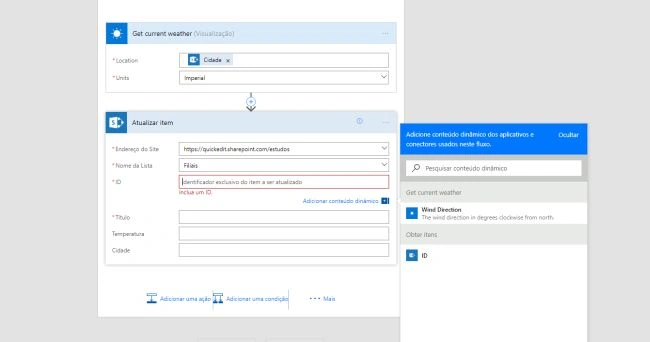
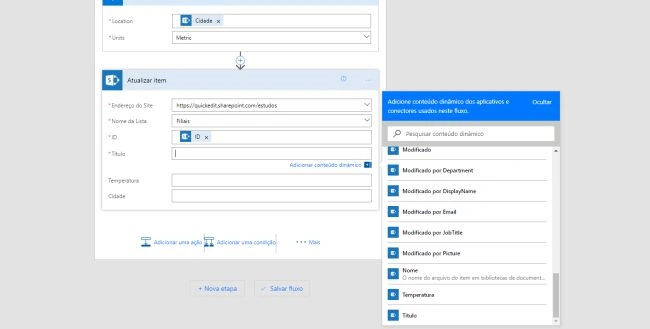
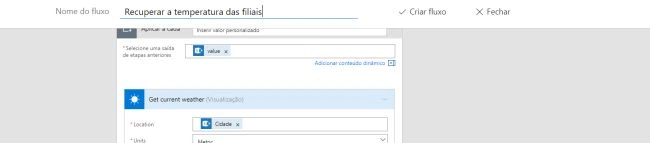
The "get current weather" action requires the location for which it should retrieve the weather. We are going to use the City (Cidade in Portuguese) column of our branches list from our item (reminding that we are inside a Get Items repetition in our flow). The field unit is used to choose if we will want the temperature in Celsius (metric) or Fahrenheit (imperial).

Join the conversation! Your thoughts help the community grow.