

New Create Database name BCSForSharePoint2010
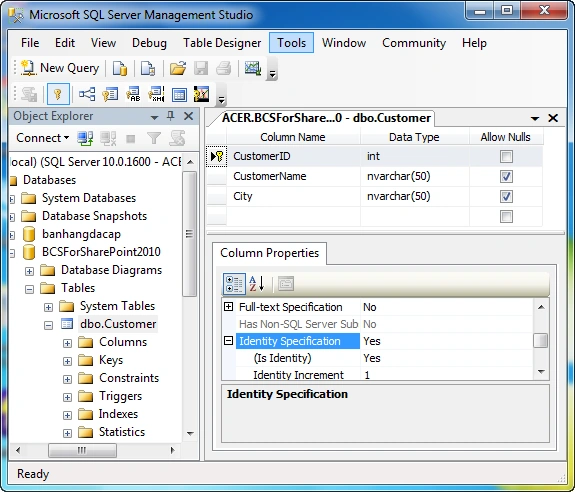
- Create a new table name: Customer with the following columns:
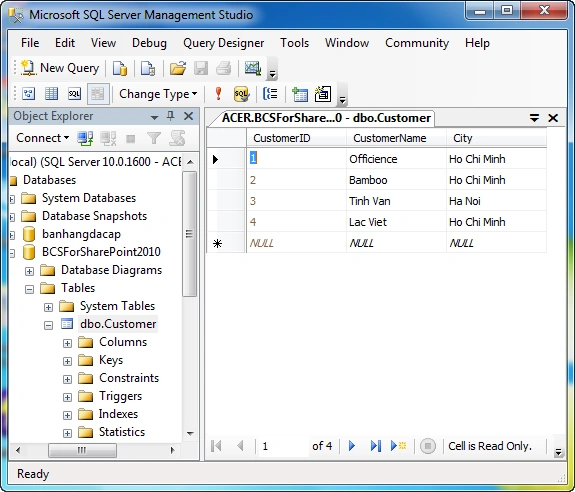
- Enter new customer data
Open Visual Studio 2010 to create a new BCS
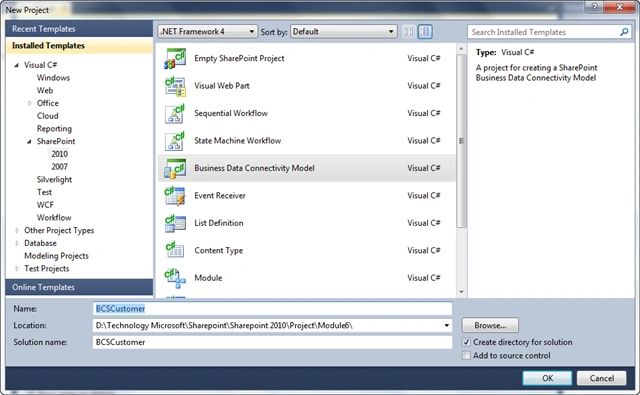
- File | New Project | SharePoint | 2010 | Select Data Connectivity
Business Model and name BCSCustomer
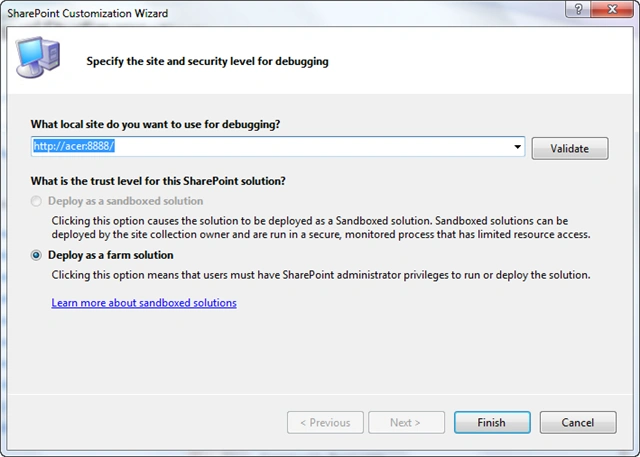
- Select Site and click Finish to Dubugging
Interface creates the following new
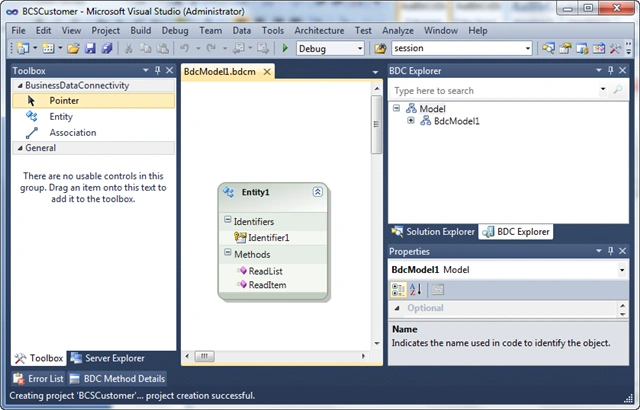
- Rename the Class Entity1 CustomerEntity
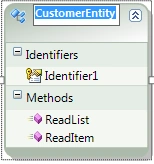
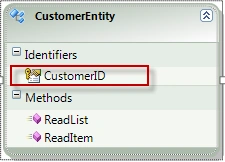
- Rename the primary key of CustomerID from Identifier1
- In the Properties window of the CustomerID, Name Type: select
System.Int32
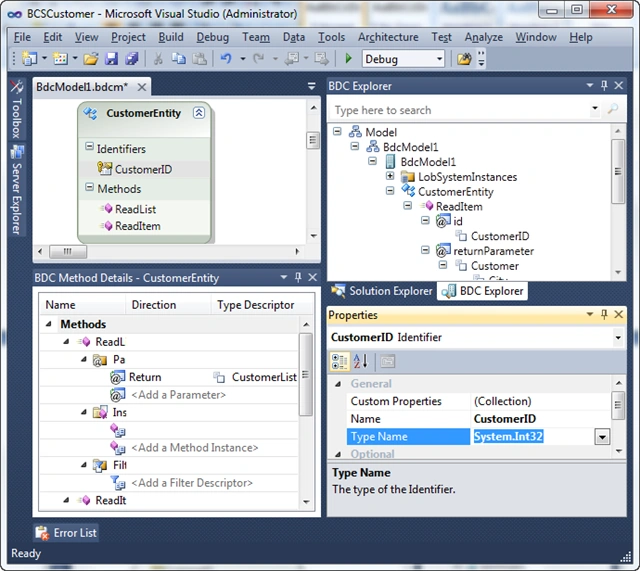
BDC Explorer window
- Expand Model | Expand BdcModel1 | Expand CustomerEntity | Expand
ReadItem | Expand id and choose Identifier
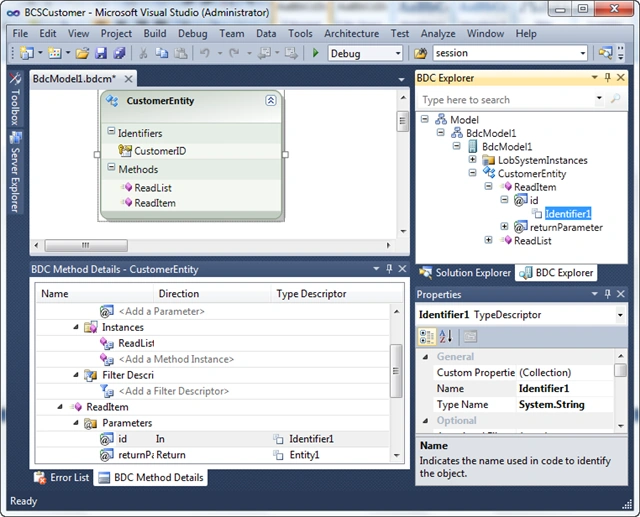
-Rename the primary key of CustomerID from Identifier1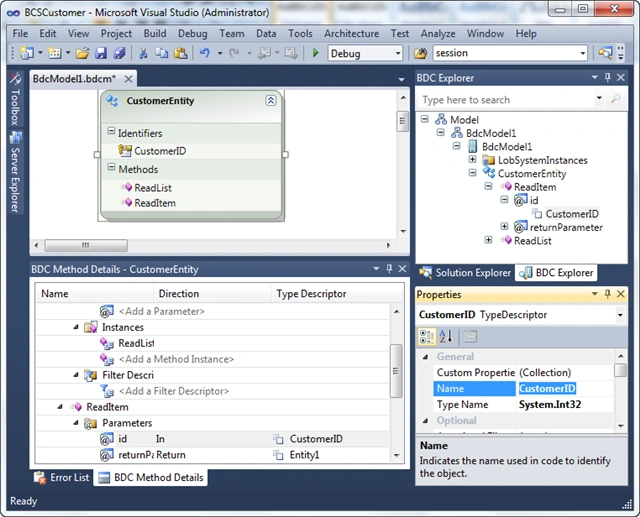
-In the Properties window of the CustomerID, Name Type: select System.Int32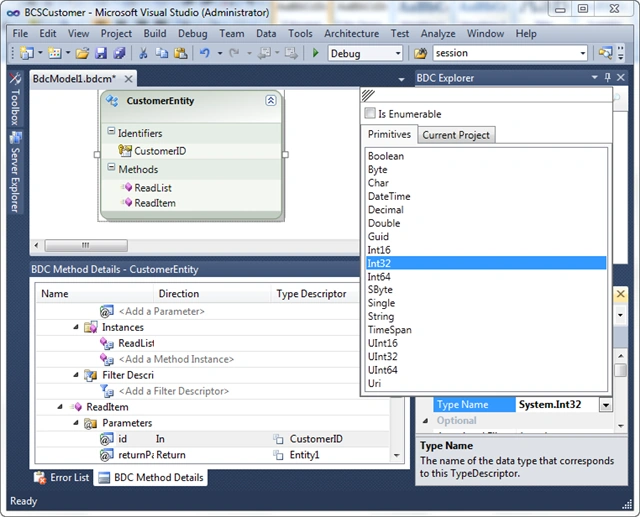
-Selected the following image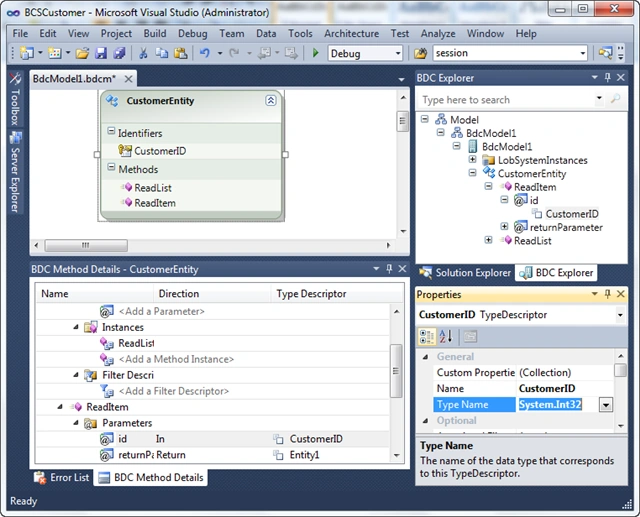
- Expand Model | Expand BdcModel1 | Expand CustomerEntity | Expand
ReadItem | Expand returnParameter and select Entity1
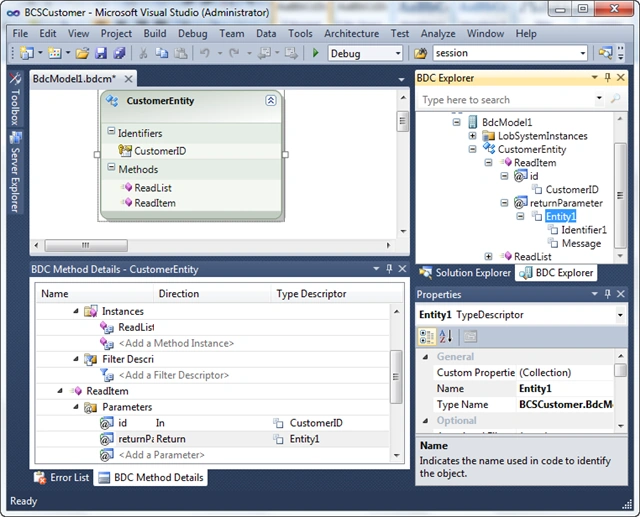
-Change from the Customer Entity1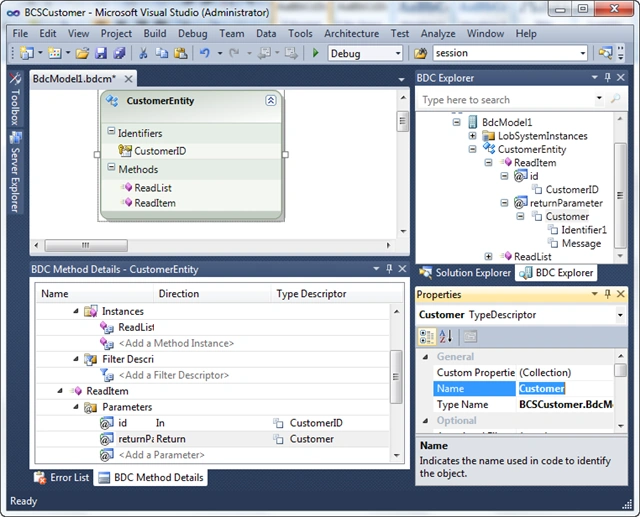
-In the customer select the CustomerID and choose Identifier1 Name Type: select System.Int32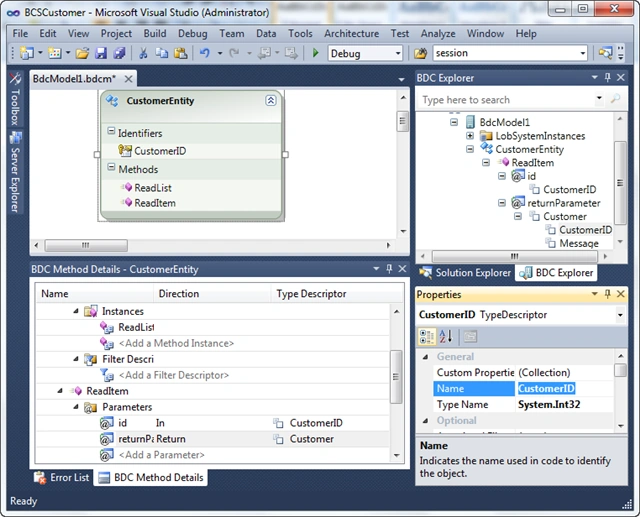
-Select Message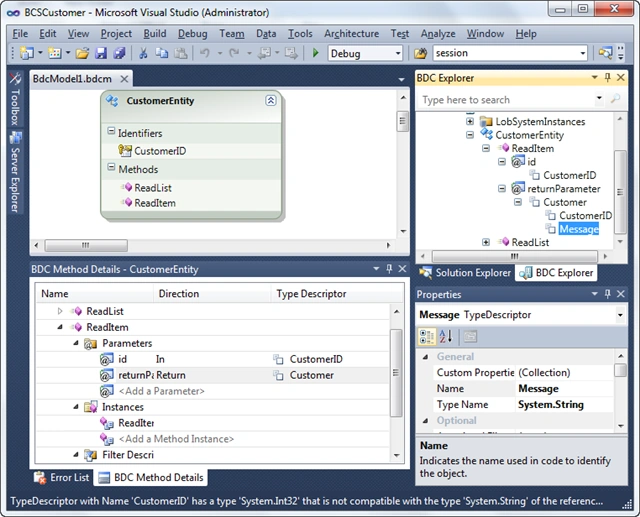
-Renamed CustomerName, Type Name: System.String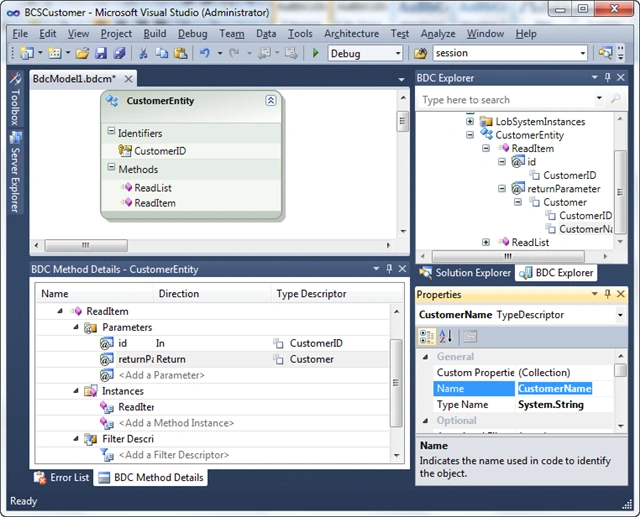
-Click to Customer | Add Type Descriptor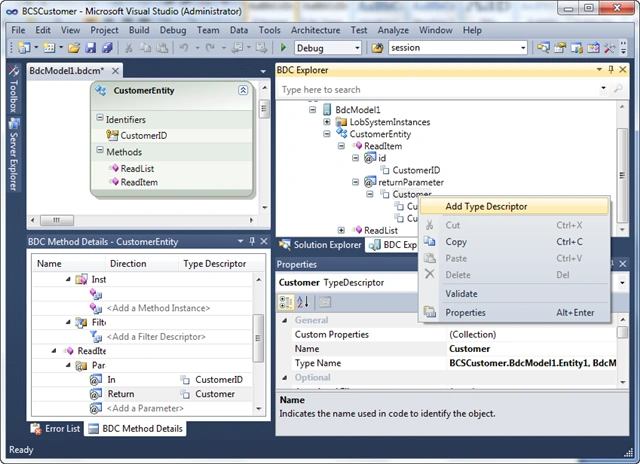
-Named the City, the Type Name: System.String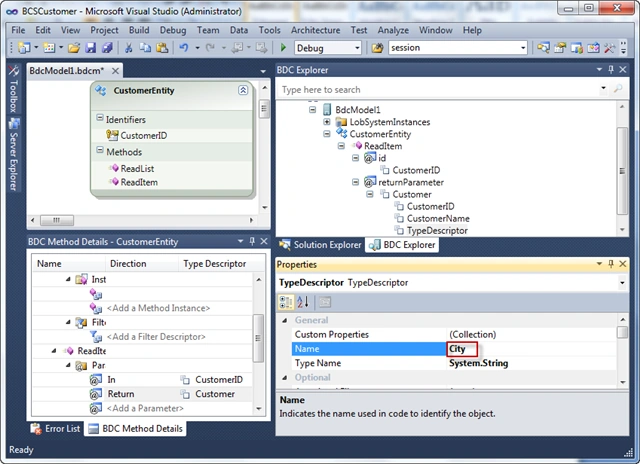
-Expand Model | Expand BdcModel1 | Expand CustomerEntity | Expand ReadList | Expand returnParameter and select Entity1List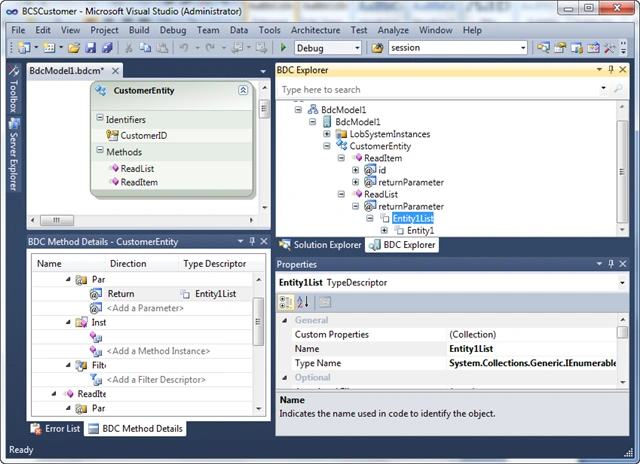
-CustomerList changed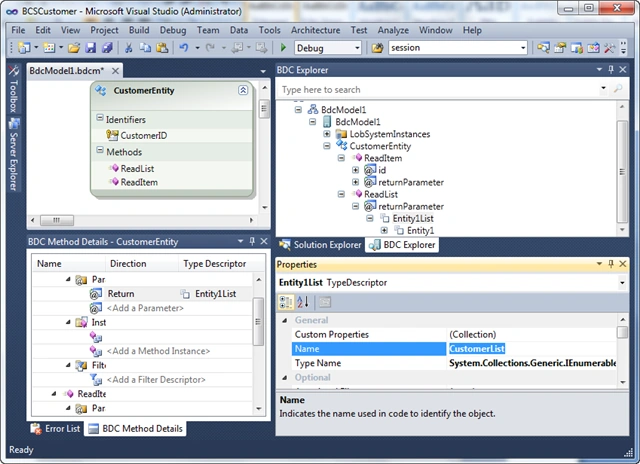
-Expand Model | Expand BdcModel1 | Expand CustomerEntity | Expand ReadList | Expand returnParameter | Expand CustomerList | Choose Entity1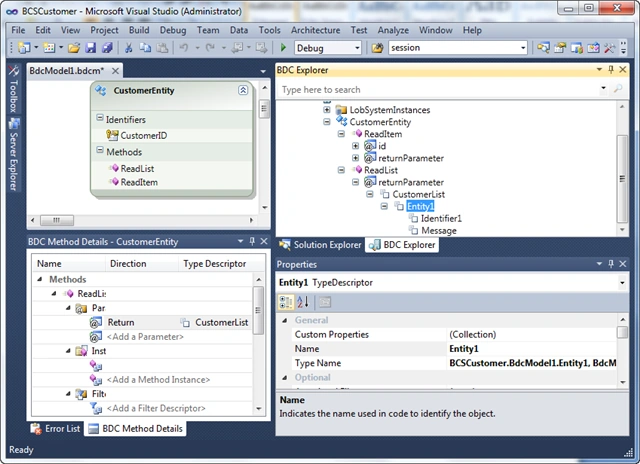
-Customer changed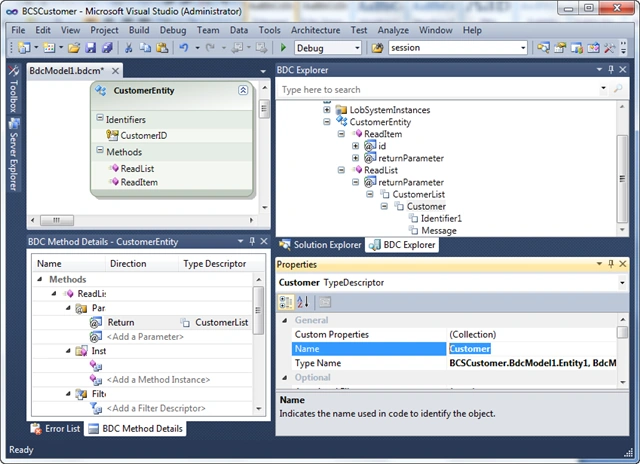
-Expand Customer | Change Identifier1 the CustomerID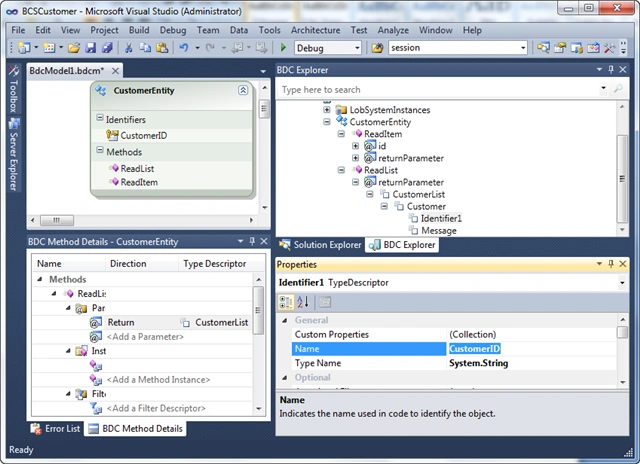
-In the Properties window of the CustomerID, Name Type: select System.Int32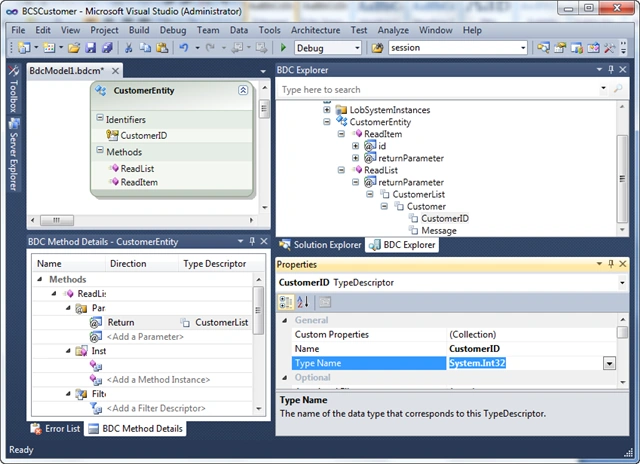
-Select Message and renamed CustomerName, Type Name: System.String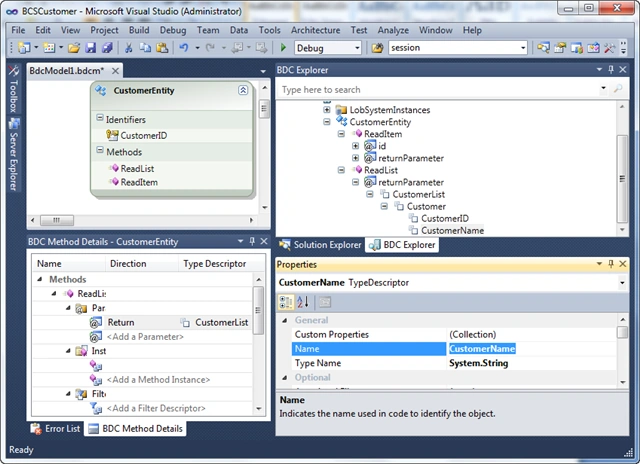
-Click to Customer | Add Type Descriptor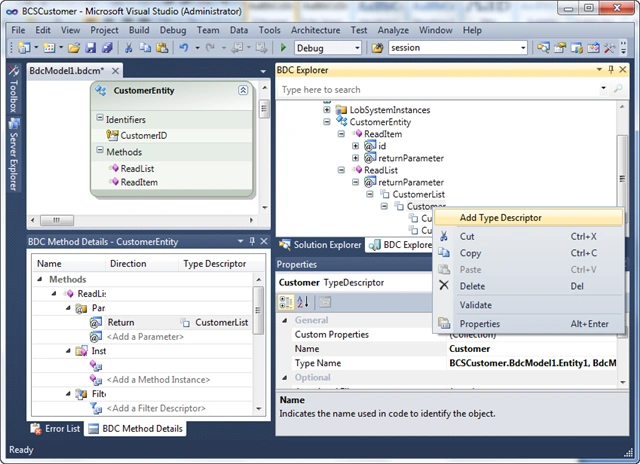
-Named the City, the Type Name: System.String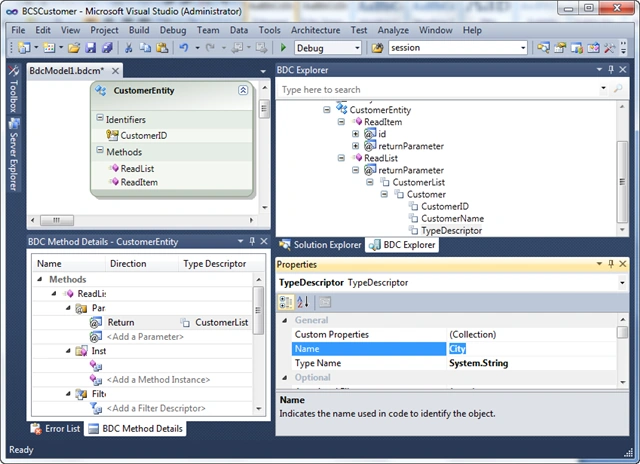
Solution Explorer window | Select Class Entity1
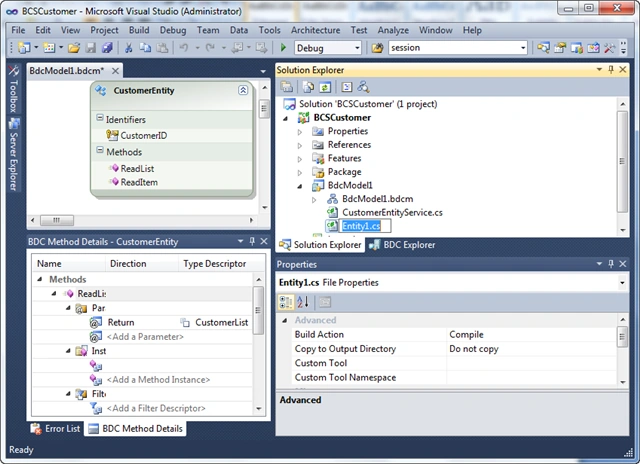
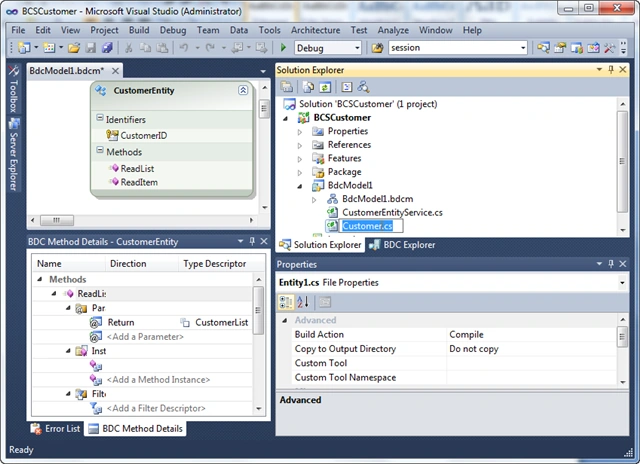
- Renamed Customer
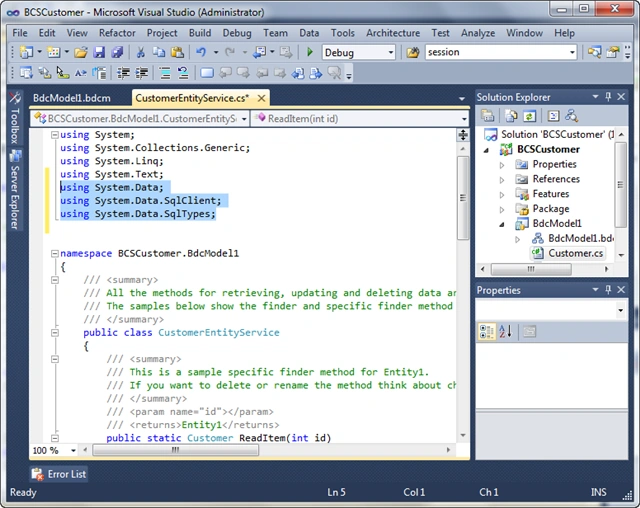
- Declare the following code
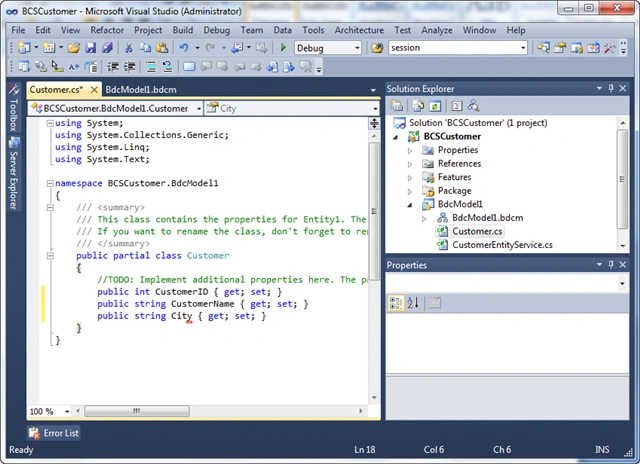
public partial class Customer
{
/ / TODO: Implement Additional properties here.
/ / The Message property is just a sample how a property could look like.
public int CustomerID {get; set;}
public string CustomerName {get; set;}
public string City {get; set;}
}
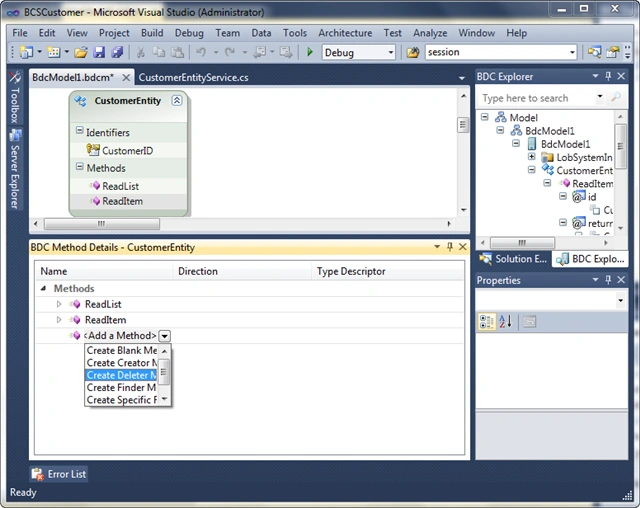
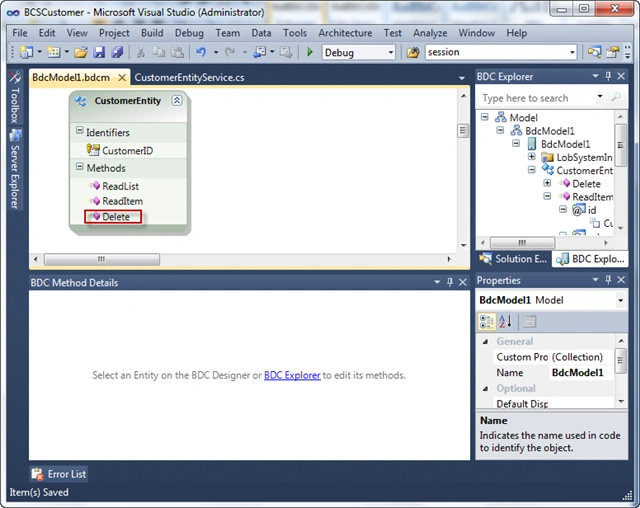
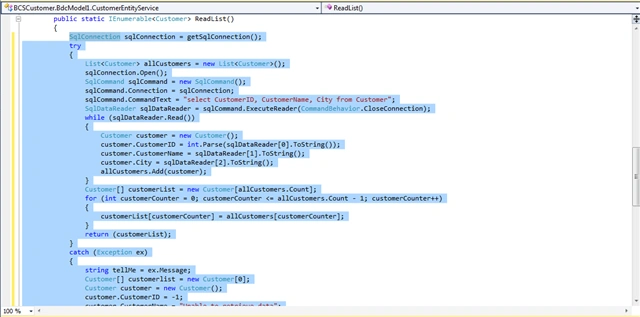
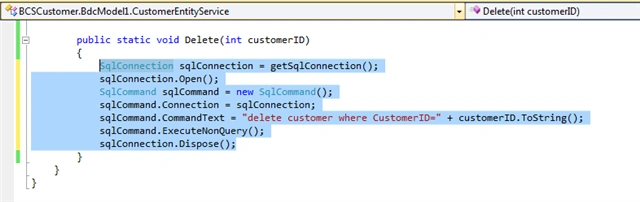
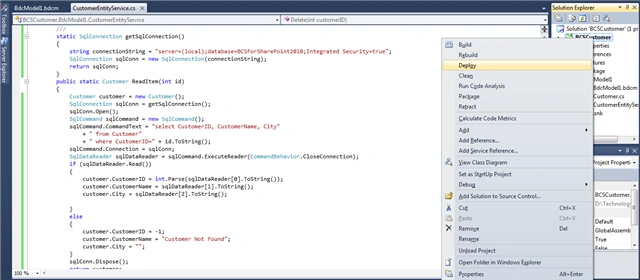
Method Details window BDC - CustomerEntity | collap ReadItem method, ReadList
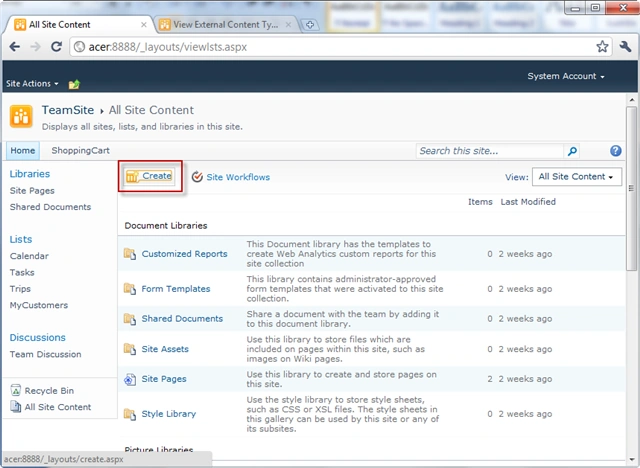
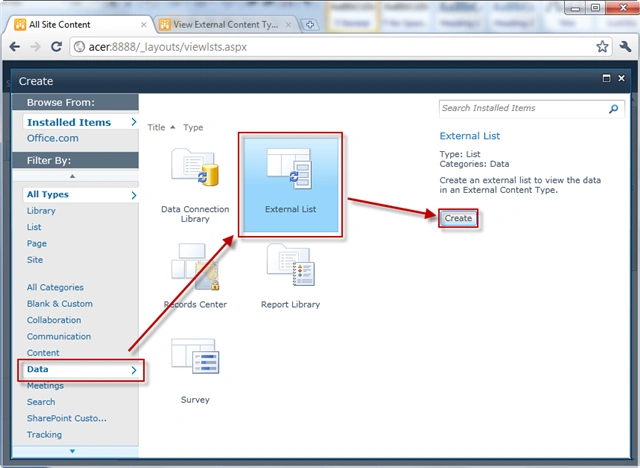
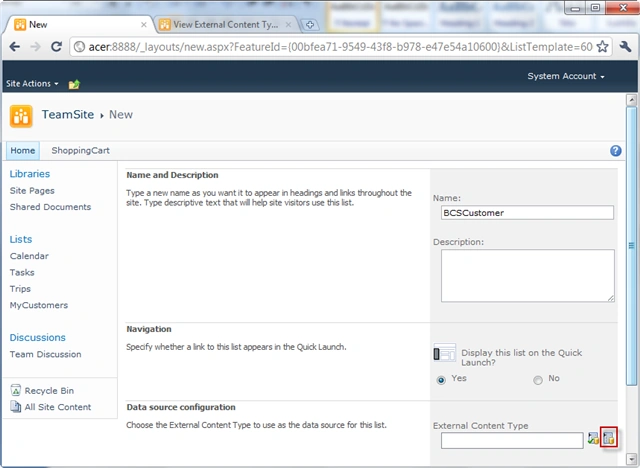
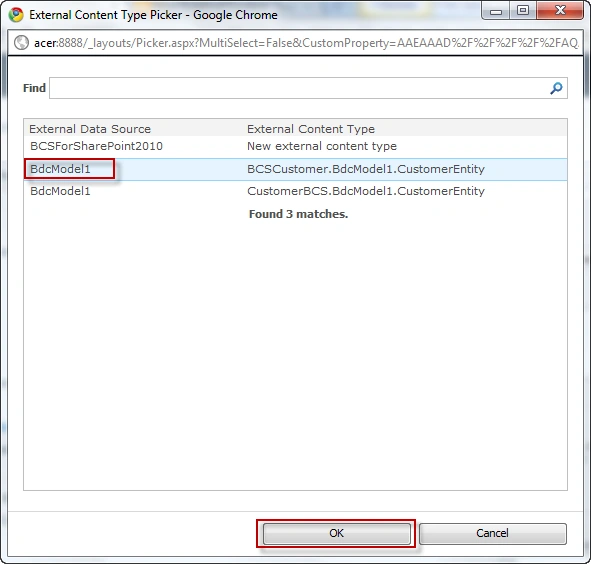
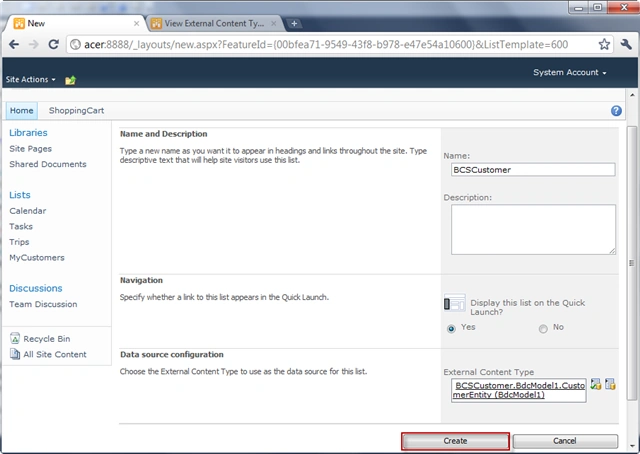
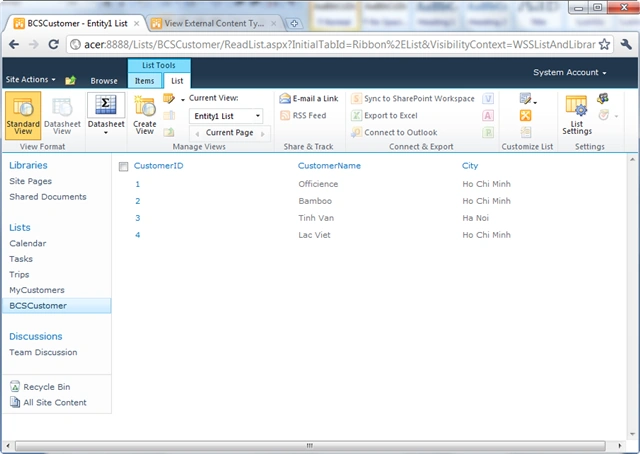
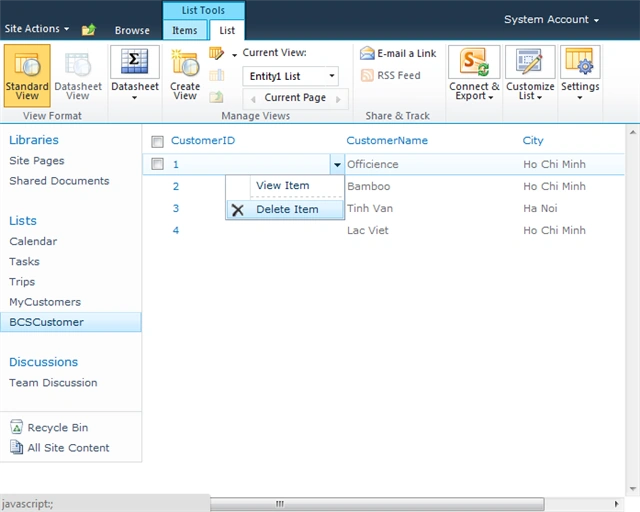
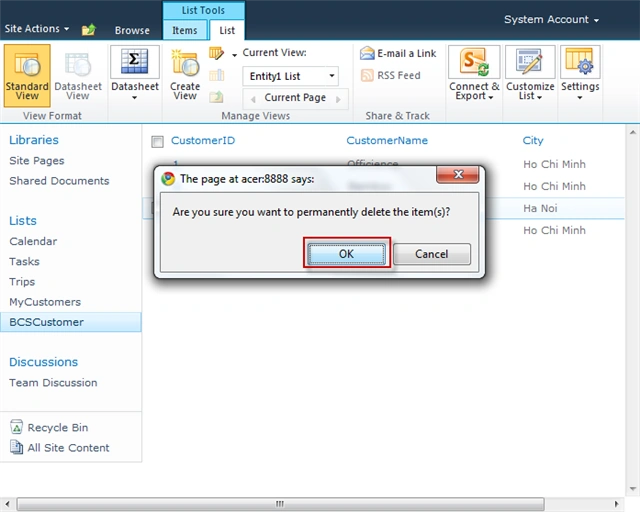
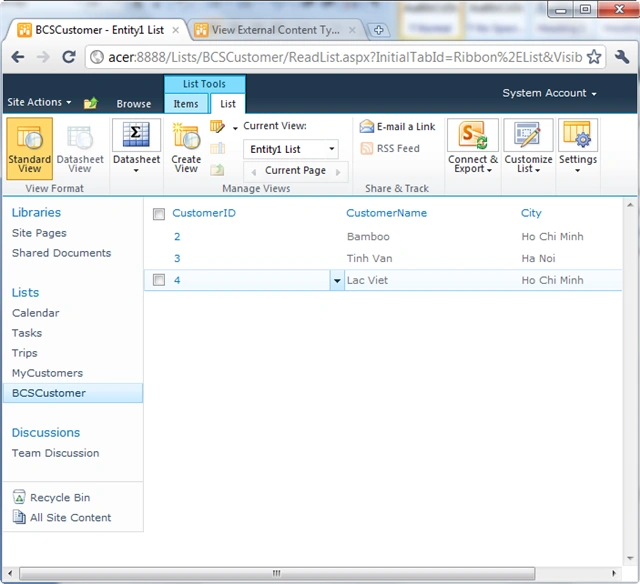
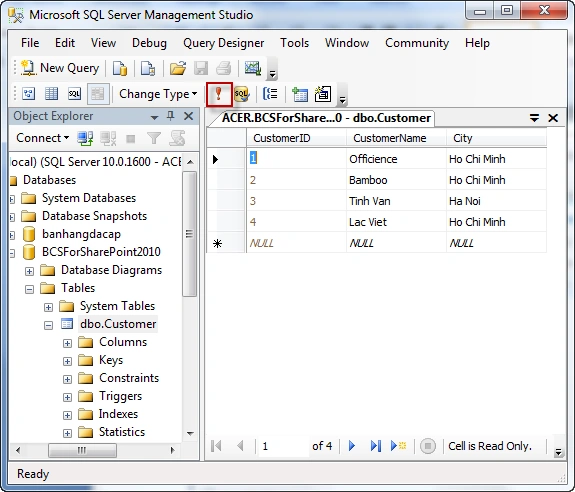
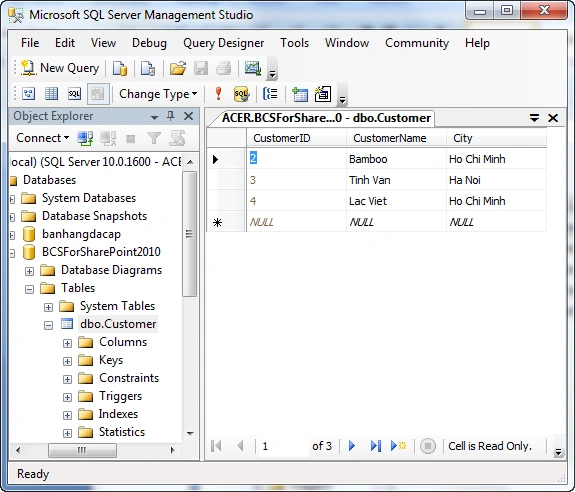
chandan guptaPosted Dec 9, 2013, 7:38 AM
public static void Delete(int empId) { SqlConnection SqlConnection = GetSqlConnection(); SqlConnection.Open(); SqlCommand SqlCommand = new SqlCommand(); SqlCommand.Connection = SqlConnection; SqlCommand.CommandText = "delete from EmployeeTab WHERE EmpId =" empId.ToString(); SqlCommand.ExecuteNonQuery(); SqlConnection.Dispose(); }
chandan guptaPosted Dec 9, 2013, 7:37 AM
public static IEnumerable<Employee> ReadList() { //TODO: This is just a sample. Replace this simple sample with valid code. SqlConnection SqlConnection = GetSqlConnection(); try { List<Employee> allCustomers = new List<Employee>(); SqlConnection.Open(); SqlCommand SqlCommand = new SqlCommand(); SqlCommand.Connection = SqlConnection; SqlCommand.CommandText = "select EmpId, FirstName, LastName from EmployeeTab"; SqlDataReader SqlDataReader = SqlCommand.ExecuteReader(CommandBehavior.CloseConnection); while (SqlDataReader.Read()) { Employee customer = new Employee(); customer.EmpId = int.Parse(SqlDataReader[0].ToString()); customer.FirstName = SqlDataReader[1].ToString(); customer.LastName = SqlDataReader[2].ToString(); allCustomers.Add(customer); } Employee[] customerList1 = new Employee[allCustomers.Count]; for (int customerCounter = 0; customerCounter <= allCustomers.Count - 1; customerCounter ) { customerList1[customerCounter] = allCustomers[customerCounter]; } return (customerList1); } catch (Exception ex) { //throw ex; Employee[] customerlist = new Employee[0]; Employee customer = new Employee(); customer.EmpId = -1; customer.FirstName = "Unable to retrieve data"; customer.LastName = ""; customerlist[0] = customer; return (customerlist); } finally { SqlConnection.Dispose(); } }
chandan guptaPosted Dec 9, 2013, 7:37 AM
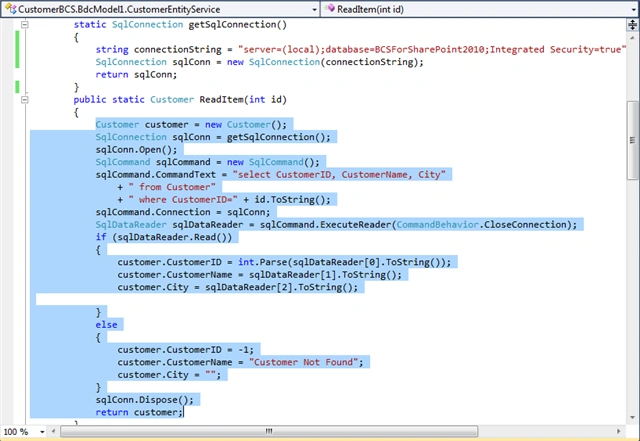
public static Employee ReadItem(int id) { //TODO: This is just a sample. Replace this simple sample with valid code. Employee customer = new Employee(); SqlConnection sqlConn = GetSqlConnection(); sqlConn.Open(); SqlCommand SqlCommand = new SqlCommand(); SqlCommand.CommandText = "select EmpId, FirstName, LastName From EmployeeTab WHERE EmpId =" id.ToString(); SqlCommand.Connection = sqlConn; SqlDataReader SqlDataReader = SqlCommand.ExecuteReader(CommandBehavior.CloseConnection); if (SqlDataReader.Read()) { customer.EmpId = int.Parse(SqlDataReader[0].ToString()); customer.FirstName = SqlDataReader[1].ToString(); customer.LastName = SqlDataReader[2].ToString(); } else { customer.EmpId = -1; customer.FirstName = "Customer Not Found"; customer.LastName = ""; } sqlConn.Dispose(); return customer; }
chandan guptaPosted Dec 9, 2013, 7:37 AM
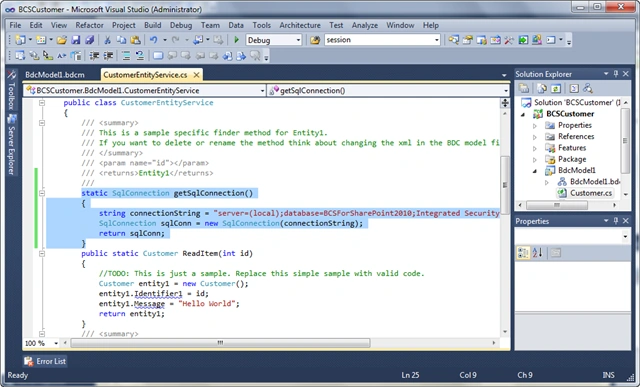
static SqlConnection GetSqlConnection() { string ConnectionString = @"Data Source=chandan-ltp\Sqlexpress;Initial Catalog=ABC;Integrated Security=True"; SqlConnection SqlConn = new SqlConnection(ConnectionString); return SqlConn; }
chandan guptaPosted Dec 9, 2013, 7:35 AM
Correct code of class EmployeeEntityService is...
chandan guptaPosted Dec 9, 2013, 7:30 AM
lot of error in this article..you guys can only follow..for basic creation of BCS using VS 2010
ridhvi pPosted Dec 5, 2012, 2:07 AM
Also can you please post some article related to creating associations in bcs
ashok meditedPosted Sep 5, 2012, 6:14 AMEdited Sep 5, 2012, 6:17 AM
nice article ,but getting error MethodInstance with Name 'ReadList' on Entity (External Content Type) with Name 'CustomerEntity' in Namespace 'BCS_Customer.BdcModel1' failed unexpectedly. The failure occurred in method 'ReadList' defined in class 'BCS_Customer.BdcModel1.CustomerEntityService' with the message 'Index was outside the bounds of the array
Harsh KapoorPosted Aug 27, 2012, 8:17 AM
Very good article, very nice
Saurabh GuptaPosted Feb 21, 2012, 5:01 AM
Nice Article, it Really covers all parts of the topic Thanks
Yemi EmmanuelPosted Jan 23, 2012, 6:29 AM
Hello Hung, thank you very much for this article. Its very much detailed and has proved useful. When you created the data configurations for sql server, it was quite a drag and drop experience which was nice. Do you have a similar path or article / idea in creating the connectivity for MySql databases?
Hung HungPosted Nov 2, 2011, 10:41 AM
Thanks. Ok, you can connect to oracle. but i am not expert about it. i am sorry but i can share to link for you: http://msdn.microsoft.com/en-us/library/ff464424(office.14).aspx Regard.
scot daleeditedPosted Nov 2, 2011, 6:38 AMEdited Nov 2, 2011, 6:39 AM
Very Good Article, thanks, can i follow same steps for oracle instead of sql? Thanks Scot