

Introduction
Hello readers, in this article I'm going to tell you something amazing. You can customize your website in many ways, but have you ever thought of creating your own customized right-click menu. Yes! I'm talking about right-click menu or context menu. It's very easy and in this article we will also develop one. It can be very useful in various situations, like when the user clicks on an image of your website and you want to show various options other than the default ones. This article will help you with that.
Logic behind the menu
The logic is quite simple. As I always say, we need to examine the things carefully if we want to understand them. This logic is derived from that principle only. To understand the logic, let us first analyse the default context menu. We can analyze it in the following step-by-step manner:
- The user right-clicks on a web page to open the context menu.
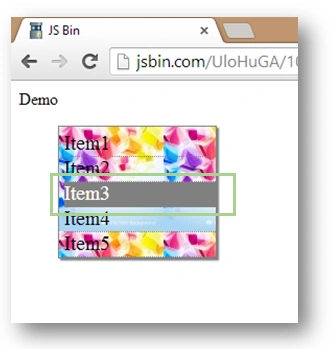
- After right-clicking a new box opens up.
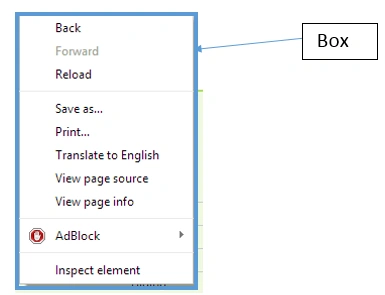
- That box contains some item lists.
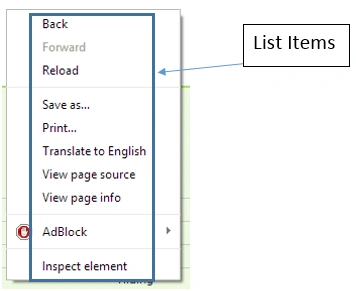
- On clicking those items, the following two things happen
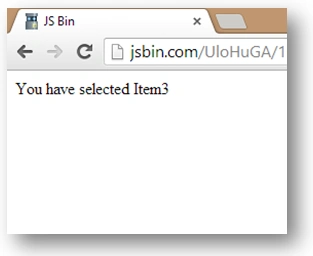
- The Box is hidden and the operations are performed.
- Another thing to notice is that if a click is done somewhere else then the box is also closed.
- If the user does another right-click without closing the first one then the first box is automatically closed and the new one is opened.
- The box is always opened at the mouse location.
So after reading the above analysis it is easy to understand the rest of the logic. So let's proceed to our jQuery based context menu logic as in the following:
- The box is nothing but just a div. So we will create a div for representing that box.
- The items in the box are similar to the lists we have in our HTML, the <LI> tag.
- Opening and closing can be done using Hide and Fade In functions.
- Item clicks can be processed by registering the click event on list items.
- The minor optimization will be clear from the code itself.
Coding the Context Menu
It's time to convert our logic into code. First we need to write the HTML. Just paste the following code snippet in a HTML file.
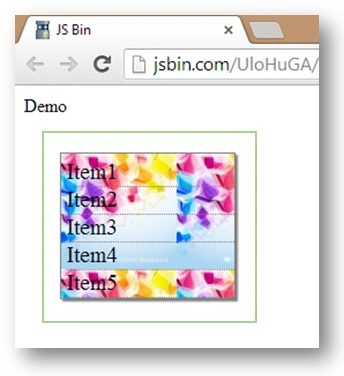
<span id="op">Demo</span> // For showing output.
<div id='cntnr'> // Context menu container.
<ul id='items'> // List of items in context menu.
<li>Item1</li> // Items to show in context menu.
<li>Item2</li>
<li>Item3</li>
<li>Item4</li>
<li>Item5</li>
</ul>
</div>
To design our context menu we need some CSS as well. So here it is.
Aleksandra NikolovaPosted Sep 16, 2016, 2:08 AM
Nice article! If you want you can see shieldui contextmenu - it`s very easy to use https://demos.shieldui.com/web/contextmenu/basic-usage