

In this article, we are going to learn how to create and use custom role manager in ASP.NET MVC in a step-by-step way.
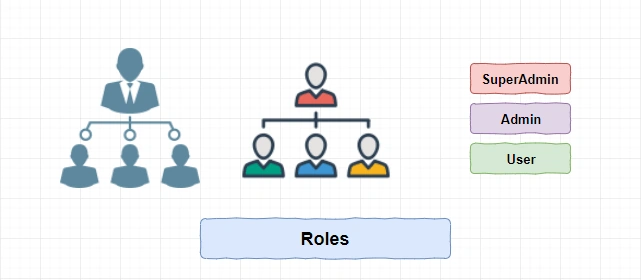
Role Management is the most required part of any application. Using role management, you can provide access (rights) to the user to access the application. The most common rights you might have heard of are SuperAdmin, Admin, and User. The top hierarchy is given to SuperAdmin; below that is Admin, and the last level is for Users.
Prerequisites
- Visual Studio 2015
- SQL Server 2008 and above
Developed
- Developed in ASP.NET MVC 5
Grids Used
NuGet Packages
- CaptchaMvc
- AutoMapper
- MVC
- EntityFramework 6.0
- Dapper
Creating Application
We are going to create an application with the name “ManageRoles”.
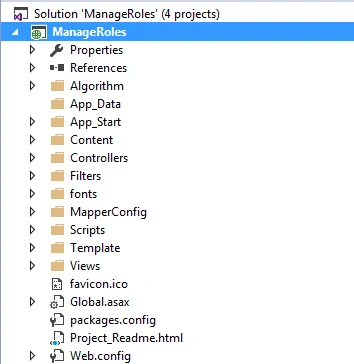
After creating the project, next, we are going to add a class library for Model, Repository, ViewModels.
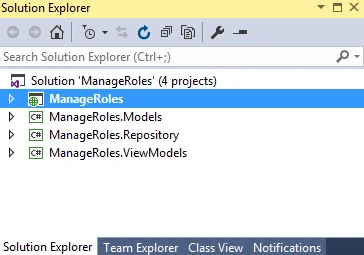
After adding the class library, we add the NuGet packages.
- CaptchaMvc
- AutoMapper
- MVC
- EntityFramework 6.0
- Dapper
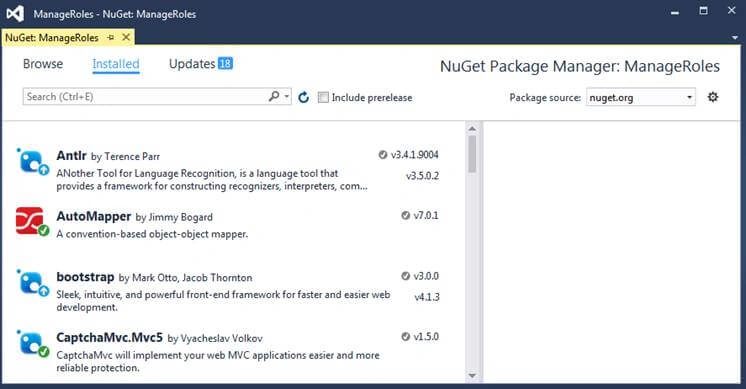
After installing, let us have a look at the database.
Database
For this application, I have created a database with name “ManageRoleDB”.
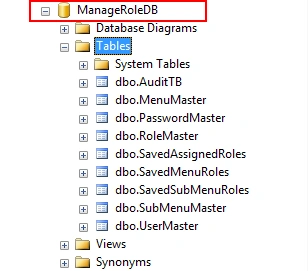
Next, we are going to have a look at the Dependency Injection.
Dependency Injection
We are using Unity Framework for Dependency Injection in that constructor injection.
When we install Unity Framework from NuGet package, it adds two classes in the App_Start folder.
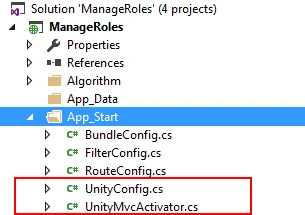
In that, we are going to use UnityConfig class for RegisterTypes. There might be a question of what we are going to do with this method.
In this method, we are going to keep a mapping of interface and its concrete class.
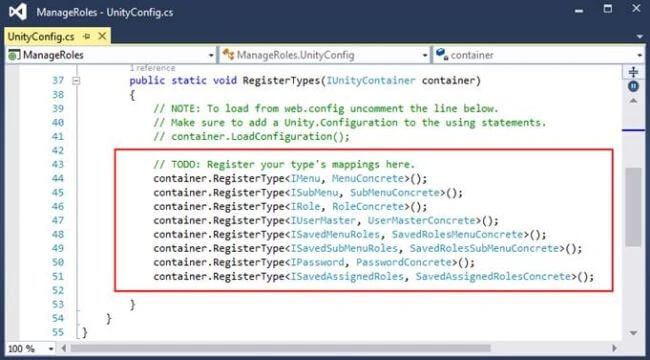
Next, we are going to have a look at the Controller folder.
Controllers Folder
This folder contains the controllers.
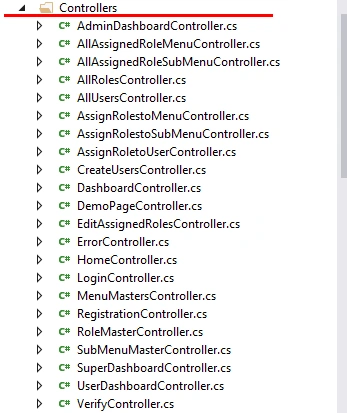
Next, we are going to have a look at “ManageRoles.Models” Class library.
ManageRoles.Models
In this class library, we have kept all the Models which are used in the application.
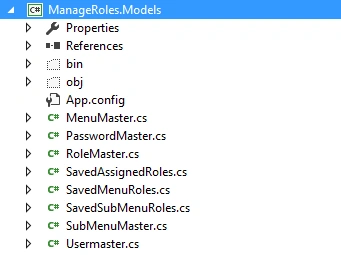
Next, we are going to have a look at “ManageRoles.ViewModels” Class library.
ManageRoles.ViewModels
In this class library, we have kept all the ViewModels which are used in the application.
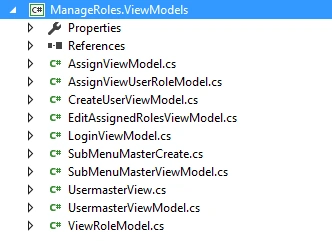
Next, we are going to have a look at “ManageRoles.Repository” Class library.
ManageRoles.Repository
In this class library, we have kept all Interfaces and Concrete classes which are used in the application.
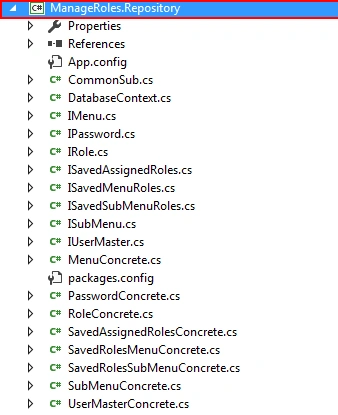
AutoMapper
For Mapping objects, we have used an Automapper.
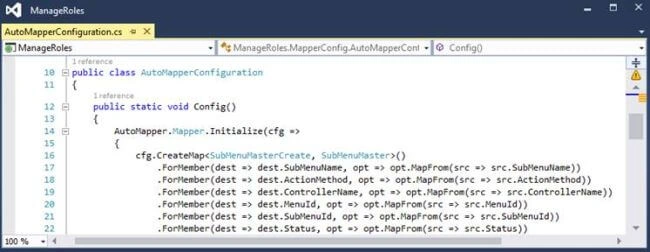
Automapper has a configuration class; in that class we are going to keep all mappings.
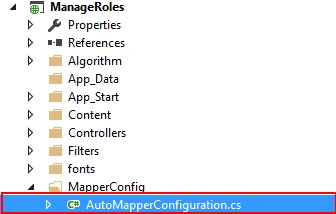
In AutoMapperConfiguration Class, we have kept all the mappings.
Next, after understanding the automapper, next, we are going to have a look at all application screens (in-short, how it functions).
First, we are going to see all the SuperAdmin screens.
Screen of SuperAdmin
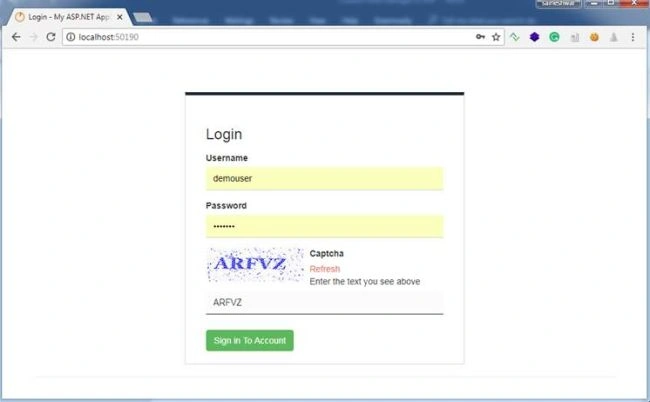
- Screen of Login
The common Login screen for SuperAdmin, Admin, Users.
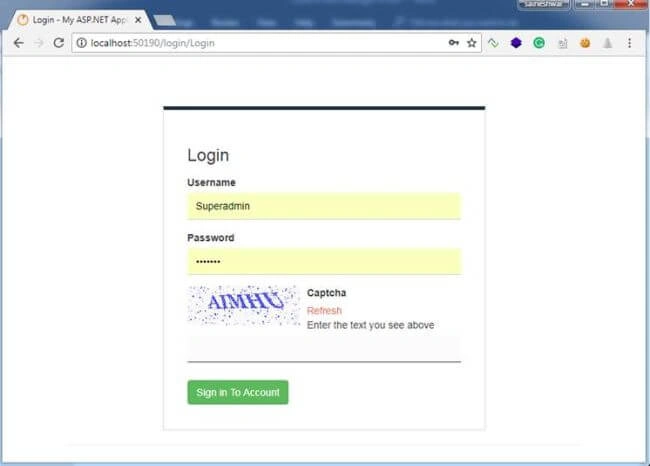
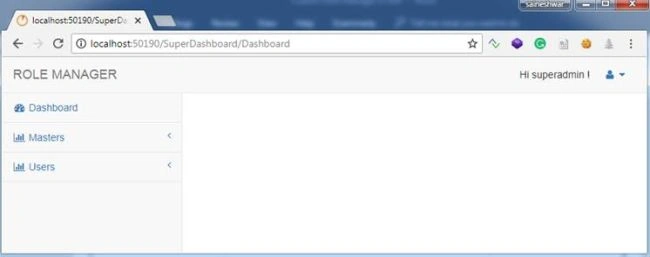
After logging into Application, first, we are going to see the Dashboard with Side Menus.
- SuperAdmin Dashboard
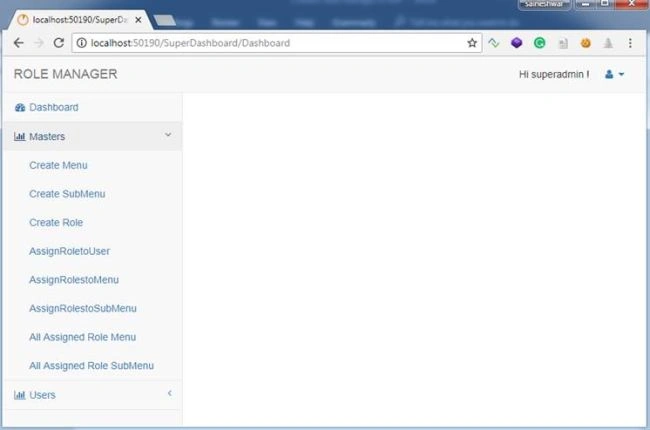
After clicking on Masters menu, you will find all Menus related to Master that includes Create Menu, Submenu, and Roles, then Assign Role to User and many more menus.
- Create Menu
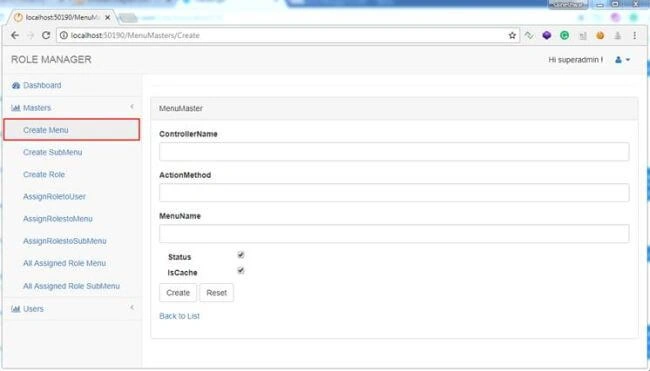
In this part, we are going to create Main menus and for creating that, we are going to take controller name, action name, Menu name as input. Along with this, we have the status for Menu - active and deactivated. Another checkbox is for the cache. After choosing this option, we are going to cache all menus.
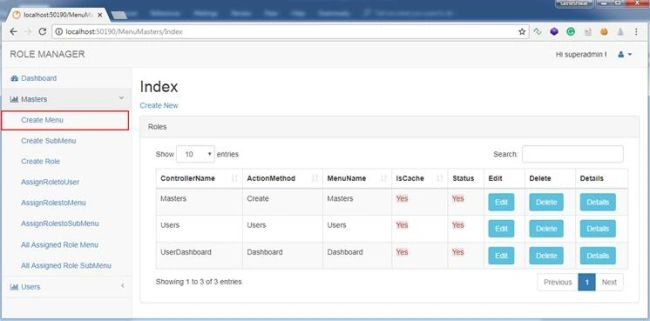
After adding Menu, you can see all the Menus which you have added by clicking on the "Back to List" button.
Next, we are going to create a SubMenu.
- Create SubMenu
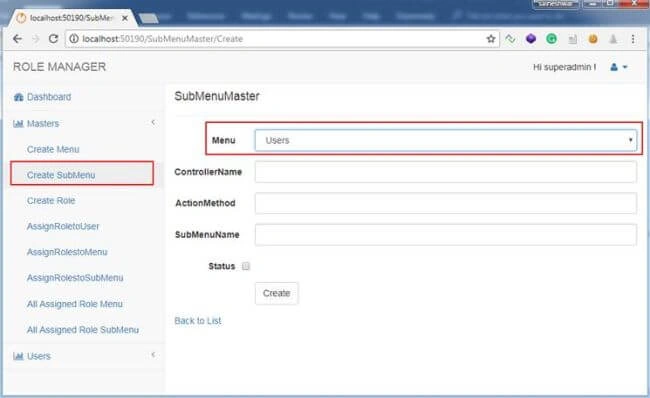
In this part, we are going to add a SubMenu. For doing that, we need to choose the Main Menu under which this submenu will be added. Next, we need to add ControllerName, ActionMethod, and SubMenuName. The SubMenuName will be shown to the users. And finally, the status to make this SubMenu activate or deactivated.
Example - As you can see, “Master” is the main menu and under that, we are adding “Create SubMenu”.
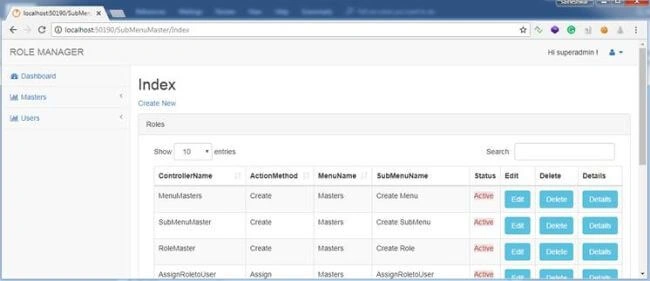
After adding SubMenu, you can see all SubMenus which you have added by clicking on the "Back to List" button.
After creating the SubMenu, next, we are going to create a role.
- Create Role
In this part, we are going to create a new role. For doing that, we just need to enter the name of the role.
Example - SuperAdmin, Admin, User.
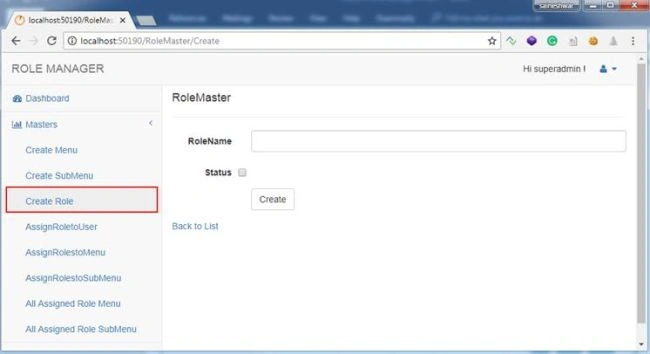
After adding Role, you can see all Roles by clicking on the "Back to List" button.
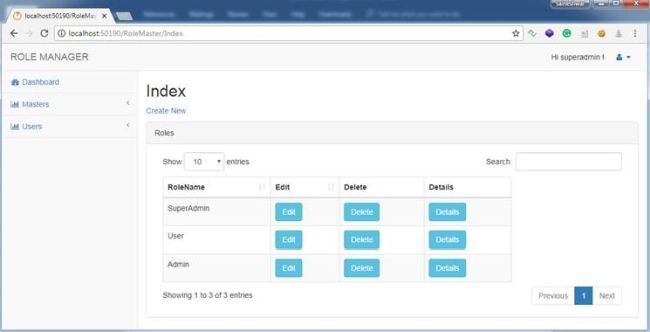
After creating a role, next, we are going to assign this role to the users.
- Assign Roles to Users
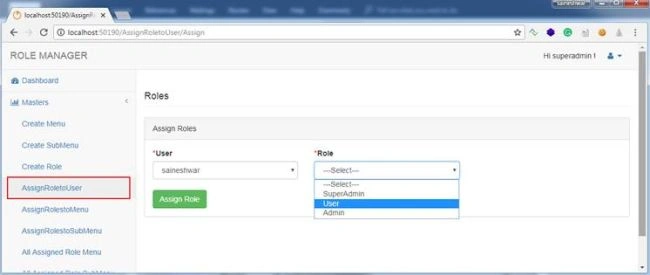
In this part, we are going to assign roles to the users. The User dropdown list has a list of usernames and Role dropdown has a list of Roles which we have created.
Just choose the username and role and click on the "Assign Role" button to assign a role to the user.
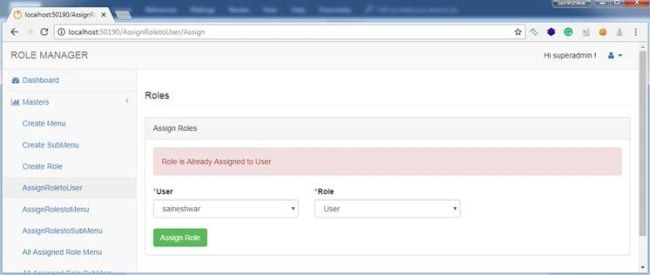
If the role is already assigned to User, then it will show you a message.
- Assign Roles to Menu
We have already created a menu but we have not assigned it. So far, in this part, we are going to assign the menu to a role such that the person assigned with that role can view that menu.
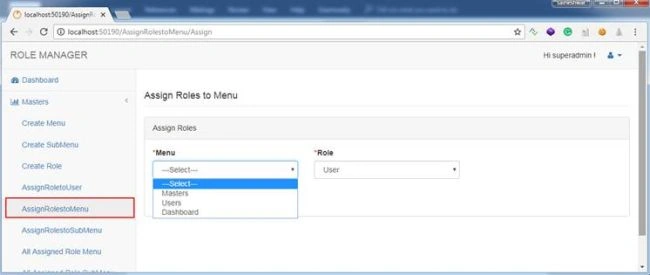
After assigning a role to the menu, next, we are going to see all assigned roles to menus.
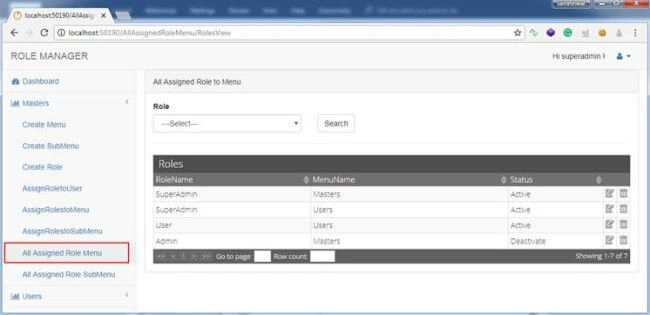
After assigning a role to the menu and showing all assigned menus, next, we are going to assign roles to submenus.
- Assign Roles to SubMenu
We have already created Submenu but we have not assigned it yet. In this part, we are going to assign SubMenu to a role such that the person assigned with that role can view that SubMenu
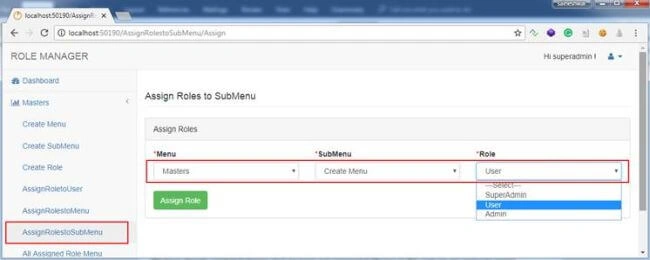
After assigning a role to Submenu, we are going see all assigned roles to SubMenus.
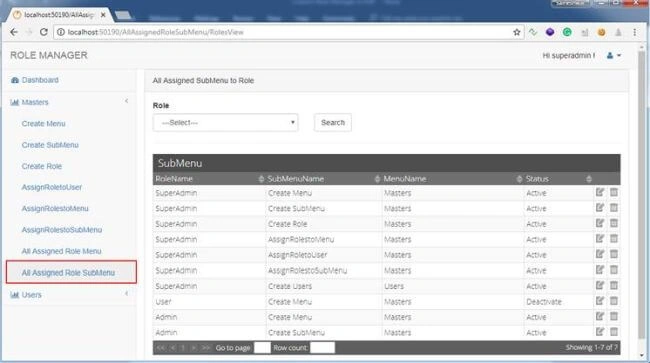
Now we have assigned a role to menu and sub Menu along with that we have also assigned a role to User. Next, we are going see how we can activate and deactivate the menu.
- Activate, Deactivate and Delete Assigned Menu
In this part, we are going to see how to activate and deactivate the menu.
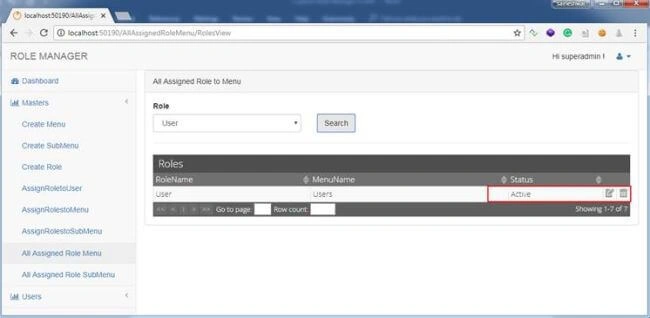
To deactivate just click on Edit icon.
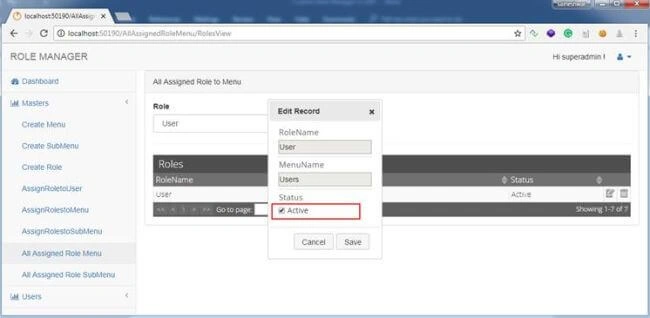
It will pop up a dialog in that you can check and uncheck the checkbox for activating and deactivating menu.
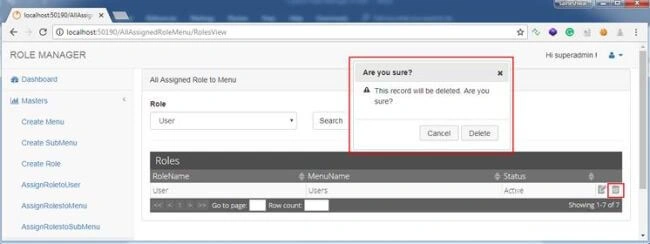
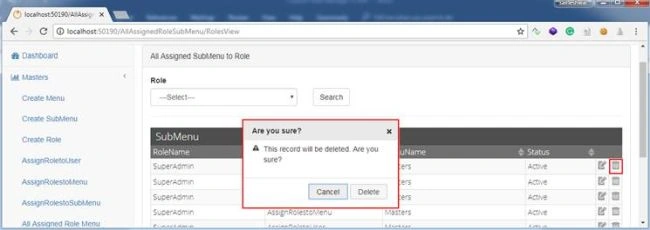
In a similar way, you can delete assigned menu role by clicking on delete icon.
- Activate, Deactivate and Delete Assigned SubMenu
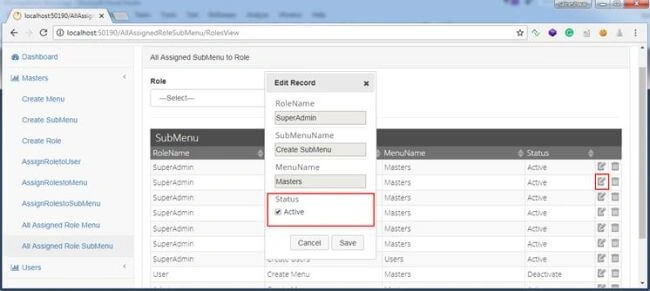
In this part, we are going to see how to activate and deactivate SubMenu. To deactivate just click on Edit icon.
It will pop up a dialog in that you can check and uncheck the checkbox for activating and deactivating the SubMenu.
In a similar way, you can delete the assigned SubMenu role by clicking on delete icon.
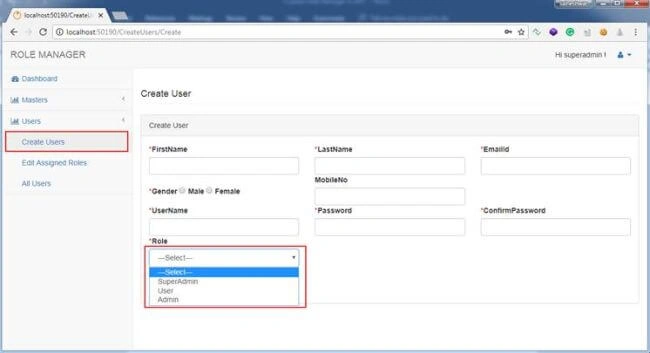
- Creating Users
In this part, SuperAdmin has a right to create User and while creating User we can assign a role to it.
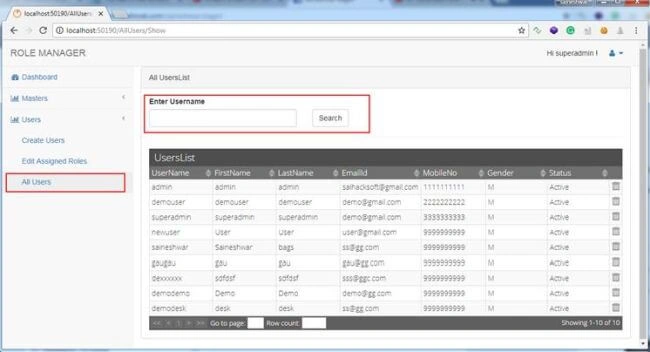
After creating Users, you can see all created Users.
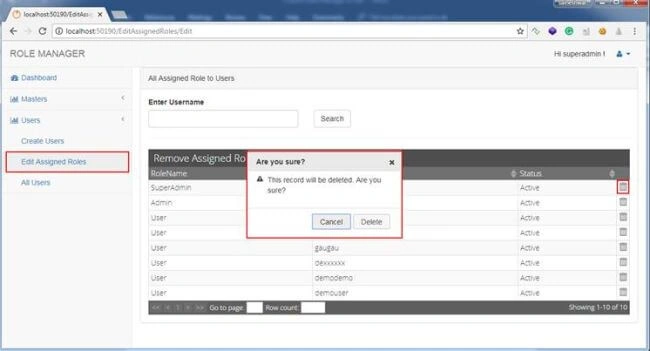
- Remove Assigned Role to Users
In this part, we have an option where we can remove a role from the user such that we can assign a new role to User.
Screen of User - Login to Application with User Role
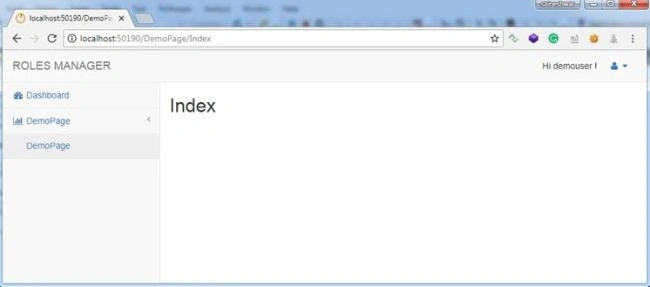
In this part, we are going to log in to the application with User Credentials to check what kind of Menu and SubMenu the User can View.
After logging into the application, the below dashboard can be viewed with the only menu which SuperAdmin has assigned.
Finally, we have learned how to develop Custom Role Manager in ASP.NET MVC 5 and along with that, we have also learned how to use Automapper, Unity.MVC packages, and Grids.
Download source code.
shakil khanPosted Jan 20, 2022, 6:59 AM
What is password and username of superadmin.
SIJO KSPosted Mar 19, 2021, 10:10 AM
Is this Published code?
Alvarez HarveyPosted Feb 12, 2021, 12:47 AM
I cant login using the login credentials of superadmin 1234567
vanita SharmaPosted Jun 7, 2020, 5:34 AM
Superadmin Password Please?
vanita SharmaPosted Jun 6, 2020, 12:01 PM
Is is possible to make video on you tube,It would be grateful to understand the same.
Tony TPosted May 29, 2020, 9:09 PM
Link broking
Junaid ShaikhPosted Jan 13, 2020, 6:29 AM
Hello can you mail the source code to me please [email protected]
Mohammad Ibrahim PatelPosted Dec 26, 2019, 3:15 AM
Hello Sir: Could u pls share the Source Code link on my email [email protected]
Mohammad Ibrahim PatelPosted Dec 26, 2019, 3:14 AM
Hello Sir:
jose loraPosted Nov 7, 2019, 6:05 PM
Hello i can t open the project can you help me with the password
Vishnu RamanattuPosted Nov 2, 2019, 4:56 AM
I need to one more controller and views in this how it possible ?
Mark TaborPosted Oct 30, 2019, 5:01 AM
How I can allow a user to access create method from home books controller but create (GET) but not (CREATE) POST.
manish kedarPosted Oct 17, 2019, 2:16 AM
Hello sir, The type or namespace name 'Dapper' could not be found (are you missing a using directive or an assembly reference?) showing this error and same error on repository solution. Please give me solution.
diabaderPosted Oct 9, 2019, 1:14 PM
Hello sir , hope you are doing well , the link not open , can you please send the source code to my email . My Email Is : [email protected]
manish kedarPosted Oct 5, 2019, 5:06 AM
Hello sir databasescript.rar file is corrupted.
manish kedarPosted Oct 5, 2019, 5:05 AM
Hello Sir,
Giovan BothaPosted Oct 2, 2019, 11:42 AM
Hello can you mail the source code to me please [email protected]
suhag patelPosted Sep 22, 2019, 2:01 AM
Hi Sir, Can you share Source code link on my [email protected]
Sheikh FareethPosted Sep 21, 2019, 7:37 AM
Dear Sir, Please explain the AuditTB Table
Aashish JainPosted Jun 13, 2019, 7:05 AM
Dear saineshwar, I was download your source code via github. there db script not be open so I request to you please share db script for same my mail id :[email protected]
Aashish JainPosted Jun 13, 2019, 6:15 AM
Can you please share source code for my mail id [email protected]
Aashish JainPosted Jun 13, 2019, 6:14 AM
Dear Saineshwar, ca
Aashish JainPosted Jun 13, 2019, 6:13 AM
Dear Saineshwar,
Tên Họ VàPosted May 16, 2019, 10:51 PM
Dear Sir,Thank you for sharing your experience with students when I need it.
Sheikh FareethPosted May 13, 2019, 7:29 AM
Dear Sir, I completed my project and working fine very very thanks for share this project.
Sheikh FareethPosted May 13, 2019, 1:35 AM
Dear sir, after update the username and password its redirecting 404 error html page, so please solve this issue
Sheikh FareethPosted May 10, 2019, 7:00 AM
Dear sir, i completed my project but following error comes after updating the username & password "An exception of type 'System.InvalidOperationException' occurred in ManageRoles.dll but was not handled in user code"
Ray .Posted May 7, 2019, 11:45 AM
What's the password for superadmin user
Sheikh FareethPosted Apr 29, 2019, 1:36 AM
Database link not opening
Jhon HernándezPosted Apr 13, 2019, 5:02 PM
Link error: Too many requests. Can you please give another link
Sheikh FareethPosted Mar 29, 2019, 8:07 AM
Sir, can you please share me the three level nested grid view (Insert,Update,Delete,Filter) in mvc.net
bbb bPosted Mar 22, 2019, 10:25 PM
Source code link is banned... provide a link sir
Ham VuiPosted Jan 31, 2019, 4:23 AM
How to redirect to Login page if a user opens link without login instead of show Error 404 Not Found?
AMANULLAH SHOHAGPosted Jan 24, 2019, 1:44 AM
Source code link is banned. Please provide a new link
khoirul mustofaPosted Dec 31, 2018, 4:30 AM
DatabaseScript.rar can't open.
Mohamed FathyPosted Dec 29, 2018, 3:06 PM
All are working fine, Thank you very much for your great efforts.
Mojidul IslamPosted Dec 13, 2018, 12:42 AM
After Create another model/entity and controller --- database table not created -- migration shows successfully but table not created
Aro AlPosted Nov 12, 2018, 4:15 PM
Hello, i downloaded from github is not comiple can you please check
dhirajggn dhirajggnPosted Oct 15, 2018, 11:04 PM
Sai,Your Example is very good,Can you provide the code process detail bcoz i am new for MVC
Peter JackelPosted Oct 5, 2018, 7:30 AM
The script file DatabaseScript.RAR seems to be corrupt when I open it with WinRAR. Is it a ZIP'd file? How can I unpack it? FIXED. I updated to the latest version of WinRAR - sorry for any confusion.
Touhidul FahimPosted Oct 3, 2018, 11:52 PM
Password Not Working sir!
Anilananda ChakraborttyPosted Sep 28, 2018, 12:00 AM
'System.DateTime.Now' is a 'property' but is used like a 'type'
Anilananda ChakraborttyPosted Sep 27, 2018, 11:59 PM
Public DateTime CreateDate { get; set; } = DateTime.Now;
Anilananda ChakraborttyPosted Sep 27, 2018, 11:59 PM
Giving error im not able to solve...
soma RPosted Sep 16, 2018, 1:58 AM
Hi bro in login page: Username -Admin, password -1234567----not working how to login this application , i did download and application run but not login what can i do, not login 1234567
chao wangPosted Sep 11, 2018, 4:23 AM
Hello ,what the right password for "07ikhQIubF3dXMDo3glk5A=="
Saineshwar BageriPosted Sep 8, 2018, 11:05 PM
If problem while downloading source code then use this link of GitHub. https://github.com/saineshwar/CustomRoleManager
Ravi SPosted Sep 8, 2018, 8:31 AM
Very nice info..Thank you.
Ankur MistryPosted Sep 7, 2018, 11:12 PM
It was wonderful Sai, Thanks for sharing
Hadshana KamalanathanPosted Sep 7, 2018, 11:02 AM
Thanks for sharing...
Shrimant TelgavePosted Sep 7, 2018, 8:41 AM
NIce Article............
Mohsin AzamPosted Sep 7, 2018, 5:29 AM
Nice Article,kindly share code url if you want to..
Mohit KalaPosted Sep 6, 2018, 11:04 PM
Nice Article Sirji It's Very Helpful For Me Thanks
alex mateoPosted Sep 6, 2018, 9:31 PM
Thanks for sharing!
Usama ShahidPosted Sep 6, 2018, 8:12 AM
Loving it. :) Thanks for sharing :)