
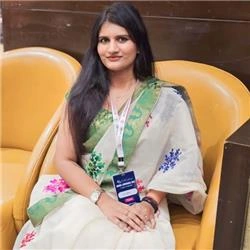
Studio Ghibli is renowned for its enchanting animation style, characterized by vibrant colors, whimsical characters, and breathtaking landscapes. If you’re looking to create Ghibli-style images without the need for extensive artistic skills, Grok AI offers a powerful solution. In this article, we’ll explore how to use Grok AI to generate stunning images inspired by the iconic Studio Ghibli aesthetic.
What is Grok AI?
Grok AI is an advanced artificial intelligence platform designed to generate images based on textual descriptions. By leveraging machine learning algorithms and vast datasets, Grok AI can create unique artwork that captures various styles, including the beloved Ghibli aesthetic. The platform is user-friendly and accessible, making it easy for anyone to create beautiful images.
Getting Started with Grok AI
Sign Up for Grok AI
To begin using Grok AI, you’ll need to create an account:
- Visit the Grok AI Website: Go to the official Grok AI website.
- Sign Up: Click on the "Sign Up" button and fill in your details. You may need to verify your email address. Or you can directly sign up with X(Twitter). So here I sign up using my X account.
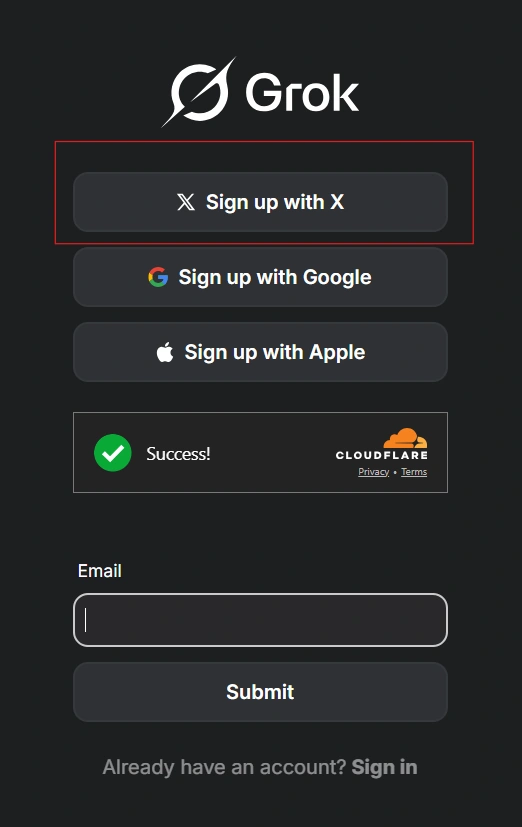
- Log In: Once your account is created, log in to access the image generation tools.
Creating Ghibli-Style Images
Crafting Your Prompt
The key to generating stunning Ghibli-style images lies in crafting a detailed and imaginative prompt. Here are some tips:
- Be Descriptive: Use vivid adjectives and specific nouns. Instead of saying “a forest,” try “a lush, enchanted forest filled with glowing flowers and whimsical creatures.”
- Include Characters: If you want characters in your image, describe their appearance, clothing, and expressions.
- Set the Scene: Describe the environment, lighting, and mood of the image. For example, “a serene sunset over a tranquil lake with gentle ripples.”
Example Prompt
Here’s an example of a prompt that could yield a beautiful Ghibli-style image:
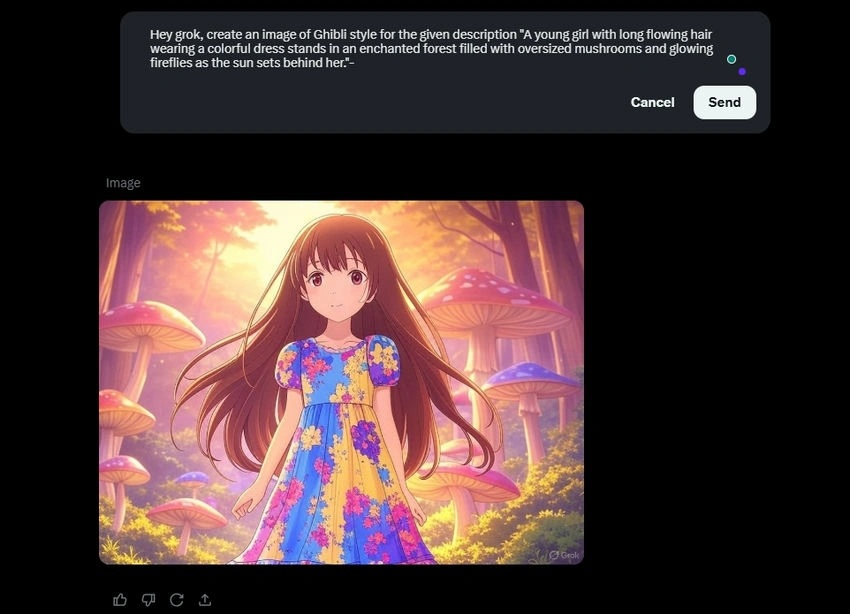
A young girl with long flowing hair wearing a colorful dress stands in an enchanted forest filled with oversized mushrooms and glowing fireflies as the sun sets behind her.
Note. These are the basic prompts I have used in this article for creating the images, but you can try different prompts for your expected results.
Generating the Image
Once you have your prompt ready:
- Enter Your Prompt: Type your descriptive prompt into the text input field on Grok AI.
- Select Style Options: If available, choose options that emphasize a whimsical or fantastical style reminiscent of Studio Ghibli.
- Generate Image: Click on the “Generate” button and wait for Grok AI to process your request.
Here is the generated image.
How can you convert your image into a Ghibli-style image?
Choose an Image
Select the image you want to convert into a Ghibli-style artwork. This could be a photograph, a digital illustration, or any other type of image.
Upload the image
Click on the upload option, as shown in the image below, and select the image from your device that you want to convert into a Ghibli-style image.

Example Prompt
Hey, grok, turn the Given image into a Ghibli-style
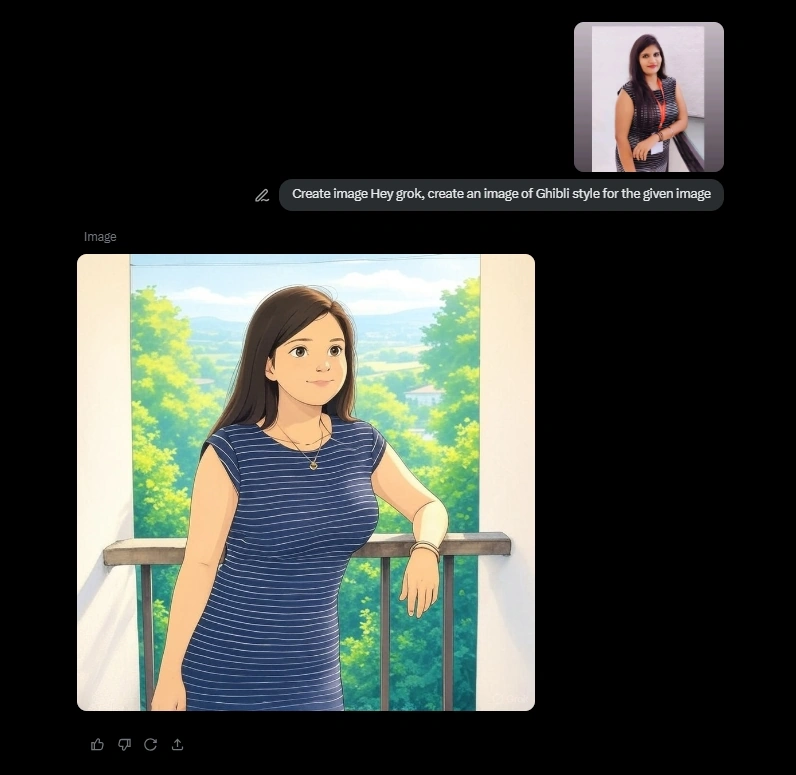
Note. I am using the free version, which has a limit of creating two images; if you want to create more images in Ghibli style, you should try the paid version of Grok-AI.
Reviewing and Refining
After a few moments, Grok AI will present you with an image based on your prompt:
- Review the Image: Take a close look at the generated artwork. Does it capture the essence of what you envisioned?
- Refine Your Prompt: If you're not satisfied with the result, consider refining your prompt by adding more details or changing certain elements.
- Regenerate if Necessary: You can regenerate the image multiple times until you achieve a satisfactory result.
Downloading Your Image
Once you’re happy with your Ghibli-style creation:
- Download Option: Look for a download button or option within Grok AI’s interface.
- Save Your Image: Choose a suitable file format (e.g., PNG or JPEG) and save it to your device.
Tips for Creating Stunning Ghibli-Style Images
Experiment with Prompts: Don’t hesitate to try different prompts or variations to see how they affect the output.
Use Reference Images: If possible, refer to existing Studio Ghibli images for inspiration when crafting your prompts.
Combine Elements: Mix different elements from various prompts to create unique scenes that capture the whimsical nature of Ghibli films.
Conclusion
Creating Ghibli-style images using Grok AI is an exciting way to explore your creativity without needing advanced artistic skills. By crafting detailed prompts and experimenting with different styles, you can generate stunning artwork that pays homage to Studio Ghibli's enchanting aesthetic.
Join the conversation! Your thoughts help the community grow.