

In this article, we will learn how to create an index for the Azure Search Service.
In our previous articles related to Azure Search Service, we have learned the following.
- Azure Search as a Service - What Azure Search as a Service is, along with its features and advantages
- Creating Azure Search Service and Scaling Replicas and Partitions - How to create Azure Search Service and its capacity features.
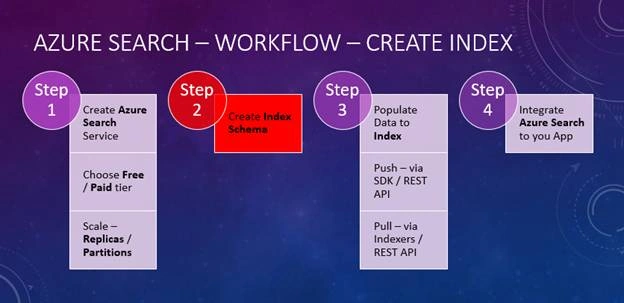
In this article, as highlighted below, we will create an index in the Azure Search Service that we have created in our previous articles, mentioned above.
What is an Index in Azure Search Service?
An index is like a persistent storage medium of the data, typically called documents. It’s like a database table where you have rows (or entities). Each Index has a name and a set of fields. We will learn how to create these fields, in a moment.
Why should we create an Index?
As discussed in previous articles, we should let the Azure Search Service know our application-specific data so that it can process and do all the analysis related to search, in order for us to consume the Azure Search capabilities by running Search Queries to Azure Search.
So, we need to first create the Index, and then load the data. This article focuses on creating the Index only.
Navigate to the Search Service that we have created, as shown below.
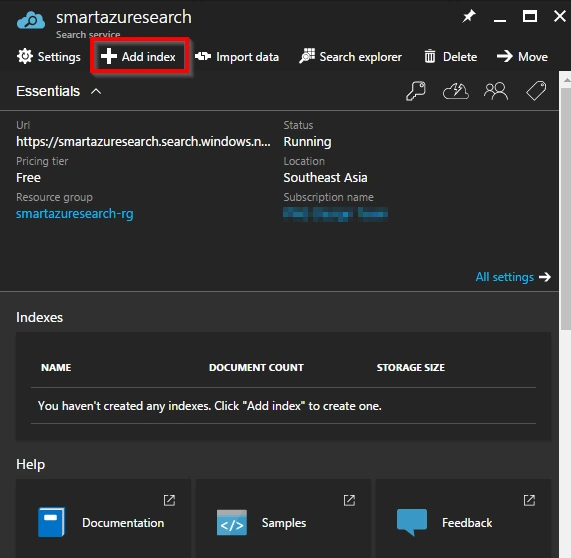
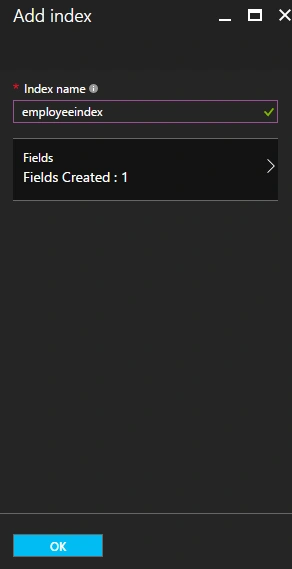
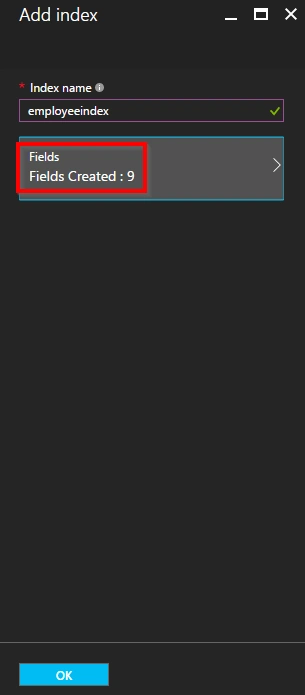
As shown in the above screen, click on "Add Index" button to open the following "Add Index" blade where you enter the following details.
- Index Name - Name of the Index
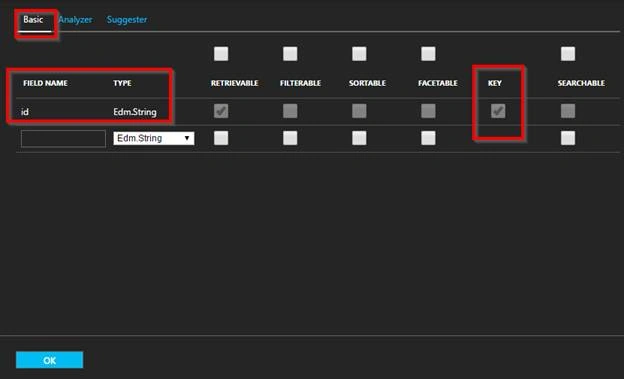
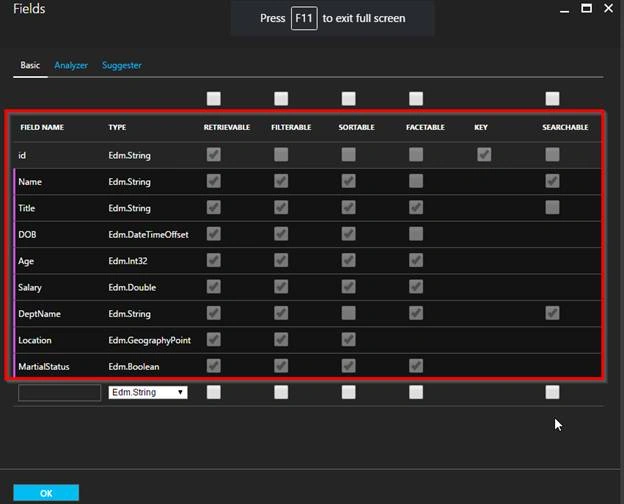
- Index Fields - All the fields related to your application data.

Join the conversation! Your thoughts help the community grow.