

First of all, you need to run "Active Directory Users and Computers" application in Windows Server.
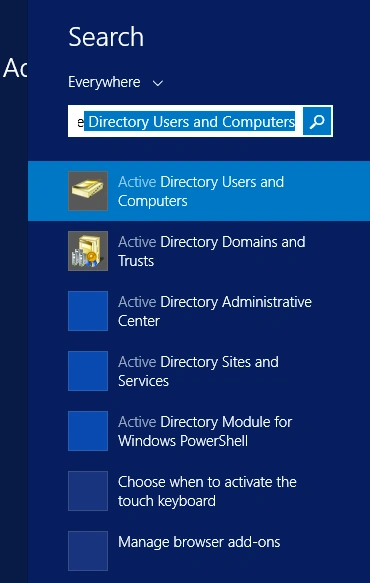
After application opens, you see the forest name left frame and item panel in middle frame.
Below the forest name (for me it is corp.ersoy.com), right click on Users and Select New, then User.
This command will initiliaze New User Dialog:
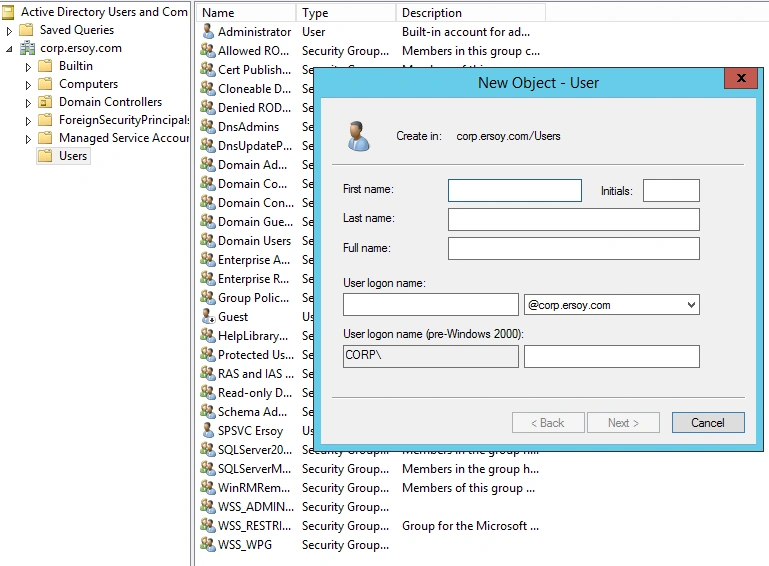
Feel free to fill the information as you like, but in our sample I've created a test account named "sptest".
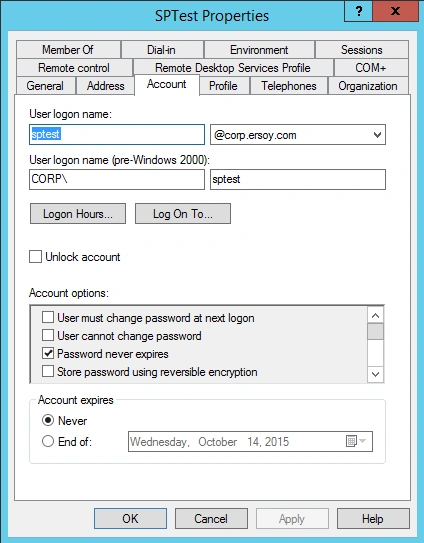
Now once the new user created, open your portal and go to the Site Settings, then Site Permissions
I wanted "sptest" user to be in Site Members permission group so I added my new user there:
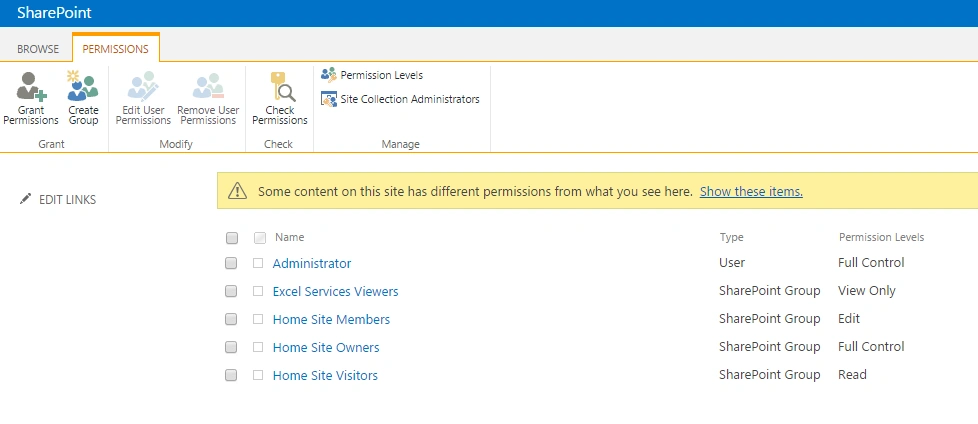
Entered Home Site Members group and clicked New->User menu command:
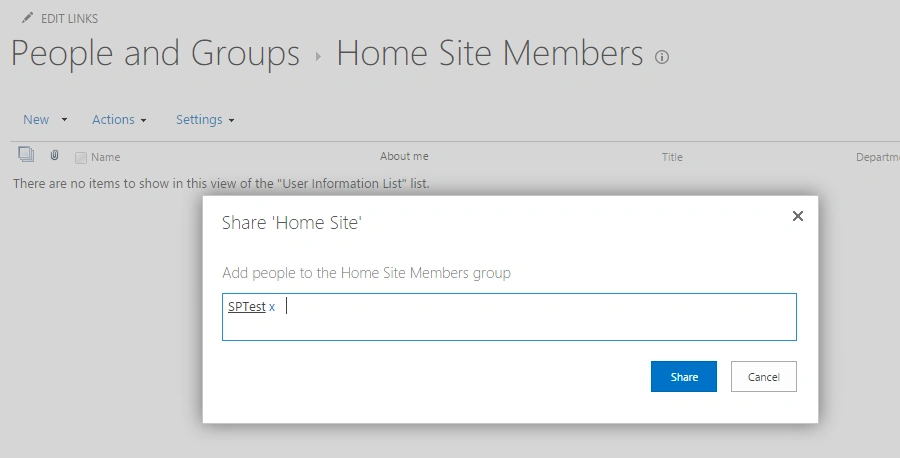
When you try writing the autocompletebox searches through AD accounts and let you choose the specified account easily.
Once permission is set,"sptest" account created in AD will have the required credentials to navigate through the portal.
Hope it helps.
Santhakumar MunuswamyPosted Sep 17, 2015, 10:29 AM
Thanks for nice article:)
RakeshPosted Sep 16, 2015, 11:12 AM
Nice one share
Sibeesh VenuPosted Sep 16, 2015, 4:07 AM
Nice Share
Jacob RobinsonPosted Sep 16, 2015, 12:31 AM
Thanks for Sharing...
Harshad PansuriyaPosted Sep 15, 2015, 11:59 PM
Nice One sir
Karthikeyan KPosted Sep 15, 2015, 11:16 PM
Good one sir...
Mohammed IbrahimPosted Sep 15, 2015, 8:06 PM
nice
Shridhar SharmaPosted Sep 15, 2015, 2:28 PM
informative.
Vinodh NarayananPosted Sep 15, 2015, 2:13 PM
cool