

Canvas Gradient

The word gradient can be simply defined as the pattern of colors that change from one color to another.
Canvas gradients in HTML are the patterns of color that can be used to fill and stroke shapes, like rectangle, circle, triangle, text, lines and so on. On the canvas, shapes are not limited to solid colors.
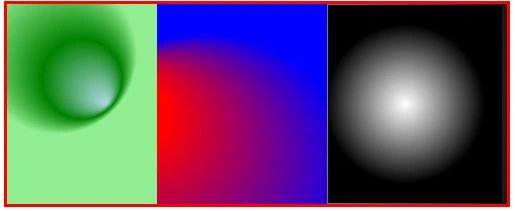
The following are a few samples to understand what I want to say.
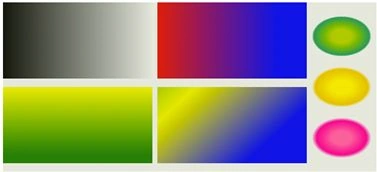
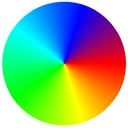
The Canvas Gradient interface represents an opaque object describing a gradient and it is returned by the following methods:
- createLinearGradient(x1, y1, x2, y2)
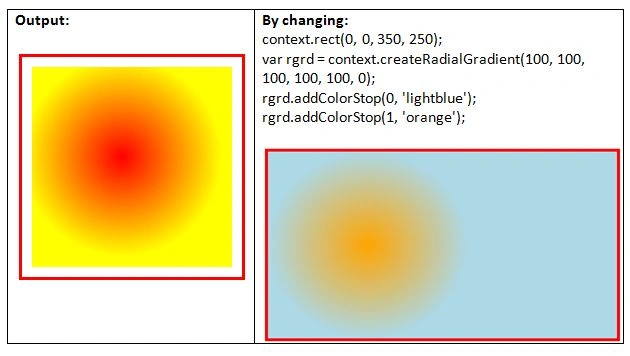
- createRadialGradient(x1, y1, r1, x2, y2, r2)
One additional method is also used for adding two or more color stops once we have a gradient object. The method is addColorStop(offset, color) which adds a color stop with the given color to the gradient at the given offset value. The gradient position can be anywhere between 0 & 1. For example, 0.0 is the offset at one end and 1.0 offset at the other end. If the offset value does not lie between 0 & 1, then INDEX_SIZE_ERR is raised and if the color is not parsed as CSS <color>, SYNTAX_ERR is raised.
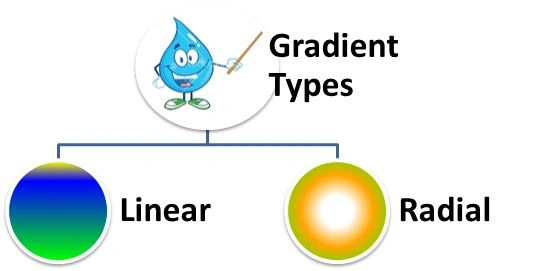
Method: createLinearGradient(x1, y1, x2, y2)
Linear gradients are defined as the imaginary line that defines the direction of the gradient by which it changes color in a linear pattern. Once we have created the gradient, we can insert various colors using the addColorStop() property.
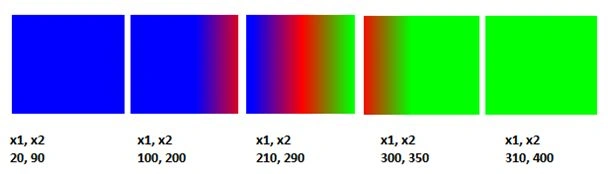
In other words, this method returns a CanvasGradient object that represents a linear gradient that changes color along the line given by the coordinates represented by the argument. A linear gradient can be created using the 2D context function createLinearGradient(). This function contains the four parameters x1, y1, x2 and y2 that determine the direction and extension of the gradient pattern. The gradient lies between the starting coordinates (x1, y1) and the ending coordinates (x2, y2).
There can be three types of gradients in a linear gradient.
- Horizontal gradients can be created by only using or varying the parameter values on the x-axis, in other words (x1, x2).
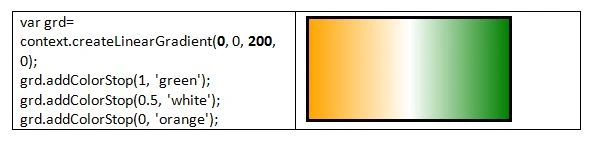
- Vertical gradients can be created by only using or varying the parameter values on the y-axis, in other words (y1, y2).
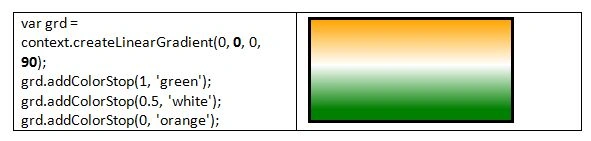
- Diagonal gradients can be created using or by varying both of the parameter values on the x-axis, in other words (x1, x2), as well as on the y-axis, in other words (y1, y2).
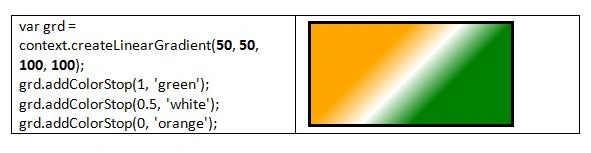
A Gradient can be used as a fill or stroke style property to the gradient object for drawing various shapes, like a triangle, rectangle, circle and so on.

The following are examples based on a linear gradient.
Example
- <html>
- <body>
- <canvas id="CanvasGradient" width="250" height="150" style="border:3px solid red;"></canvas>
- <script>
- var canvas = document.getElementById('CanvasGradient');
- var context = canvas.getContext('2d');
- context.rect(20, 20, 200, 100);
- // add linear gradient
- var lgrd = context.createLinearGradient(0, 0, 200, 0);
- lgrd.addColorStop(1, 'blue');
- lgrd.addColorStop(0, 'orange');
- context.fillStyle = lgrd;
- context.fill();
- </script>
- </body>
- </html>
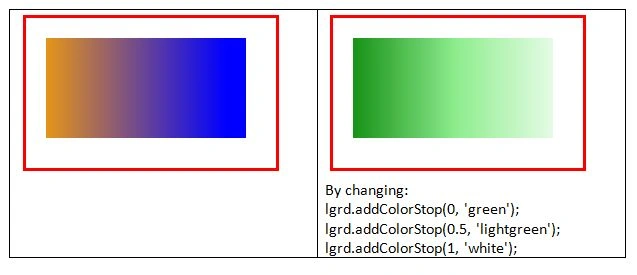
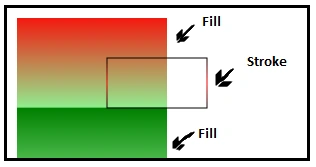
Another example of linear-gradient includes both the fill and stroke styles.
Example
- <html>
- <head>
- <script>
- function drawShape(){
- // get the canvas element using the DOM
- var canvas = document.getElementById('canvasGradient');
- // Make sure we don't execute when canvas isn't supported
- if (canvas.getContext){
- // use getContext to use the canvas for drawing
- var ctx = canvas.getContext('2d');
- // Create Linear Gradients
- var lgrad1 = ctx.createLinearGradient(0,0,0,200);
- lgrad1.addColorStop(0, 'red');
- lgrad1.addColorStop(0.5, 'lightgreen');
- lgrad1.addColorStop(0.5, 'green');
- lgrad1.addColorStop(1, 'lightgreen');
- var lgrad2 = ctx.createLinearGradient(0,50,0,100);
- lgrad2.addColorStop(0, 'black');
- lgrad2.addColorStop(0.5, 'red');
- lgrad2.addColorStop(1, 'black');
- // assign gradients to fill and stroke styles
- ctx.fillStyle = lgrad1;
- ctx.strokeStyle = lgrad2;
- // draw shapes
- ctx.fillRect(10,10,150,150);
- ctx.strokeRect(100,50,100,50);
- } else {
- alert('Your browser does not support');
- }
- }
- </script>
- </head>
- <body onload="drawShape();">
- <canvas id="canvasGradient" style="border:3px solid black;"></canvas>
- </body>
- </html>
Santhakumar MunuswamyPosted May 19, 2015, 3:46 PM
Thanks for sharing
Abhishek JaiswalPosted May 19, 2015, 9:12 AM
Very informative and interesting!! :)