

In this article we are going to see how to crop and save the image to the web programmatically.
Saving Mechanism:
Step 1: The namespaces used:
using System.Drawing;
using System.Drawing.Imaging;
using System.Web;
Step 2: Usage:
protected void Page_Load(object sender, EventArgs e)
{
SaveImageTOBrowser();
}
Step 3: Saving image to browser:
public void SaveImageTOBrowser()
{
//Set the Local image
Bitmap bitmap = new Bitmap(Server.MapPath("scenary.jpg"));
//Get the current response
HttpResponse response = GetHttpResponse();
//Set the ContentType
response.ContentType = "image/jpeg";
//Saving Bitmap Image to
bitmap.Save(response.OutputStream, ImageFormat.Jpeg);
}
Step 4: Getting current response:
public static HttpResponse GetHttpResponse()
{
return HttpContext.Current.Response;
}
Step 5: Full Code Snippet:
using System;
using System.Drawing;
using System.Drawing.Imaging;
using System.Web;
namespace SampleApplication
{
public partial class DrawingManupulation : System.Web.UI.Page
{
protected void Page_Load(object sender, EventArgs e)
{
SaveImageTOBrowser();
}
//Save Image to Browser
public void SaveImageTOBrowser()
{
//Set the Local image
Bitmap bitmap = new Bitmap(Server.MapPath("scenary.jpg"));
//Get the current response
HttpResponse response = GetHttpResponse();
//Set the ContentType
response.ContentType = "image/jpeg";
//Saving Bitmap Image to
bitmap.Save(response.OutputStream, ImageFormat.Jpeg);
}
//USed to get the current response.
public static HttpResponse GetHttpResponse()
{
return HttpContext.Current.Response;
}
}
}
Output:
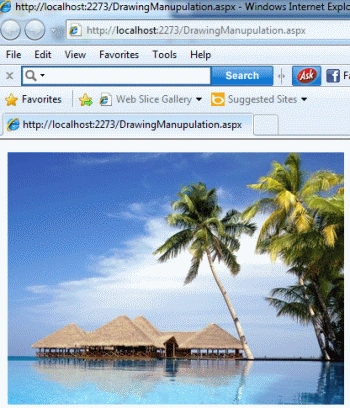
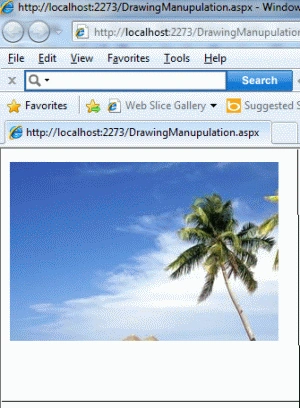
Gaurav GuptaPosted Apr 25, 2012, 12:11 AM
It's good and easy way to crop an image. Thanx for sharing..
Lajapathy ArunPosted Apr 24, 2012, 2:35 AM
thanks luna
LanaPosted Apr 23, 2012, 12:37 PM
Good article, nice and easy!