
I have already written an article about CRUD Operation Entity Framework with MVC Application. Here's the link:
After adding Database .edmx file rebuild solution.
Controller handles HTTP Request and Response in database. Controller is the heart of MVC Architecture.
Right click the Controllers folder and then open the context menu. In the context menu Add -> Controller and then click Controller Label (Figure 1.1)

Figure 1.1
Open Add Controller windows and enter Controller Name. You can use Scaffolding features and then select Template.
Other templates available are Empty MVC Controller, Empty MVC Controller With Read/Write.
Select Model Class table name Like “EmpMst” as in the following figure 1.2:
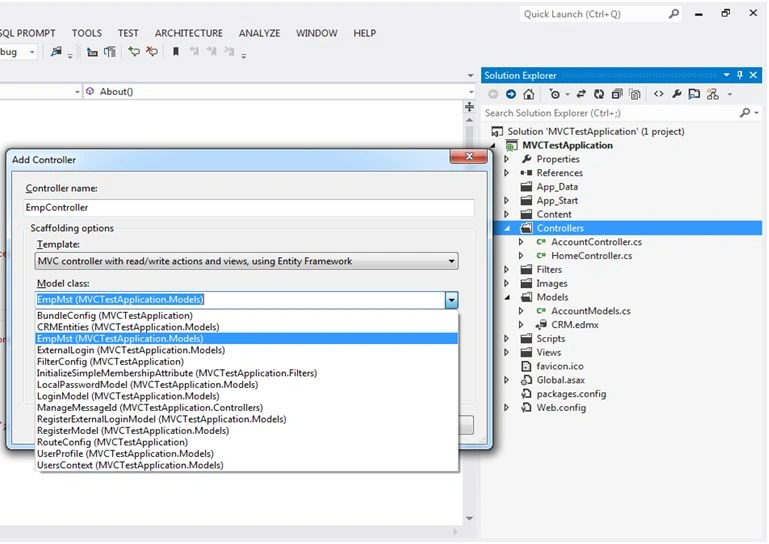
Figure 1.2
Select Data Context class (CRMEntities) and also select View Types.
All available ContextClass in Figure 1.3
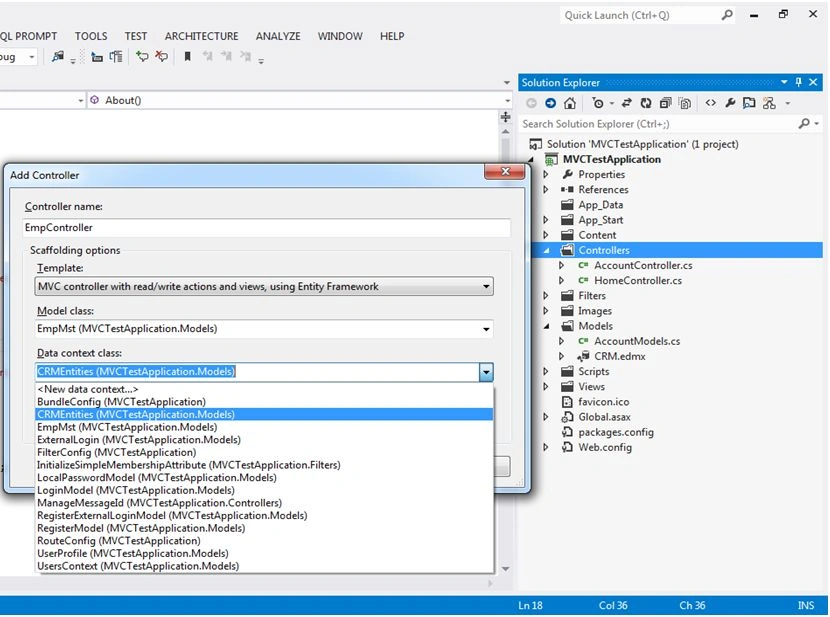
Figure 1.3
After that select DataContext class and views. Click Add button for adding Controller. (Figure 1.4)
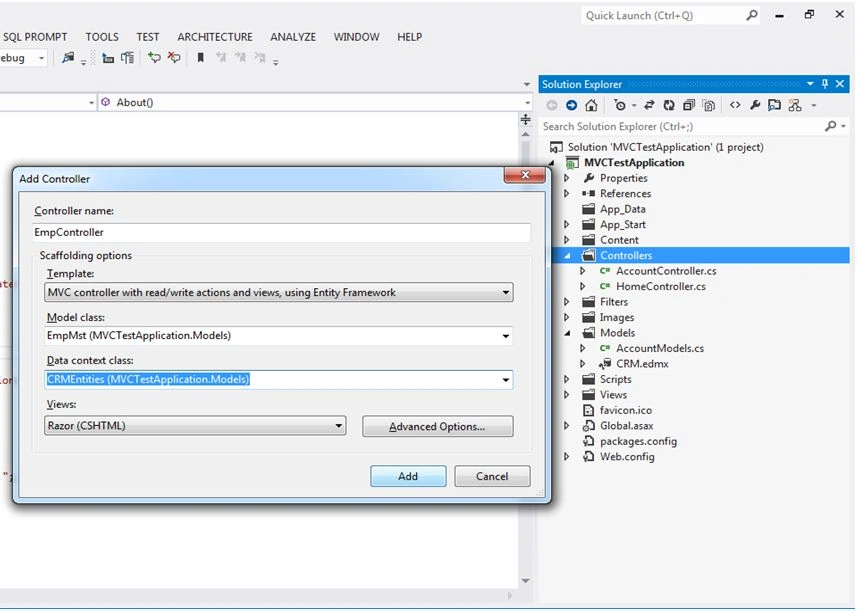
Figure 1.4
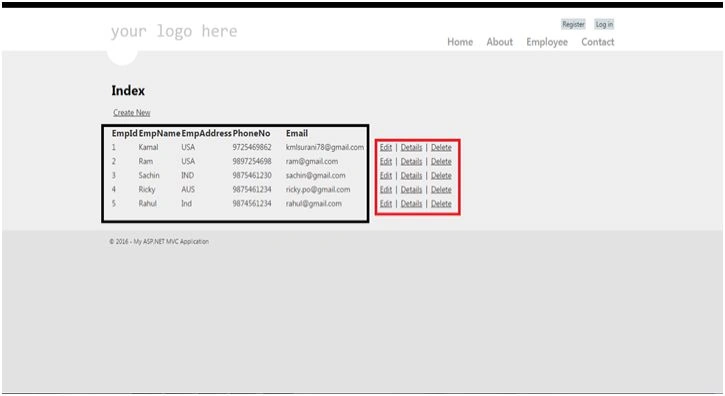
Figure 1.5 shows Red Box as controller and Black Box as views.
Scaffolding features are automatically adding Views and Controller in Action Result.
Figure 1.5 also shows Action Result in EmpController.cs file.
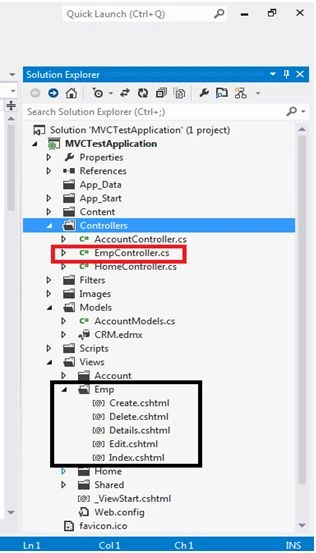
Figure 1.5
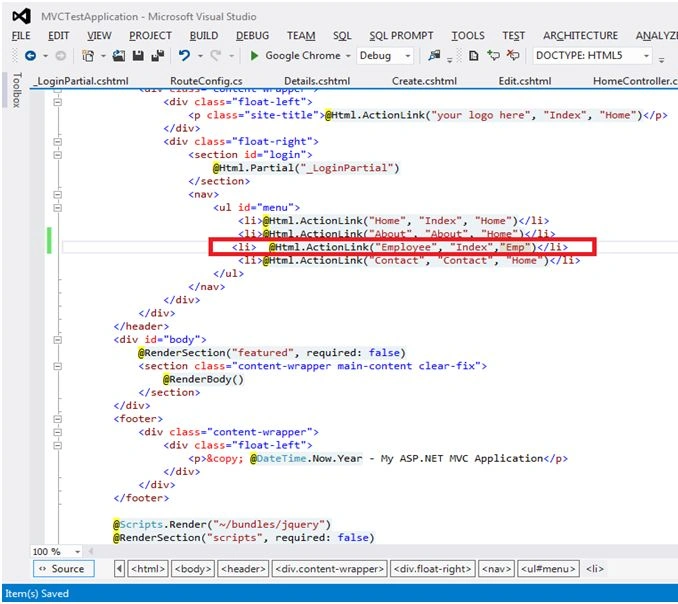
RouteConfig.cs file shown adding routes in red box. (Figure 1.6),



Santhakumar MunuswamyPosted Jan 13, 2016, 10:44 AM
Thanks for nice share
Nanddeep NachanPosted Jan 11, 2016, 10:24 AM
Thanks for sharing!
Former memberPosted Jan 11, 2016, 9:47 AM
Thanks
Manoj KallaPosted Jan 11, 2016, 9:33 AM
I like it...
Arul RPosted Jan 11, 2016, 8:19 AM
Nice
Debasis SahaPosted Jan 11, 2016, 7:37 AM
Good One..
Former memberPosted Jan 11, 2016, 4:07 AM
Thanks
Mohammed IbrahimPosted Jan 11, 2016, 2:56 AM
nice