IntroductionSignalR is a library for ASP.NET developers that simplifies the process of adding real-time web functionality to applications. Real-time web functionality is the ability to make the Server code push the content to connected clients instantly as it becomes available, rather than having the Server wait for a client to request the new data.
DescriptionSignalR can be used to add any sort of "real-time" web functionality to your MVC application. While Chat is often used as an example, you can do a whole lot more; examples include dashboards and monitoring applications, collaborative applications such as simultaneous editing of documents, job progress updates, and real-time forms. We must have a way to notify all the connected clients if there are any changes on the Server, without a refresh or update the web page. This is the scenario in which ASP.NET SignalR comes handy.
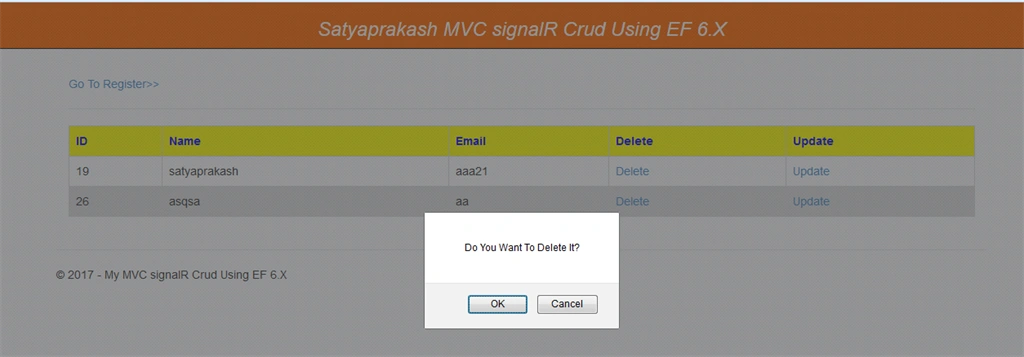


Here, I make Views to insert, update, and delete records. If the user makes some changes in one browser like insert, update, or delete, then the same effect will be shown in another browser without reloading the pages. This process is called asynchronous.
Steps to be followed -
Step 1
Create an MVC application named "SatyaprakashMVCsignalRCrud".
Step 2
Create a table named "Customers".
SQL Script
- SET ANSI_NULLS ON
- GO
-
- SET QUOTED_IDENTIFIER ON
- GO
-
- SET ANSI_PADDING OFF
- GO
-
- CREATE TABLE [dbo].[Customers](
- [Id] [bigint] IDENTITY(1,1) NOT NULL,
- [CustName] [varchar](100) NULL,
- [CustEmail] [varchar](150) NULL,
- CONSTRAINT [PK_Customers] PRIMARY KEY CLUSTERED
- (
- [Id] ASC
- )WITH (PAD_INDEX = OFF, STATISTICS_NORECOMPUTE = OFF, IGNORE_DUP_KEY = OFF, ALLOW_ROW_LOCKS = ON, ALLOW_PAGE_LOCKS = ON)
-
- ON [PRIMARY]
- ) ON [PRIMARY]
-
- GO
-
- SET ANSI_PADDING OFF
- GO
Step 3
Then, create a list of procedures as in the attached file named "StoredProcedureLists.zip".
Step 4
I have created a Controller class file named "HomeController.cs".
Description
Get Data
- [HttpGet]
- public ActionResult GetAllData()
- {
- int Count = 10; IEnumerable<object> Result = null;
- try
- {
- object[] parameters = { Count };
- Result = objCust.GetAll(parameters);
-
- }
- catch { }
- return PartialView("_DataList", Result);
- }
- [HttpPost]
- public ActionResult Insert(Customer model)
- {
- int result = 0;
- try
- {
- if (ModelState.IsValid)
- {
- object[] parameters = { model.CustName, model.CustEmail };
- result = objCust.Insert(parameters);
- if (result == 1)
- {
-
- CustomerHub.BroadcastData();
- }
- }
- }
- catch { }
- return View("Index");
- }
- public ActionResult Delete(int id)
- {
- int result = 0;
- try
- {
- object[] parameters = { id };
- result = objCust.Delete(parameters);
- if (result == 1)
- {
-
- CustomerHub.BroadcastData();
- }
- }
- catch { }
- return View("Index");
- }
- [HttpPost]
- public ActionResult Update(Customer model)
- {
- int result = 0;
- try
- {
- object[] parameters = { model.Id, model.CustName, model.CustEmail };
- result = objCust.Update(parameters);
-
- if (result == 1)
- {
-
- CustomerHub.BroadcastData();
- }
- }
- catch { }
- return View("Index");
- }
- public ActionResult Update(int id)
- {
- object result = null;
- try
- {
- object[] parameters = { id };
- result = this.objCust.GetbyID(parameters);
- }
- catch { }
- return View(result);
- }
Create a hub called "CustomerHub.cs". A SignalR Hub makes the remote procedure calls (RPCs) from a Server to connected clients and from clients to the Server.
DescriptionIt gets the CustomerHub context.
- IHubContext context = GlobalHost.ConnectionManager.GetHubContext<CustomerHub>();
It calls the client part of SignalR and tells it to execute the JavaScript method updatedData().
- context.Clients.All.updatedData();
Create an Entity Framework model named "Customer_Model.edmx" under Models folder.
DescriptionHere, you can add your Customer table.
Step 7
Create a class file called "GenericRepository.cs" in the Repository folder.
Description
The code is described with green line comment mark.
Then, create another class file called "iRepository.cs" in the Repository folder.
Description
interfaceIRepository<T> Shows an interface of a generic repository of type T, which is a LINQ to SQL entity. It provides a basic interface with operations like Insert, Update, Delete, GetById, and GetAll.
IDisposable - The IDisposable Interface provides a mechanism for releasing unmanaged resources.
whereT : class is constraining the generic parameter to a class.
The type of argument must be a reference type; this applies also to any class, interface, delegate, or array type.
Step 8
Create a class file called "CustomerService". It acts as a BAL and DAL file here. I have added all 5 stored procedures mentioned under related method name.
For example
Insert Method
- public int Insert(object[] parameters)
- {
- string spQuery = "[Set_Customer] {0}, {1}";
- return CustRepository.ExecuteCommand(spQuery, parameters);
- }
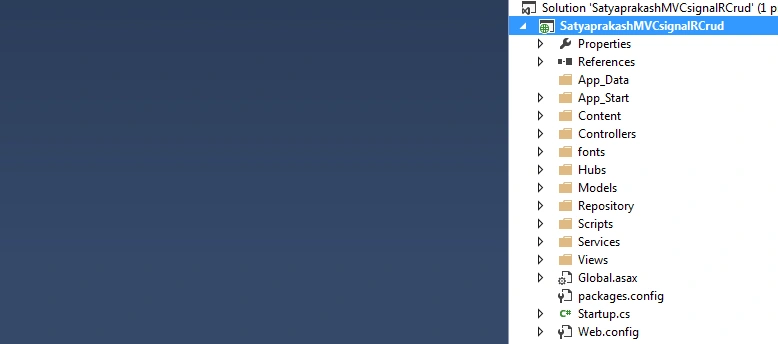
Then, add 4 Views as mentioned in the image below.

DescriptionThe codes will be available in my Github link.
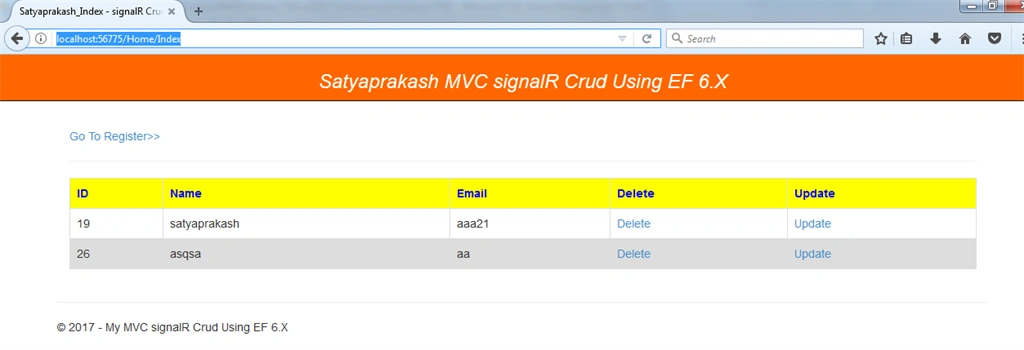
- In "_DataList.cshtml" i designed for table structure with heading and update and delete link button.
- In "Index.cshtml" it is designed for fetch all records.
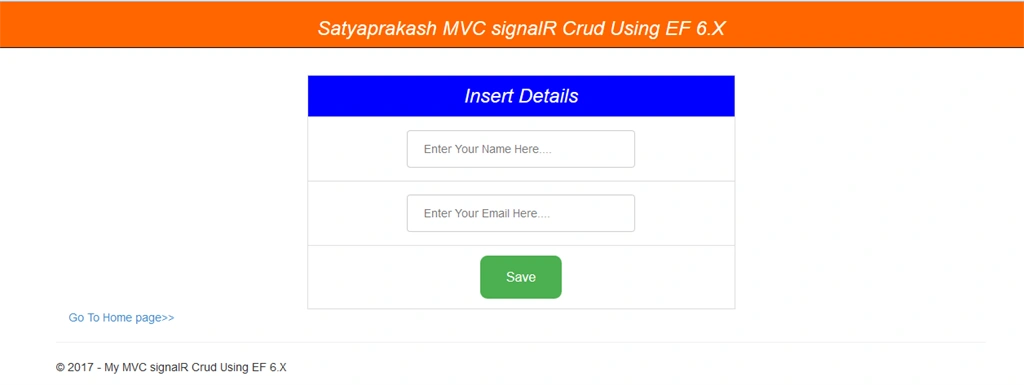
- In "Insert.cshtml" it is designed for to insert records.
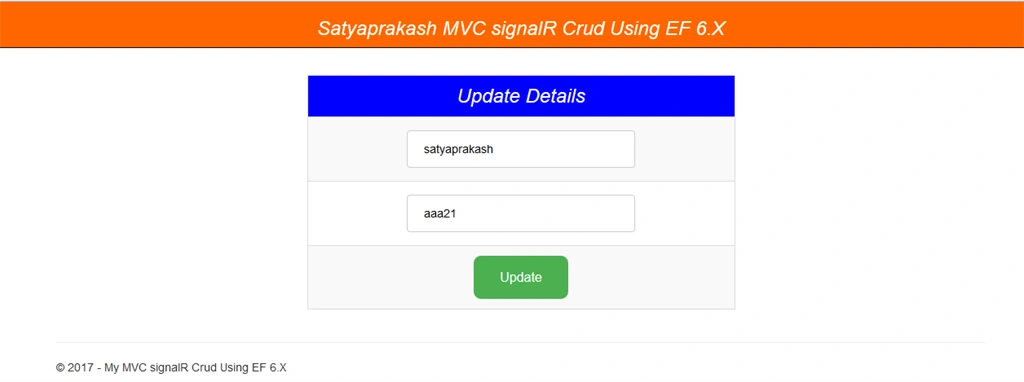
- In "Update.cshtml" it is designed for to update records.
Step 10
Configure SignalR
The first thing is getting a reference from NuGet. Install-Package Microsoft.AspNet.SignalR using NuGet. Once you have installed it, let’s create OwinStartup Class called "Startup.cs".
The following code adds a simple piece of middleware to the OWIN pipeline, implemented as a function that receives a Microsoft.Owin.IOwinContext instance.
When the Server receives an HTTP request, the OWIN pipeline invokes the middleware. The middleware sets the content type
for the response and writes the response body.
Summary
That's it. I hope you will find this article helpful while learning about the signalR, MVC, and related technologies.


Mohammad MansoorPosted Jan 30, 2019, 2:29 AM
Why it doesn't change the value if i changed the value inside Database. Doesn't signal R support this? Meanwhile if i check with page to page it is showing the updated record. But facing issue when updating inside database.
Hamid KhanPosted Sep 15, 2017, 11:22 AM
Hope for next article with crud operation in mvc with angularjs , with filter, sort and paging in angular UI grid with ui-sref...............
Hamid KhanPosted Sep 15, 2017, 11:21 AM
Great article bro.................................