

Introduction
In this article, we will explain React hooks and how to implement hooks in React. Hooks are a new concept that was introduced in React 16.8. Hooks are an alternative to classes. In this article, I'm going to create CRUD operations using React hook and web api.
You can check my previous article in which we use class components to perform CRUD from the below-mentioned link.
Prerequisites
- We should have a basic knowledge of React.js and Web API.
- Visual Studio and Visual Studio Code IDE should be installed on your system.
- SQL Server Management Studio
- Basic knowledge of React strap and HTML
Implementation steps
- Create React App
- Install Bootstrap and React strap
- Install Axios
- Add React Router
- React Hooks and Get, Post data using Axios
- Create a Database and Table
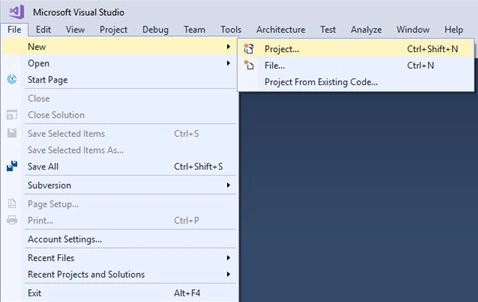
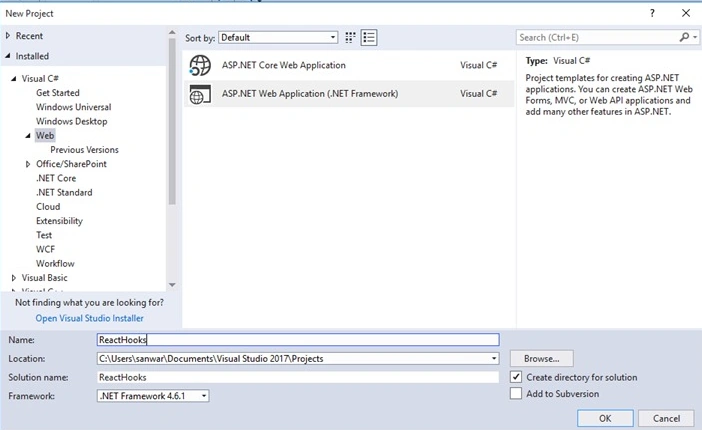
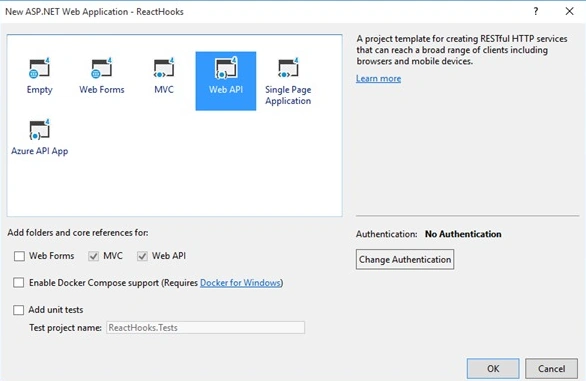
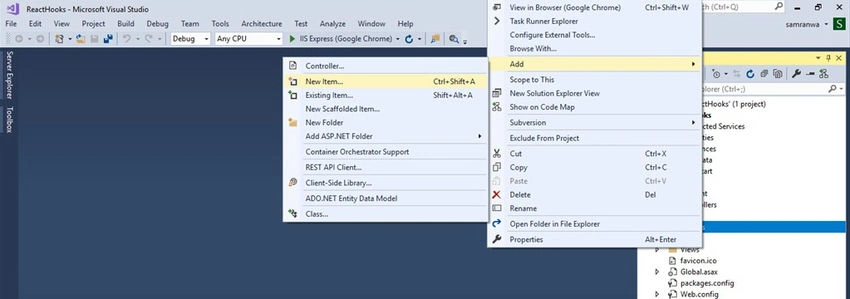
- Create Asp.net Web API Project
Create ReactJS project
Let's create a React app by using the following command.
npx create-react-app crudhooks
Open the newly created project in Visual Studio Code and install Reactstrap and Bootstrap in this project by using the following commands respectively. Learn more aboutReactstrap.
npm install --save bootstrap
npm install --save reactstrap react react-dom
Now, open the index.js file and add import Bootstrap.
import 'bootstrap/dist/css/bootstrap.min.css';
Now Install the Axios library by using the following command. Learn more about Axios.
npm install --save axios
Now go to the src folder and create a new folder inside this folder add 3 new components,
- Createemployee.js
- Editemployee.js
- EmployeList.js
Add Routing in ReactJS
Install the react-router-dom package by using the following command
npm install react-router-dom --save
Open the app.js file and import of Router and Route (react-router-dom) and 3 components
import { BrowserRouter as Router, Switch, Route, Link } from 'react-router-dom';
import Createemployee from './CrudComponent/Createemployee';
import EmployeList from './CrudComponent/EmployeList';
import Editemployee from "./CrudComponent/Editemployee";
Add the following code to app.js file
import React from 'react';
import logo from './logo.svg';
import './App.css';
import { BrowserRouter as Router, Switch, Route, Link } from 'react-router-dom';
import Createemployee from './CrudComponent/Createemployee';
import EmployeList from './CrudComponent/EmployeList';
import Editemployee from "./CrudComponent/Editemployee";
function App() {
  return (
    <div className="App">
      <Router>
        <div className="container">
          <nav className="btn btn-warning navbar navbar-expand-lg navheader">
            <div className="collapse navbar-collapse">
              <ul className="navbar-nav mr-auto">
                <li className="nav-item">
                  <Link to={'/Createemployee'} className="nav-link">Add Employee</Link>
                </li>
                <li className="nav-item">
                  <Link to={'/EmployeList'} className="nav-link">Employee List</Link>
                </li>
              </ul>
            </div>
          </nav>
          <br />
          <Switch>
            <Route exact path='/Createemployee' component={Createemployee} />
            <Route path='/edit/:id' component={Editemployee} />
            <Route path='/EmployeList' component={EmployeList} />
          </Switch>
        </div>
      </Router>
    </div>
  );
}
export default App;
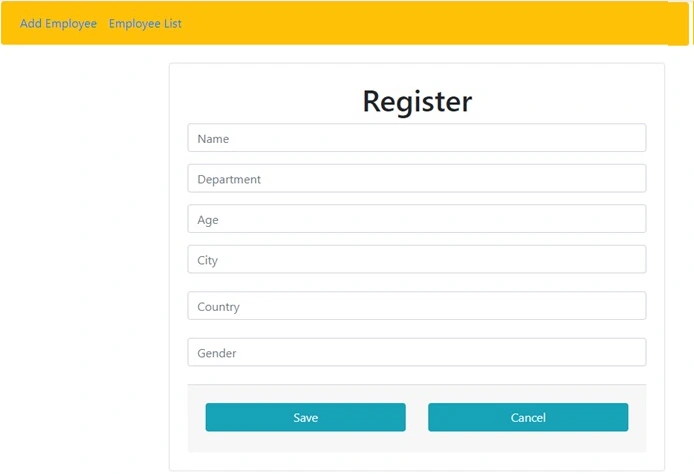
Now, open the Createemployee.js file and add the following code.
import React, { useState, useEffect } from 'react';
import axios from 'axios';
import { Button, Card, CardBody, CardFooter, Col, Container, Form, Input, InputGroup, InputGroupAddon, InputGroupText, Row } from 'reactstrap';
function Createemployee(props) {
  const [employee, setemployee] = useState({ Name: '', Department: '', Age: '', City: '', Country: '', Gender: '' });
  const [showLoading, setShowLoading] = useState(false);
  const apiUrl = "http://localhost:62168/api/Hooks/CreateEmp";
  const Insertemployee = (e) => {
    e.preventDefault();
    debugger;
    const data = { Name: employee.Name, Department: employee.Department, Age: employee.Age, City: employee.City, Country: employee.Country, Gender: employee.Gender };
    axios.post(apiUrl, data)
      .then((result) => {
        props.history.push('/EmployeList')
      });
  };
  const onChange = (e) => {
    e.persist();
    debugger;
    setemployee({ ...employee, [e.target.name]: e.target.value });
  }
  return (
    <div className="app flex-row align-items-center">
      <Container>
        <Row className="justify-content-center">
          <Col md="12" lg="10" xl="8">
            <Card className="mx-4">
              <CardBody className="p-4">
                <Form onSubmit={Insertemployee}>
                  <h1>Register</h1>
                  <InputGroup className="mb-3">
                    <Input type="text" name="Name" id="Name" placeholder="Name" value={employee.Name} onChange={onChange} />
                  </InputGroup>
                  <InputGroup className="mb-3">
                    <Input type="text" placeholder="Department" name="Department" id="Department" value={employee.Department} onChange={onChange} />
                  </InputGroup>
                  <InputGroup className="mb-3">
                    <Input type="text" placeholder="Age" name="Age" id="Age" value={employee.Age} onChange={onChange} />
                  </InputGroup>
                  <InputGroup className="mb-4">
                    <Input type="text" placeholder="City" name="City" id="City" value={employee.City} onChange={onChange} />
                  </InputGroup>
                  <InputGroup className="mb-4">
                    <Input type="text" placeholder="Country" name="Country" id="Country" value={employee.Country} onChange={onChange} />
                  </InputGroup>
                  <InputGroup className="mb-4">
                    <Input type="text" placeholder="Gender" name="Gender" id="Gender" value={employee.Gender} onChange={onChange} />
                  </InputGroup>
                  <CardFooter className="p-4">
                    <Row>
                      <Col xs="12" sm="6">
                        <Button type="submit" className="btn btn-info mb-1" block><span>Save</span></Button>
                      </Col>
                      <Col xs="12" sm="6">
                        <Button className="btn btn-info mb-1" block><span>Cancel</span></Button>
                      </Col>
                    </Row>
                  </CardFooter>
                </Form>
              </CardBody>
            </Card>
          </Col>
        </Row>
      </Container>
    </div>
  )
}
export default Createemployee
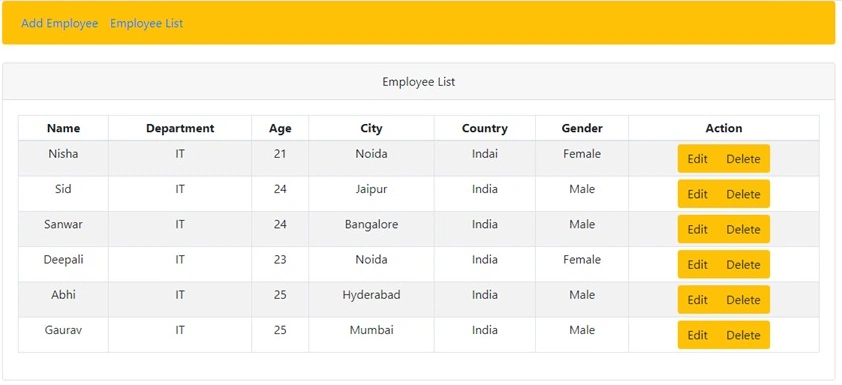
Now, open the EmployeList.js file and add the following code.
import React, { useState, useEffect } from 'react';
import { Badge, Card, CardBody, CardHeader, Col, Pagination, PaginationItem, PaginationLink, Row, Table } from 'reactstrap';
import axios from 'axios';
function EmployeList(props) {
  const [data, setData] = useState([]);
  useEffect(() => {
    const GetData = async () => {
      const result = await axios('http://localhost:62168/api/hooks/employee');
      setData(result.data);
    };
    GetData();
  }, []);
  const deleteEmployee = (id) => {
    debugger;
    axios.delete('http://localhost:62168/api/hooks/Deleteemployee?id=' + id)
      .then((result) => {
        props.history.push('/EmployeList')
      });
  };
  const editEmployee = (id) => {
    props.history.push({
      pathname: '/edit/' + id
    });
  };
  return (
    <div className="animated fadeIn">
      <Row>
        <Col>
          <Card>
            <CardHeader>
              <i className="fa fa-align-justify"></i> Employee List
              </CardHeader>
            <CardBody>
              <Table hover bordered striped responsive size="sm">
                <thead>
                  <tr>
                    <th>Name</th>
                    <th>Department</th>
                    <th>Age</th>
                    <th>City</th>
                    <th>Country</th>
                    <th>Gender</th>
                    <th>Action</th>
                  </tr>
                </thead>
                <tbody>
                  {
                    data.map((item, idx) => {
                      return <tr key={idx}>
                        <td>{item.Name}</td>
                        <td>{item.Department}</td>
                        <td>{item.Age}</td>
                        <td>{item.City}</td>
                        <td>{item.Country}</td>
                        <td>{item.Gender}</td>
                        <td>
                          <div className="btn-group">
                            <button className="btn btn-warning" onClick={() => { editEmployee(item.Id) }}>Edit</button>
                            <button className="btn btn-warning" onClick={() => { deleteEmployee(item.Id) }}>Delete</button>
                          </div>
                        </td>
                      </tr>
                    })
                  }
                </tbody>
              </Table>
            </CardBody>
          </Card>
        </Col>
      </Row>
    </div>
  )
}
export default EmployeList
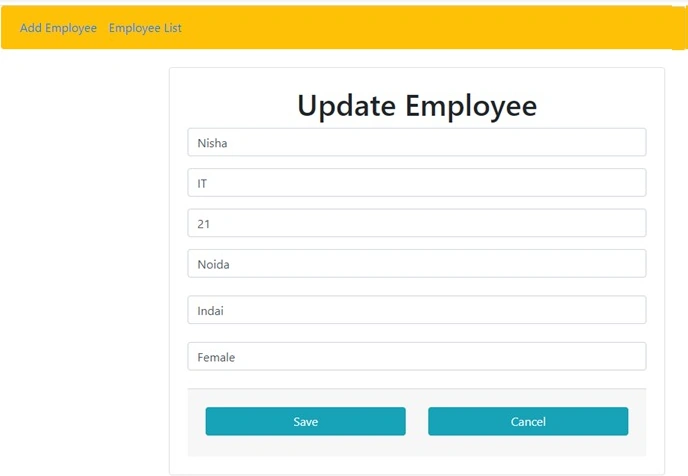
Now, open theEditemployee.js file and add the following code.
Ashok KPosted Dec 25, 2019, 1:21 PM
Good artical
Madhan ThuraiPosted Dec 24, 2019, 12:06 AM
This is Awesome