

Crystal Report is a Reporting Tool for creating various reports. It provides a platform to create reports and graphs with user friendly design and also helps to connect with databases. This reporting tool has the facility to produce reports with connecting databases as well as without connecting databases.
Here I will explain how to create a Crystal Report without a database connection.
I have the following windows application,
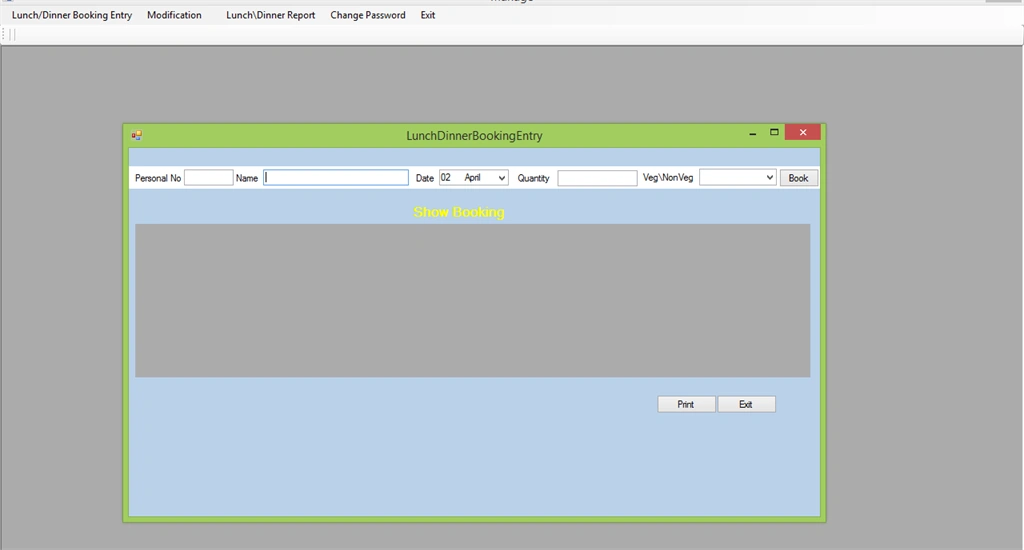
In this windows form design when I press the book button after entering data it will directly go to the DataGrid and will print a good report after the "print" button is clicked; this is my requirement. So here I will show you the steps to Create this.
Here is the code to bind the data after clicking Book button without database.
Add a dataset and datatable where form loads
Here I will explain how to create a Crystal Report without a database connection.
I have the following windows application,
In this windows form design when I press the book button after entering data it will directly go to the DataGrid and will print a good report after the "print" button is clicked; this is my requirement. So here I will show you the steps to Create this.
Here is the code to bind the data after clicking Book button without database.
Add a dataset and datatable where form loads
- public partial class LunchDinnerBookingEntry : Form
- {
- static DataSet1 ds = new DataSet1();
- DataTable dt = new DataTable();
- public void createnewrow()
- {
- if(dt.Rows.Count<=0)
- {
- DataColumn dc1 = new DataColumn("PERSONAL NO", typeof(int));
- DataColumn dc2 = new DataColumn("NAME", typeof(string));
- DataColumn dc3 = new DataColumn("DATE", typeof(string));
- DataColumn dc4 = new DataColumn("QUANTITY", typeof(int));
- DataColumn dc5 = new DataColumn("TYPE", typeof(string));
- dt.Columns.Add(dc1);
- dt.Columns.Add(dc2);
- dt.Columns.Add(dc3);
- dt.Columns.Add(dc4);
- dt.Columns.Add(dc5);
- dt.Rows.Add(txt_personalNo.Text, txt_name.Text, txt_date.Text, Convert.ToInt32(txt_quantity.Text), cmb_type.SelectedItem.ToString());
- dataGridView1.DataSource = dt;
- ds.Tables.Add(dt);
- }
- else
- {
- dt.Rows.Add(txt_personalNo.Text, txt_name.Text, txt_date.Text, Convert.ToInt32(txt_quantity.Text), cmb_type.SelectedItem.ToString());
- dataGridView1.DataSource = dt;
- }
- }
- private void btn_book_Click(object sender, EventArgs e)
- {
- createnewrow();
- }
STEP 1: Right click on Solution Explorer and select Add New Item and choose a Dataset.
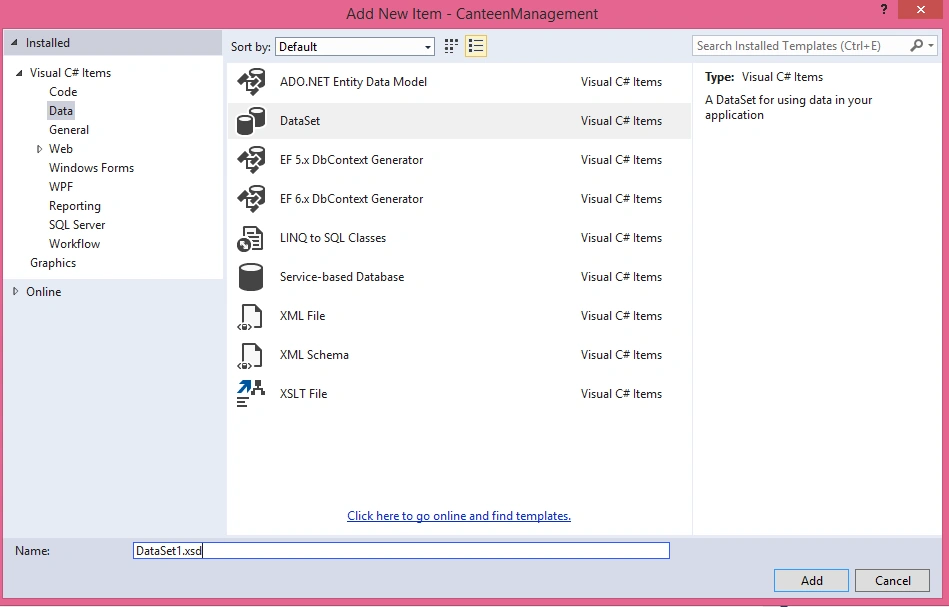
STEP 2: After adding dataset it will show the following form.
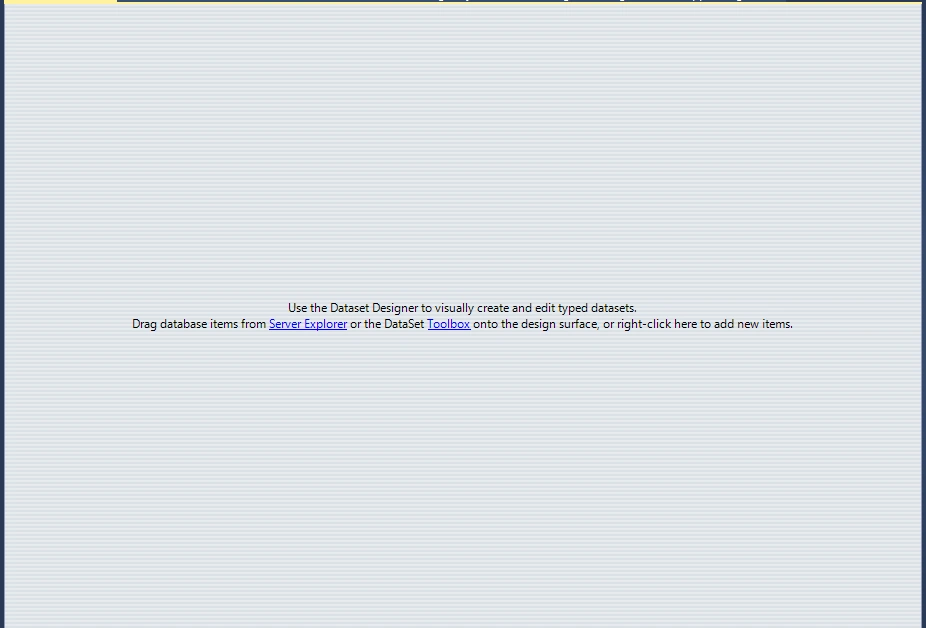
STEP 3: Right click on Dataset Designer and add new Datatable.
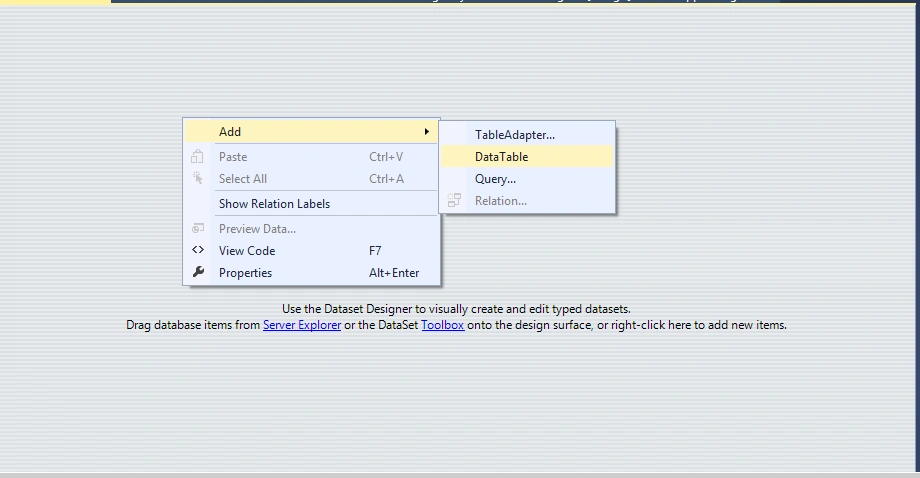
STEP 4: Add the Columns for the datatable as follows.
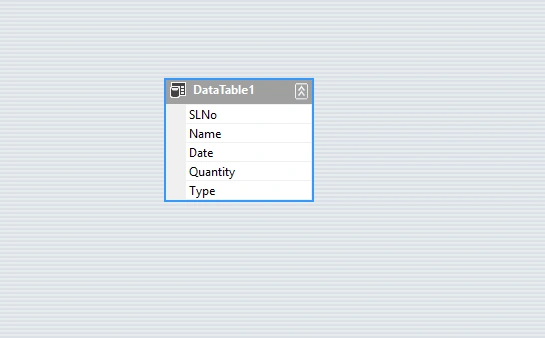
STEP 5: Now adding dataset is over. Now the second task is to add Crystal Report in the project.Right click on the project, Add New Item, then Add Crystal Report.
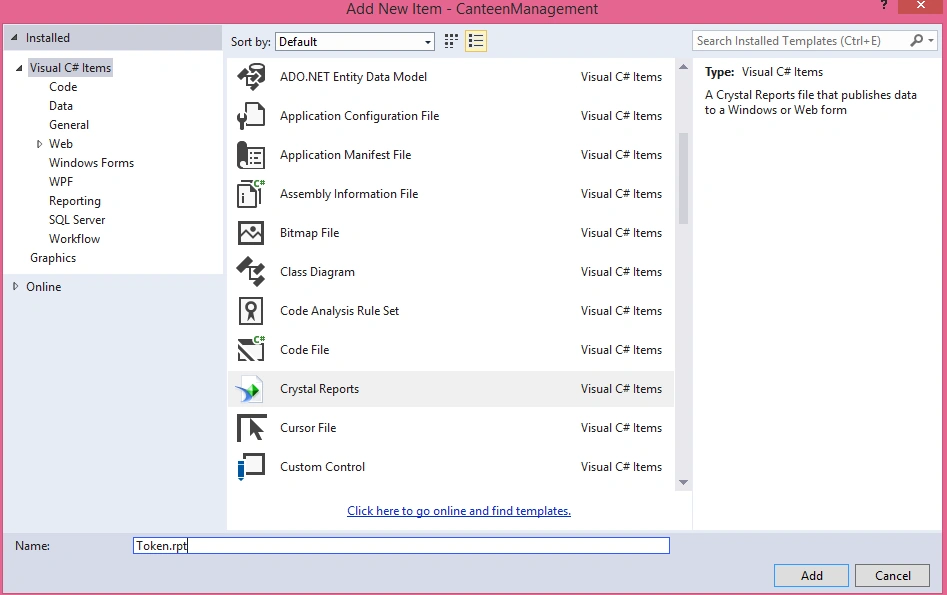
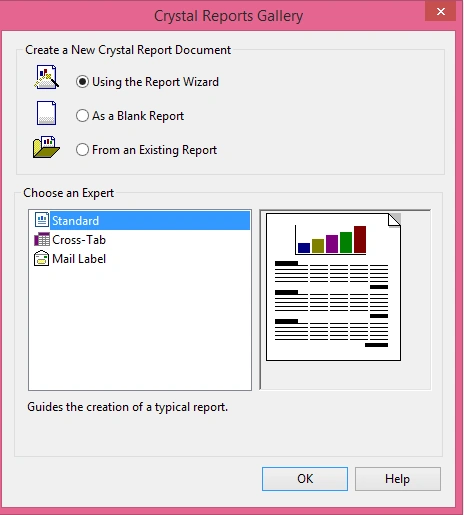
STEP 6: Crystal Report type as standard.
STEP 7: Select the dataset you created above and its datatable.
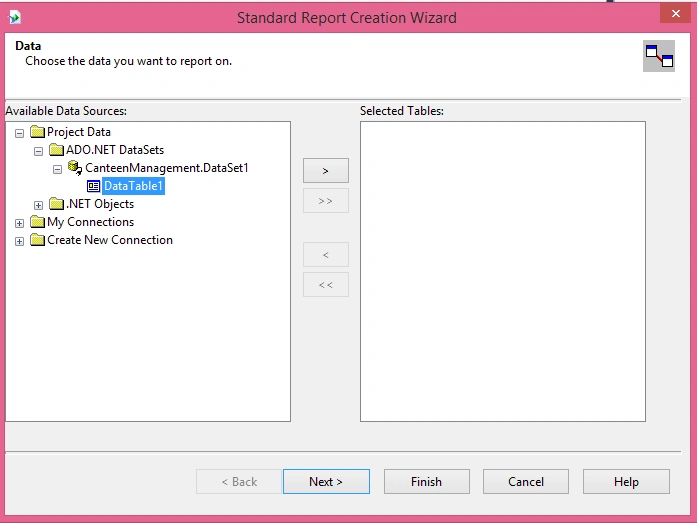
Now select the datatable to Right side.
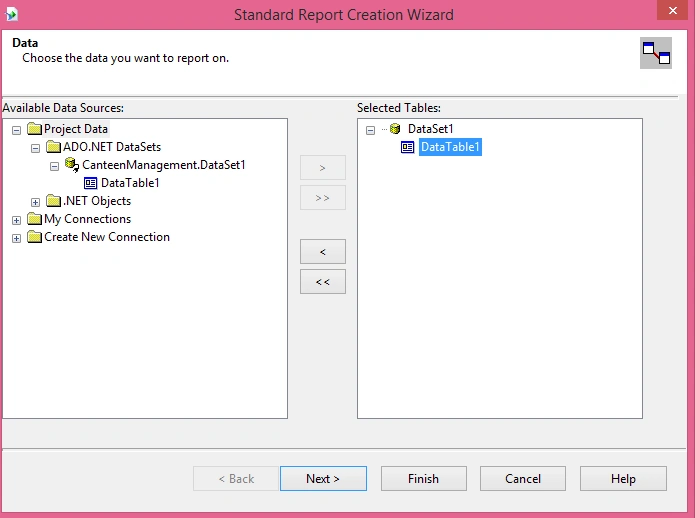
Click Next and Expand the datatable.
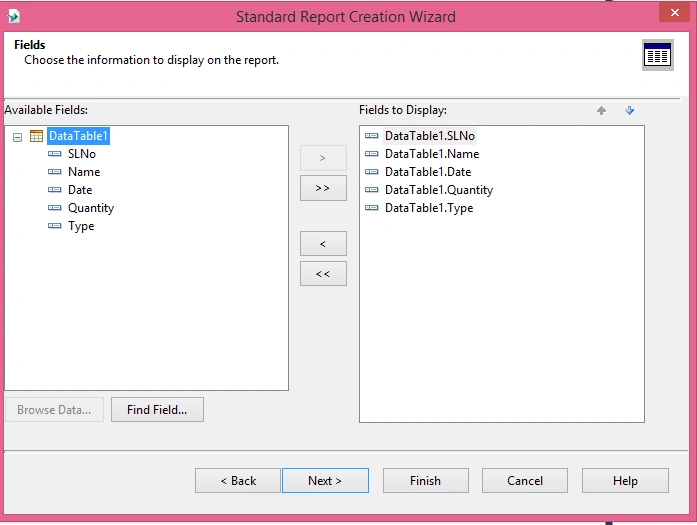
STEP 8: Add a new form Print and add a CrystalReporter Viewer in this.
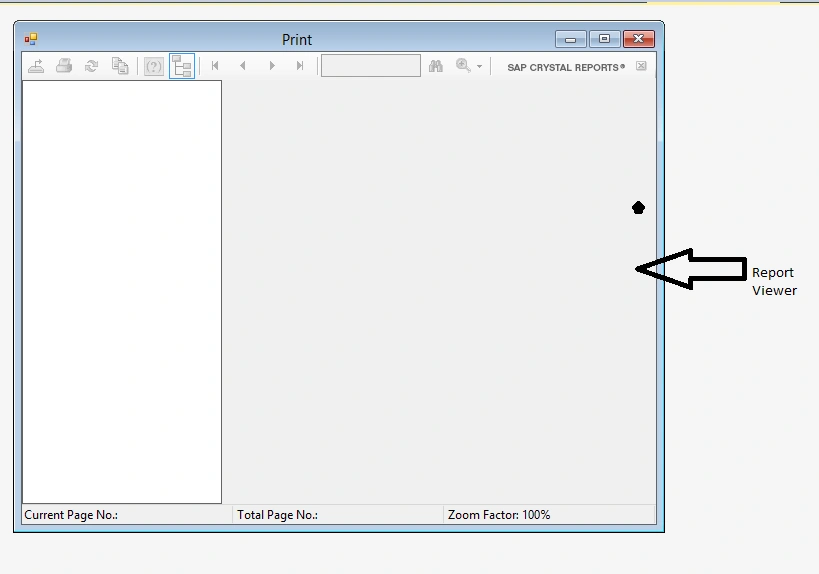
When clicking on Print button write the code to show this "Print" form.
- private void button1_Click(object sender, EventArgs e)
- {
- Print obj = new Print();
- obj.Show();
- }
- private void crystalReportViewer1_Load(object sender, EventArgs e)
- {
- Print p = new Print();
- Token rpt = new Token();
- LunchDinnerBookingEntry LBE = new LunchDinnerBookingEntry();
- DataSet ds=new DataSet();
- ds = LBE.returndata();
- rpt.SetDataSource(ds.Tables["table1"]);
- this.crystalReportViewer1.ReportSource = rpt;
- crystalReportViewer1.Refresh();
- }
Here the data will come from "LunchDinnerBookingEntry" to "Print" form so i am creating a method in "LunchDinnerBookingEntry" form which will return me the dataset which is bound to the datagrid. And I have called this from CrystalReportViewer as shown in green color.
Here is the Returndata method.
- public DataSet returndata()
- {
- return ds;
- }
Now run the application.
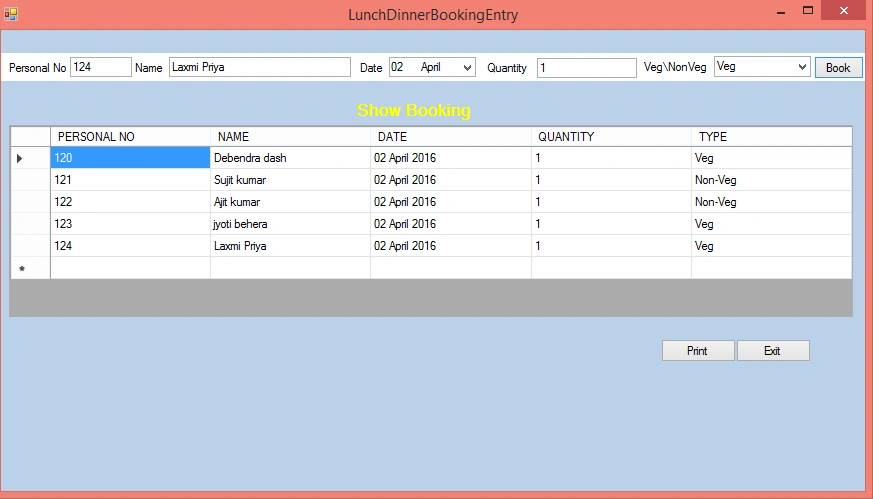
Now click the print button to print the report.
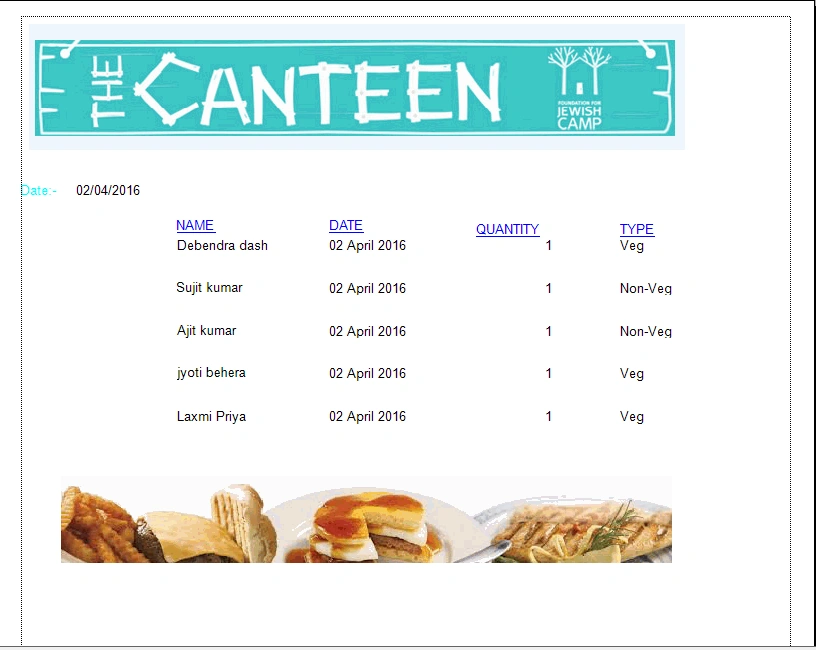
I have designed the report with header and footer of the report and it will print the report as shown above.
Read more articles on Crystal Reports:
chirag patelPosted May 23, 2020, 6:14 AM
Very good article this is very helpful to me.....thank you sir
VioPosted Feb 8, 2018, 5:34 AM
I want to validate my crystal report data set whether it is modified or not. Manually I can right click the data set then I've the option"verify data base", but i want to to same action in c# code. Do you have any idea about this.
Pradeep SahooPosted May 27, 2016, 7:53 PM
Nice article...Thanks for sharing..
Vignesh ManiPosted Apr 5, 2016, 8:31 AM
Good one
Humayun Kabir MamunPosted Apr 4, 2016, 4:46 AM
Nice...
Debasis SahaPosted Apr 4, 2016, 4:06 AM
Good One..
Shaili DashoraPosted Apr 3, 2016, 4:10 AM
nice one
Rahul Kumar SaxenaPosted Apr 3, 2016, 1:57 AM
Good work