So far we have seen the following built-in action result types and the action helper methods that return them.
| Action Result | Helper Method | Link |
| ContentResult |
Content |
Content Result: Day 9 |
| RedirectResult | Redirect | Redirect Result: Day 10 |
| ViewResult | View | View Result: Day 11 |
| JavaScriptResult | JavaScript | JavaScript Result: Day 12 |
| JsonResult | Json | JSON Result: Day 13 |
| HttpStatusCodeResult HttpUnauthorizedResult HttpNotFoundResult |
HttpNotFound | HttpNotFound Result: Day 14 |
| FileResult FilePathResult |
File File Result: Day 15 |
Now let's see the custom action result method step-by-step:
- Create a MVC project from the "Empty" template.
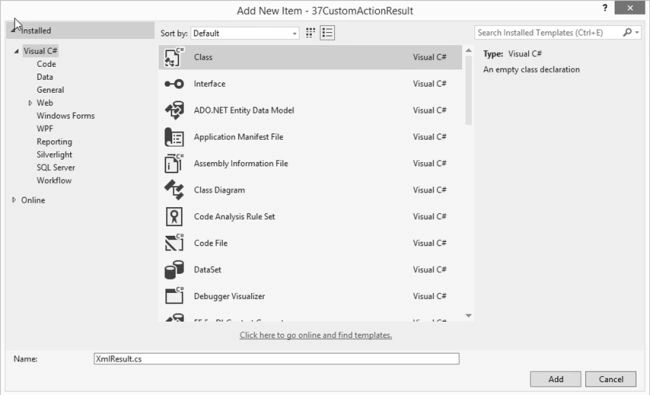
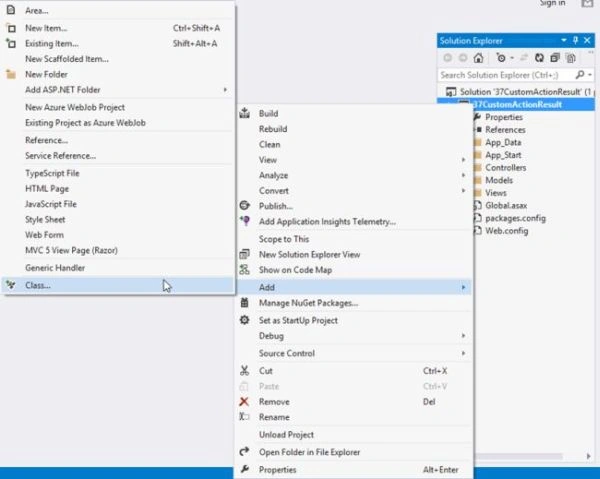
- Right-click on the project and select "Add" > "Class".

- Name it "XMLResult".

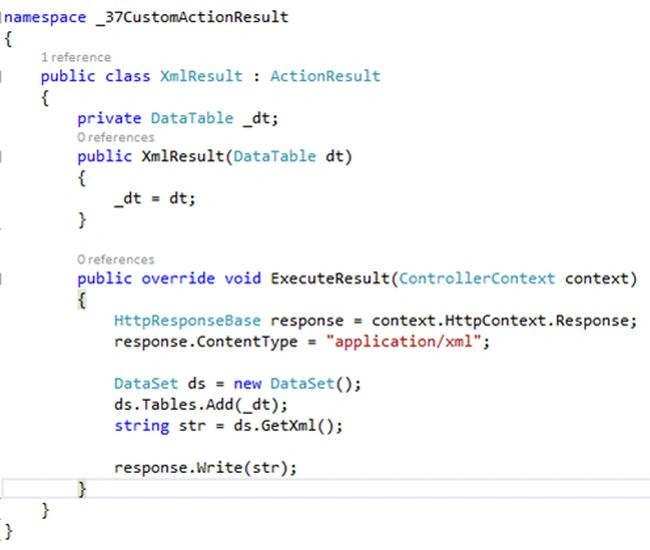
- Inherit the XMLResult class from ActionResult and override the "ExecuteResult" method.
Create an object of "HttpResponseBase" class, that is a base class for classes that provides Http response information from an ASP.NET operations.
- Set the content type to application/XML.
- Create a parameterized constructor of the XMLResult class and pass a datatable as the parameter.
- Assign a datatable objet to the local datatable object inside the constructor.
- Create a dataset object inside the ExecuteResult method and add a datatable to that object.
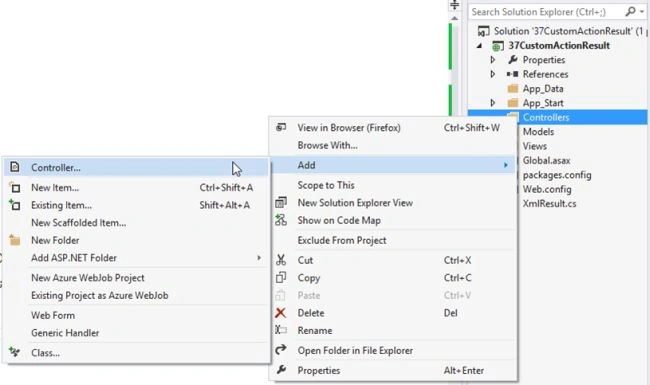
- Now add a controller. Right-click on "Controllers" then select "Add" >> "Controller".

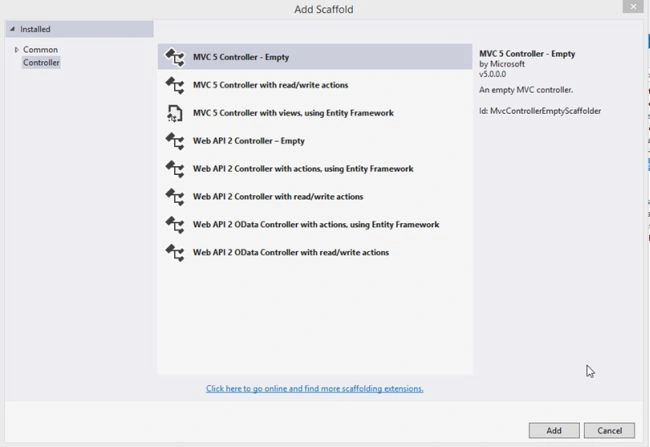
- Select "MVC 5 Controller – Empty" and press the "Add" button.

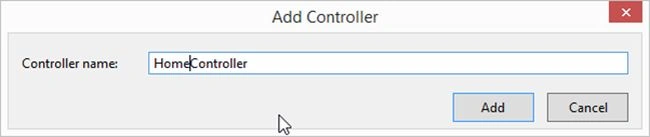
- Name it as follows:

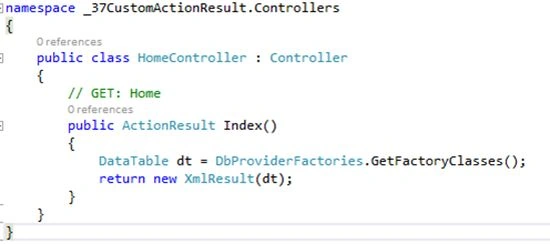
- Create a datatable object and fill it with some values in the Index action result method.
Return XMLResult with datatable.

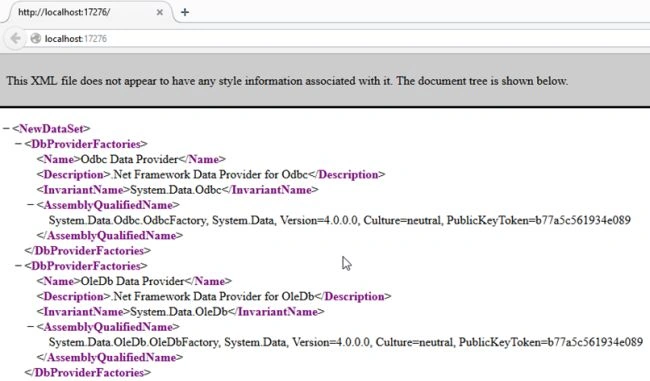
- Now run the project and you will see that our datatable is converted into XML using our custom action result.

<< Partial View Sample in MVC: Day 35

Priya SelvarajPosted Oct 30, 2015, 2:10 AM
Hi i'm trying to use the above example to populate the kendo grid and trying to extend it for update can you provide the details for the same.when i tried i'm getting javascript error