

Introduction
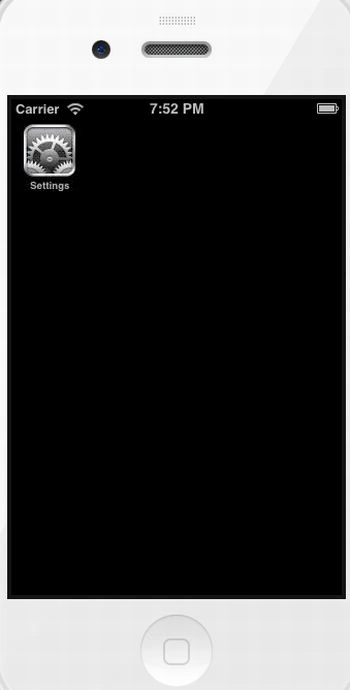
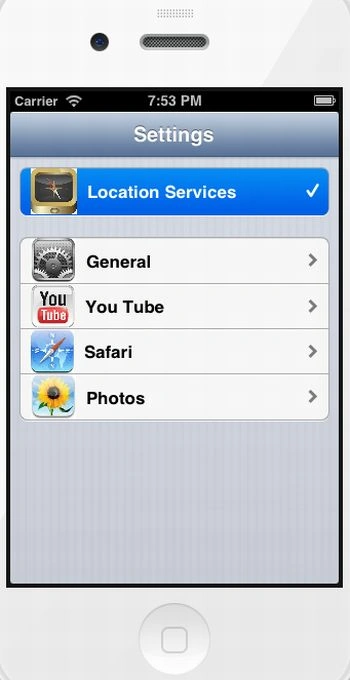
In this article I will create a Single view application. Here I use a Setting Button in the first view; when we click on the setting button it goes to the second view. In the second view I use a table view controller and on the table view cell I use an Image view, label, UITableViewCellAccessoryDisclosureIndicator and UITableViewCellAccessoryCheckmark. It is a best example of UIView in the iPhone.
To understand it we use the following.
Step 1
Open XCode by double-clicking on it.
Step 2
Create a New XCode Project by clicking on it.
Step 3
Now Select Single View Application and click on Next.
Step 4
Now provide your Product Name.
Step 5
Select the location where you want to save your project and click on Create.
Step 6
Now we write code:
MCNViewController.h
//
// MCNViewController.h
// Setting app in iphone
//
// Created by Sachin Bhardwaj on 01/12/12.
// Copyright (c) 2012 Sachin Bhardwaj. All rights reserved.
//
#import <UIKit/UIKit.h>
@interface MCNViewController : UIViewController
{
IBOutlet UIButton *settingbtn;
}
@property IBOutlet UIButton *settingbtn;
-(IBAction)click;
@end
MCNViewController.m
//
// MCNViewController.m
// Setting app in iphone
//
// Created by Sachin Bhardwaj on 01/12/12.
// Copyright (c) 2012 Sachin Bhardwaj. All rights reserved.
//
#import "MCNViewController.h"
#import "SettingViewController.h"
@interface MCNViewController ()
@end
@implementation MCNViewController
@synthesize settingbtn;
-(IBAction)click
{
SettingViewController *setting = [[SettingViewController alloc ]init];
[self.navigationController pushViewController:setting animated:YES];
}
- (void)viewDidLoad
{
[super viewDidLoad];
self.title = @"Setting";
self.navigationController.navigationBar.barStyle = UIBarStyleBlackTranslucent;
}
- (void)didReceiveMemoryWarning
{
[super didReceiveMemoryWarning];
// Dispose of any resources that can be recreated.
}
@end
SettingViewController.h
//
// SettingViewController.h
// Setting app in iphone
//
// Created by Sachin Bhardwaj on 03/12/12.
// Copyright (c) 2012 Sachin Bhardwaj. All rights reserved.
//
#import <UIKit/UIKit.h>
@interface SettingViewController : UITableViewController
{
IBOutlet UILabel *lbl1,*lbl2;
IBOutlet UIImageView *img1;
}
@property(nonatomic,strong)IBOutlet UILabel *lbl1;
@property(nonatomic,strong)IBOutlet UIImageView *img1;
@property (nonatomic, retain) NSMutableArray *arrCategories;
@property (nonatomic, retain) NSMutableArray *arrimages;
@end
SettingViewController.m
//
// SettingViewController.m
// Setting app in iphone
//
// Created by Sachin Bhardwaj on 03/12/12.
// Copyright (c) 2012 Sachin Bhardwaj. All rights reserved.
//
#import "SettingViewController.h"
#import "MobileCoreServices/MobileCoreServices.h"
@interface SettingViewController ()
@end
@implementation SettingViewController
@synthesize lbl1;
@synthesize img1;
@synthesize arrCategories,arrimages;
- (id)initWithStyle:(UITableViewStyle)style
{
self = [super initWithStyle:style];
if (self) {
// Custom initialization
}
return self;
}
- (void)viewDidLoad
{
[super viewDidLoad];
self.arrCategories = [[NSMutableArray alloc]
initWithObjects:@"General", @"You Tube",
@"Safari", @"Photos", nil];
self.arrimages = [[NSMutableArray alloc]
initWithObjects:@"images.jpeg", @"image123.png",
@"images (2).jpeg", @"images (3).jpeg", nil];
}
- (void)didReceiveMemoryWarning
{
[super didReceiveMemoryWarning];
// Dispose of any resources that can be recreated.
}
#pragma mark - Table view data source
- (NSInteger)numberOfSectionsInTableView:(UITableView *)tableView
{
return 2;
}
- (NSInteger)tableView:(UITableView *)tableView numberOfRowsInSection:(NSInteger)section
{
if (section ==0) {
return 1;
}
else{
return 4;
}
return YES;
}
- (UITableViewCell *)tableView:(UITableView *)tableView cellForRowAtIndexPath:(NSIndexPath *)indexPath
{
static NSString *CellIdentifier = @"Cell";
UITableViewCell *cell = [tableView dequeueReusableCellWithIdentifier:CellIdentifier];
if (cell == nil) {
cell = [[UITableViewCell alloc] initWithStyle:UITableViewCellStyleDefault reuseIdentifier:CellIdentifier];
}
if (indexPath.section == 0) {
cell.textLabel.text = @"Location Services";
cell.imageView.image = [UIImage imageNamed:@"images (4).jpeg"];
cell.accessoryType = UITableViewCellAccessoryCheckmark;
}
if (indexPath.section == 1) {
cell.imageView.image = [UIImage imageNamed:[arrimages objectAtIndex: indexPath.row]];
cell.accessoryType = UITableViewCellAccessoryDisclosureIndicator;
NSString *Categories = [self.arrCategories
objectAtIndex: [indexPath row]];
cell.textLabel.text = Categories;
// Configure the cell...
}
return cell;
}
/*
// Override to support conditional editing of the table view.
- (BOOL)tableView:(UITableView *)tableView canEditRowAtIndexPath:(NSIndexPath *)indexPath
{
// Return NO if you do not want the specified item to be editable.
return YES;
}
*/
/*
// Override to support editing the table view.
- (void)tableView:(UITableView *)tableView commitEditingStyle:(UITableViewCellEditingStyle)editingStyle forRowAtIndexPath:(NSIndexPath *)indexPath
{
if (editingStyle == UITableViewCellEditingStyleDelete) {
// Delete the row from the data source
[tableView deleteRowsAtIndexPaths:@[indexPath] withRowAnimation:UITableViewRowAnimationFade];
}
else if (editingStyle == UITableViewCellEditingStyleInsert) {
// Create a new instance of the appropriate class, insert it into the array, and add a new row to the table view
}
}
*/
/*
// Override to support rearranging the table view.
- (void)tableView:(UITableView *)tableView moveRowAtIndexPath:(NSIndexPath *)fromIndexPath toIndexPath:(NSIndexPath *)toIndexPath
{
}
*/
/*
// Override to support conditional rearranging of the table view.
- (BOOL)tableView:(UITableView *)tableView canMoveRowAtIndexPath:(NSIndexPath *)indexPath
{
// Return NO if you do not want the item to be re-orderable.
return YES;
}
*/
#pragma mark - Table view delegate
- (void)tableView:(UITableView *)tableView didSelectRowAtIndexPath:(NSIndexPath *)indexPath
{
if (indexPath.section == 0) {
UIApplication *ourApplication = [UIApplication sharedApplication];
NSString *ourPath = @"http://maps.google.com/maps?ll=-37.812022,144.969277";
NSURL *ourURL = [NSURL URLWithString:ourPath];
[ourApplication openURL:ourURL];
}
if (indexPath.row==3)
{
if ([UIImagePickerController isSourceTypeAvailable:
UIImagePickerControllerSourceTypeSavedPhotosAlbum])
{
UIImagePickerController *imagePicker =
[[UIImagePickerController alloc] init];
imagePicker.delegate = self;
imagePicker.sourceType =
UIImagePickerControllerSourceTypePhotoLibrary;
imagePicker.mediaTypes = [NSArray arrayWithObjects:
(NSString *) kUTTypeImage,
nil];
imagePicker.allowsEditing = NO;
[self presentModalViewController:imagePicker animated:YES];
}
}
else if (indexPath.row==2)
{
UIApplication *ourApplication = [UIApplication sharedApplication];
NSString *ourPath = @"http://www.google.com";
NSURL *ourURL = [NSURL URLWithString:ourPath];
[ourApplication openURL:ourURL];
}
else if (indexPath.row==1)
{
UIApplication *ourApplication = [UIApplication sharedApplication];
NSString *ourPath = @"http://www.youtube.com/watch?v=TFFkK2SmPg4";
NSURL *ourURL = [NSURL URLWithString:ourPath];
[ourApplication openURL:ourURL];
}
}
@end
Step 7
Finally we click on the run button to show the output.
Step 8
Output 1 in iPhone:
Output 2 in iPhone:
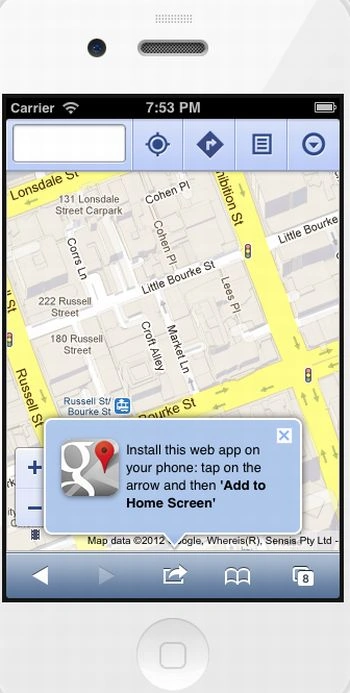
Output 3 in iPhone:
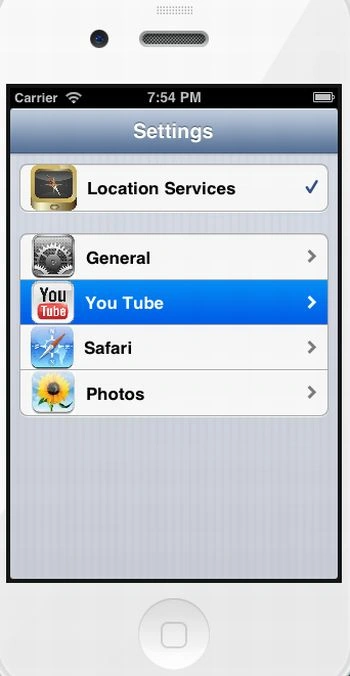
Output 4 in iPhone:
Output 5 in iPhone:
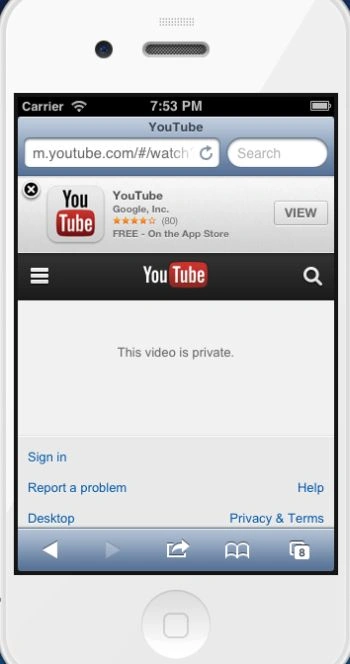
Output 6 in iPhone:
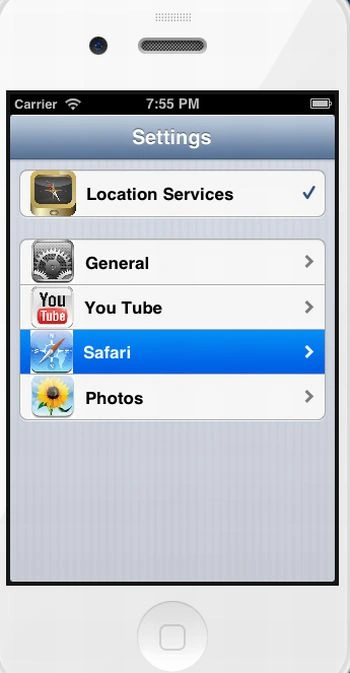
Output 7 in iPhone:
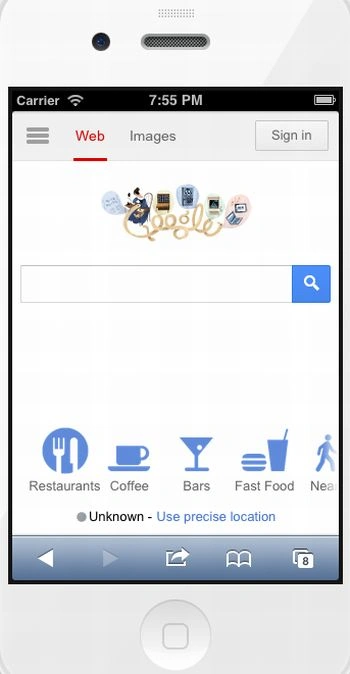
Output 8 in iPhone:
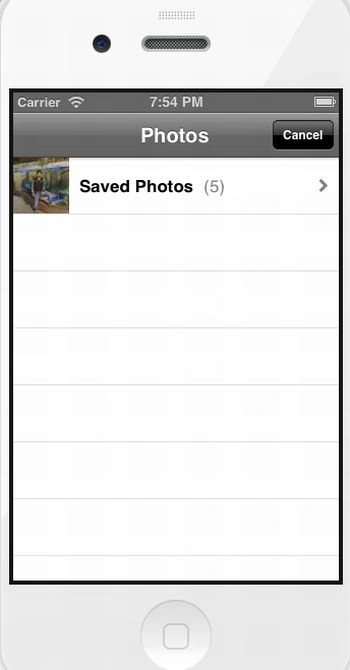
Join the conversation! Your thoughts help the community grow.