

Introduction
In this you will learn how to customize the Tools Menu of the Server Menager by adding shortcuts in the Administrative Tools.
Every time you open the Server Manager and then open it's Tools you observe that a list of tools, scripts and executable files open in it, you will be always wondering whether you can make changes in this list of tools! Yes you can make changes in it, you can add a new tool in this list. For that you need to follow the procedure I have described in this article.
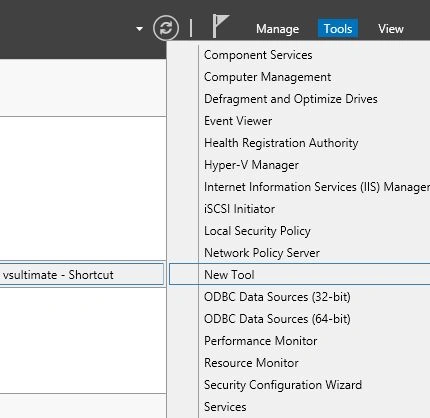
First I am showing you what Tools Menu contains before you add a new tool to it. It will look something like this:
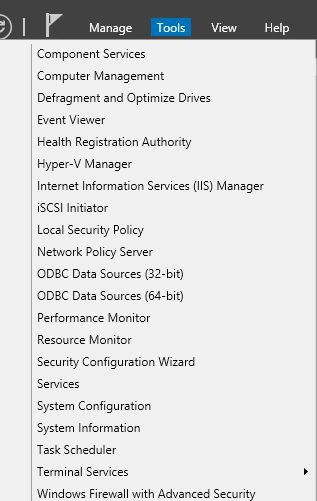
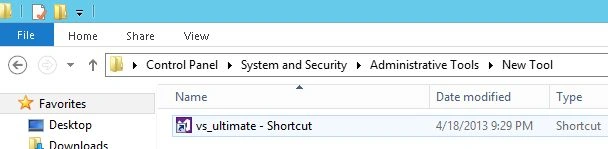
As you can see, it is only showing the tools, scripts and executable files that were installed by you. But at the end of this article it will show the tools that you provided through the Administrative Tools.
Step 1
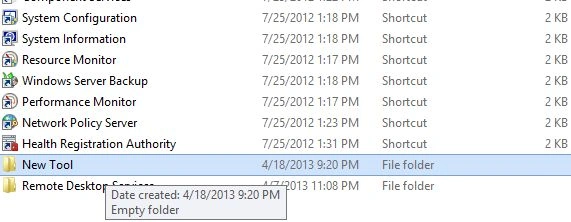
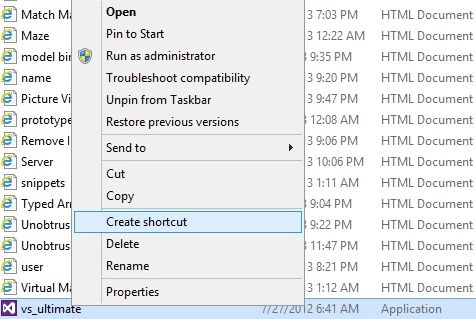
First of all you need to add a new folder in the Administrative Tools. But you can't add a folder directly here because you are not allowed to create a new folder directly in the Administrative Tools, for that you need to create it somewhere else and then you can copy this new folder to the Administrative Tools. So first create a new folder somewhere else.
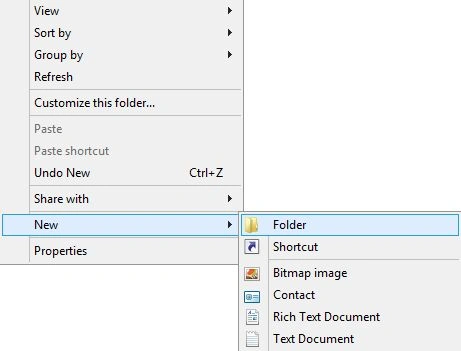
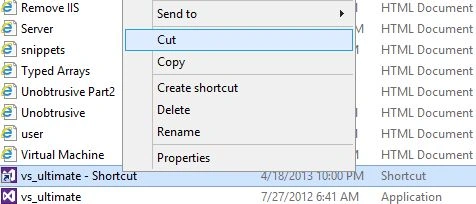
Then rename this new folder as "New Tool" and then cut it since you need to move it to the Administrative Tools.
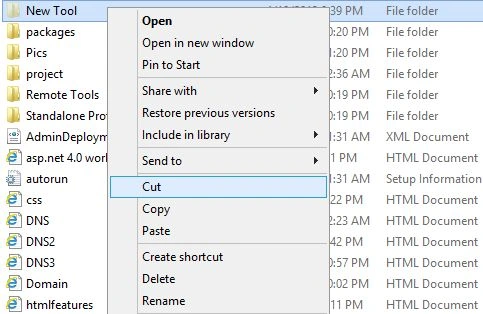
Step 2
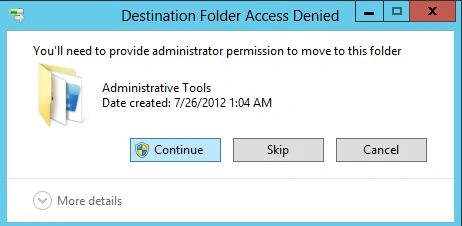
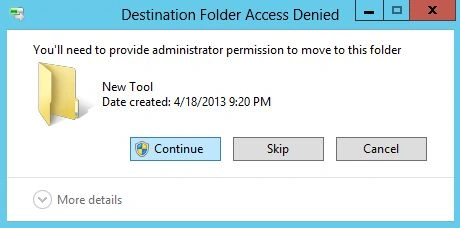
Since you try to paste it in the Administrative Tools it will ask you to grant permission for making changes in Administrative tools then provide the permission by clicking on the "continue" button.
Join the conversation! Your thoughts help the community grow.