

Introduction
In this article, we explain how to customize the Windows 8 shutdown, logon and logoff sounds.
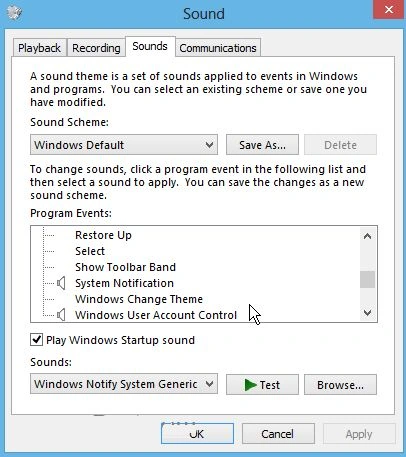
In Windows 8 sounds don't have Windows Logon, Logoff and Shutdown Program. After the registry hack, we'll see many more options listed.
Registry Hack for Sound Events
Step 1
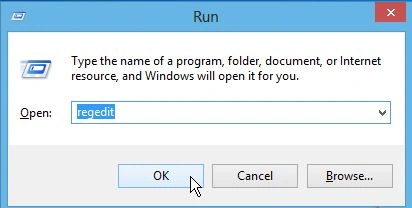
First, we press the "Win + R" shortcut key in our Desktop, then we see the "Run" window; type "regedit" and hit Enter.
Step 2
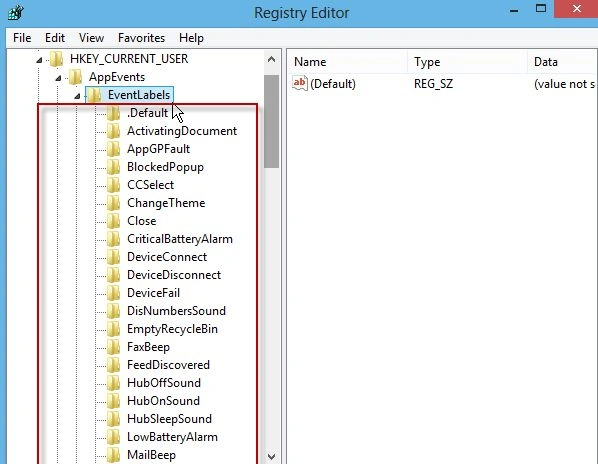
When the Registry Editor window opens go to the key "HKEY_CURRENT_USER\AppEvents\EventLabels" under EventLabels we'll see a list of subfolders for various sound events for Windows 8.
Step 3
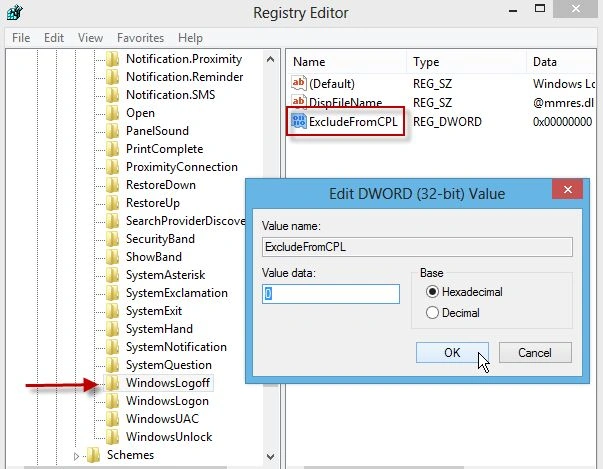
After that scroll down the list and click WindowsLogOff. We'll see the key ExludeFromCPL. Double-click on it and change the value to 0 and click OK.
Step 4
Repeat the exact same steps for the SystemExit and WindowsLogoff subfolders. In the end, SystemExit, WindowsLogoff, and Windows Logon subfolder ExludeFromCPL key values will each be set to 0. When we're done, close the Registry Editor.
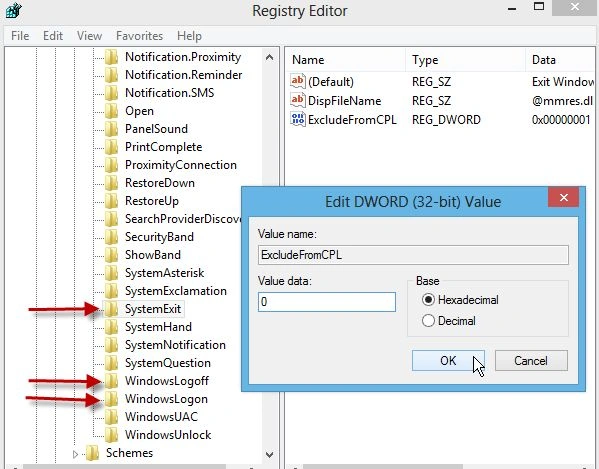
Customize Logoff, Logon and Shutdown Sounds
Step 5
Now from the Desktop, right-click the Sound icon on the Taskbar and select Sounds. Or hit the "Win + W" key to bring up Setting Search and type "sounds".
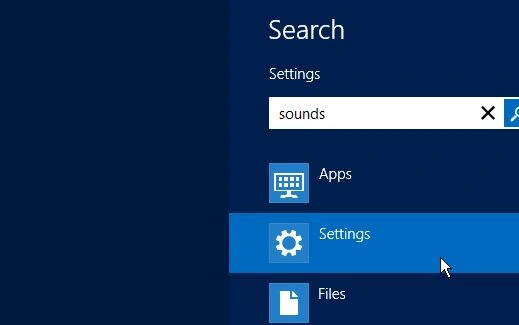
Step 6
Then select Change System Sounds under the search results.
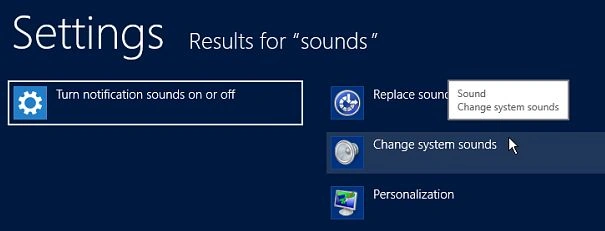
Step 7
Now we'll see the entries in the Program Events list and can customize them like you would in previous versions of Windows.
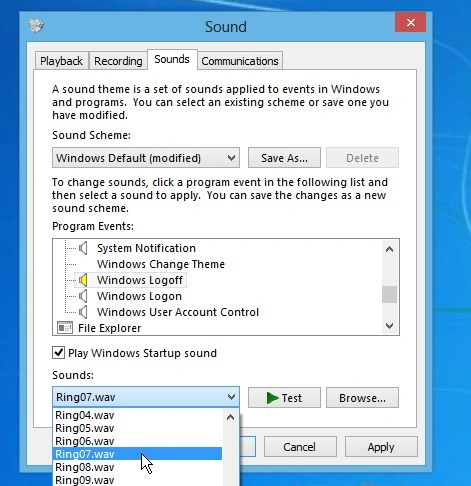
Summary
In this article, we learned about Customize Windows 8 Shutdown, Logon and Logoff Sounds.
Join the conversation! Your thoughts help the community grow.