

Introduction
Microsoft provides many cool features in Windows 10. Let's play around with data and time options in Windows 10.
Step 1
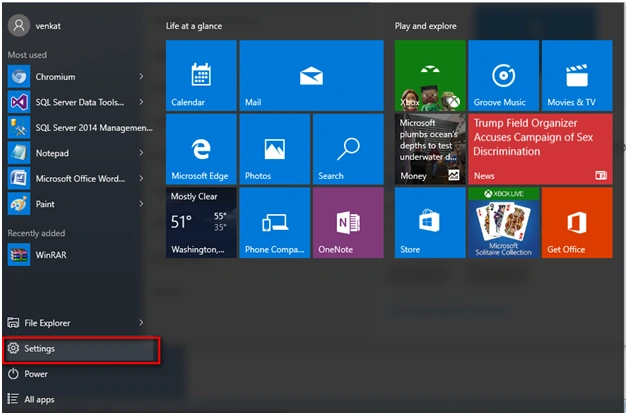
Go to the Settings option in Windows 10.
Step 2
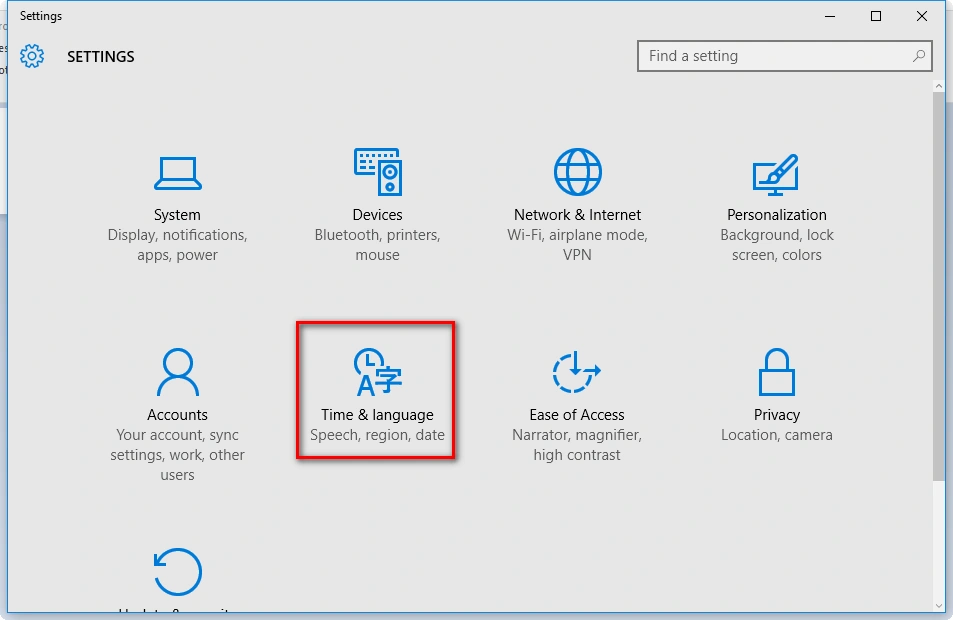
Under Settings option click Time & language.
Step 3
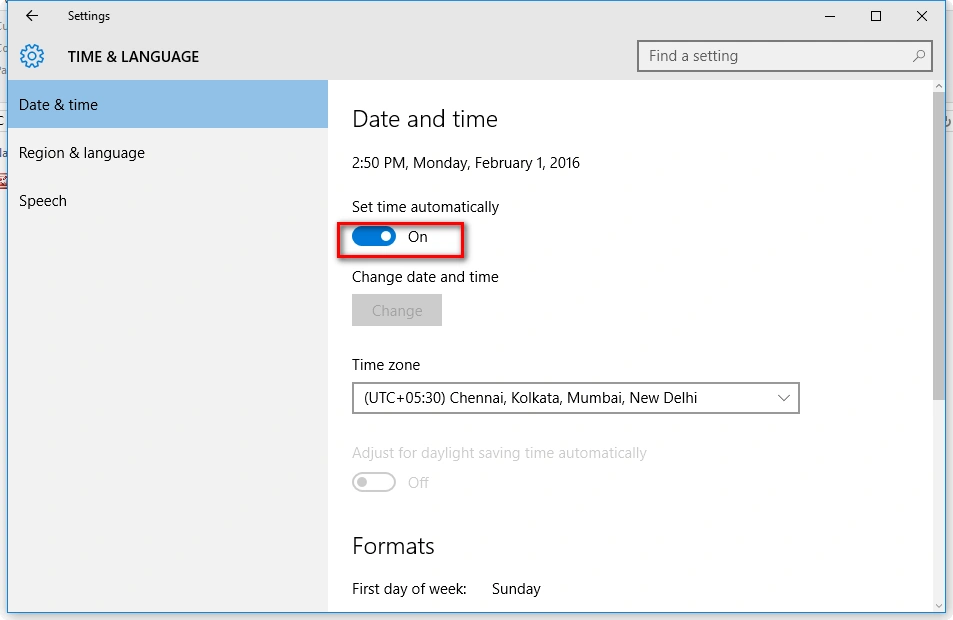
You can see the timing option which is set automatically once you're connected to the internet.
Step 4
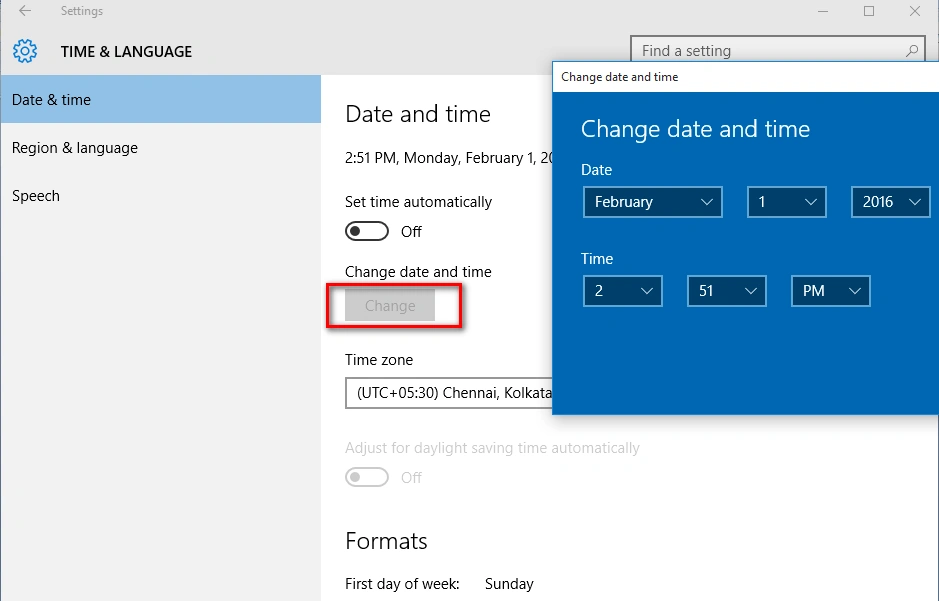
Option to switch off the automatic time and we can set the date and time as you wish.
Step 5
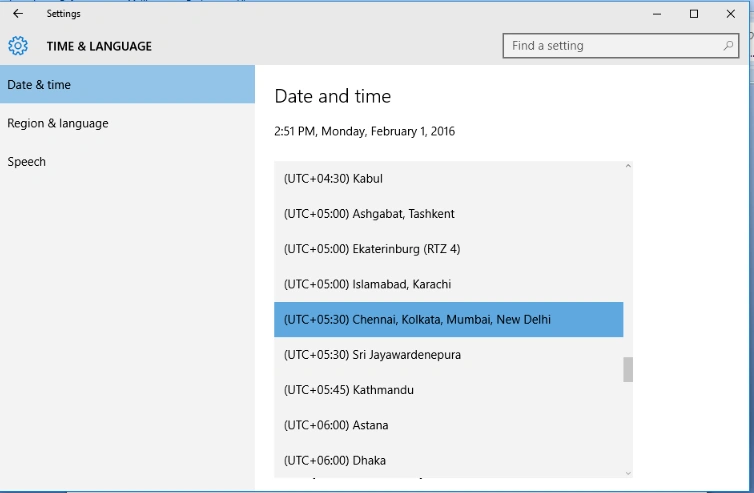
Time zones can be changed in the same window.
Read more articles on Windows 10:
Summary
In this article, we learned about Data And Time Options In Windows 10.
Join the conversation! Your thoughts help the community grow.