

Introduction
Data Annotations are useful in the Entity Framework that we can apply to our model class and can enforce the validations further. It provides classes that will provide metadata for our Entity Framework DbSet.
Let’s continue with the previous article. If you already downloaded the code you can continue from it or click here to download.
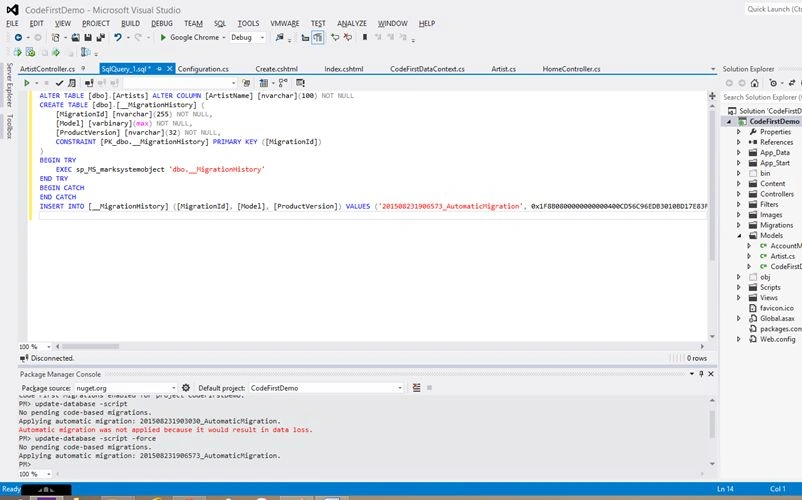
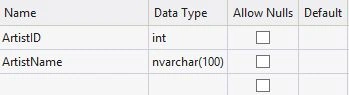
Open the app_data folder and open the database (.mdf) file then drill down to the Artists table. If you check the datatype of the ArtistName column, it is a varchar (max), and "Allow Nulls" is checked.
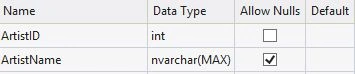
We don’t intend to make the datatype size maximum but this is what the convention is that the Entity Framework uses. We said ArtistName is a string but we didn’t say how big it would be. So it is logical for the Entity Framework to make the ArtistName to be the maximum size. Here come the data annotations as said in the introduction, it provides metadata for our Entity Framework dbSet.
To use DataAnnotations, we should refer to System.ComponentModel.DataAnnotations.
When it comes to numbers, the Entity Framework will map the SQL data types to .Net data types, for example, long becomes bigint.
The DateTime is the trickiest one. DateTime is basically a value type, so it cannot be null, it should hold a value. Let us consider a scenario where we have product Orders. A product order will have an order date and a ship date. The Order date can be the requested date so we can have a value all the time, but what about the ship date? There is a possibility of the ship date being null until the product is shipped to a destination. How to handle this? That is the use of the nullable<T> where t is a type variable and we have another option for this using the Type keyword with a ? mark.
For example
Nullable<DateTime> shipDate; or else DateTime? ship date both are acceptable.
Ok, let's go practical, open the code from the previous article, and open the Artist. Cs in the model folder.
Decorate the ArtistName with the following two attributes.
- Required(): that specifies that the database field is a necessary column.
- String Length: This will use the maximum length as the first attribute and an optional minimum length.
The Artist.CS will look as in the following.
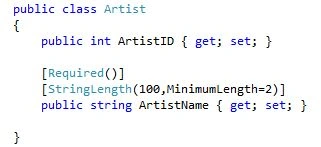
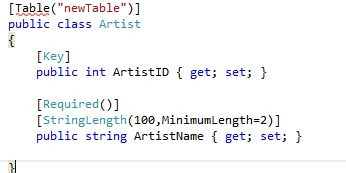
Also, as per the convention of the Entity Framework, we will make the property primary key if it is suffixed with ID or just ID. If we have a different property name then we can set it as the primary key using the [Key] Attribute.
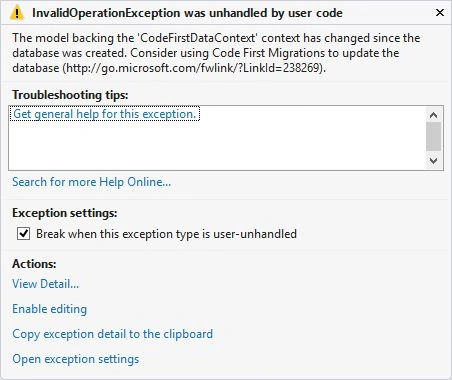
The Entity Framework will make the class name the table name and also if we want to change this behavior with the new name then we can use the [Table(“newname”] attribute.




Amit PrabhuPosted Aug 31, 2015, 8:38 AM
Good one..
Azeem AnzariPosted Aug 25, 2015, 8:45 AM
Thank you all
Debasis SahaPosted Aug 25, 2015, 12:30 AM
Nice one..
Shridhar SharmaPosted Aug 24, 2015, 1:23 PM
good one.keep sharing
Sumit JoshiPosted Aug 24, 2015, 9:54 AM
thanks for sharing...
Gowtham KPosted Aug 24, 2015, 9:27 AM
Good one
Sibeesh VenuPosted Aug 24, 2015, 9:22 AM
Nice Share :)
Karthikeyan KPosted Aug 24, 2015, 9:11 AM
Good one sir...Thanks for share
Mohammed IbrahimPosted Aug 24, 2015, 7:17 AM
nice
RakeshPosted Aug 24, 2015, 7:01 AM
Good
Rajeesh MenothPosted Aug 24, 2015, 6:47 AM
Nice Share