Introduction
Data Loss Prevention (DLP) is a crucial feature in Microsoft Fabric that helps organizations protect sensitive data, prevent unauthorized sharing, and ensure compliance with regulatory requirements. While DLP policies are easy to create and manage through the Microsoft Purview interface, the processes that occur behind the scenes are complex and designed to handle data securely and efficiently. This article will explore the internal workings of DLP, from policy creation to enforcement, to give you a clear understanding of how it safeguards sensitive data.
1. Policy Creation and Storage
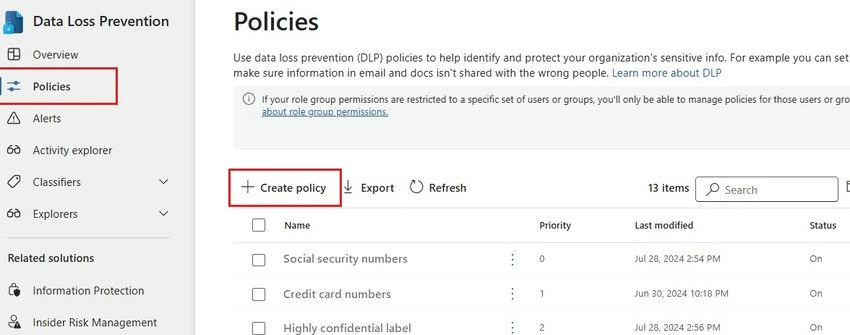
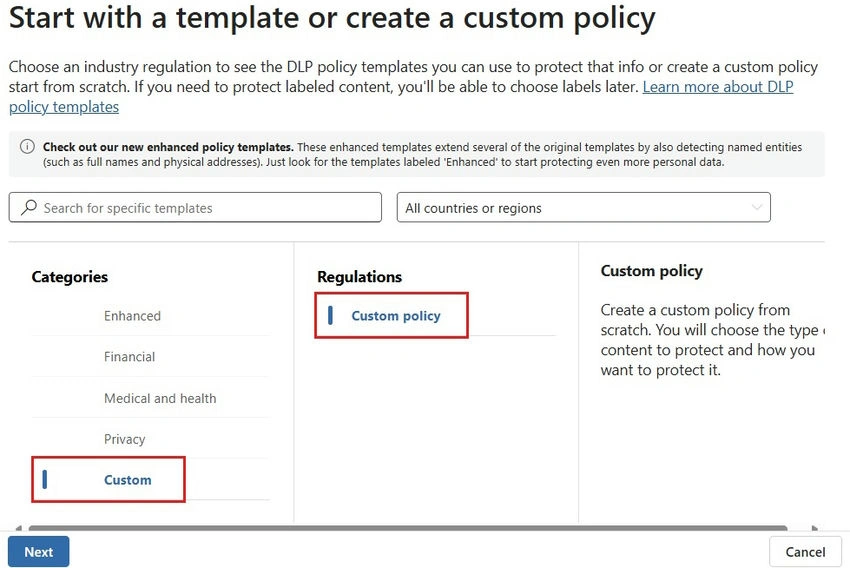
The first step in the DLP lifecycle is policy creation. When administrators define a new policy in Microsoft Purview, this policy is stored in a central configuration repository. This repository serves as a centralized location from which the policy is distributed across various Microsoft services such as SharePoint, OneDrive, Teams, Exchange, and Microsoft Fabric.
The policies themselves are based on several key parameters.
- Sensitive Information Types: Pre-built templates identify specific types of sensitive data like credit card numbers, Social Security Numbers (SSNs), or other forms of Personally Identifiable Information (PII).
- Custom Rules: Organizations can define their custom rules or combine multiple predefined rules to detect proprietary or domain-specific data.
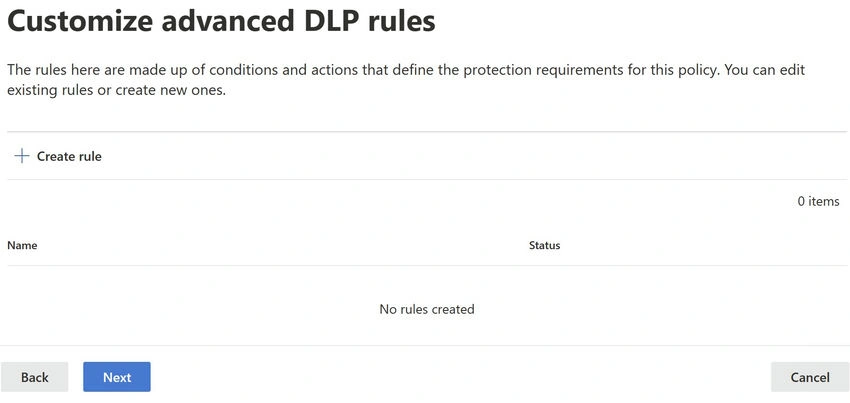
The policy defines what types of data are considered sensitive, how they are classified, and what actions should be taken when a violation is detected.
2. Data Scanning and Detection
At the heart of DLP is its ability to continuously monitor and scan data across different services.
Data Inspection Mechanism
The core of DLP is the content scanning engine, which inspects data at rest and in transit to detect sensitive information.
- For data at rest: DLP scans data that is stored in services like SharePoint, OneDrive, or Microsoft Fabric workspaces. The system scans files when they are created, modified, or shared.
- For data in transit: DLP scans emails, messages, or documents being sent or shared through services like Exchange and Microsoft Teams in real-time.
Pattern Matching and Content Identification
Once a file or piece of data is accessed or modified, DLP runs the policy's conditions against it to look for sensitive information.
- Pattern Matching: DLP uses regular expressions to identify specific patterns, such as the format of a credit card number or an SSN.
- Exact Data Matching: DLP can match data against known sensitive values in a sensitive data dictionary.
- Machine Learning: Advanced machine learning models help identify unstructured data like confidential business plans or proprietary research.
To optimize performance, the DLP engine often indexes data, allowing for incremental scans that target only the modified portions of large files or datasets.
3. Policy Evaluation
Once data is flagged by the scanning engine, the next step is to evaluate the violation based on the defined policies.
Real-Time Evaluation
The DLP engine determines.
- Whether the detected sensitive information matches the severity levels specified in the policy.
- The context, such as whether the data is being shared internally or externally, if encryption is applied, or if it’s within a regulatory scope.
Context-Aware Decisions
DLP considers multiple factors beyond content.
- User Identity: It checks who is sharing the data and their permissions.
- Access Permissions: Whether the data is shared with external users or unauthorized personnel.
- Location Sensitivity: If data is crossing geographic or organizational boundaries (important for data residency requirements).
Based on these factors, the system determines whether the policy violation is severe enough to take action.
4. Policy Enforcement
After policy evaluation, the next step is enforcement. Depending on the violation’s severity, DLP policies can trigger different actions.
Automated Actions
- Blocking: Prevents users from sharing data externally or sending an email if sensitive content is detected.
- Quarantine or Encryption: Sensitive documents might be encrypted automatically or quarantined for further review.
- Notification: Users can receive warnings if their actions violate DLP policies, allowing them to modify behavior or remove sensitive data.
Audit and Reporting
Any action taken by DLP is logged in audit trails. This allows for tracking of violations, incidents, and policy effectiveness. Administrators can review reports and logs within Microsoft Purview or Microsoft Defender for deeper investigation.
5. Monitoring and Reporting
DLP doesn't just protect data in real-time; it also provides ongoing monitoring and detailed reporting to keep administrators informed.
Real-Time Monitoring
DLP continuously monitors data interactions, ensuring policies are applied consistently. Any policy violations are flagged immediately, and alerts can be sent to administrators.
Incident Reports
DLP provides detailed reports on policy violations. Each report includes.
- The type of sensitive information detected.
- The location of the violation.
- The user or service involved.
- The actions that were taken (e.g., blocking, encryption, notification).
Automated Responses
DLP can be configured to automatically escalate certain types of violations, such as those involving highly sensitive data, to the security team or compliance officers for further action.
6. Integration with Microsoft Security and Compliance Tools
DLP is part of a broader security framework within Microsoft’s ecosystem. It integrates seamlessly with other security and compliance services.
- Microsoft Defender: DLP violations feed into Microsoft Defender, contributing to security incident response.
- Compliance Center: Reports and incidents generated by DLP are consolidated in the Microsoft Compliance Center, providing a single view of compliance across all services.
- Microsoft Information Protection (MIP): DLP policies complement Microsoft Information Protection (MIP) labels to ensure sensitive data is handled properly.
- Azure Purview: DLP extends beyond Microsoft services into hybrid environments with Azure Purview, allowing consistent policy enforcement across on-premises and cloud data sources.
7. Performance and Scalability
Because DLP operates across services and handles large volumes of data, Microsoft has optimized the system for performance and scalability.
- Incremental Scanning: To reduce performance overhead, DLP performs incremental scans on files or datasets. This means only modified data is scanned, not entire files.
- Parallel Processing: DLP processes large datasets in parallel, ensuring minimal delay in identifying sensitive information.
- Optimized Caching: DLP uses caching techniques to store previously evaluated content, minimizing the need for repetitive scanning.
8. Security and Privacy Considerations
DLP handles sensitive information, so Microsoft has implemented multiple layers of security and privacy measures.
- Encryption: All data processed by DLP is encrypted both in transit and at rest, ensuring that sensitive information is not exposed during scanning.
- Data Residency: Microsoft ensures that DLP complies with local data residency laws, ensuring that sensitive data does not cross geographic boundaries in violation of regulations.
- Role-Based Access Control (RBAC): DLP policies are managed with strict role-based access control, ensuring only authorized personnel can modify policies or review violations.
9. AI and Machine Learning Enhancements
Microsoft continues to enhance DLP with AI and machine learning features that improve detection and reduce false positives.
- Advanced Classification: Machine learning models are used to detect sensitive data in unstructured formats (e.g., intellectual property, healthcare records).
- False Positive Reduction: DLP continuously learns from data, reducing false positive detections over time to avoid unnecessary policy enforcement.
Summary
Data Loss Prevention (DLP) in Microsoft Fabric is a powerful tool that helps organizations protect sensitive information and enforce data compliance policies. The internal workings of DLP involve real-time data scanning, policy evaluation, and automated enforcement, all integrated seamlessly with the broader Microsoft security and compliance ecosystem. By leveraging advanced technologies such as AI, machine learning, and scalable architecture, DLP ensures data protection without compromising performance. DLP is essential for any organization looking to secure sensitive information, and its robust internal processes make it a reliable tool for maintaining compliance and protecting against data loss.


Join the conversation! Your thoughts help the community grow.