

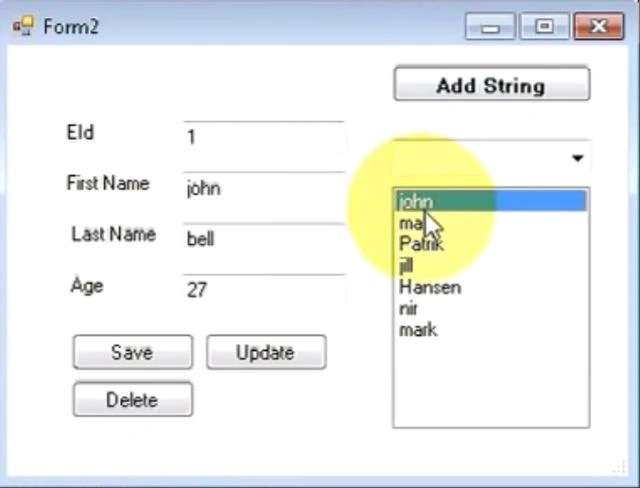
Here I will explain putting database values into TextBoxes for a selected value in a list box. Before that I explain how to link a listbox with a database.
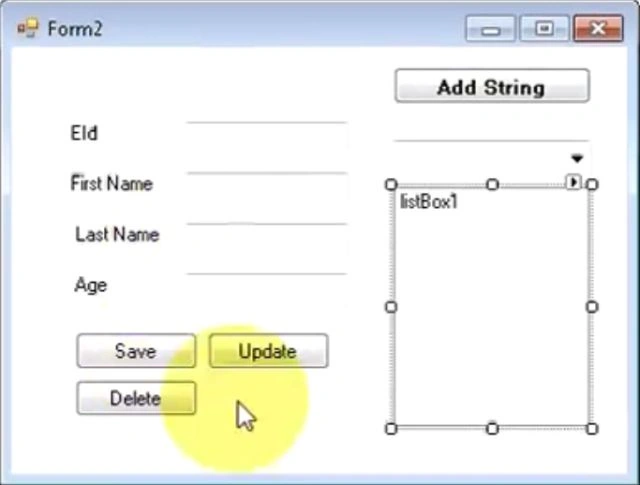
Step 1: Form
Drag and drop a listbox from the toolbox.
Step 2: Code
Click on the list box and write this code:
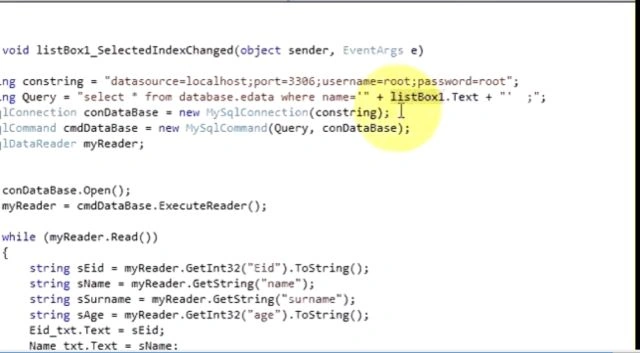
private void listBox1.SelectedIndexChanged(object sender , EventArgs e)
{
string str = "server = MUNESH\\SQL2008R2;Database=datastore;UID=sa;Password=123;";
SqlConnection con = new SqlConnection(str);
string query = "select * from tablename where name = '"+listBox1.text+"' ";
SqlCommand cmd = new SqlCommand( query,con);
sqldatareader dbr;
try
{
con.open();
dbr = cmd.executereader();
Sr KarthigaPosted May 3, 2016, 8:45 PM
Good one