

Introduction
Databricks Genie is a conversational AI assistant powered by Azure OpenAI, seamlessly integrated into Databricks to bridge the gap between data engineering, analytics, and business intelligence. By harnessing the power of Azure OpenAI models, Genie enables Data Analysts and Business Users to,
- Ask natural language questions and receive data-driven insights.
- Generate SQL queries and visualizations without coding.
- Leverage AI to automate data exploration and recommendations.
In this article, we will explore what Databricks Genie is, how it works, and a hands-on tutorial on setting up Genie using your own data.
What is Databricks Genie?
Databricks Genie empowers the technical and non-technical users can explore data, generate insights, and automate analysis in an intuitive, conversational way—without writing a single line of code. The main capabilities are,
- Conversational AI for BI: Users can query data using plain English, eliminating the need for deep SQL knowledge.
- Automated Data Exploration: Genie suggests relevant insights, trends, and correlations.
- Seamless Integration with Databricks: Works directly within Databricks Workspaces and connects with Lakehouse.
- Smart Visualizations: Generates charts, graphs, and dashboards dynamically based on user queries.
- SQL Generation & Execution: Automatically creates, runs, and refines SQL queries, allowing users to analyze data with minimal effort.
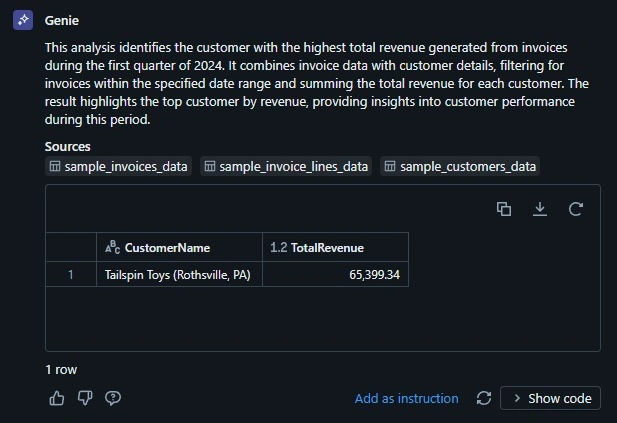
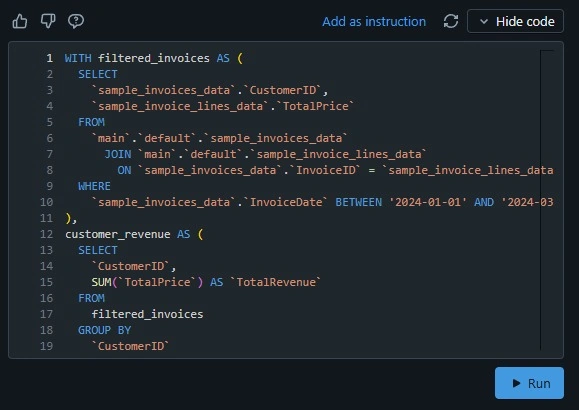
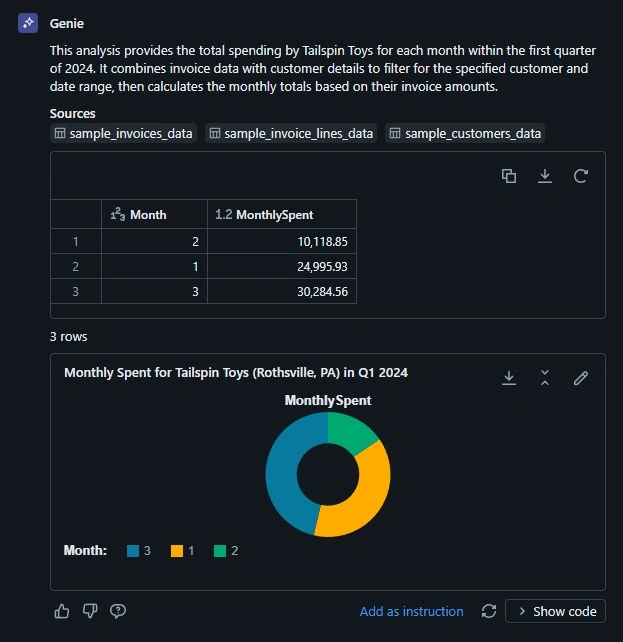
The user can talk to Genie by asking a question in natural language. The genie interprets questions, analyze them, converts them into SQL, executes them. This result is shown as a tabular result or a visualization.
Tutorial: How to use Genie in Azure Databricks
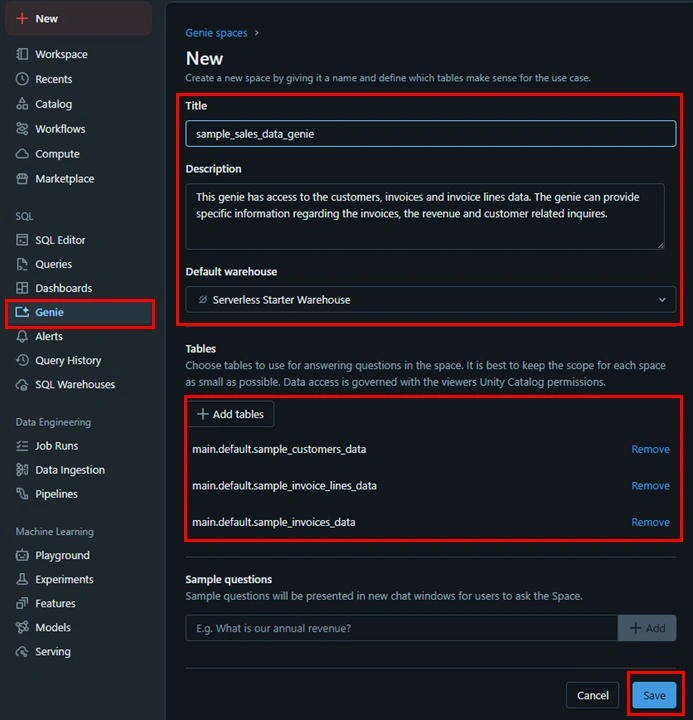
In this tutorial, we'll walk-through the two essential steps to start asking Genie questions. The first step is to prepare the data for the Genie and the second step is to setup the Genie for interaction.
Step 1. Prepare your dataset and add metadata.
- Download the source code attached to this article. In the source code, you will find three data files. They contain the sample customers and invoice data.
- sample_customers_data.csv - sample_invoiceLines_data.csv - sample_invoices_data.csv - Upload each file using the "Upload the file" UI in Azure Databricks (link).

- Select 'main' for Catalog and 'default' for Schema. Click 'Create table' to complete the process.

- Now, the dataset is uploaded into Databricks and we can see it in the Catalog Explorer. The next step is to provide a description of the table and columns. Instead of manually creating the description, Databricks provides AI generated descriptions for us to use. For the table description, click 'AI Suggested Description' and for the column description click on 'AI generate' next to the column table.
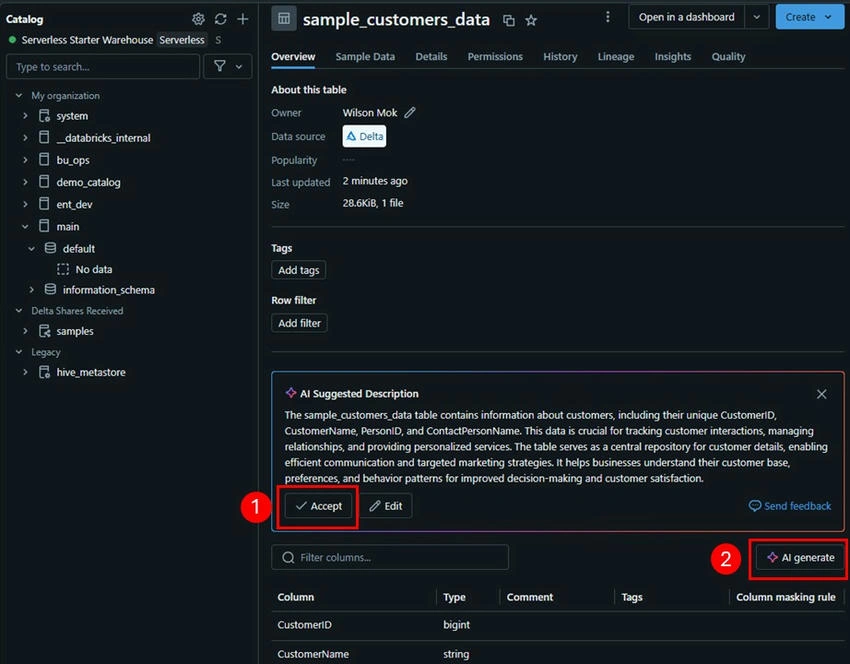
- Accept the recommended Column comment by clicking on the 'checkmark' of each column.

The Genie uses the dataset description, column name, and column comment to better understand the table relationships and how the data should interact. Repeat the steps above for the remaining two datasets before moving to the next step.

Join the conversation! Your thoughts help the community grow.