

This article has been excerpted from book "A Programmer's Guide to ADO.NET in C#".
DataGrid control is one of the most powerful Web controls. By using just a DataGrid control, you can write full-fledged Web applications for your Web site in this section, you'll learn all about the Data Grid methods and properties. The following examples are heavily based on this control.
You can use a DataGrid control to display tabular data. It also provides the ability to insert, update, sort, and scroll the data. Using and binding a Data Grid is ability to insert, update, sort, and scroll the data. Using and binding a Data Grid is easy with the help of the ADO.NET datasets. This grid is capable of auto generating the columns and rows depending on which data you're connecting.
Another control worth mentioning is the DataList control. A DataList control provides a list view of the data from the data source. These controls work similarly.
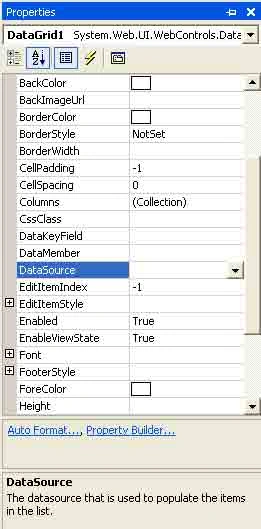
DataGrid and DataList controls have similar properties. Table 7-5 describes some of the common DataGrid properties.
Table 7-5. Data Grid Control Properties
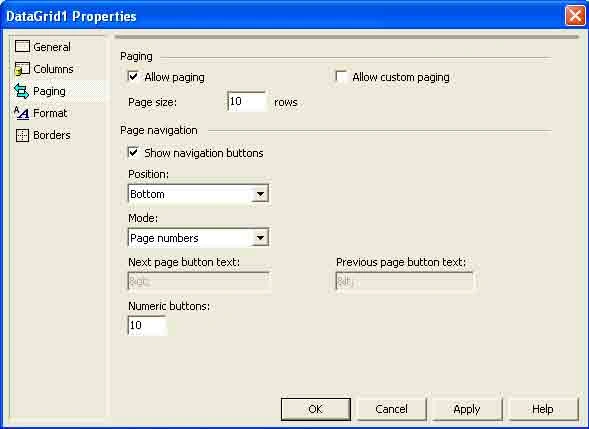
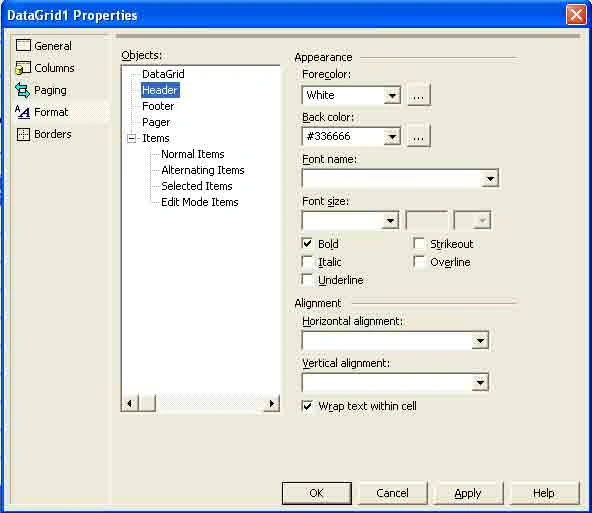
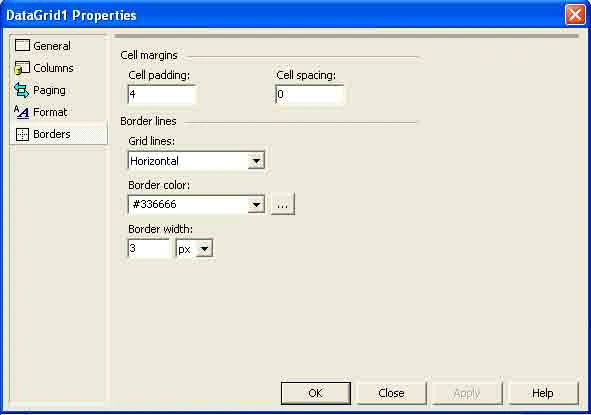
PROPERTY DESCRIPTION Allowpaging, AllowCustomPaging Boolean values indicate whether paging or custom paging is allowed in the grid. Syntax: AllowPaging ="true" AllowSorting Boolean value indicates whether sorting is allowed in the grid. Syntax: AllowSorting ="true" AutoGenerateColumns Gets or Sets a value that indicates whether column will automatically be creates for each bound data field. Syntax: AutoGenerateColumns ="true" BackColor, ForeColor, Font Sets the background color, foreground color, and font of the grid controlSyntax: BorderColor ="black"; ForeColor = "green"; Font-Name ="Verdana"; Font size ="10pt" BackImageUrl Gets or sets the URL of an Image to display in the background of the DataGrid. BorderColor, BorderStyle, Borderwidth Sets the border properties of the control. Syntax: CellPadding, CellSpacing Sets the cell spacing and padding. Syntax: Columns Gets a collection of column controls in the DataGrid. CurrentPageIndex Index of the currently displayed page. DataKeyField Primary Key field in the data source. DataSource Fills the grid with the data. Syntax: EditorItemIndex Index of the item to be edited. EditItemStyle Style of the item to be edited. HeaderStyle, FooterStyle Header and footer styles. Syntax: GridLines Gets or sets the grid line style. Syntax: Height, Width Width and height of the control. ID ID of the control. Page Returns the page object that contains the current control. Syntax: Page.DataBind(); PageCount, PageSize Returns the total number of pages and number of item in a page to be displayed. Syntax: SelectedIndex Index of the currently selected item. SelectedItem Returns the selected item in the DataGrid. ShowFooter, ShowHeader Show header and footer. Syntax: UniqueID Returns the Unique ID for a control. VirtualItemCount Total Number of items on the page When AllowCustomerPaging is true.
BorderColor ="black"; BorderWidth ="1"
CellPadding = "10"; CellSpacing ="5"
DataGrid1.DataSource = ds.Tables["Student"].DefaultView;
HeaderStyleBackColor ="#00aaaa"; FooterStyleBackColor="#00aaaa"
Grid Lines ="vertical"
NumPages = ItemGrid.PageCount;Items=ItemGrid.PageCount
ShowFooter ="true";; ShowHeader="true";

Join the conversation! Your thoughts help the community grow.