

Introduction
In this article I will introduce the rest of the ‘Date and Time’ DAX functions that I didn't discuss in the previous article. I explained 11 ‘Date and Time’ functions in the previous article, the rest are as follows:
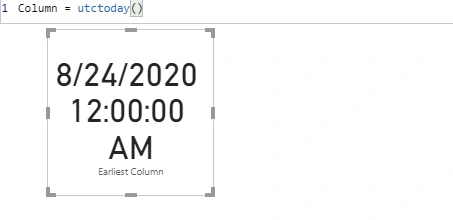
UTCTODAY
Returns the current date in datetime format expressed in coordinated universal time (UTC).
Syntax- UTCTODAY()
Return Value- Date
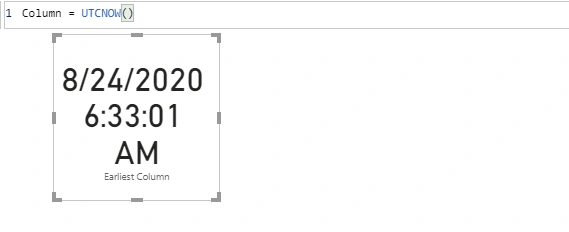
UTCNOW
Returns a current date and time in datetime format expressed in coordinated universal time (UTC).
Syntax- UTCNOW()
Return Value- Datetime
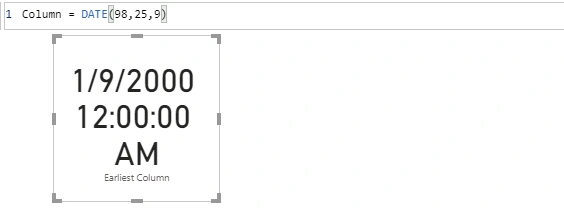
DATE
Returns a specified Date in datetime
Syntax- DATE(Year,Month,Day)
Return value - Date in datetime
Year
A number represents the year. It can be a 1 to 4 digit number. If the number you entered is 0-1899 then it will be added to 1900. A year with a value of greater than 9999 or less than 0 will not allowed.
Month
A number represents the month. This number will be 1 -12. If you enter greater than 12, then it will evaluate it as a month of next year. Ex –(1999,14,1) will be 1 Feb 2000.
Day
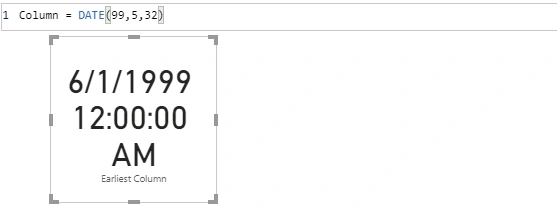
A number represent a Day. 1 – 31 are valid numbers. Numbers greater than 31 will be treated as a day of the next month. Ex- (1999, 5, 32) will be 1 June 1999.
Ex
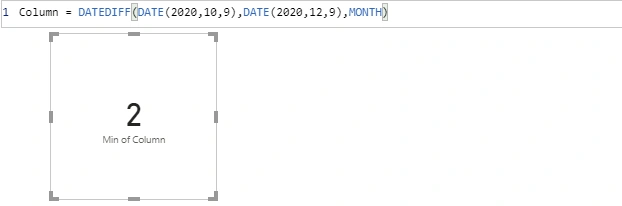
DATEDIFF
Returns the number of units (unit specified in interval) between the input two dates.
Syntax- DATEDIFF(Date1, Date2, Interval)
Date1- A scalar datetime value
Date2- A scalar datetime
Interval- This interval can be ‘SECOND’, ‘MINUTE’, ‘HOUR’, ‘DAY’, ‘WEEK’, ‘MONTH’, ‘QUARTER’, ‘YEAR’
DATEVALUE
Converts a date in the form of text to a date in datetime format.
Syntax- DATEVALUE(DateText)
DateText- Text that represents a date.
Ex
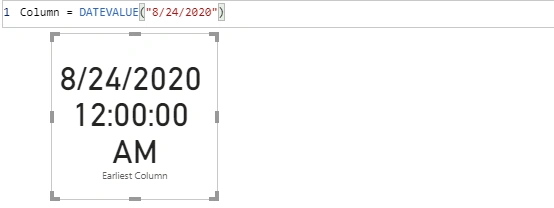
DATEVALUE(“8/24/2020”) return 8/24/2020 12:00:00 am.
EDATE
Returns the date that is indicated number of month before or after the start date.
Syntax-EDATE(StartDate, Months)
StartDate- A date in datetime format or text format.
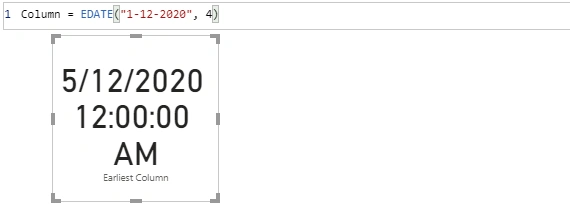
Ex- EDATE(“1-12-2020”, 4) will return 5/12/2020
Time
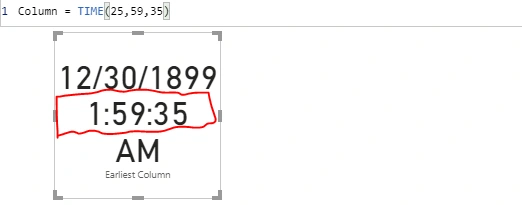
Converts hours, minutes, and seconds given as numbers to a time in datetime format.
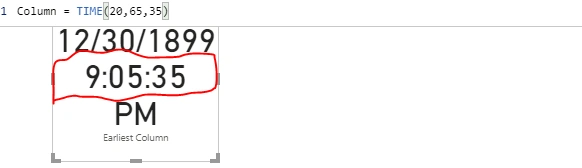
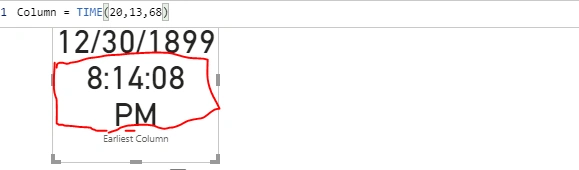
Syntax- TIME(Hour, Minute, Second)
Hour
A number from 0 to 23. Numbers greater than 23 will be divided by 24 and the reminder will be treated as hour.
Minute
A number from 0 to 59. If a number is greater than 59 then it will be converted in hours or minutes accordingly.
Seconds
A number from 0 to 59 and above 59 will be converted in minutes and seconds accordingly
Ex
TIMEVALUE
Converts a time in text format to a time in datetime format.
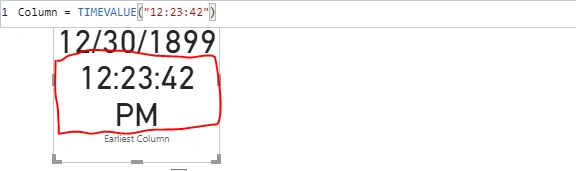
Syntax- TIMEVALUE(TimeText)
TimeText
A text that represents a specific time of the day.
Ex- TIMEVALUE(“12:23:42”)
NOW
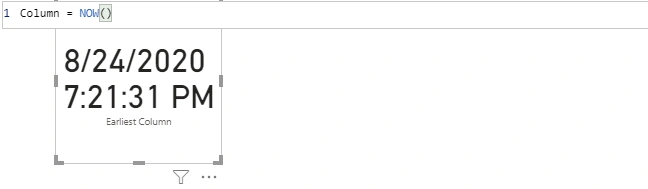
Returns a current date and time in datetime format.
Syntax- NOW()
Ex
Note
The difference between Today() and Now() is the return time. Today() returns the current date but default time as 12:00:00 whereas Now() returns the current date and current time
HOUR
Returns the hour as a number from 0 (12:00 am) to 23 (11:00 pm)
Syntax- HOUR(Datetime)
Datetime
A datetime or text value such as 16:48:00 or 4:48 pm.
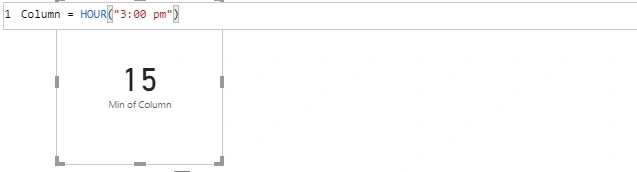
Ex- HOUR(“3:00 pm”) will return 15
MINUTE
Returns a number from 0 to 59 representing the minute.
Syntax- MINUTE(Datetime)
Datetime
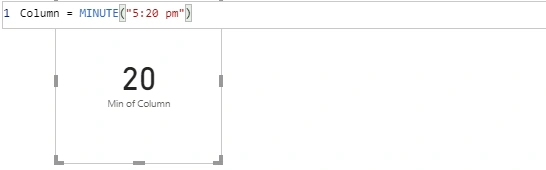
A datetime or text value in specific time format such as 5: 20 pm or 17:20:00.
Ex
SECOND
Returns a number from 0 to 59 representing the second.
Syntax- SECOND(Datetime)
Datetime
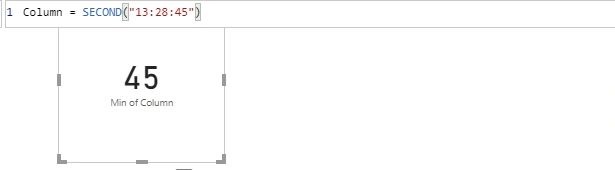
A datetime or text value in specific time format such as 1:28:45 pm or 13:28:45.
Ex
Summary
I have covered almost all ‘Date and Time’ DAX functions of Power BI in this article and previous articles that I mentioned in the introduction. I hope you understand these functions. I will continue to write the rest of the categories of DAX functions. So, stay with me. Thanks for reading.
Join the conversation! Your thoughts help the community grow.