

I have searching many websites for datetime pickers and have not found anything useful. I finally I found a jQuery and JavaScript Date Time Picker and it is very simple and attractive.
Link: https://github.com/eternicode/bootstrap-datepicker
So I have simplified and created a reusable control for this date time picker. Please find the attachment for it.
I have used the Ajax Update Panel in this article. So you can use this asynchronously in you project
Screenshots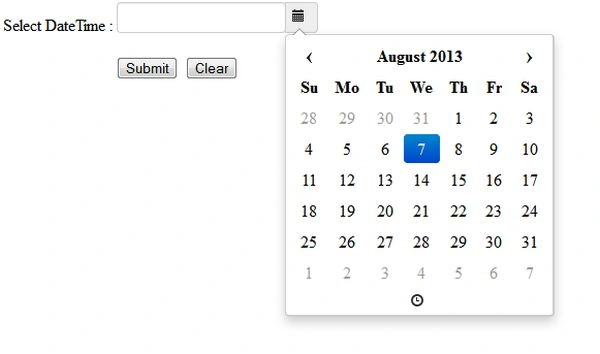
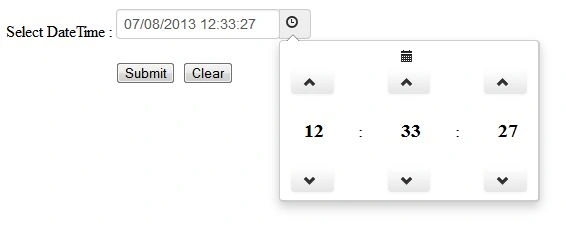
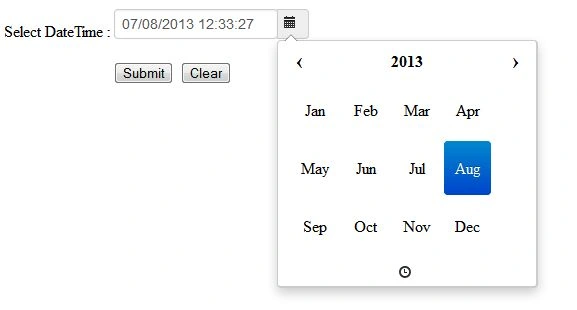
EXAMPLES
User Control Code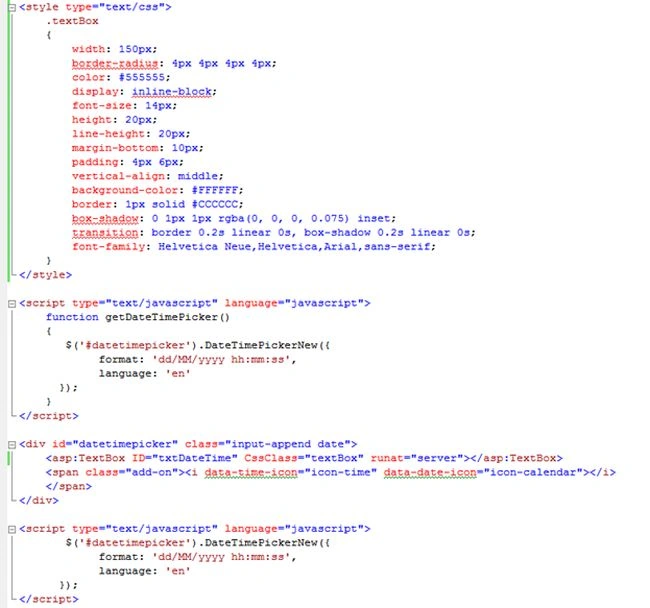
Adding Date Time on Page
Register the user control in the page. 
Add the register control to the page.
JavaScript Code
Date Format
$('.datepicker').datepicker({
format: 'mm-dd-yyyy'
});
Language and Hours Format
$('#datetimepicker2').datetimepicker({
language: 'en',
pick12HourFormat: true
});
Pick Only Date Format
$('#datetimepicker3').datetimepicker({
pickDate: false
});
Pick Only Time Format
$('#datetimepicker4').datetimepicker({
pickTime: false
});
NOTE
-
I have used the Update Panel in this article. So you can also use this with the Ajax Update panel.
-
Hope this will useful in you code. Please provide the comments.
RAMESH SAHUPosted Sep 11, 2017, 6:04 AM
This is very helpful for me i m going to trying this in my project thanks
Ngọc NguyễnPosted Jun 17, 2016, 5:05 AM
I had tried to find DataTimePicker in the Toolbox but I can't see it in this. Can you help me, please. Thank you so much.
ROHAN THAKURPosted Mar 26, 2016, 8:27 AM
awesome...
ashish pathakPosted Apr 6, 2015, 5:51 AM
How to use only date..??
ashish pathakPosted Apr 6, 2015, 5:49 AM
I want to use only date..