

Introduction
In this article, you will learn a very interesting category of DAX functions i.e. ‘Information Function’. In my previous articles, I have covered some other categories od DAX like ‘Date & Time Function’, ‘Time Intelligence Functions’, and ‘Logical functions’. As the name suggests, the information functions give us information in the term of ‘True’ or ‘False’.
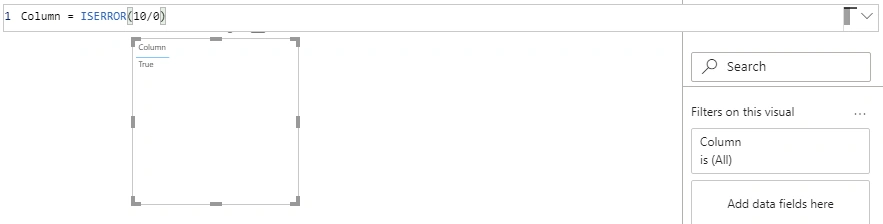
DAX information functions look at the table, column, or row that is provided as an argument and informs you whether the value matches the expected type or not. For example, the ISERROR function returns TRUE if the value that you reference contains an error. There are many information functions used in Power BI. Let's have a look at them.
CONTAINS
Returns TRUE if there exists at least one row where all columns have specified values.
Syntax- CONTAINS(Table, ColumnName1, Value1, …)
Table- Any expression that returns a table.
ColumnName
Name of any column of the existing table, using DAX syntax. It cannot be an expression.
Value1
Any expression that returns a scalar value.
Ex
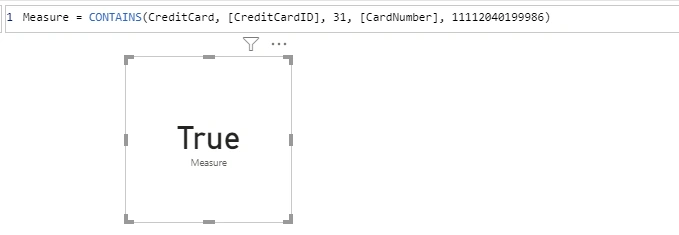
The below example tells us that the CreditCard table has a CardNumber 11112040199986 with a given ID 31.
CONTAINSROW
Returns TRUE if there exists at least one row where all columns have specified values.
Syntax- CONTAINSROW (Table, Value1, …)
Table- Any expression that returns a table
Value1- Any expression that returns a scalar value.
Ex.

CONTAINSSTRING
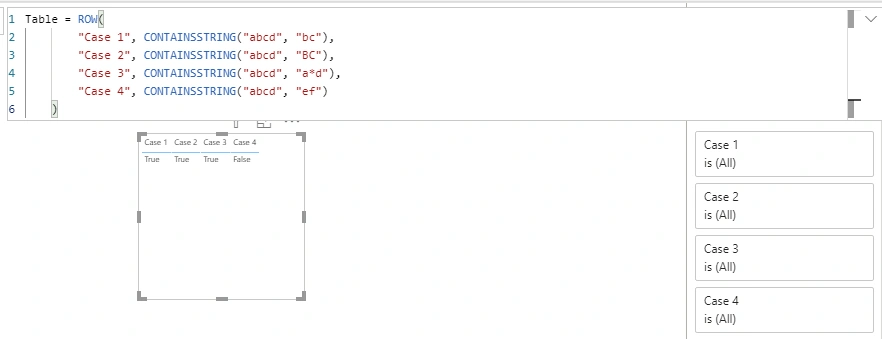
Returns TRUE if one text string contains another text string. CONTAINSSTRING is not case sensitive.
Syntax- CONTAINSSTRING(WithinTxt, FindTxt)
WithinText- The text in which you search the ‘FindText’
FindText- Text that you want to find.
Ex.
CONTAINSSTRINGEXACT
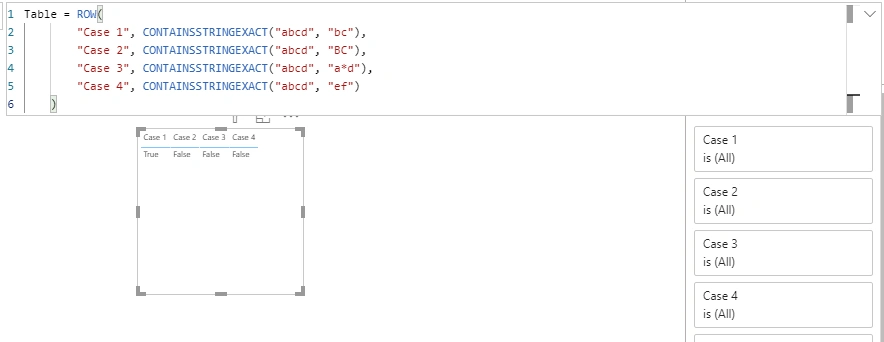
Returns TRUE if one text string contains another text string same as CONTAINSSTRING but the only difference between these two is ‘CONTAINSSTRINGEXACT’ is case-sensitive.



Join the conversation! Your thoughts help the community grow.