

Introduction
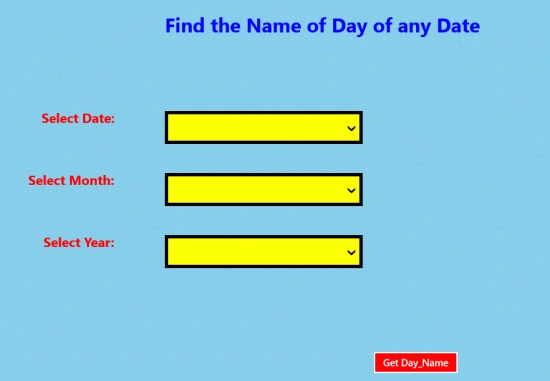
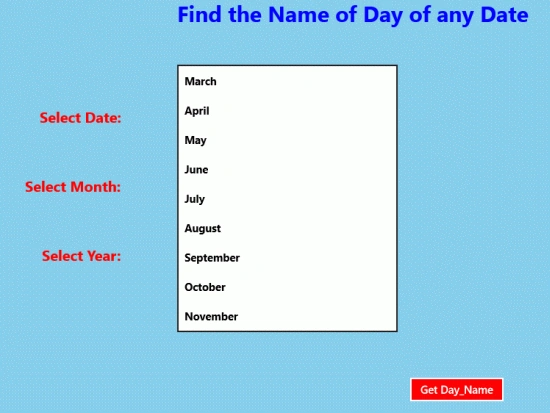
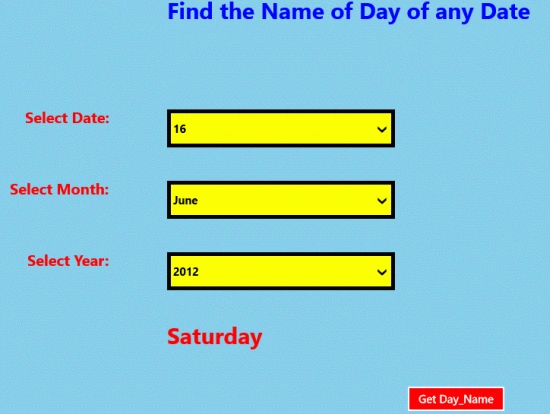
In this article we will create a Metro style application to determine the name of the week day of any specific date. In this application we are able to fetch the name of the day given any date as input. In this application we will use three comboboxes for the input; date, month and year. On the click event of the button the code in the code behind file will be executed and will give the precise result. In this application we will utilize the DateTime class and their method to get the result that is a pre- defined class of .Net environment.
In the following we are providing the entire code of XAML file and code behind file to create this mini application.
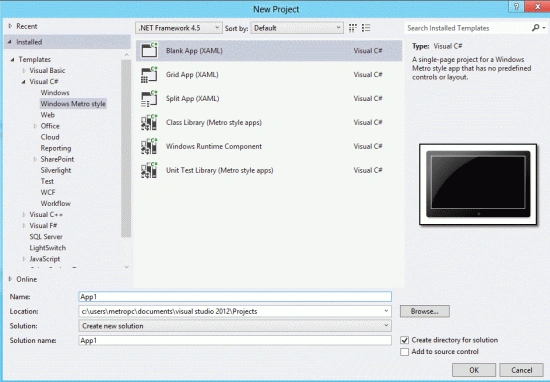
Step 1 : First, you will create a new Metro Style Application. Let us see the description with images of how you will create it.
- Open Visual Studio 2012
- File -> New -> Project
- Choose Template -> Visual C# -> Metro Style Application
- Rename the application
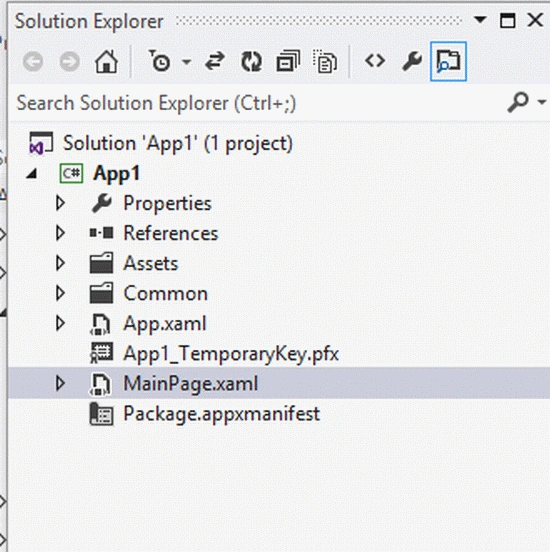
Step 2 : In the Solution Explorer there are two files that we will primarily work with; the MainPage.xaml and MainPage.xaml.cs files.
Step 3 : The MainPage.xaml file is as in the following code:
Code :
<Page
x:Class="App1.MainPage"
IsTabStop="false"
xmlns="http://schemas.microsoft.com/winfx/2006/xaml/presentation"
xmlns:x="http://schemas.microsoft.com/winfx/2006/xaml"
xmlns:local="using:App1"
xmlns:d="http://schemas.microsoft.com/expression/blend/2008"
xmlns:mc="http://schemas.openxmlformats.org/markup-compatibility/2006"
mc:Ignorable="d">
<Grid Background="SkyBlue">
<Grid.ColumnDefinitions>
<ColumnDefinition Width=".133*"></ColumnDefinition>
<ColumnDefinition Width=".033*"></ColumnDefinition>
<ColumnDefinition Width=".333*"></ColumnDefinition>
<ColumnDefinition Width=".333*"></ColumnDefinition>
</Grid.ColumnDefinitions>
<Grid.RowDefinitions>
<RowDefinition Height=".333*"></RowDefinition>
<RowDefinition Height=".063*"></RowDefinition>
<RowDefinition Height=".063*"></RowDefinition>
<RowDefinition Height=".063*"></RowDefinition>
<RowDefinition Height=".133*"></RowDefinition>
</Grid.RowDefinitions>
<TextBlock Grid.Column="2" Grid.Row="0" Text="Find the Name of Day of any Date" FontSize="30" Foreground="Blue" FontWeight="ExtraBlack" Margin="0,350,0,0" ></TextBlock>
<TextBlock Grid.Column="0" Grid.Row="1" Text="Select Date:" HorizontalAlignment="Right" FontSize="20" FontWeight="Bold" Foreground="Red"></TextBlock>
<ComboBox x:Name="dd" Grid.Column="2" Grid.Row="1" BorderThickness="5" BorderBrush="Black" FontWeight="Bold" Background="Yellow" Height="50" Width="300" HorizontalAlignment="Left" VerticalAlignment="Top">
<ComboBoxItem>1</ComboBoxItem>
<ComboBoxItem>2</ComboBoxItem>
<ComboBoxItem>3</ComboBoxItem>
<ComboBoxItem>4</ComboBoxItem>
<ComboBoxItem>5</ComboBoxItem>
<ComboBoxItem>6</ComboBoxItem>
<ComboBoxItem>7</ComboBoxItem>
<ComboBoxItem>8</ComboBoxItem>
<ComboBoxItem>9</ComboBoxItem>
<ComboBoxItem>10</ComboBoxItem>
<ComboBoxItem>11</ComboBoxItem>
<ComboBoxItem>12</ComboBoxItem>
<ComboBoxItem>13</ComboBoxItem>
<ComboBoxItem>14</ComboBoxItem>
<ComboBoxItem>15</ComboBoxItem>
<ComboBoxItem>16</ComboBoxItem>
<ComboBoxItem>17</ComboBoxItem>
<ComboBoxItem>18</ComboBoxItem>
<ComboBoxItem>19</ComboBoxItem>
<ComboBoxItem>20</ComboBoxItem>
<ComboBoxItem>21</ComboBoxItem>
<ComboBoxItem>22</ComboBoxItem>
<ComboBoxItem>23</ComboBoxItem>
<ComboBoxItem>24</ComboBoxItem>
<ComboBoxItem>25</ComboBoxItem>
Join the conversation! Your thoughts help the community grow.