

Introduction
In this article, we will explore the new feature of Microsoft Visual Studio 2022, which allows you to test your Web Application on other PC, Mobile or Tablets while debugging your project. This feature is called Dev Tunnels.

What Is Dev Tunnels?
The dev tunnels feature of Visual Studio 2022 enables ad-hoc connections between machines that can't directly connect to each other. A URL is created that allows any device with an internet connection to communicate to an ASP.NET Core project while it runs on localhost.
Make an app temporarily available to others over the internet for a presentation or to invite others to review your work on a web app or API.
Prerequisites
- Visual Studio 2022 version 17.5 or later with the ASP.NET and web development workload installed.
- The feature isn't available in Visual Studio for Mac.
- To access this feature, you must sign into your Visual Studio with GitHub or your outlook account.
Enable Dev Tunnels
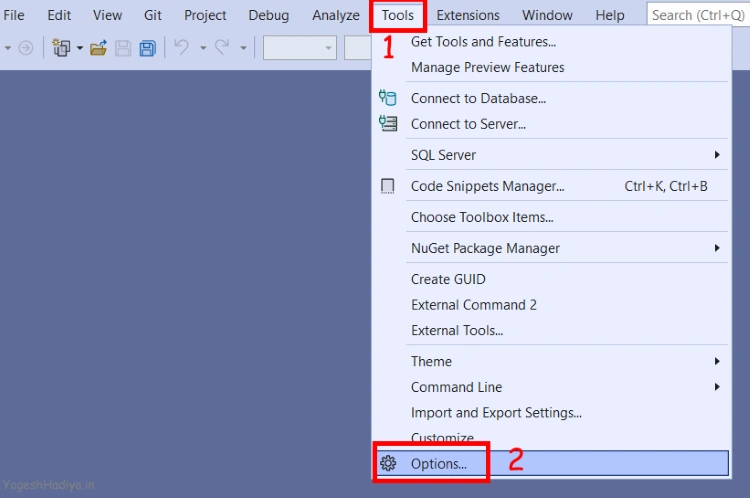
- Open Visual Studio and Click On the Tool menu.
- From the Tool Menu, clicks on Options.
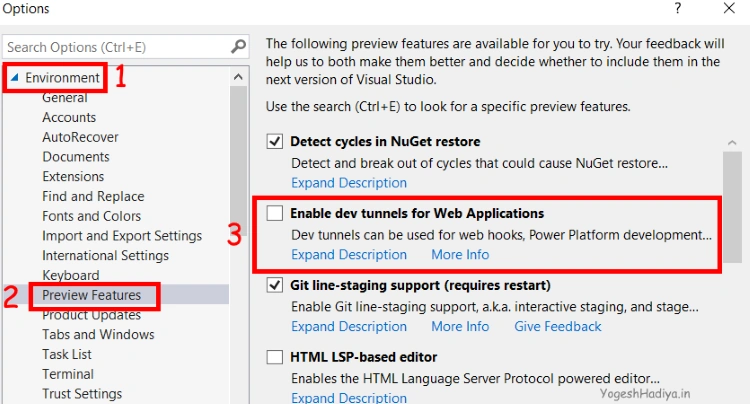
- From the Environment tab, select Preview Feature.
- Check Enable Dev Tunnels for Web Application and then click the Ok button.
Create a new ASP.Net Core MVC Project
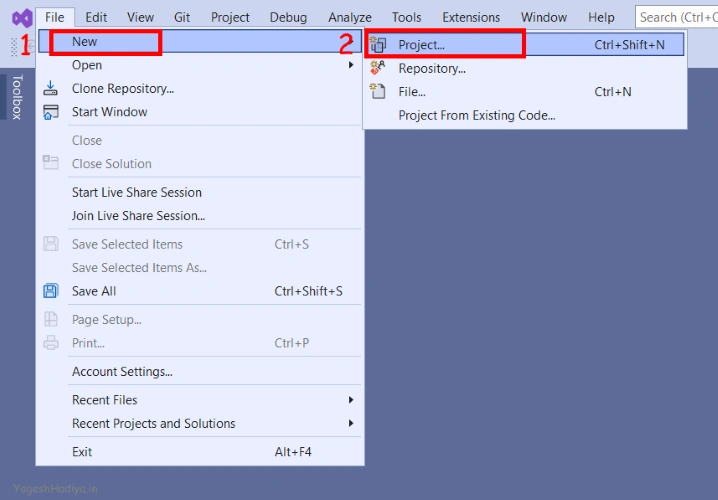
- Click on File Menu> New > Project
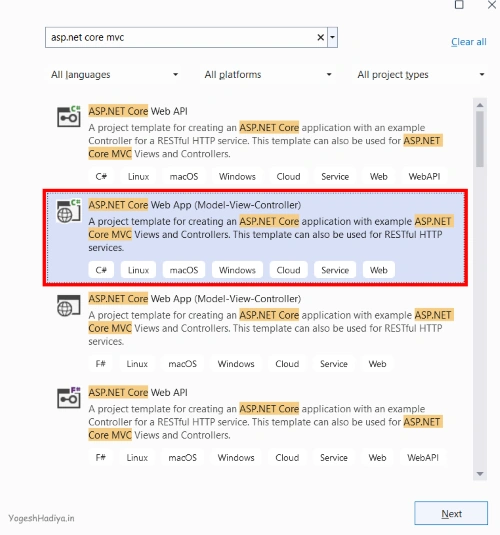
- Search for ASP.Net Core MVC and click on Next
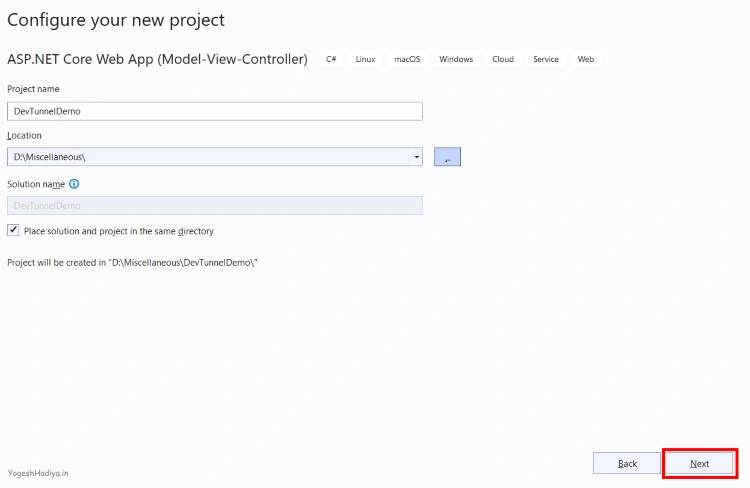
- Give the project name and location where you want to save your project, and click on the next button. Select the framework as per your need and click on Create button.
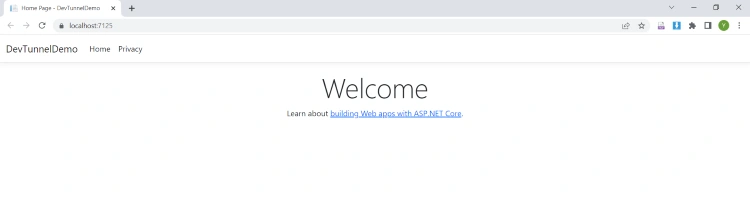
- Now your project has been created, run the application and check there is no error. As you can see in the image below, my project is running on the localhost URL.
Create Dev Tunnel
Step 1
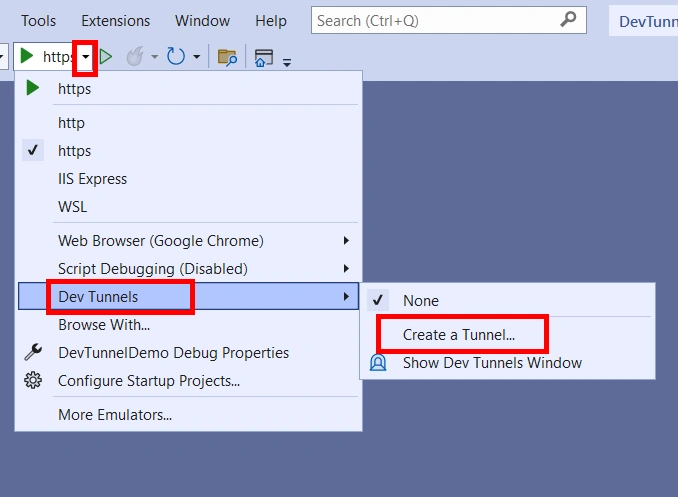
Click on the arrow icon beside the run button on your visual Studio. Then Dev Tunnels and then Create a Tunnel.
Step 2
In this wizard, you need to enter the below details.
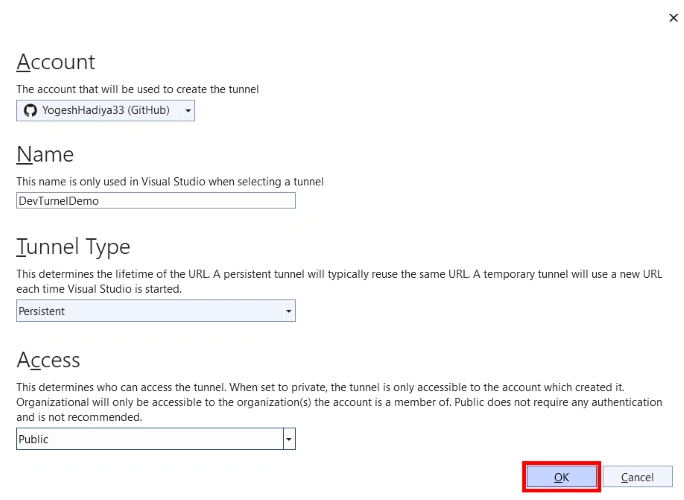
Sign into Visual Studio with your GitHub or Outlook account, and then select your GitHub or Outlook account.
- Enter a name for the tunnel. This name identifies the tunnel in the Visual Studio UI.
- Choose the tunnel type, Persistent or Temporary:
- A temporary tunnel gets a new URL each time Visual Studio is started.
- A persistent tunnel gets the same URL each time Visual Studio is started.
- Choose the authentication that is required for access to the tunnel. The following options are available:
- Private: The tunnel is accessible only to the account that created it.
- Organization: The tunnel is accessible to accounts in the same organization as the one that created it. If this option is selected for a personal Microsoft account (MSA), the effect is the same as selecting Private. Organization support for GitHub accounts isn't supported.
- Public: No authentication required. Choose this option only if it's safe to make the web app or API accessible to anyone online.
Step 3
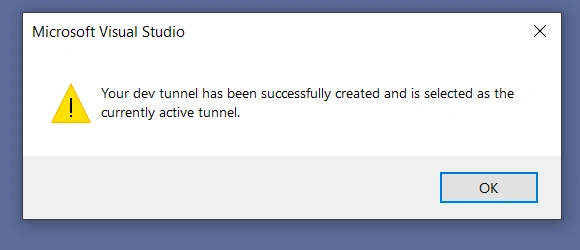
Select OK. Now you will get a confirmation message as shown below image.
Run Project with Dev Tunnel
To run your Web App Or Web API, click on the arrow icon near the Run button, then Dev Tunnel, and select your created Dev Tunnel if not selected.
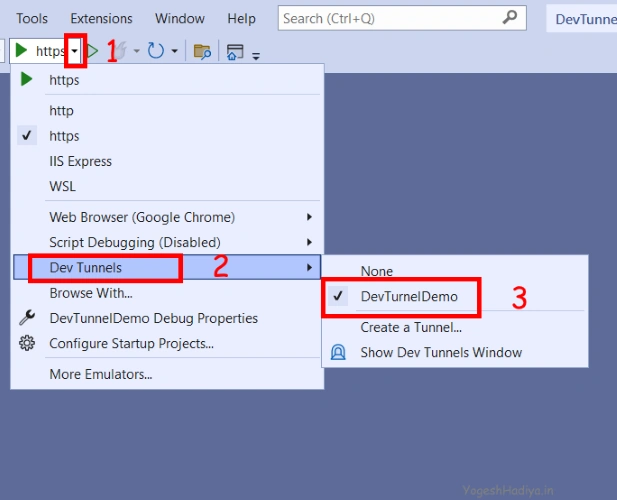
Now click on Run Button.
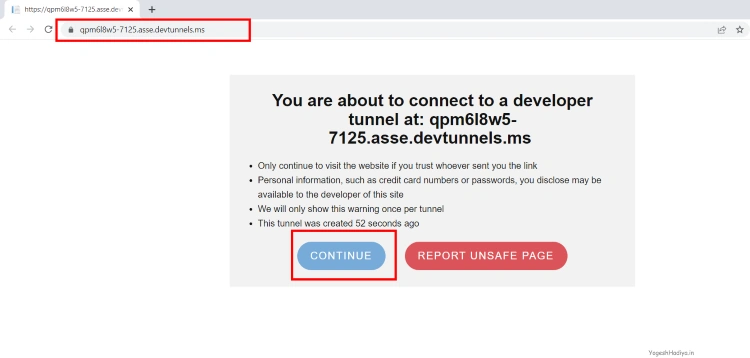
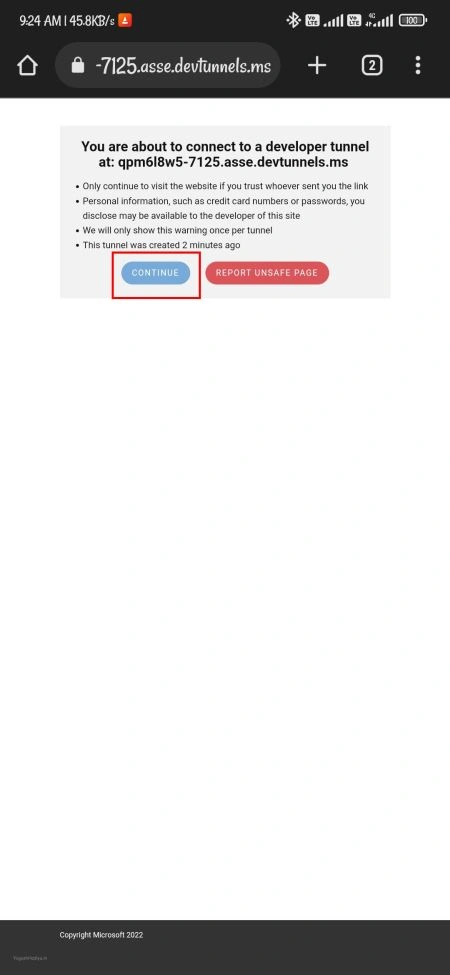
When you run it first, it will show a confirmation message, as shown in the below image. Click on the Continue Button.
Now you can see that your project is running on a live URL.
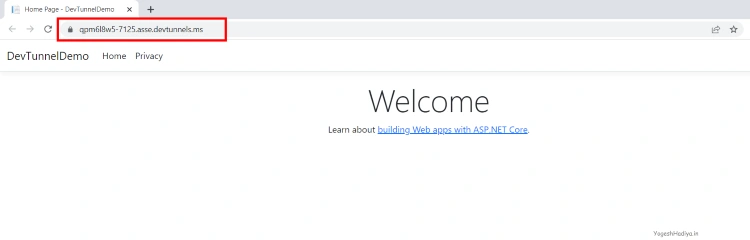
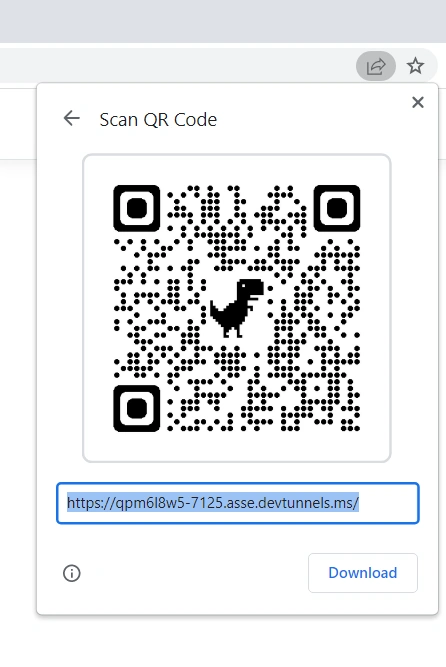
You can share this URL with anyone, and they can also run and test this project. Here I'm generating a QR code from chrome to check this project on my mobile.
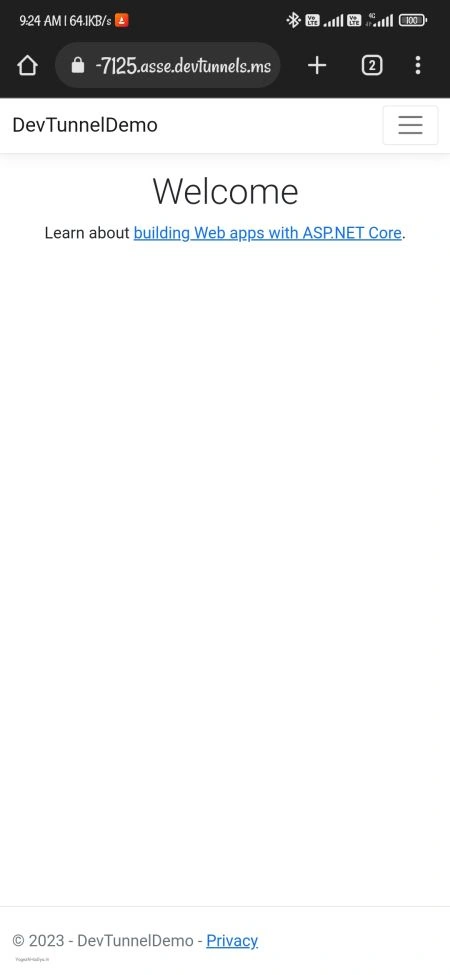
If you change your project, other users also get updated changes in their browsers.

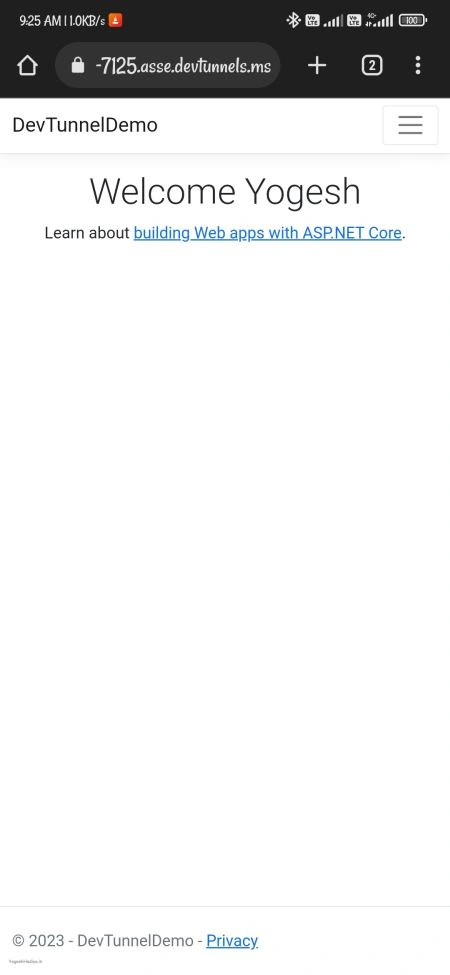
Note: This live URL works until you run this project in Visual Studio. This URL will not work if you stop debugging from your Visual Studio, this URL will not work.
imole ayoPosted May 24, 2023, 3:31 PM
Great! This is cool feature, similar to using IIS with Inbound rule for mobile port forwarding
Rohit GuptaPosted Mar 11, 2023, 6:01 PM
Great article