
Introduction
This article explains the decorator class that is a simple base class of WPF layout controls. Decorators have a single child control to which they apply a single child control.
Background
Here we have used a child control derived from the decorator class, in other words the Border class. The Border adds a rectangular border, with optional rounded corners, around its child control.
Solution
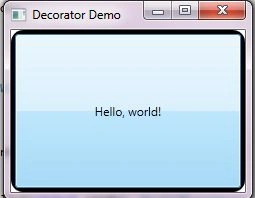
To demonstrate the use of decorators, create a new WPF application project in Visual Studio, naming the project, "DecoratorDemo". Once loaded, replace the XAML of the main window with that shown below. This creates a Border containing a Button control. It shows how the child control of a Decorator is set; it is described between the opening and closing tags of its parent's XAML element.
Procedure
Here we will use the child property.
Step 1
You can set the child control using C# code. To do so you set the Child property. Unlike other base classes that we've seen, the Child property can only be set to an object of a type that inherits from UIElement. This does include all WPF controls but none of the other types that you might use with a ContentControl or HeaderedContentControl.
Step 2
Add a Click event to the Button. Replace the Button's XAML with the following:
<Border Name="MyBorder" BorderBrush="Black" BorderThickness="4" CornerRadius="10">
<Button Click="Button_Click">Hello, world!</Button>


Join the conversation! Your thoughts help the community grow.