

In this article, we will understand how to use Default and DefaultSelectedItems properties in Power Apps. We will also see their differences, examples, and common mistakes in a simple way.
What is Default property?
The Default property is used to set a starting value for a control.
Used in - Text Input, Label, Date Picker etc.
Example
Default = "Krish Kanakiya"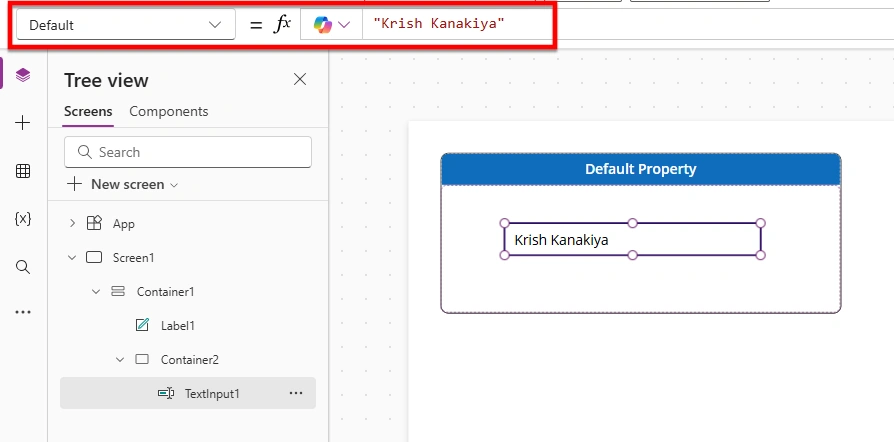
Explanation
It shows a value when the control first loads
It works with simple values like text, numbers, or dates
When to use Default property
You have a simple value
The control needs text, number, or date
What is DefaultSelectedItems property?
The DefaultSelectedItems property is used to set selected value(s) in controls that show a list of options.
Used in - ComboBox, ListBox, Dropdown etc.
Example
DefaultSelectedItems = {Value: "Krish Kanakiya"}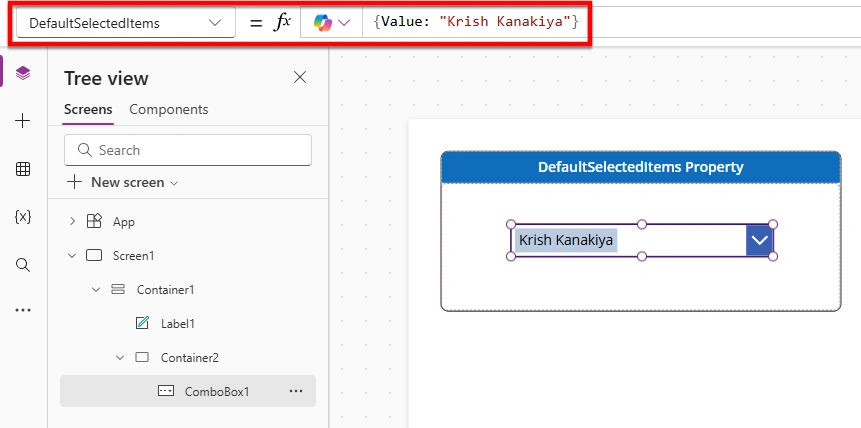
Explanation
It sets the selected item when the control loads
It works with records (data in table format), not simple text
When to use DefaultSelectedItems property
You are using ComboBox or multi-select controls
Your data comes as records (like SharePoint Choice or Lookup columns)
Common Mistake
Don’t use Default in a ComboBox with SharePoint Choice like this:
Default = "Krish Kanakiya"Use DefaultSelectedItems instead:
DefaultSelectedItems = {Value: "Krish Kanakiya"}Why?
ComboBox expects record data, not simple text
"Krish Kanakiya" is just text
{Value: "Krish Kanakiya"} is a record
Conclusion
Using this article, you can clearly understand the difference between Default and DefaultSelectedItems in Power Apps, you can now choose the correct property based on the control and data type, and avoid common mistakes while building apps.
Join the conversation! Your thoughts help the community grow.