

In this article I would like to share the procedure to delete a document in SharePoint Document Library.
Deleting a document
Use the following procedure to delete a document in Document Library that you have created.
Step 1
Check on the document that you want to delete in your library as shown below: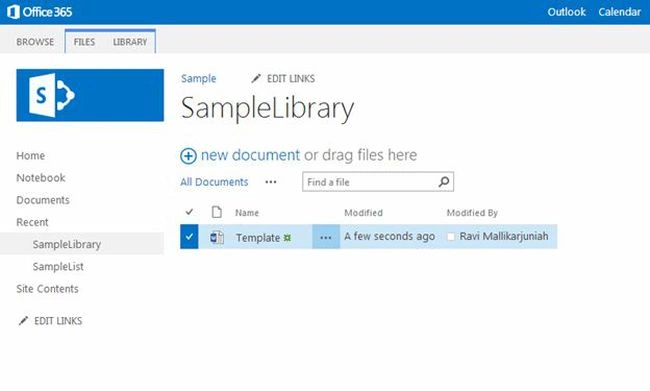
Step 2
Click on "Files" in the top ribbon bar as shown below: 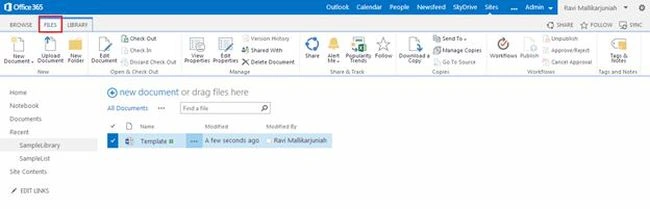
Step 3
On the ribbon there will be an option to delete the checked document. Then click on “Delete document” from the ribbon that will show an alert message, then click "Ok" to confirm your action.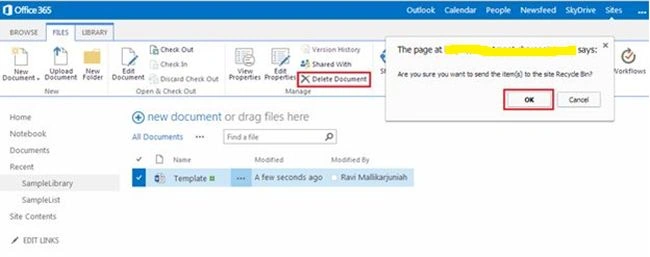
Step 4
When you click "Ok" the document will be deleted from your library.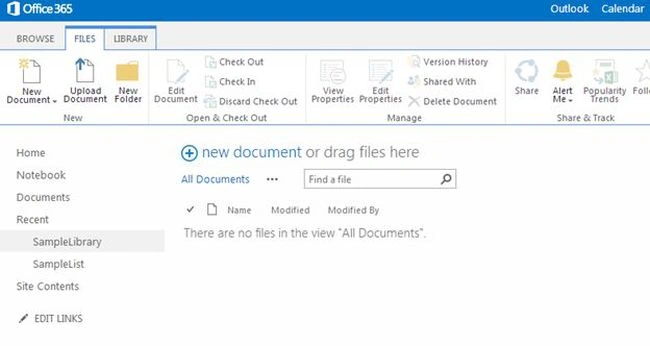
Summary
In this article we have explored how to delete a document from a SharePoint Document Library.
M SKPosted Sep 9, 2014, 5:31 AM
Can you come up with an Sample Example using Migration in Share Point 2013
Kaviya BalasubramanianPosted Sep 9, 2014, 5:27 AM
Hi.. Thanks for the comment , I just shared how to delete document from library. It remains in recycle bin. if we need we can delete there also :)
M SKPosted Sep 9, 2014, 5:21 AM
Here the Document is not completly Deleted i think so partially it remains in Recycle bin...