Introduction
In this article, I will show you Dependency Injection in the Web API using Ninject.
The following is the procedure for creating the application.
Step 1
Create a Web API application as in the following:
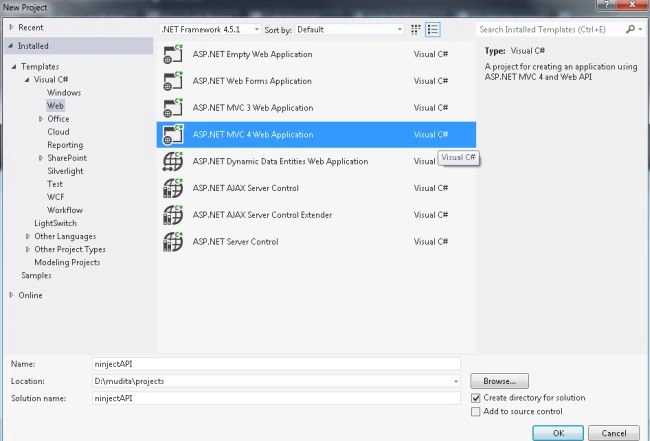
- Start Visual Studio 2012.
- From the start window Select "Installed" -> "Visual C#" -> "Web".
- Select "ASP.NET MVC4 Web Application" and click on the "Ok" button.
- From the "MVC4 Project" window select "Web API".
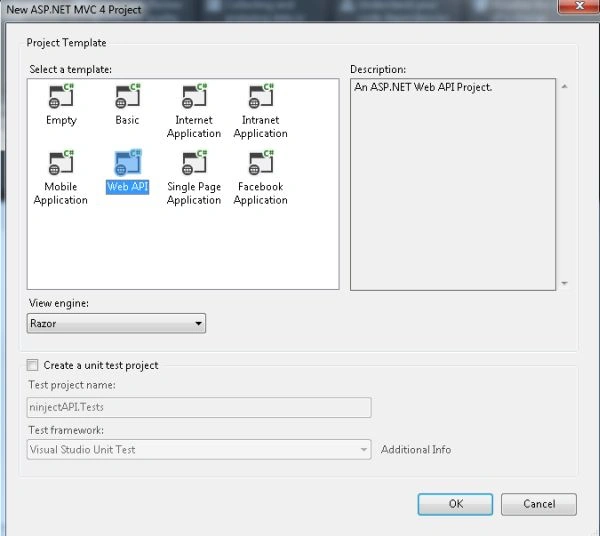
- Click on the "OK" button.
Step 2
Add an interface in the model folder.
- In the "Solution Explorer".
- Right-click on the "Model" -> "Add" -> "New Item".
- Select "Installed" -> "Visual C#".
- Select "Interface".
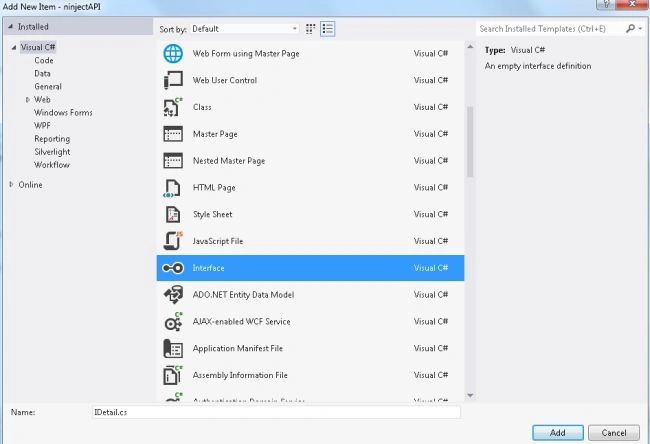
- Click on the "Add" button.
Add the following code:
- using System;
- using System.Collections.Generic;
- using System.Linq;
- using System.Text;
- using System.Threading.Tasks;
- namespace ninjectAPI.Models
- {
- public interface IDetail
- {
- string FullName { get; set; }
- }
- }
Step 3
Create a Model Class using the following procedure:
- In the "Solution Explorer".
- Right-click on the Model Folder.
- Select "Add" -> "Class".
- Select "Installed" -> "Visual C#" and select class.
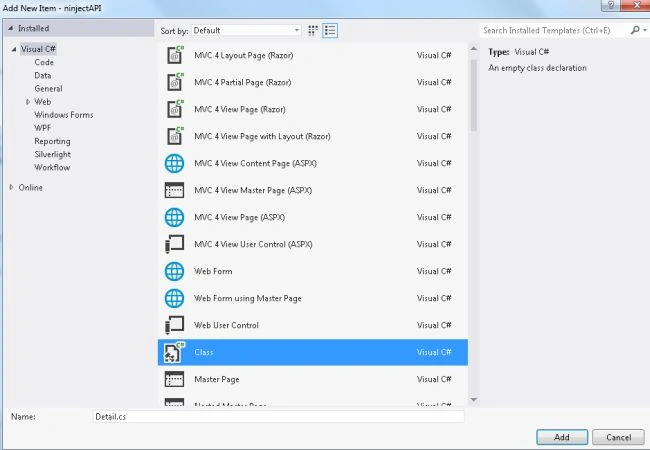
- Click on the "Add" button
Add the following code:
- using System;
- using System.Collections.Generic;
- using System.Linq;
- using System.Web;
- namespace ninjectAPI.Models
- {
- public class Detail : IDetail
- {
- public string FullName
- {
- get
- {
- return "Kamya Nehwal";
- }
- set
- {
- this.FullName = value;
- }
- }
- }
- }
Step 4
Now install the Ninject.mvc3 package as in the following:
- In the Tools menu.
- Select "Library Package Manager" -> "Manage NuGet Packages for Solutions ".
- In the search box type "ninject".
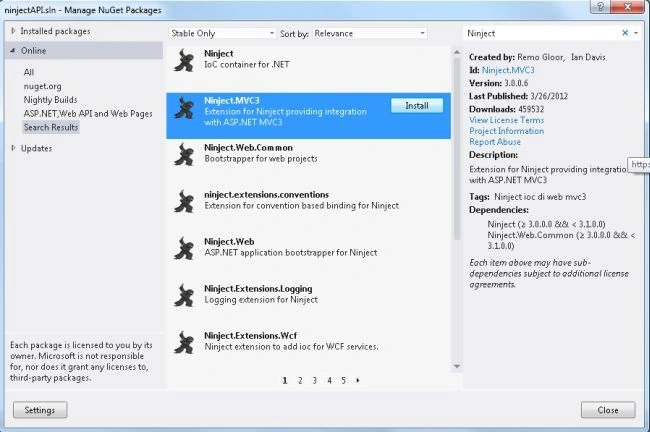
- Install the Ninject.MVC3 package.
- After installation select the "App_Start" folder; there is a "NinjectWebCommon.cs" class that exists.
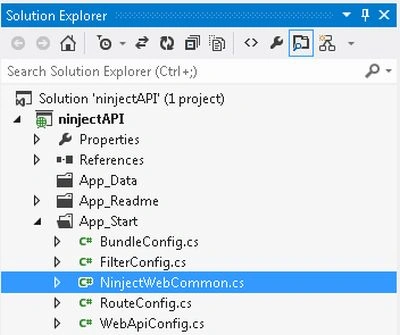
Now select this class and perform some changes in the "RegisterServices()" method.
- private static void RegisterServices(IKernel kernel)
- {
- kernel.Bind<IDetail>().To<Detail>();
- }
Step 5
Now add the "Ninject.WebApi.DependencyResolver" as in the following:
- In the Tools menu.
- Select "Library Package Manager" -> "Manage NuGet Packages for Solutions ".
- In the search box type "Ninject.WebApi.DependencyResolver".
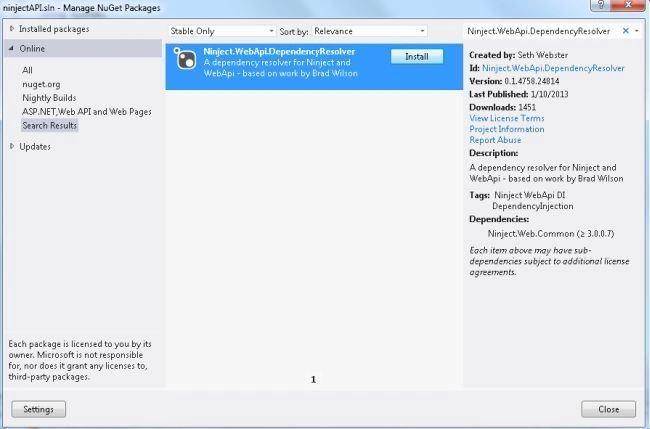
- And install the "Ninject.WebApi.DependencyResolver" package.
After installing it, go to the "NinjectWebCommon.cs" file and add the following code in the CreateKernel() method.
- private static IKernel CreateKernel()
- {
- var kernel = new StandardKernel();
- kernel.Bind<Func<IKernel>>().ToMethod(ctx => () => new Bootstrapper().Kernel);
- kernel.Bind<IHttpModule>().To<HttpApplicationInitializationHttpModule>();
- System.Web.Http.GlobalConfiguration.Configuration.DependencyResolver = new Ninject.WebApi.DependencyResolver.NinjectDependencyResolver(kernel);
- RegisterServices(kernel);
- return kernel;
- }
Step 6
Add a Controller class in the controller folder as in the following:
- In the "Solution Explorer".
- Right-click on the Controller folder.
- Select "Add" -> "Controller".
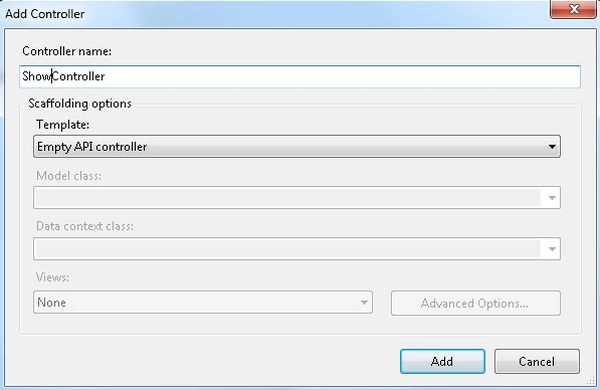
- Click on the "Add" button.
Add the following code:
- using System;
- using System.Collections.Generic;
- using System.Linq;
- using System.Net;
- using System.Net.Http;
- using System.Web.Http;
- using ninjectAPI.Models;
- namespace ninjectAPI.Controllers
- {
- public class ShowController : ApiController
- {
- private IDetail idetail = null;
- public ShowController(IDetail Idetail)
- {
- idetail = Idetail;
- }
- [HttpGet]
- public string GetValue()
- {
- return idetail.FullName;
- }
- }
- }
Step 7
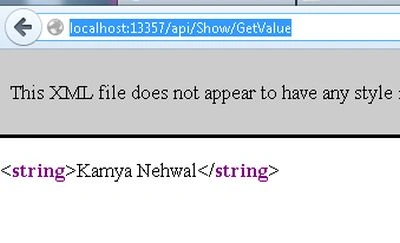
Execute the application and change the URL to "http://localhost:13357/api/Show/GetValue".


Rob PaddockPosted Dec 17, 2014, 12:32 PM
An error occurred when trying to create a controller of type 'CountryController'. Make sure that the controller has a parameterless public constructor.
Rob PaddockPosted Dec 17, 2014, 12:32 PM
I have followed this but am getting this error