

In SharePoint we have the following 2 types of pages.
- Site Page
- Application Page
Site Page
- Site Pages are Site or Web Scoped.
- User can customize Site Pages.
- Site Pages is a concept where a complete or partial page is stored within the content database and then the actual page is parsed at runtime and delivered to end-users.
- There is no custom code in Site Pages.
- Site pages can be edited using the SharePoint Designer tool.
- Site Pages are Un-ghosted Pages.
- Site pages are used within Sandboxed solutions.
Application Page
- Application Pages are Farm scoped.
- Application Pages are stored in the server's file system.
- SharePoint Designer tool cannot be used with Application Pages.
- Application Pages cannot be used within sandboxed solutions.
- No customization can be done by the user.
- Application Pages are stored in the _layouts folder
- There is custom code in your Application Pages.
- Application Pages are Ghosted Pages.
- Since Application Pages are compiled once, they are much faster.
Now here we will learn how to add a new Application Page and how to show this in SharePoint.
In your Visual Studio solution right-click then select Add New Item-> Add an Application Page.
Now right-click on your solution then select Deploy.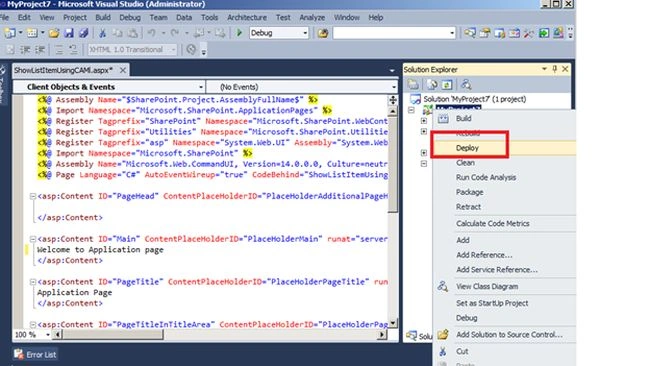
Image 1.
After successfully deploying check your page in the 14 hive directory.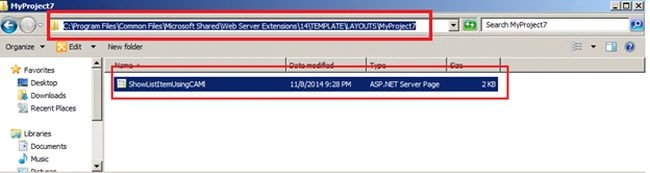
Image 2.
Now open your SharePoint Site then click Site Actions then click Site Settings then click Look and Feel then click Top Link Bar.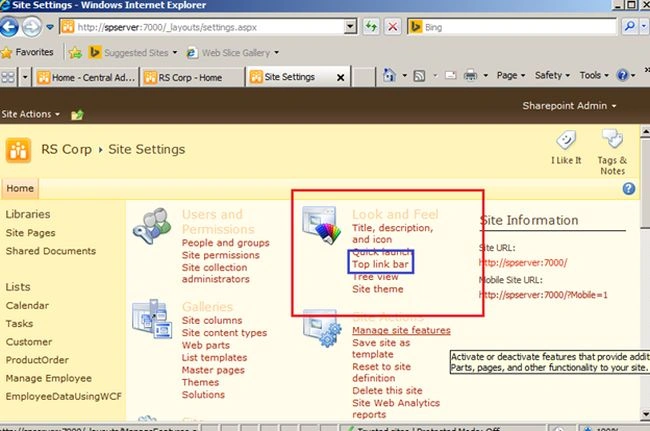
Image 3.
Click on the new Navigation Link.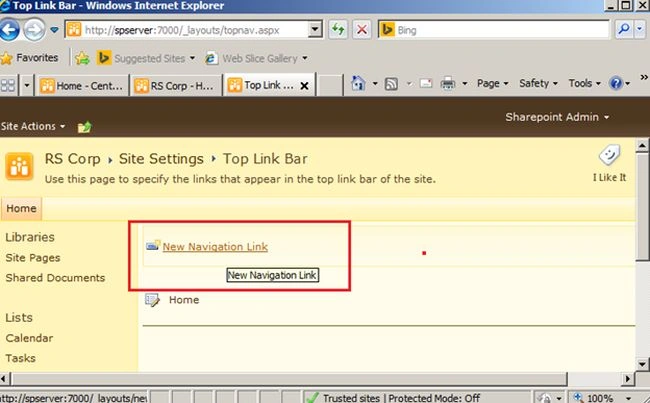
Image 4.
Here provide the path of your Application Page and name then click Ok.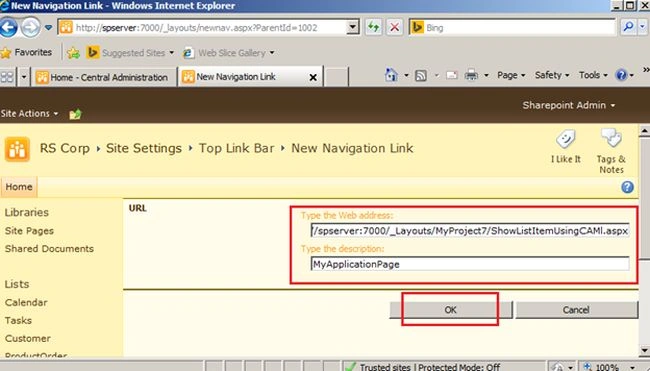
Image 5.
Now click on the Link and see your Application Page: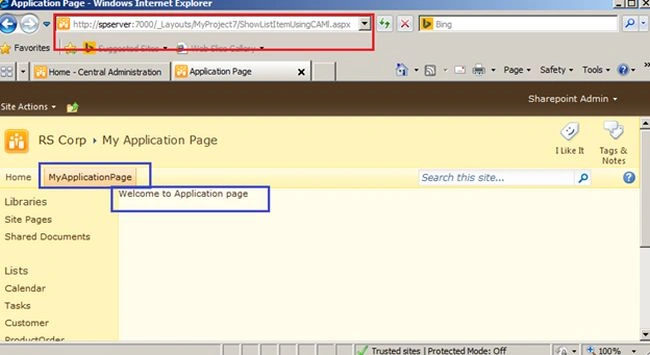
Image 6.
Join the conversation! Your thoughts help the community grow.