

For deploying an Asp.Net Core Web App in Microsoft Azure below are the prerequisites.
Prerequisites
- Microsoft Azure Account
- IDE, VS 2019
- Basic knowledge of ASP.Next web application development
Introduction
Microsoft Azure is cloud computing service, as we know it provides service for PSI, where PSI stands for:
- P: Platform
- S: Software
- I: Infrastructure
Traditionally, when we want to deploy a web app, we need to take care of security, scalability, and performance in the production server.
Now developers can hand over these responsibilities to cloud computing service(s); in our case Microsoft Azure.
For this, we will make use of “App Services”.
Log in to your Azure account and click on “App Services” on the dashboard.
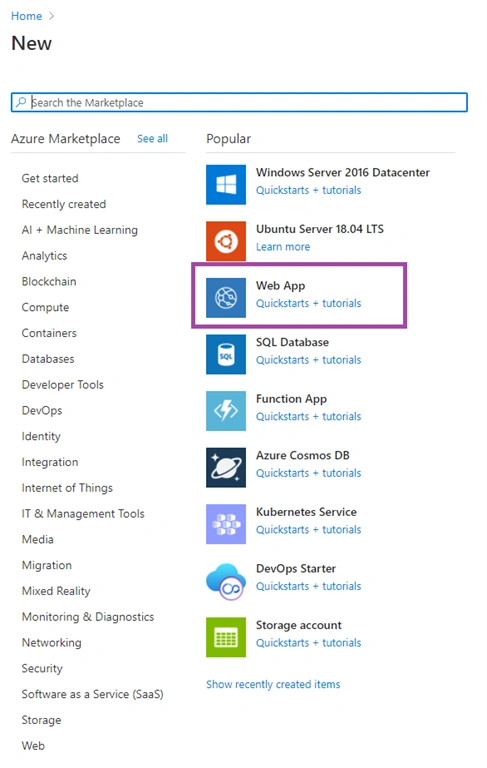
Click on Create a resource

Click on “Web App”
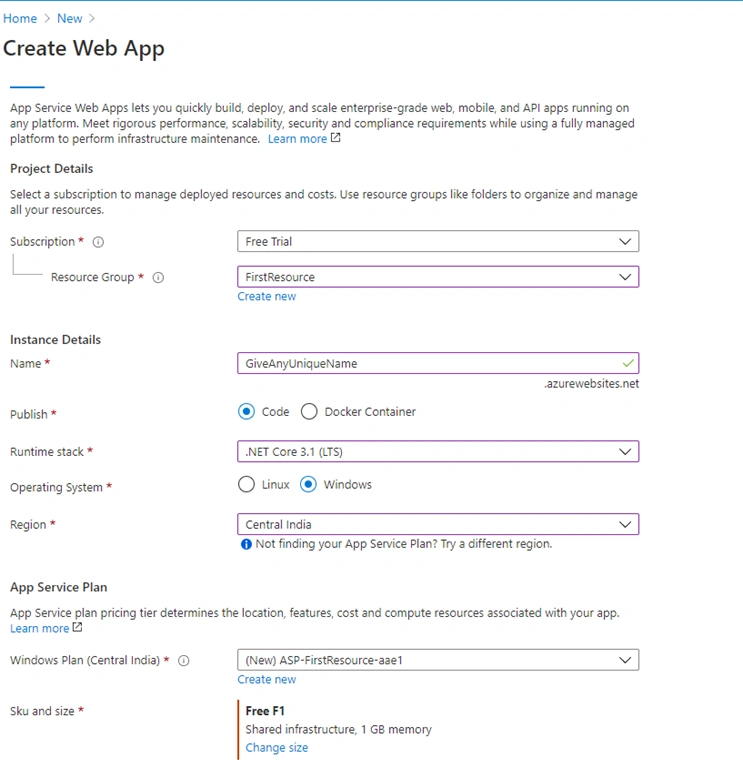
Fill in the Project details
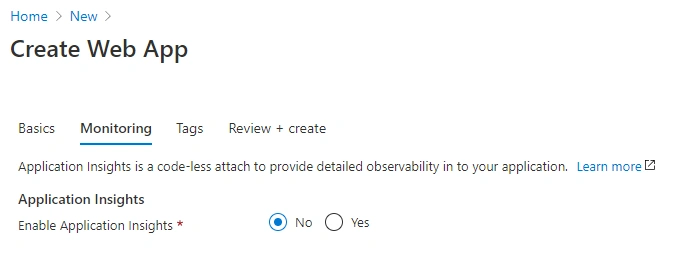
Click on “Next: Monitoring” which will redirect to the monitoring page.
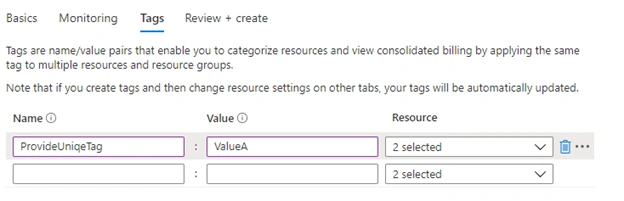
Click “Next: Tags” which will redirect Tag page. You will find information about the tag/value on the same page.
After this click on “Next: Review + Create”. Review the summary and click on Create.
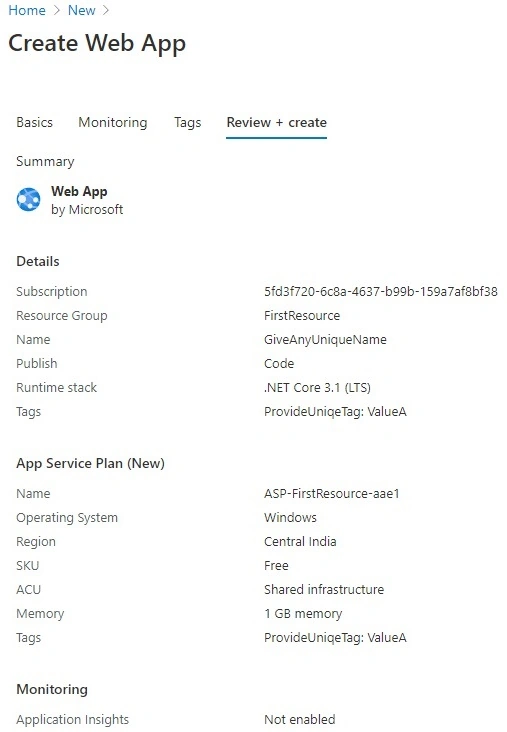
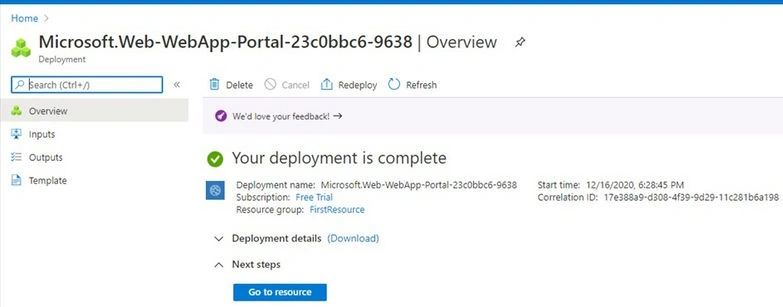
Click on “Create.” Space for deploying your app will be ready for you in the cloud with 1 GB space for a free account.
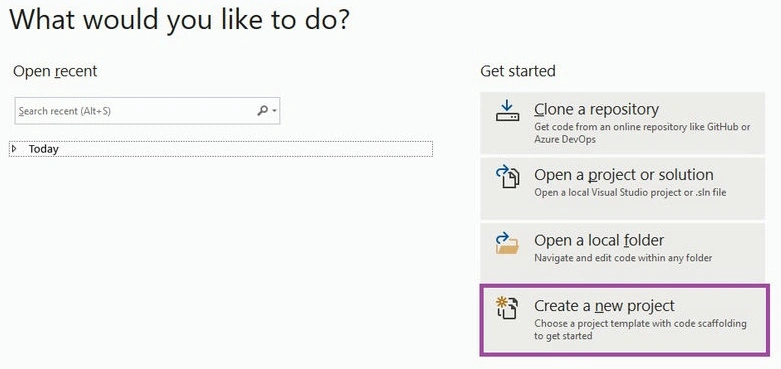
Now switch to VS 2019. In VS 2019: Click on Create a new project.
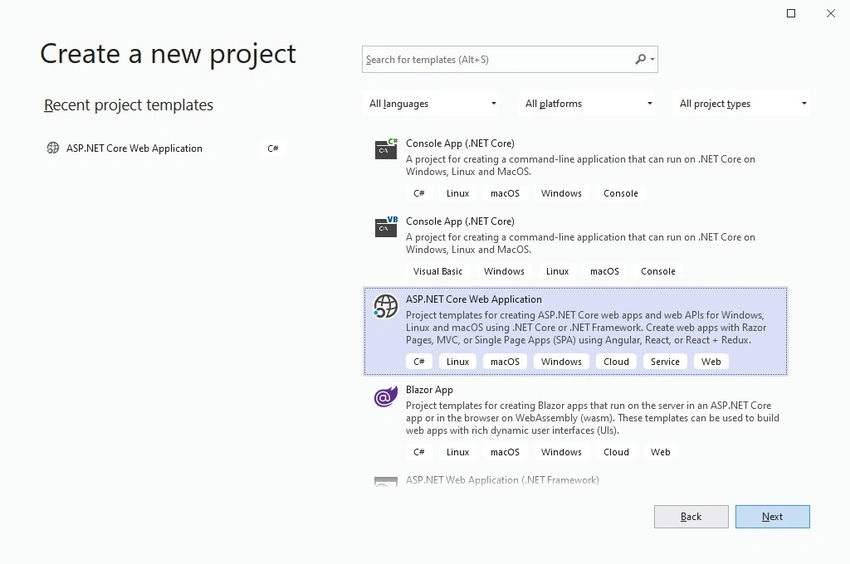
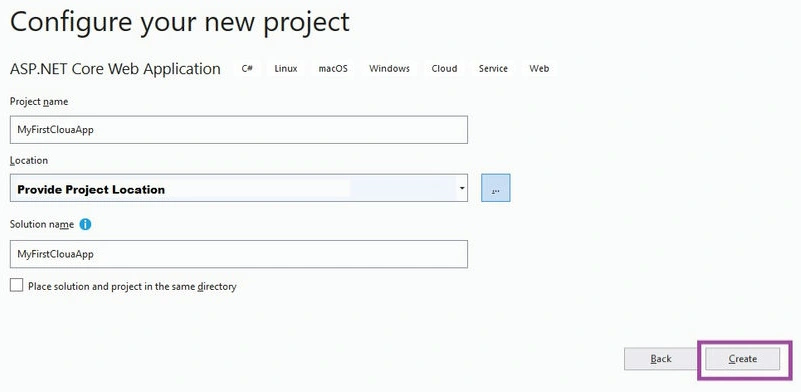
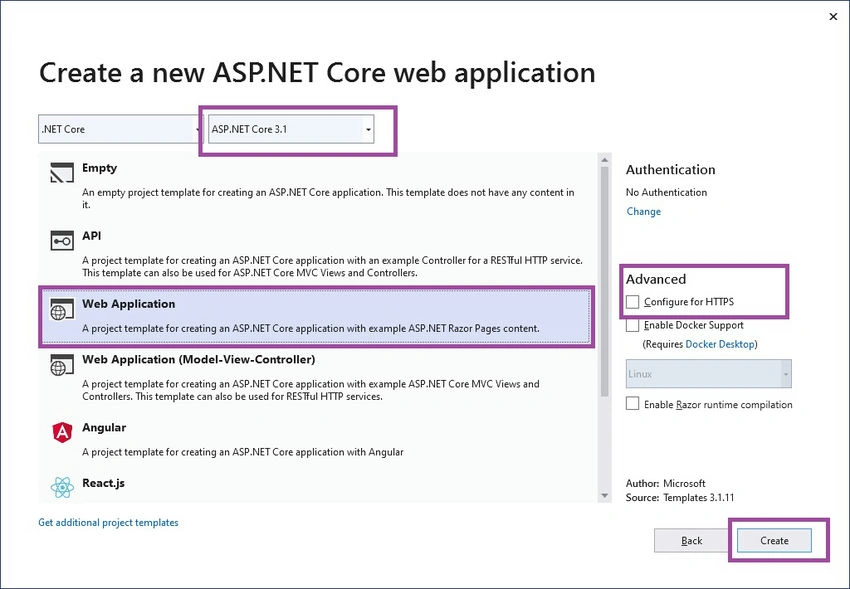
Select ASP .NET Core Web Application and create “Next”.


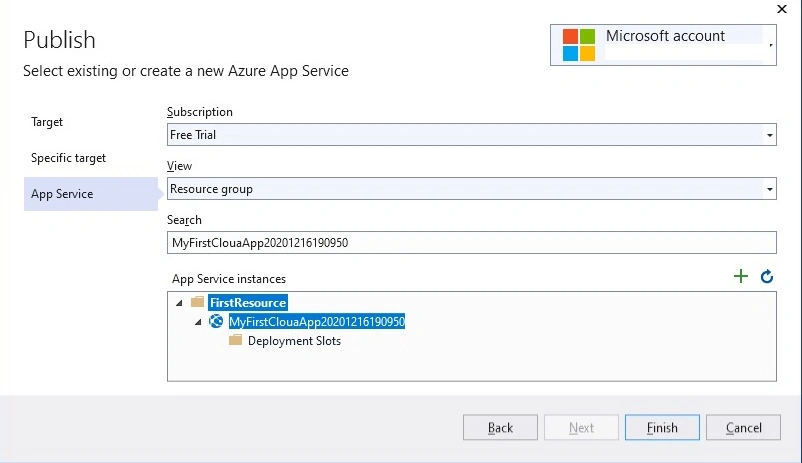
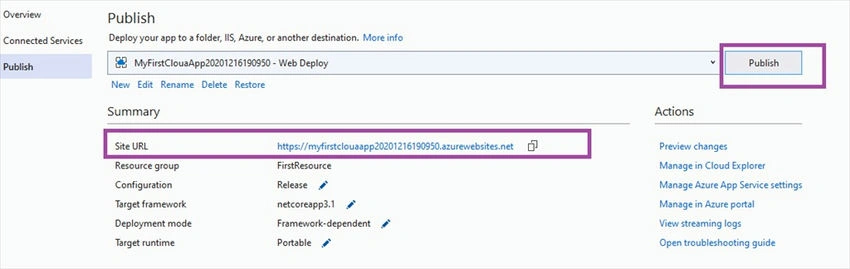

rishu vermaPosted Mar 18, 2021, 7:09 AM
If you already created a app service in azure portal then again why you create a app service during deployment...(i think we should have to use existing app service)
Karthik RPosted Dec 27, 2020, 6:10 PM
Good job Nagaraj step by step explaining helps a lot