

Azure Virtual Network Manager
The Azure Virtual Network Manager is a great way to simplify and automate your virtual network management in Azure. It helps reduce errors, save time, and optimize your network performance.
The Azure Virtual Network Manager is a centralized network management service that helps us to manage, secure, and connect our Azure virtual networks (VNets).
The Azure Virtual Network Manager provides a single pane of glass for managing your VNets, allowing you to create and enforce security policies across your entire network infrastructure.
Benefits of using the Azure Virtual Network Manager
- Centrally manage connectivity and security policies globally across regions and subscriptions.
- Enable direct connectivity between spokes in a hub-and-spoke configuration without the complexity of managing a mesh network.
- Highly scalable and highly available service with redundancy and replication across the globe.
- Ability to create network security rules that override network security group rules.
- Low latency and high bandwidth between resources in different virtual networks using virtual network peering.
- Roll out network changes through a specific region sequence and chosen frequency.
Azure Virtual Network Manager pricing
- There is no upfront cost.
- There are no termination fees.
- Pay for only what you use.
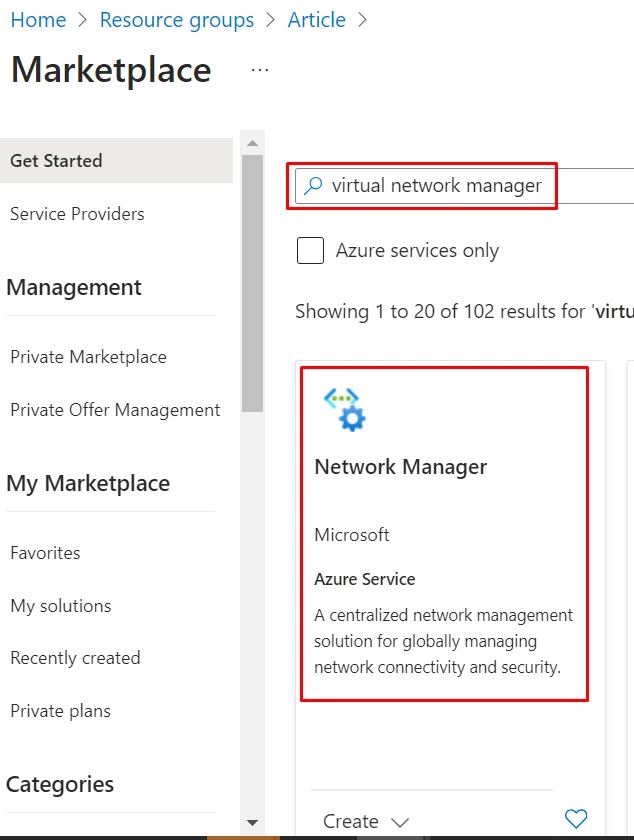
Step 1. In the Azure search bar, type "Virtual Network Manager" and select the Azure Virtual Network Manager service.
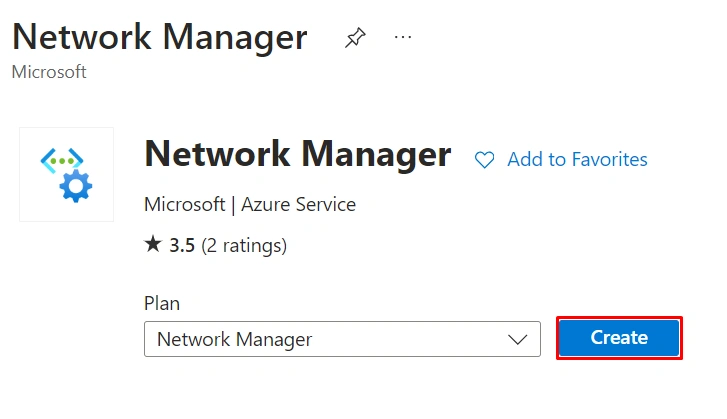
Step 2. Click the Create button.
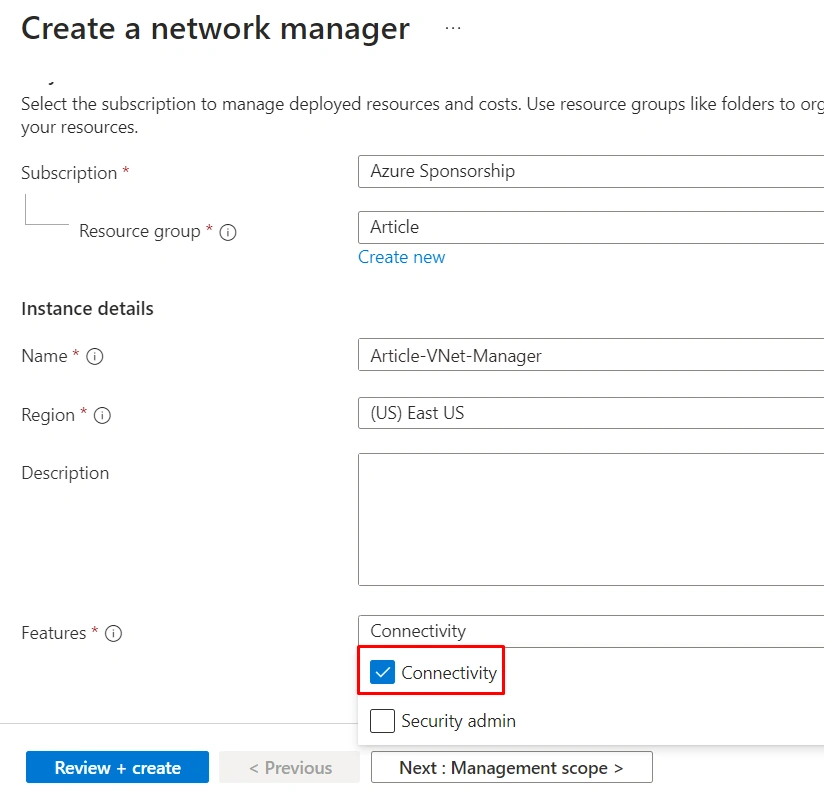
Step 3. Enter the name of the Network Manager, select Features as Connectivity, and click Next: Management Scope.
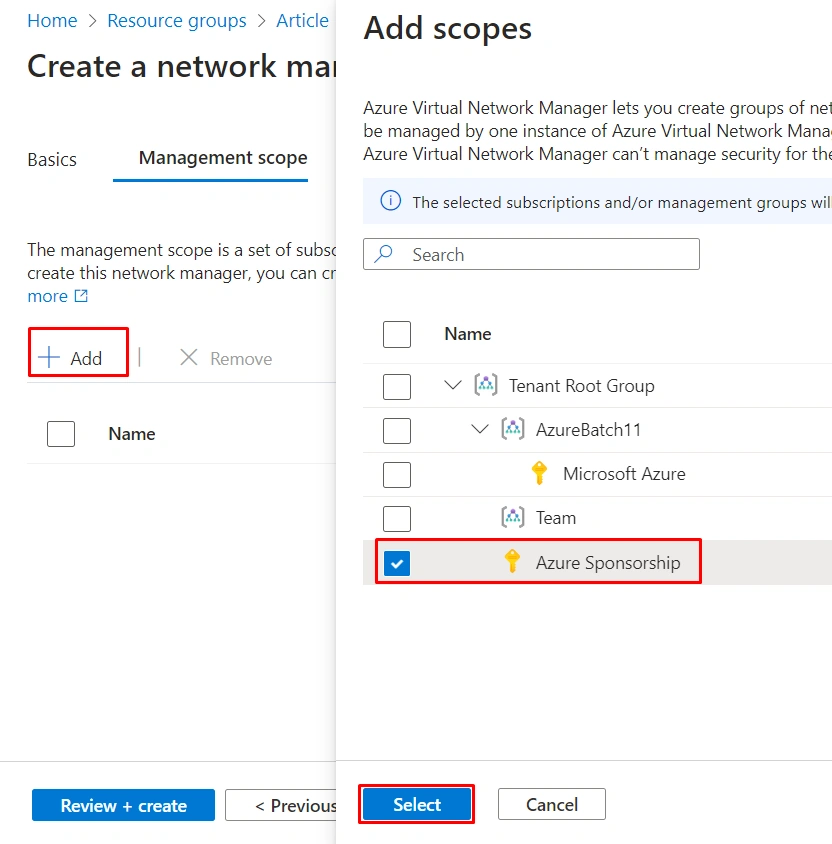
Step 4. Click + Add, select the Subscription you want to manage the network resources, and then click Select.
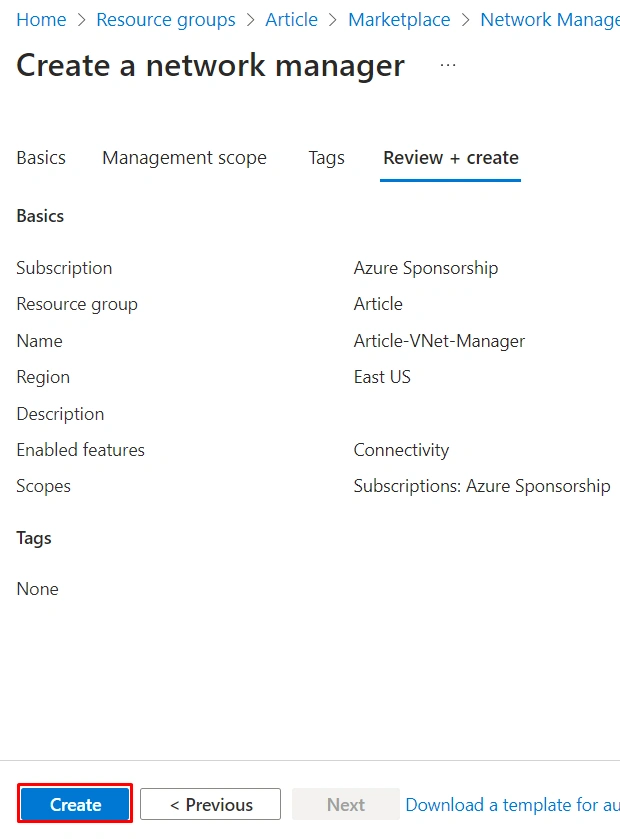
Step 5. Click Create to deploy the Azure Virtual Network Manager.
Summary
In this article, we learned how to deploy the Azure Virtual Network Manager, and in our next article, we will learn how to manage our Virtual Networks using the Azure Virtual Network Manager.
Anandu G NathPosted Jan 15, 2024, 11:58 AM
Nice Article
Lambotharan SriragavanPosted Dec 28, 2023, 6:53 AM
Mr. Viknaraj Manogararajah's guide on deploying Azure Virtual Network Manager is clear and easy to follow. With straightforward instructions, he simplifies the process, making it accessible for users at all levels.