

In this article, I'm going to cover the basics of getting your WinRT (Windows Store and Windows Phone) apps set-up with the Microsoft Band SDK and getting you connected to your device. 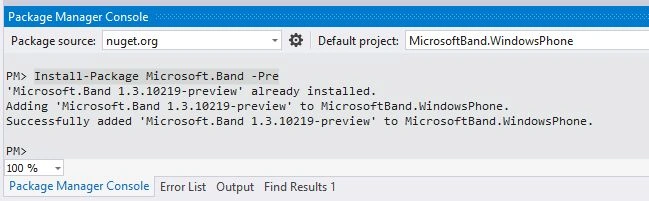
Since the package is currently a Nuget pre-release, you'll need to manually add the package using the Package Manager Console. You'll then need to paste in the following line into the console to install it to your project.
- Install-Package Microsoft.Band -Pre
- <DeviceCapability Name="bluetooth.rfcomm" xmlns="http://schemas.microsoft.com/appx/2013/manifest">
- <Device Id="any">
- <!-- Used by the Microsoft Band SDK Preview -->
- <Function Type="serviceId:A502CA9A-2BA5-413C-A4E0-13804E47B38F" />
- <!-- Used by the Microsoft Band SDK Preview -->
- <Function Type="serviceId:C742E1A2-6320-5ABC-9643-D206C677E580" />
- </Device>
- </DeviceCapability>

If you need to manually add this, you can do it by right-clicking your manifest file and opening it with the XML text editor. However, there is one manual step you do need to do to get going and that is to add the Proximity capability to your manifest. You'll find that under the Capabilities tab if you open the file using the default editor.
Getting Connected
Before we connect the app to the Band, you'll first need to pair the device with your phone (that you'll probably have been done if you're using the Band on a day-to-day basis).
To get yourself going, you'll want to add Microsoft.Band using a directive to your class. From there you can using the BandClientManager to get a list of the paired bands with the phone the app will be running on. You'll do this as follows:
- var bandInfo = (await BandClientManager.Instance.GetBandsAsync()).FirstOrDefault();
Now that you hold a reference to your Band, you'll want to get yourself connected. Doing that is as simple as using the BandClientManager. You'll do that as follows:
- try
- {
- using (var bandClient = await BandClientManager.Instance.ConnectAsync(bandInfo))
- {
- }
- }
- catch (BandException be)
- {
- }
Now you've got yourself connected with your Band. I'll be writing up further blogs that will cover everything from creating your app tile on the Band to taking advantages of the Band's sensor to create applications as I work using updating my PhysiHealth application to use the new SDK.
Santhakumar MunuswamyPosted Jun 20, 2015, 2:36 AM
Thanks for sharing
Former memberPosted Mar 3, 2015, 7:48 PM
one more question only XAML supported ? package UI looks almost same as Windows Store app so wondering if WinJS supported
Former memberPosted Mar 3, 2015, 7:46 PM
and happy to see the SDK is allowing us to connect more than one band while developing !
Former memberPosted Mar 3, 2015, 7:46 PM
"Since package in pre release so need to install it manually ". How about in NuGet manager from the drop down selecting select PRE-RELEASE ?
Dinesh BeniwalPosted Mar 3, 2015, 4:56 AM
Thanks for sharing.