

Last week, I was helping a startup founder debug their container security setup when Docker dropped some pretty big news—they made over 1,000 hardened container images completely free. The founder looked at me and asked, "So... do I still need to pay for anything?"
It's a fair question, and honestly, one I've been fielding a lot lately in the Docker community. Docker now offers three tiers of their Hardened Images: Free, Enterprise, and Extended Lifecycle Support. But here's the thing—this isn't your typical "free tier is basically a trial" situation. Docker actually made the free version genuinely useful.
Let me walk you through what you need to know to pick the right option for your situation.
Why Everyone's Talking About Hardened Images
Before we dive into free vs. paid, let's talk about what makes hardened images different from what you're probably using right now.
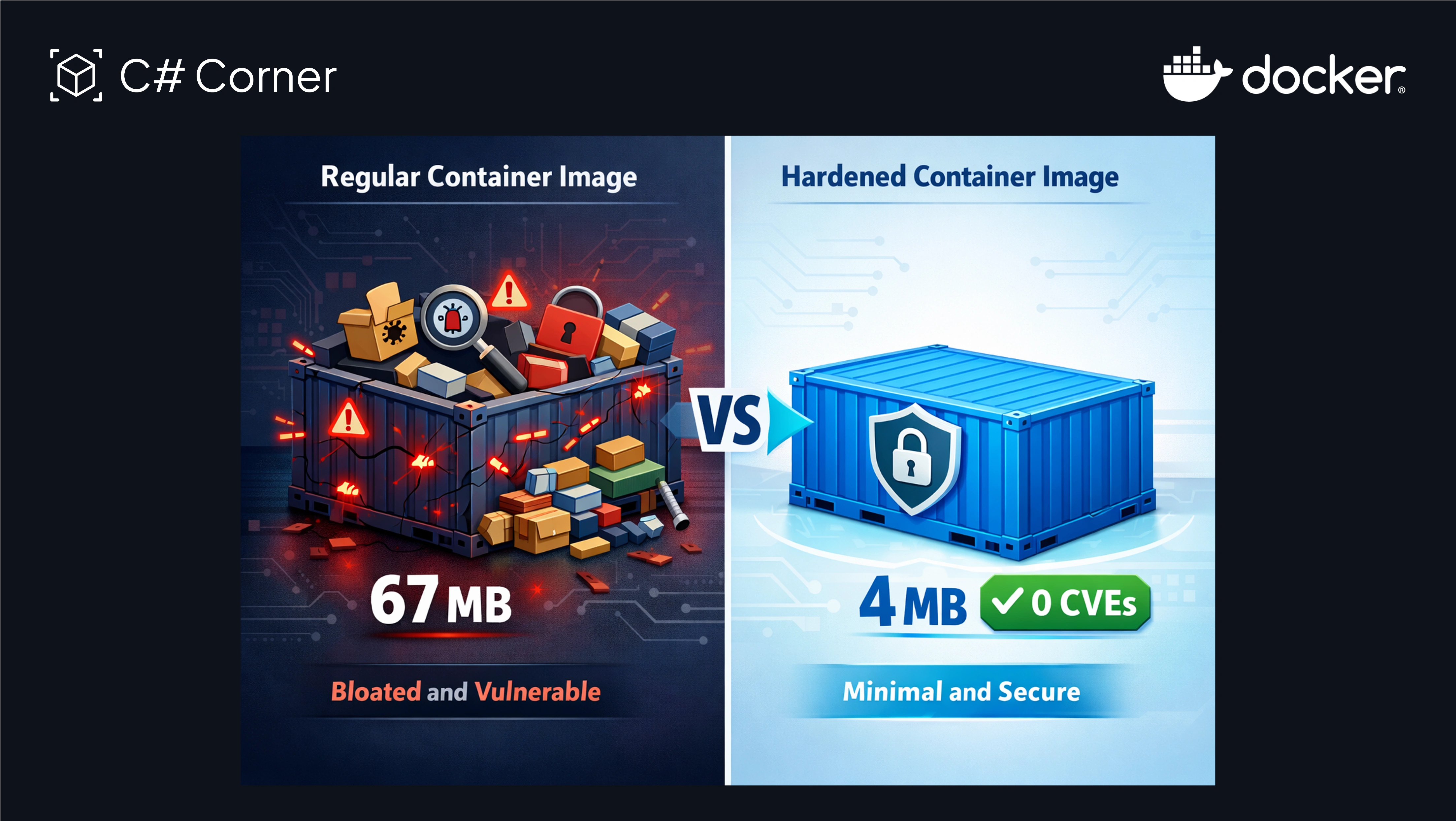
Picture this: you pull the official Nginx image from Docker Hub. It's 67 MB, comes with 67 known vulnerabilities (yep, 67), and includes a bunch of tools you'll never use. Now look at the hardened version—4 MB, zero known vulnerabilities, and just what you need to run Nginx.
That's not a typo. We're talking about 94% smaller with none of the security headaches.
As a Docker Captain, I've seen teams spend weeks trying to minimize their attack surface, only to realize their base images were bloated from day one. Hardened images solve this by stripping everything unnecessary. No package managers sitting around, no debugging tools an attacker could abuse, no cruft.
Every image comes with a complete Software Bill of Materials (SBOM), SLSA Build Level 3 provenance (basically cryptographic proof of how it was built), and transparent CVE data. Docker doesn't play games with the security scores—if there's a vulnerability, you'll know about it.
What You Actually Get With DHI Free
Here's where Docker surprised a lot of people. The free tier isn't a bait-and-switch—it's actually substantial.
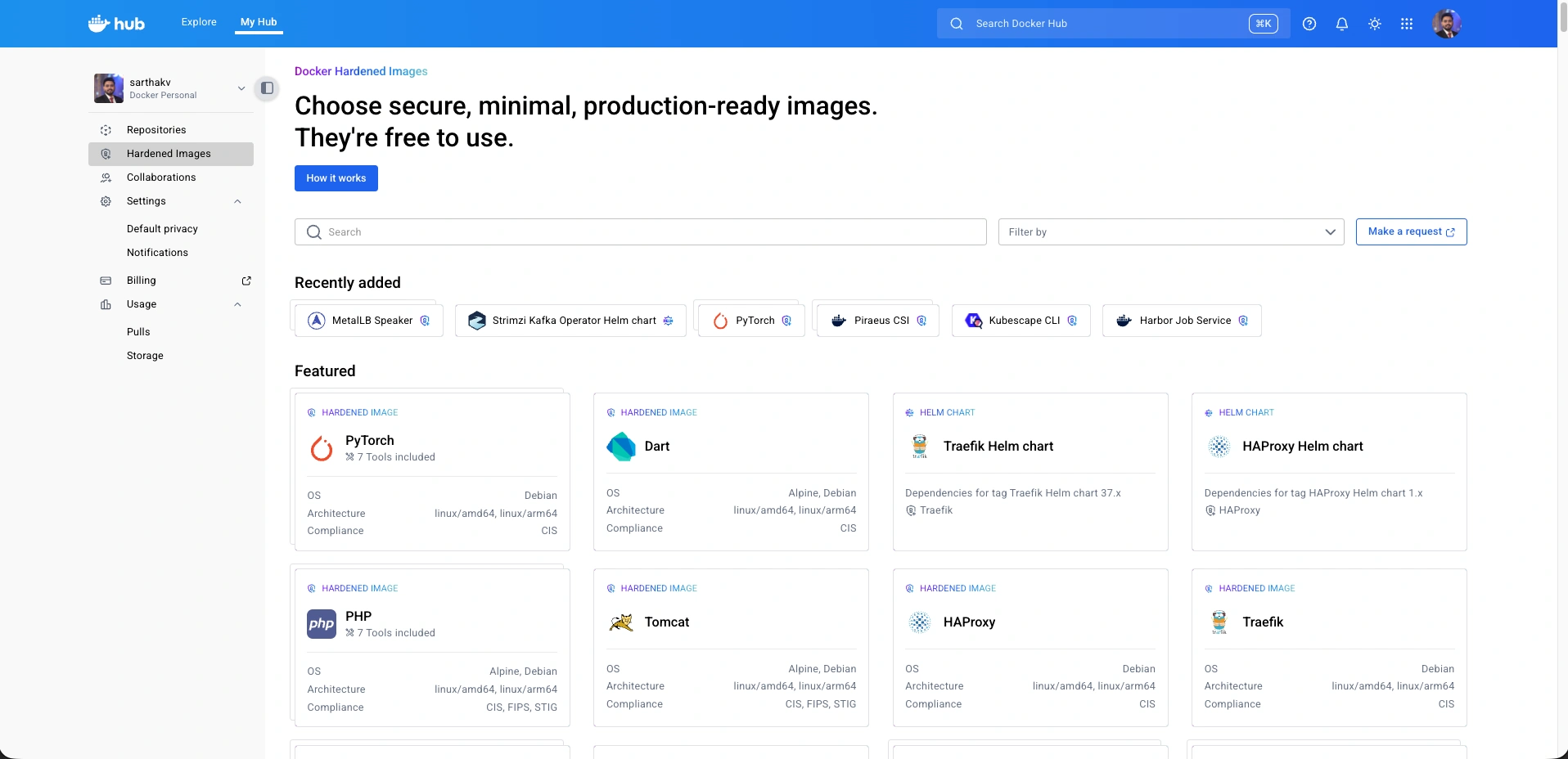
You get access to over 1,000 hardened images built on Alpine and Debian. Python, Node.js, Nginx, PostgreSQL, MongoDB, Redis—all the stuff you're already using. And they're continuously updated, so you're not pulling stale images from six months ago.
The images are released under Apache 2.0 license, which means you can use them however you want. Build on them, customize them, ship them in production—no restrictions. Docker's been pretty clear about "no licensing surprises," which is refreshing after seeing how some other companies have changed terms on their communities.
You also get Docker's AI assistant to help with migration. It's still experimental, but I've tested it on a few projects and it does a decent job scanning your existing Dockerfiles and suggesting hardened alternatives. For straightforward setups, it can even apply the changes automatically.
The catch? You need a Docker Hub account. But that's free too, so not really a catch.
When Enterprise Actually Makes Sense
Alright, so when would you actually need to pay for DHI Enterprise? I've talked to teams using both tiers, and there are some clear patterns.
You need contractual guarantees. With Enterprise, Docker commits to fixing critical CVEs in under seven days. Not "we'll try" or "usually"—it's a Service Level Agreement. They're even pushing toward same-day fixes.
Free tier users get patches when they're ready, but there's no time commitment. For most projects, that's fine. But if you're selling B2B software or dealing with compliance audits, that SLA becomes a real selling point with your customers.
You're in a regulated industry. Financial services, healthcare, government work—these aren't optional. You need FIPS 140-2 compliance, STIG-ready images, or CIS benchmarks. Those variants only exist in Enterprise because maintaining them requires serious ongoing work and certification.
I was chatting with someone from a fintech startup recently. They wanted to use the free tier, but their banking partners literally wouldn't sign off without FIPS compliance. Sometimes it's not about what you want—it's about what your industry requires.
You want customization without breaking things. Sure, you can customize free images all day long. Add packages, change configs, whatever. But with Enterprise, Docker handles the customization using their build infrastructure while maintaining full provenance and attestations.
Why does this matter? Because when you modify an image yourself, you're on the hook for keeping track of what changed and why. Enterprise keeps that audit trail intact automatically.
You're running legacy systems. This one's a bit different. DHI Extended Lifecycle Support is an add-on to Enterprise that keeps patching images for up to five years past their official end-of-life.
Think about this scenario: Python 3.7 reaches end-of-life, but you've got a critical system that can't be upgraded yet. Without ELS, you're choosing between security patches and stability. With ELS, Docker keeps patching it for you. It's expensive, but so is getting breached or scrambling to upgrade mid-crisis.
Real-World Scenarios
Let me share some examples from teams I've worked with.
Small startup, pre-product-market fit: They're building a SaaS app, burning through runway, focused on finding customers. DHI Free is perfect here. They get enterprise-grade security without spending a dime. When a CVE drops, they pull the updated image and redeploy. Total additional cost: zero.
Growing startup, enterprise customers: Same company, eighteen months later. Now they're selling to Fortune 500 companies who are asking tough questions about security practices and response times. That 7-day SLA suddenly becomes a competitive advantage. They upgraded to Enterprise and closed three deals in the next quarter that specifically cited their security posture.
Bank or healthcare company: No choice here—regulations demand FIPS compliance and documented security practices. The free tier can't help. They need Enterprise and probably ELS too. It's not cheap, but compared to building this themselves or dealing with compliance violations, it makes sense.
Open source project: Perfect use case for free. The project gets hardened images, users get better security, and nobody's paying anything. The maintainer I spoke with said migrating took about an hour and immediately cut their security scanner noise by 90%.
The Migration Reality Check
One thing I want to be honest about: migrating isn't always trivial. Hardened images are minimal by design, which means tools you might expect just aren't there.
No shell. No package manager. No curl or wget.
For production, this is great—attackers can't do much without these tools. But for debugging, it's annoying. Docker has a tool called Docker Debug that gives you a shell and debugging tools without modifying the actual image. The catch? It requires Docker Desktop, which needs a paid subscription in most business cases.
I've also seen teams hit issues with custom scripts that assumed certain tools would be available. Nothing unfixable, but worth knowing before you dive in.
What About Alternatives?
Yeah, Chainguard and other vendors offer hardened images too. Some folks are wondering if Docker's free tier is just a way to undercut competitors.
Maybe it is. But here's what matters: Docker's images are based on Alpine and Debian, not proprietary distros. You're not locked in. You can switch back, switch to someone else, or even build your own later if you want.
Also, Docker doesn't suppress CVE data to make their dashboards look prettier. Some vendors do this—they'll downgrade severity or hide issues until they're patched. Docker shows you everything, even while they're still working on fixes. That transparency matters when you're making security decisions.
So What Should You Choose?
Start with free. Seriously.
Unless you already know you need FIPS compliance or SLA guarantees, the free tier gives you everything most teams need. The images are secure, continuously updated, and completely unrestricted.
Try it on a non-critical project first. Change your base image in one Dockerfile, pull the hardened version, and use Docker Scout to compare. The difference is usually pretty dramatic—we're talking hundreds of vulnerabilities eliminated just by switching the base image.
Then, as your needs change, you'll know if Enterprise makes sense. Maybe you land a big customer who requires SLA-backed security. Maybe regulations change. At that point, you're already using the right images—you're just adding guarantees and specialized features on top.
Getting Started Today
Head to Docker Hub and sign in (or create a free account). Look for "Hardened Images" in the left sidebar. The catalog has over 1,000 images—Python, Node, databases, web servers, everything.
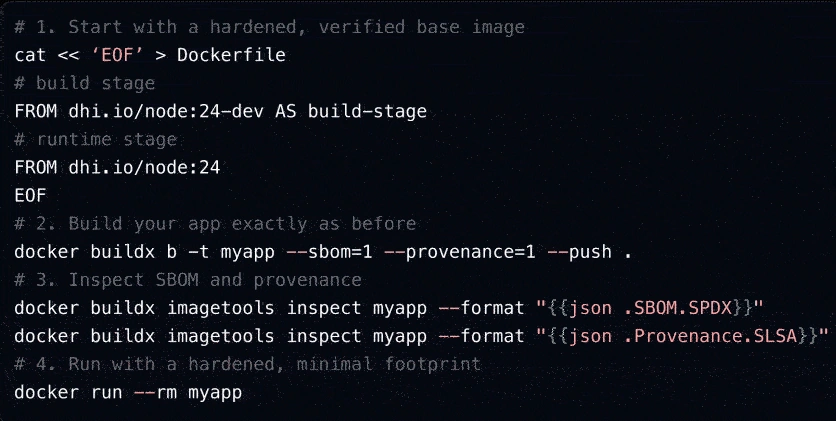
Pick an image you're already using. Check out the hardened version. The naming is straightforward: instead of node:24-dev, you use dhi.io/node:24-dev (or the Debian variant).
Pull it down, try it in development, and see what breaks. Usually? Not much. And what does break is typically easy to fix.
If you need Enterprise features down the road, Docker offers trials so you can test FIPS images or the customization service before committing.
The Bottom Line
Docker's approach here is actually pretty reasonable. They're not hiding security behind a paywall—the core value is genuinely free. But they're offering real, specific benefits in Enterprise for organizations that need legal guarantees and specialized compliance.
For most of us—developers, small teams, startups, open source projects—DHI Free is legitimately good enough. The images are secure, transparent, and well-maintained. No tricks.
For enterprises and regulated industries, DHI Enterprise provides the contractual commitments and compliance features that free software legally can't offer. That 7-day SLA, FIPS compliance, and audit-ready customization service? Those cost real money to maintain, and Docker's pricing reflects that.
The choice isn't really "free vs. paid." It's more like "do I need legal guarantees and specialized compliance, or just really solid security?" And for a lot of us, really solid security at no cost is exactly what we need.
Want to stay updated on Docker, containerization, and cloud technologies? Follow me for more insights, tutorials, and hands-on content. And if you have questions about migrating to Docker Hardened Images, drop them in the comments – I'd love to help!
Join the conversation! Your thoughts help the community grow.