Introduction About Dictionary in c# :
- Dictionary is collection of (Key, Value) pairs.
- Dictionary class is present in System.Collections.Generic namespaces.
- When creating Dictionary, we should specify the type for key and value.
- Dictionary provides fast lookup for values using keys.
- Keys in Dictionary must be unique.
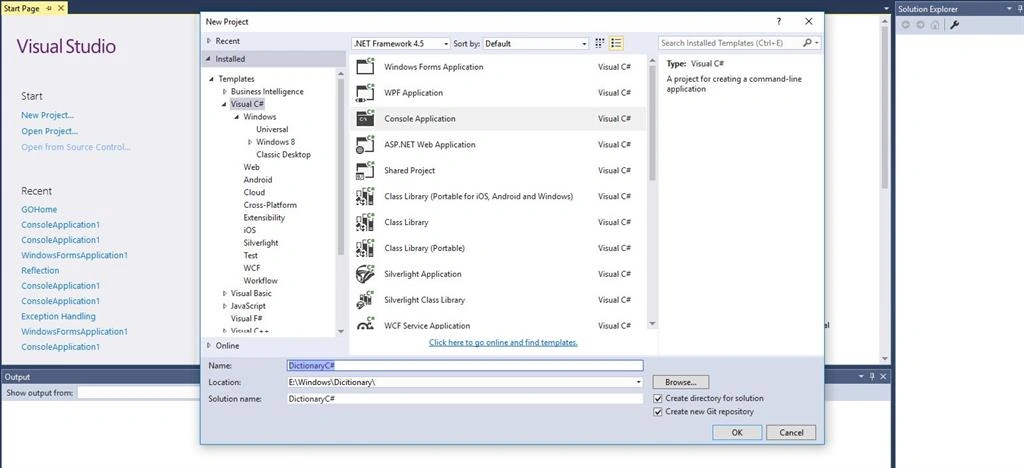
i will Explaining With Example Code . First we Should open Visual Studio and choose Console Application.
Go to File -> New -> Project-> Visual C# -> Console Application.
my console application name called as Dictionary. I have Student Class with Id,Name,Salary auto implemented property. Let's also create Student object for Student Class in main Method . I called as object Student 1 and initialize Property with values.i crate two more Sudent class object .The object must be unique .finally i created Student Dictionary . Dictionary class present in collections.Generic Namespace .
- using System.Collections.Generic;
- namespace Dictionary
- {
- class Program
- {
- static void Main(string[] args)
- {
-
- Student Student1 = new Student()
- {
- Id = 1,
- Name = "Thennarasu",
- Salary = 25000
- };
- Student Student2 = new Student()
- {
- Id = 2,
- Name = "Karthi",
- Salary = 35000
- };
- Student Student3 = new Student()
- {
- Id = 3,
- Name = "Mano",
- Salary = 45000
- };
- Dictionary<int, Student> StudentDictionary = new Dictionary<int, Student>();
- StudentDictionary.Add(Student1.Id, Student1);
- StudentDictionary.Add(Student2.Id, Student2);
- StudentDictionary.Add(Student3.Id, Student3);
- }
- }
-
-
- public class Student
- {
- public int Id { get; set; }
- public string Name { get; set; }
- public int Salary { get; set; }
- }
- }
when Create Dictionary we need to Specify datatype key and value.
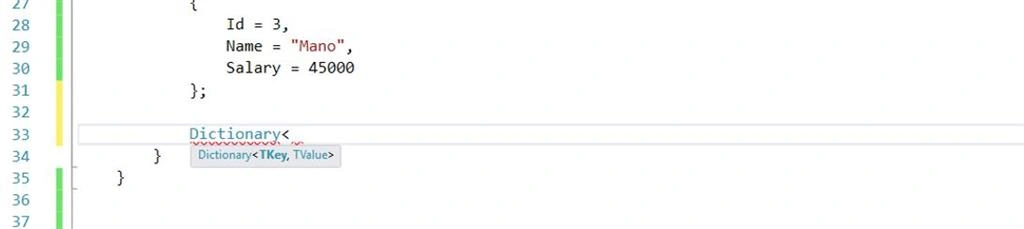
For key in this Dictionary .i used key value Student ID and value customer . we used To Add Keyword to add objects to Dictionary.we added all objects Student Id and value objects.
- Dictionary<int, Student> StudentDictionary = new Dictionary<int, Student>();
- StudentDictionary.Add(Student1.Id, Student1);
- StudentDictionary.Add(Student2.Id, Student2);
- StudentDictionary.Add(Student3.Id, Student3);
If We want to find the value Dictionary Best way to find the value using the Key. for this Dictionary use Key as StudentID .fastest way retrieve Customer object from Dictionary use Key.Here Key is StudentId .we want Details of Student ID 3 .we should pass the 3 value of Key
- Student StudentID3 =StudentDictionary[3];
- Console.WriteLine("StudentID={0},StudentName={1},StudentSalary={2}", StudentID3.Id,StudentID3.Name,StudentID3.Salary);
- Console.ReadLine();
Result Looks like Student Id 3 Details,

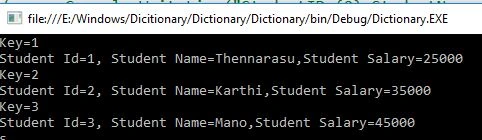
Next Going to Display all result using for each loop. we use Keyvaluepair Because Dictionary collections of key and value . foreach loop keyvaluepair we should mention Tkey and Tvalue. in our Code we use Tkey using StudentId and Tvalue using Student.
- foreach(KeyValuePair<int,Student> StudentKeyvaluepair in StudentDictionary)
- {
- Console.WriteLine("Key={0}", StudentKeyvaluepair.Key);
- Student stud = StudentKeyvaluepair.Value;
- Console.WriteLine("Student Id={0}, Student Name={1},Student Salary={2}", stud.Id, stud.Name, stud.Salary);
- Console.ReadKey();
-
- }
Result Will be Like this
Keys in the Dictionary must be unique. in our code already have Student 1 and Student 2 ,Student 3 . Now Trying To add Student 1 object once again .it will show Error ,
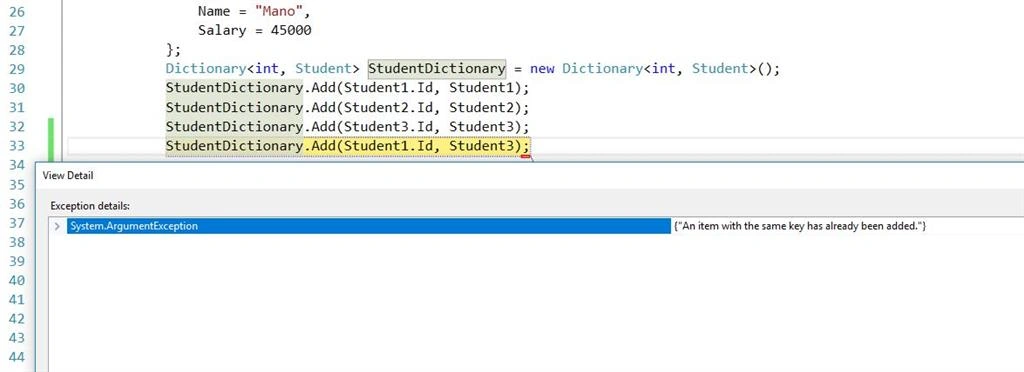
Error Showing An Item with same Key has already been Added. How to check Exists or Not in this Dictionary object we use a method called Contains key,
- Dictionary<int, Student> StudentDictionary = new Dictionary<int, Student>();
- StudentDictionary.Add(Student1.Id, Student1);
- StudentDictionary.Add(Student2.Id, Student2);
- StudentDictionary.Add(Student3.Id, Student3);
- if (!StudentDictionary.ContainsKey(Student1.Id))
- {
- StudentDictionary.Add(Student1.Id, Student3);
-
- }
Next We Discuss About Following Methods of Dictionary Class,
- TryGetvalue()
- Remove
- Clear()
- Count()
TryGetValue
TryGetvalue when we use if not sure Dictionary Contain specific key in this Dictionary. We use tryGetvalue To find The value .when using TrygetValue value comes with Out parameter.
we use key value Student Id .if a key value is found in the Dictionary value is print otherwise key value not Found its Key is not Found
- using System;
- using System.Collections.Generic;
- namespace Dictionary
- {
- class Program
- {
- static void Main(string[] args)
- {
-
- Student Student1 = new Student()
- {
- Id = 1,
- Name = "Thennarasu",
- Salary = 25000
- };
- Student Student2 = new Student()
- {
- Id = 2,
- Name = "Karthi",
- Salary = 35000
- };
- Student Student3 = new Student()
- {
- Id = 3,
- Name = "Mano",
- Salary = 45000
- };
- Dictionary<int, Student> StudentDictionary = new Dictionary<int, Student>();
- StudentDictionary.Add(Student1.Id, Student1);
- StudentDictionary.Add(Student2.Id, Student2);
- StudentDictionary.Add(Student3.Id, Student3);
- Student Stud;
- if(StudentDictionary.TryGetValue(3,out Stud))
- {
-
- Console.WriteLine("Id={0},Name={1},Salary={2}", Stud.Id, Stud.Name, Stud.Salary);
- Console.ReadLine();
-
- }
- else
- {
- Console.WriteLine("key is not Found");
- }
-
- }
- }
-
-
- public class Student
- {
- public int Id { get; set; }
- public string Name { get; set; }
- public int Salary { get; set; }
- }
- }
Result will be like,
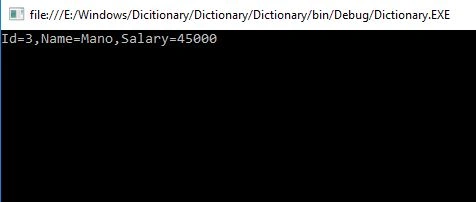
Student id 3 available in dictionary returns the ID,Name,Salary all value.otherwise Id hasn't founded function goes for as else part.
Count
if we want count How many items in Dictionary then we use Count Keyword.
- Dictionary<int, Student> StudentDictionary = new Dictionary<int, Student>();
- StudentDictionary.Add(Student1.Id, Student1);
- StudentDictionary.Add(Student2.Id, Student2);
- StudentDictionary.Add(Student3.Id, Student3);
-
-
- Console.WriteLine("Total item of Dictionary ={0}", StudentDictionary.Count);
- Console.ReadLine();
Result

Remove
If you want to remove Particular Item remove from Dictionary we use Remove Keyword.
- StudentDictionary.Remove(3);
Clear
if you want to remove all item remove from Dictionary we use Clear keyword.
StudentDictionary.Clear();
Conculsion
I hope you all understand in this article What is the Dictionary and How to use Dictionary also dicussed about Four Method TryGetvalue ,Remove ,count and Clear. please share all your feedback to improve my future Article.



Join the conversation! Your thoughts help the community grow.