

ViewData is a dictionary object derived from the ViewDataDictionary class. Viewdata passes data between a Controller and a View. Its life lies only during the current request. If redirection occurs then its value become null. Viewdata is a property of the controller class.
Let us see an example.
Add a model class to your project.
- public class HomeController : Controller
- {
- public ActionResult ShowData()
- {
- ViewData["Datetime"] = DateTime.Now;
- ViewData["name"] = "hello my name is taj";
- return view();
- }
- }
- <html>
- <head>
- <meta name="viewport" content="width=device-width" />
- <title>ShowData</title>
- </head>
- <body>
- <div>
- @ViewData["Datetime"] <br />
- @ViewData["name"]
- </div>
- </body>
- </html>
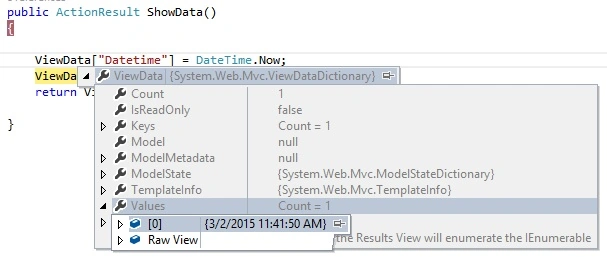
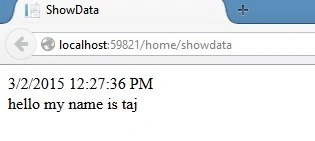
Let see the output of preceding code.
ViewBag
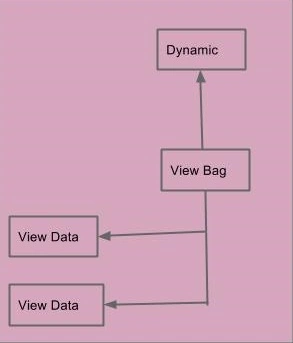
A Viewbag is a collection of viewdata. A Viewbag is a dynamic property that benefits from a new feature of C# 4.0. Viewbag doesn't require typecasting for complex datatype. Viewbag is a property of the controller class. Its life exists only during the current request. If redirection occurs then its value become null.
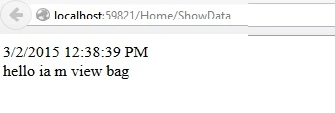
Let us see an example.
- public class HomeController : Controller
- {
-
- public ActionResult ShowData()
- {
- ViewBag.datetime = DateTime.Now;
- ViewBag.name = "hello ia m view bag";
- return view();
- }
- }
- <html>
- <head>
- <meta name="viewport" content="width=device-width" />
- <title>ShowData</title>
- </head>
- <body>
- <div>
- @ViewBag.datetime<br/>
- @ViewBag.name
- </div>
- </body>
- </html>
Temp Data
Tempdata is a dictionary object derived from the TempDataDictionary class and is stored in a short live session. TempData is a property of the Controller class. It's life is very short and exists only until the target view is fully loaded. It's required typecasting for getting the data and to check for null values to avoid errors. Temdata cannot pass the data from the Controller to the View. TempData persists the data ActionResult to ActionResult.
Let us see an example.
- public class HomeController : Controller
- {
- public ActionResult ShowData()
- {
- TempData["datetime"] = DateTime.Now;
- TempData["name"]="hello i am temp data";
- return RedirectToAction("ShowData1");
- }
- public ActionResult ShowData1()
- {
- string str = TempData["datetime"].ToString();
- string str1 = TempData["name"].ToString();
- return View("ShowData");
- }
- }
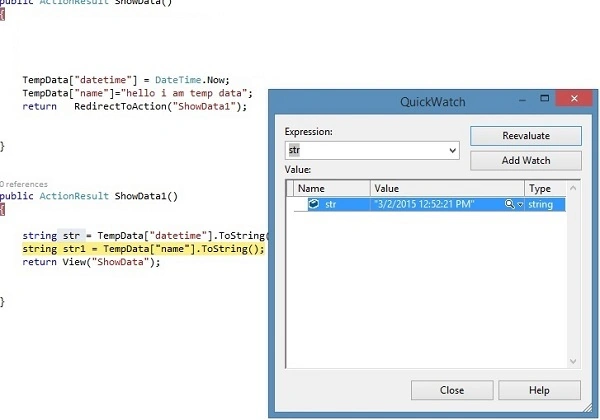
Select str in the showdata method and right-click on str => click Quickwatch.
Session
Session is an object derived from the HttpSessionState class. Session is the property of the HttpContext class. Session can also pass the data from the controller to the view and Action to Action. Session is valid for all requests, not for a single redirect and it is also need typecasting to getting data and check for null values to avoid error.
Let us see an example.
The following is the View page code:
Add the breakpoint on ShowData() and ShowData1() to check the flow of data then press F11.
Let us see in the QuickWatch.
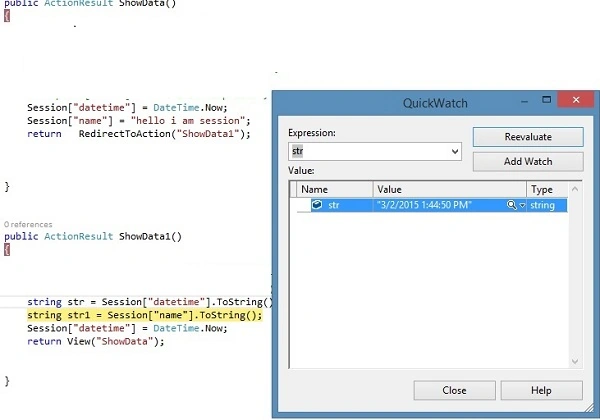
In the preceding figure we saw the role of session. session passes the data from Controller to View and Action to Action.
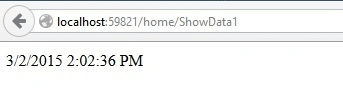
The following is the output of the preceding code:
Summary
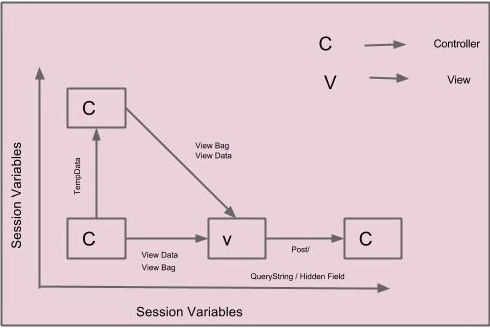
This article showed how to pass data from the Controller to the View and Action to Action using ViewBag, ViewData, TempData and Session.
Let us see an example.
- public class HomeController : Controller
- {
- public ActionResult ShowData()
- {
- Session["datetime"] = DateTime.Now;
- Session["name"] = "hello i am session";
- return RedirectToAction("ShowData1");
- }
- public ActionResult ShowData1()
- {
- string str = Session["datetime"].ToString();
- string str1 = Session["name"].ToString();
- Session["datetime"] = DateTime.Now;
- Session["name"] = "hello i am session";
- return View("ShowData");
- }
- }
- <html>
- <head>
- <meta name="viewport" content="width=device-width" />
- <title>ShowData</title>
- </head>
- <body>
- <div>
- @Session["datetime"]<br />
- </div>
- </body>
- </html>
Let us see in the QuickWatch.
In the preceding figure we saw the role of session. session passes the data from Controller to View and Action to Action.
The following is the output of the preceding code:
Summary
This article showed how to pass data from the Controller to the View and Action to Action using ViewBag, ViewData, TempData and Session.
sreenivasa kPosted Mar 3, 2015, 10:05 AM
nice article
Harpreet SinghPosted Mar 3, 2015, 7:17 AM
helpful...thanks for sharing
Rajeev RanjanPosted Mar 2, 2015, 11:00 PM
awsm article
Sourabh SomaniPosted Mar 2, 2015, 9:32 PM
Nice one :)