

Introduction
This article details the step-by-step process for creating an Azure AI Hub, setting up Azure AI projects, appropriate use of Azure AI Studio, and managing tasks within Azure AI Hub.
Azure AI Studio works
An AI hub offers a collaborative workspace for developing and managing AI solutions. To utilize the solution development features and capabilities of AI Studio, you must have at least one Azure AI hub.

An Azure AI hub can accommodate multiple projects, each containing the tools and assets needed to develop a specific AI solution. For instance, you might establish a project to facilitate collaboration between data scientists and developers in creating a custom copilot for a business application or process.
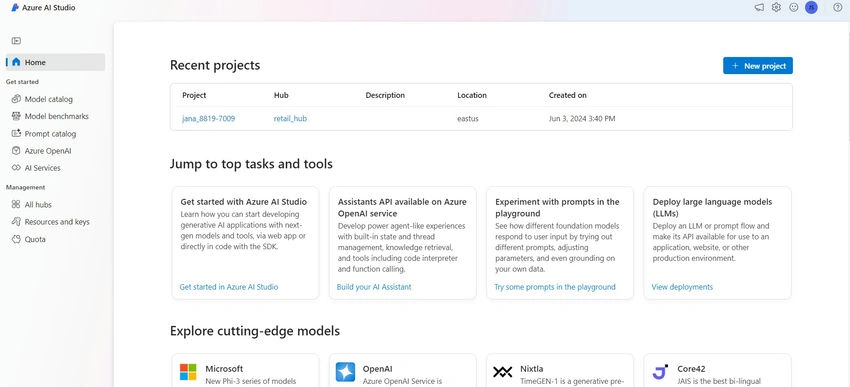
An Azure AI hub serves as the cornerstone for AI development projects on Azure, allowing you to define shared assets that can be utilized across multiple projects. Using AI Studio on the Manage page of an Azure AI hub, you can.
- Create members and assign specific roles.
- Create and manage compute instances for running experiments, prompt flows, and custom code.
- Create and manage connections to resources such as data stores, GitHub, Azure AI Search indexes, and more.
- Define policies to manage behaviors, like automatic compute shutdown.
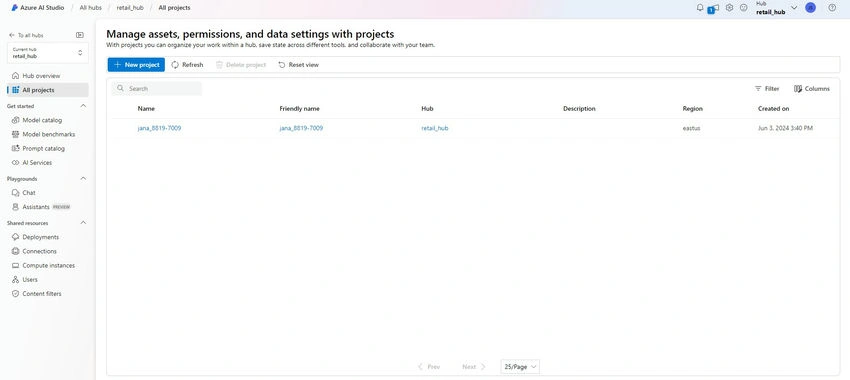
Connected Azure Resources
You can create an Azure AI hub using Azure AI Studio either on the Manage page or during the process of creating a new project on the Build page. When you create an AI hub, it is added as a resource in your Azure subscription within the specified resource group, providing a collaborative workspace for AI development.
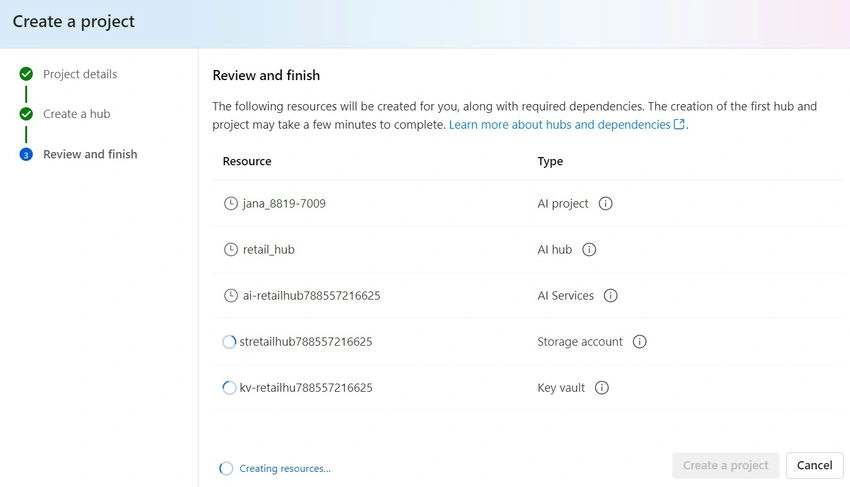
Alongside the core AI hub resource, additional Azure resources are created to support your AI projects, including:
- A Storage account for securely storing project data.
- A Key vault for securing credentials and other sensitive information.
- A Container registry for storing Docker images used by your AI solutions.
- An Application Insights resource for recording usage and performance metrics.
- An Azure OpenAI Service resource that offers generative AI models for your applications.
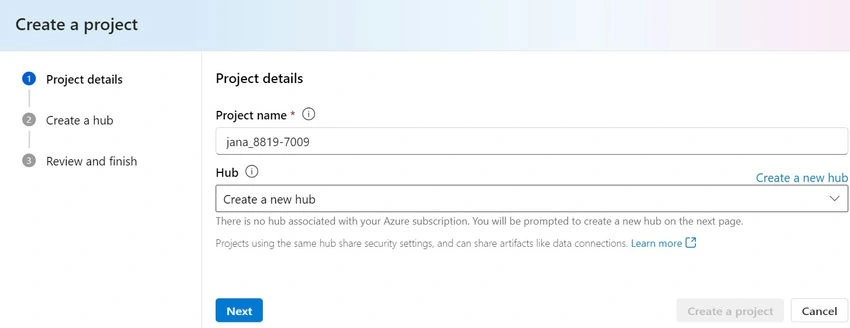
Enter project details.
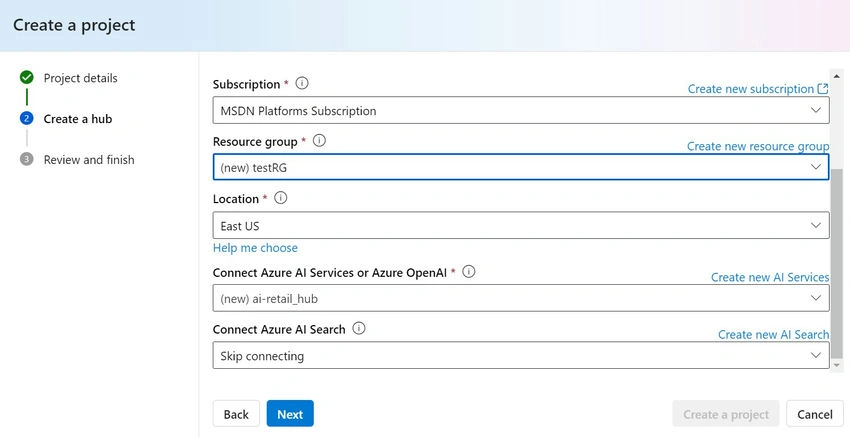
Create a hub for your projects.

Review and then finish.
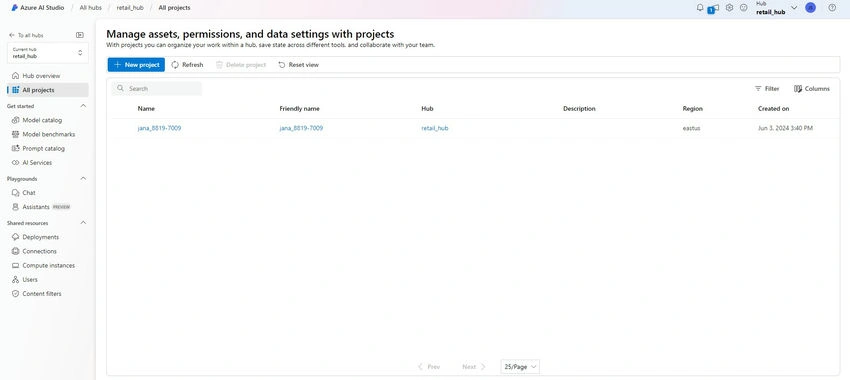
Project created successfully in the All Projects Section.
When to use Azure AI Studio?
Azure AI Studio equips developers and data scientists with the tools needed to develop custom copilots and advanced, market-ready generative AI applications responsibly. It serves as the premier platform for,
- Creating and managing AI projects: Azure AI Studio acts as a centralized hub, enabling you to manage resources, collaborate with team members, and streamline your workflow.
- Developing generative AI applications: Utilize Azure AI Studio's capabilities to develop applications that generate content or build custom prompt flows.
- Exploring available AI models: Experiment with various AI models from OpenAI, Microsoft, Hugging Face, and more through the model catalog.
- Leveraging Retrieval Augmented Generation (RAG): Enhance the quality and relevance of generated content by combining retrieval and generation capabilities.
- Monitoring and evaluating AI models: Use Azure AI Studio's robust tools to evaluate and monitor your prompt flows and AI models, ensuring they meet desired performance metrics.
- Integrating with Azure services: Easily integrate your AI applications with other Azure services, making Azure AI Studio a versatile choice for complex projects.
- Building responsibly: Azure AI Studio emphasizes ethical AI use, providing guidance and tools to ensure your applications adhere to best practices and ethical standards.
Summary
In this article, we successfully created an Azure AI Hub, set up Azure AI projects, explored when to use Azure AI Studio, and managed tasks within the Azure AI Hub. Azure AI Studio is perfect for scenarios requiring a robust, integrated environment to develop, deploy, and manage AI applications. Whether you are enhancing existing AI solutions or creating new ones from the ground up, Azure AI Studio offers the essential tools and resources to realize your AI projects.
Saravanan GanesanPosted Jun 4, 2024, 7:36 AM
Very well crafted article !!! Janarthanan Selvaraj