

In many public facing site’s landing pages we might have seen the latest updates, news headlines or twitters feeds displayed in small sections. We can implement the same in SharePoint web part using Out-Of-Box XML viewer web part.
The below mentioned steps will be helpful for implementing it.
Step 1: Get the live RSS feed URL and edit the SharePoint Web Part page.
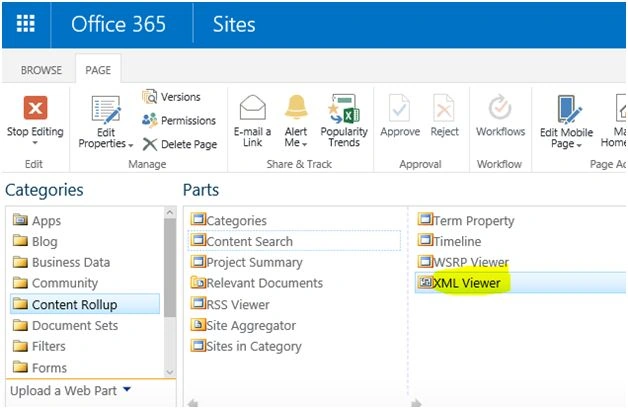
Then add XML Viewer webpart.
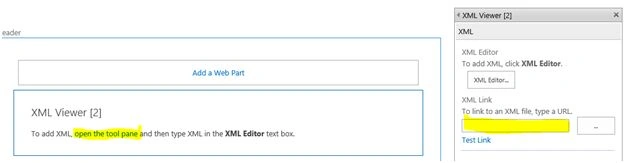
XML Link: Sample live news feed.
XSL Editor: Click “XSL Editor” button in the “XML Viewer Webpart” properties. Paste the XSL tags in the XML Editor.
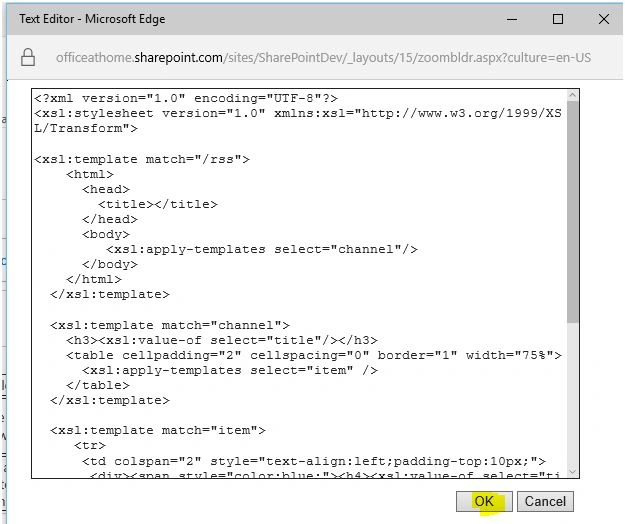
Click OK and close the properties window and save the SharePoint webpart page.
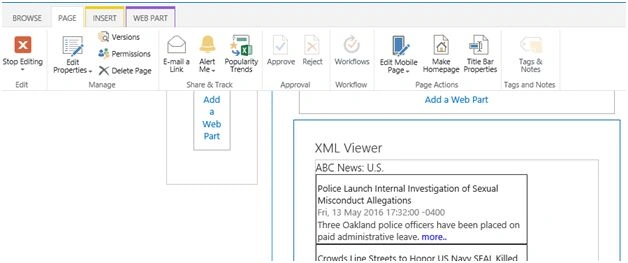
Final output.
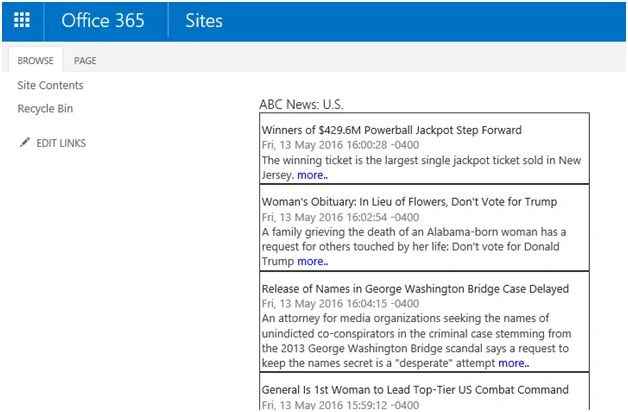
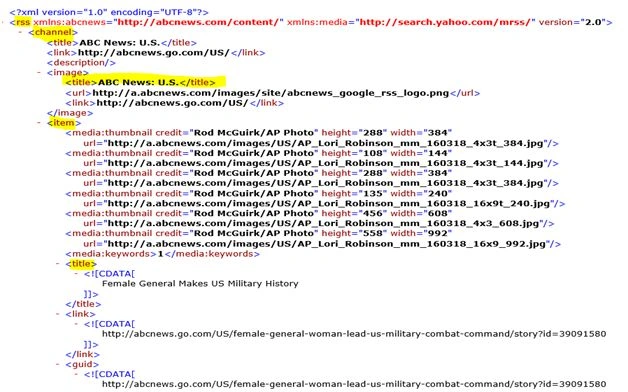
Step 2: To create the XSL we need to first get the structure of the XML from the RSS Feed.
RSS feed from sample live news feed.
XSLT can be created using W3Schools online XSLT tool.
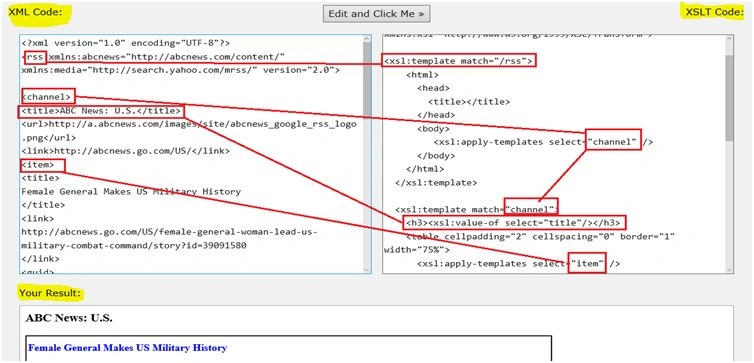
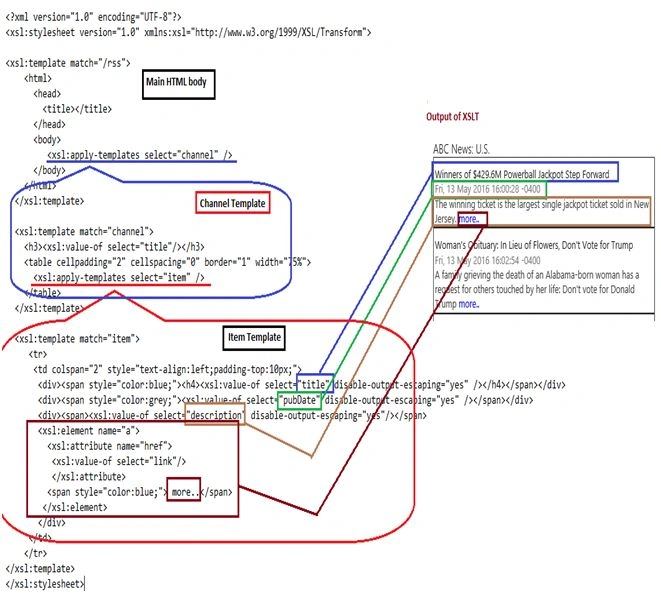
Detailed explanation of how XSLT is mapped to XML (RSS) elements is given below.
In the RSS XML source we can see the root rss tag, channel (parent node) and item (child node).
<xsl:template match=”/rss”>
This states the root rss tag and within this tag the html, head, title and body elements are enclosed in XSLT. Inside the body <xsl:apply-templates select=”channel”/> is mentioned to incorporate the content of channel (parent node).
Next define the template for channel.
- <xsl:template match="channel">
- <h3><xsl:value-of select="title"/></h3>
- <table cellpadding="2" cellspacing="0" border="1" width="75%">
- <xsl:apply-templates select="item" />
- </table>
- </xsl:template>
- <xsl:template match="item">
- <tr>
- <td colspan="2" style="text-align:left;padding-top:10px;">
- <div><span style="color:blue;"><h4><xsl:value-of select="title" disable-output-escaping="yes" /></h4></span></div>
- <div><span style="color:grey;"><xsl:value-of select="pubDate" disable-output-escaping="yes" /></span></div>
- <div><span><xsl:value-of select="description" disable-output-escaping="yes"/></span>
- <xsl:element name="a"> (For creating a hyperlink)
- <xsl:attribute name="href">
- <xsl:value-of select="link" />
- </xsl:attribute>
- <span style="color:blue;"> more..</span>
- </xsl:element>
- </div>
- </td>
- </tr>
- </xsl:template>
Siva PrakashPosted Jun 5, 2017, 7:02 AM
I am getting this exception("Failed to apply XSLT to the content.") , can anyone know wt was the issue? if it is required, let me share the xsl contents as well. Thanks in Advance.
Kuppurasu NagarajPosted May 17, 2016, 11:06 AM
Nice sharing..
Ketak BhalsingPosted May 17, 2016, 1:57 AM
Good info....
Sonu ChaudharyPosted May 16, 2016, 3:26 PM
good one...
Vinodh NarayananPosted May 16, 2016, 10:27 AM
good one
Prasanna MuraliPosted May 16, 2016, 10:03 AM
Nice one...
Humayun Kabir MamunPosted May 16, 2016, 7:20 AM
Nice...
Vipin TyagiPosted May 16, 2016, 6:11 AM
It is helpful.I want to know one thing that how to get xml data from a web page?
Debasis SahaPosted May 16, 2016, 12:59 AM
Nice one..